Knowledge hub

Account Registration and Recovery
Registering an account on the app
Want to register your account, recover a forgotten username, or reset your password? You’ll find all the steps you need to quickly and easily access your account in just a few simple steps.
Start now!
Step 1 of 10
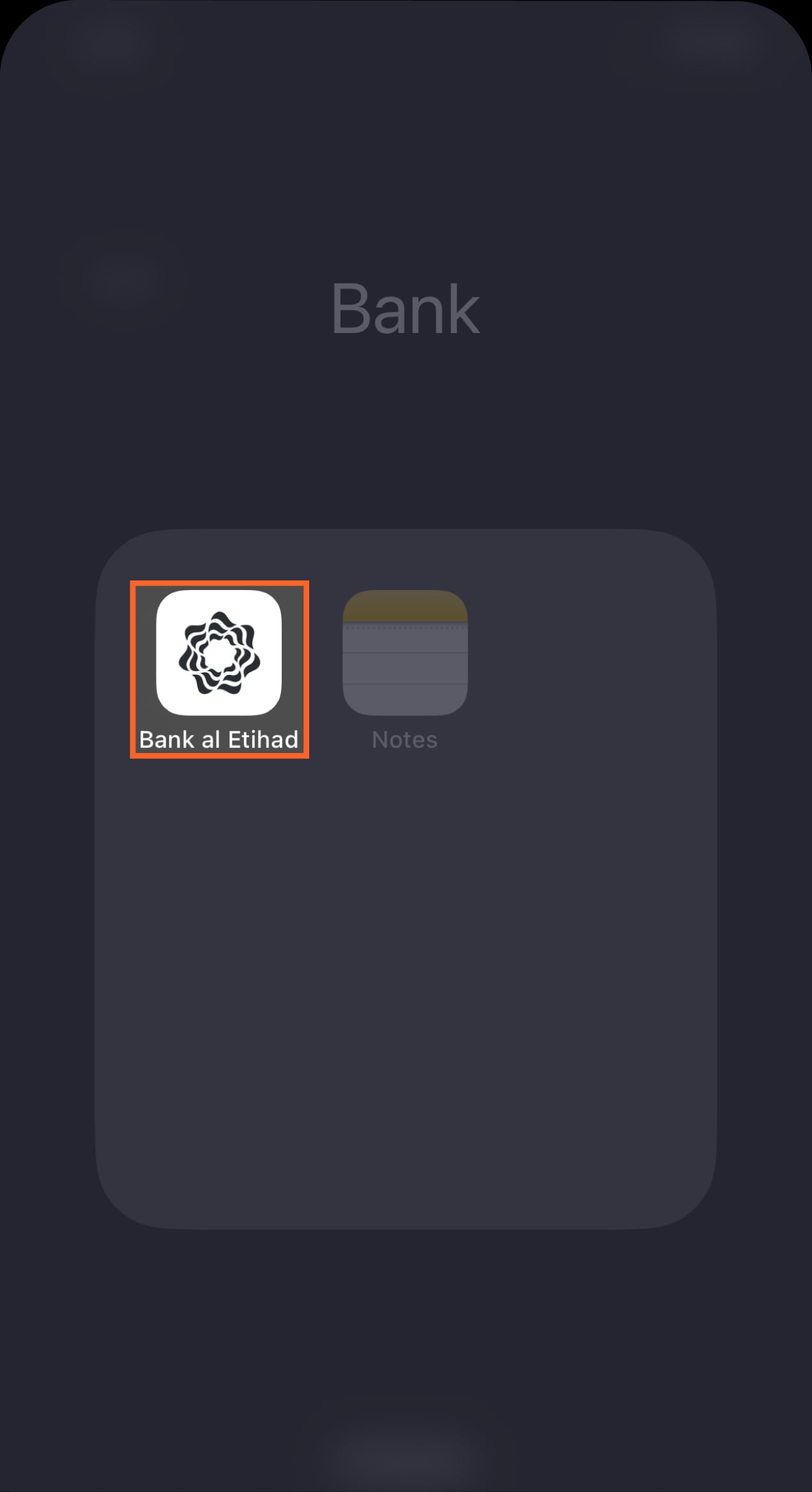
Download our mobile banking app
You can download the app from the App Store if you're using an iPhone or from Google Play if you're using an Android device.
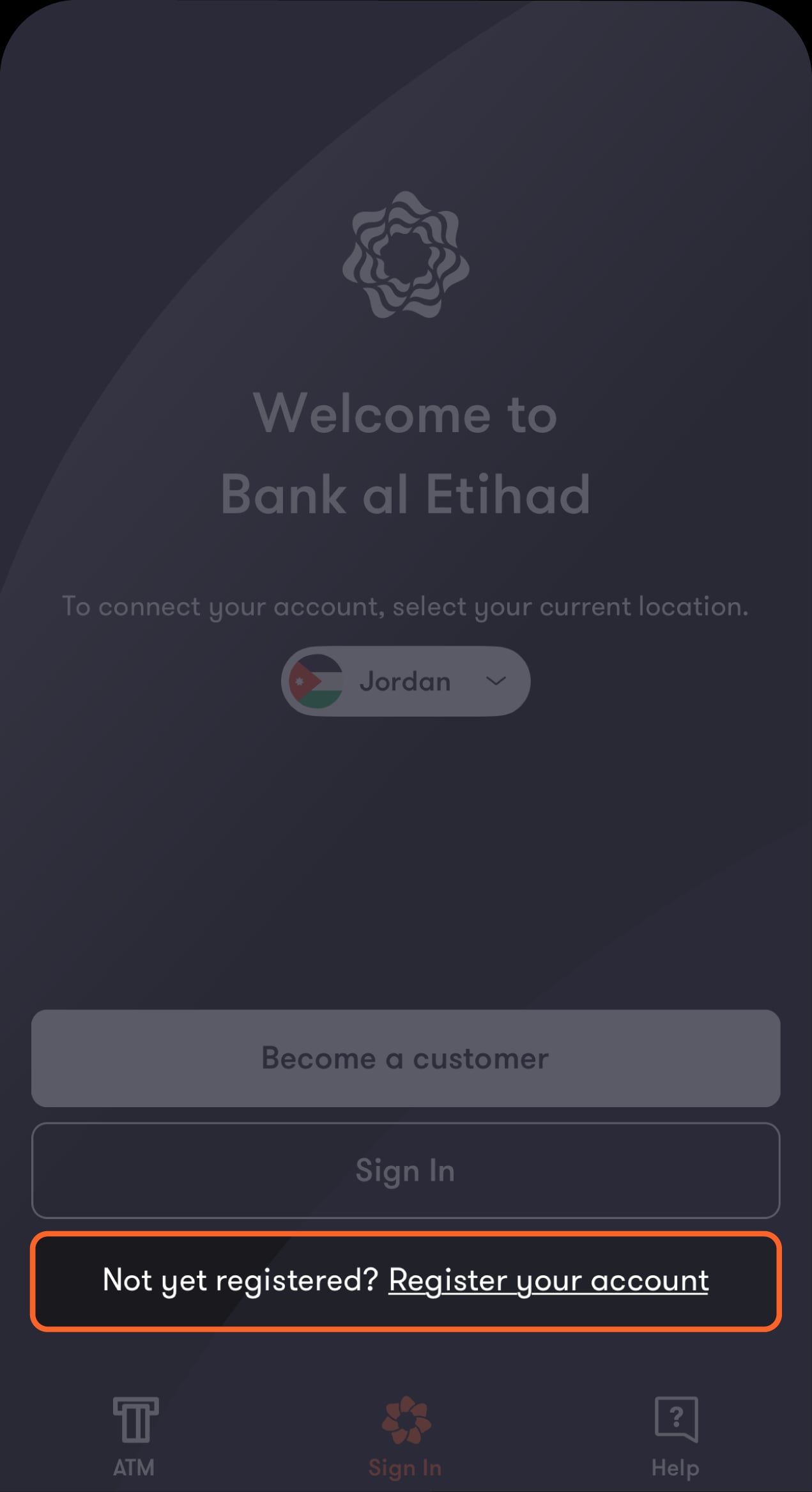
Step 2 of 10
From the “Sign In” screen, tap on “Register your account”
You will be directed to verify your identity.
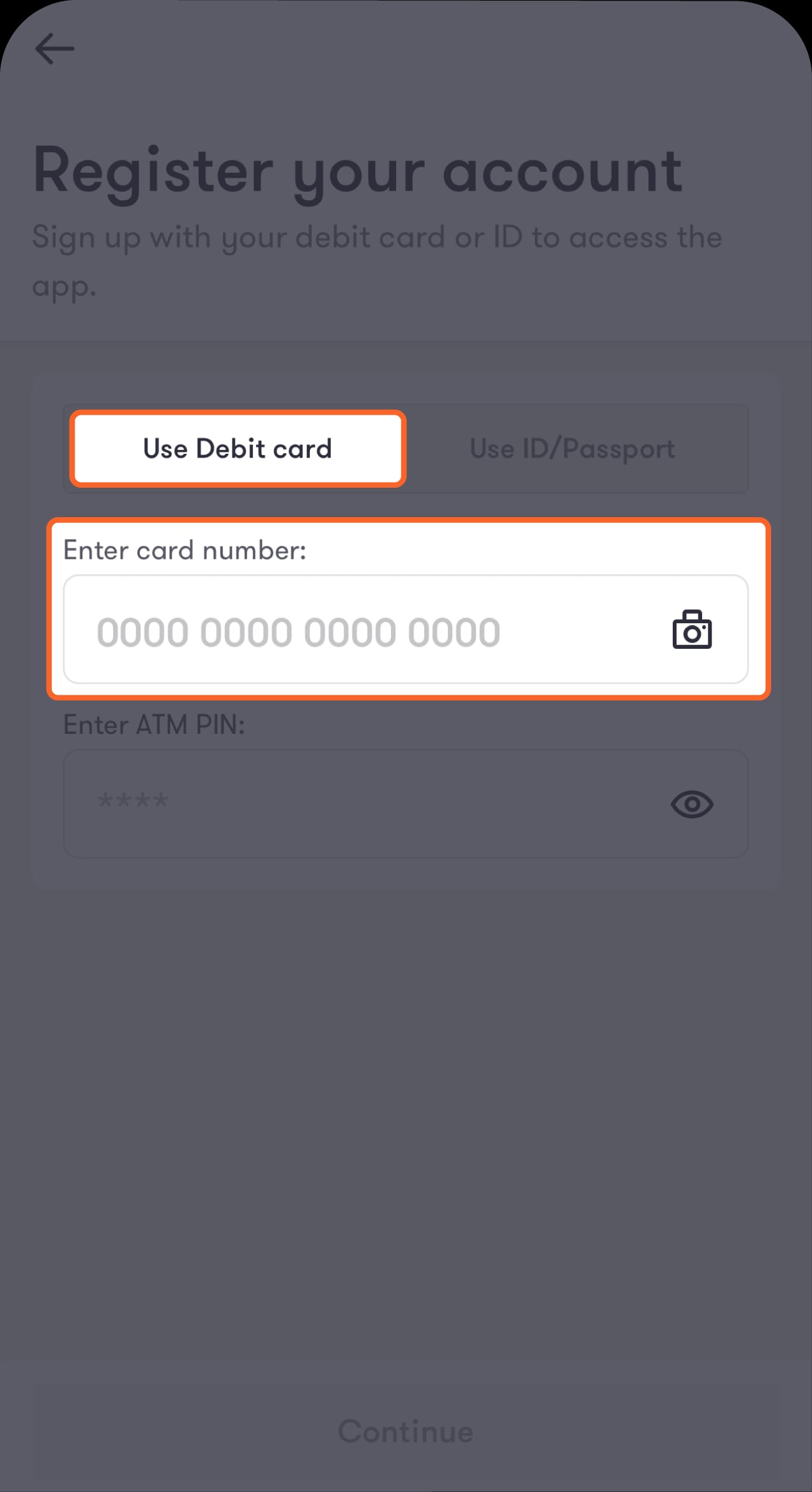
Step 3 of 10
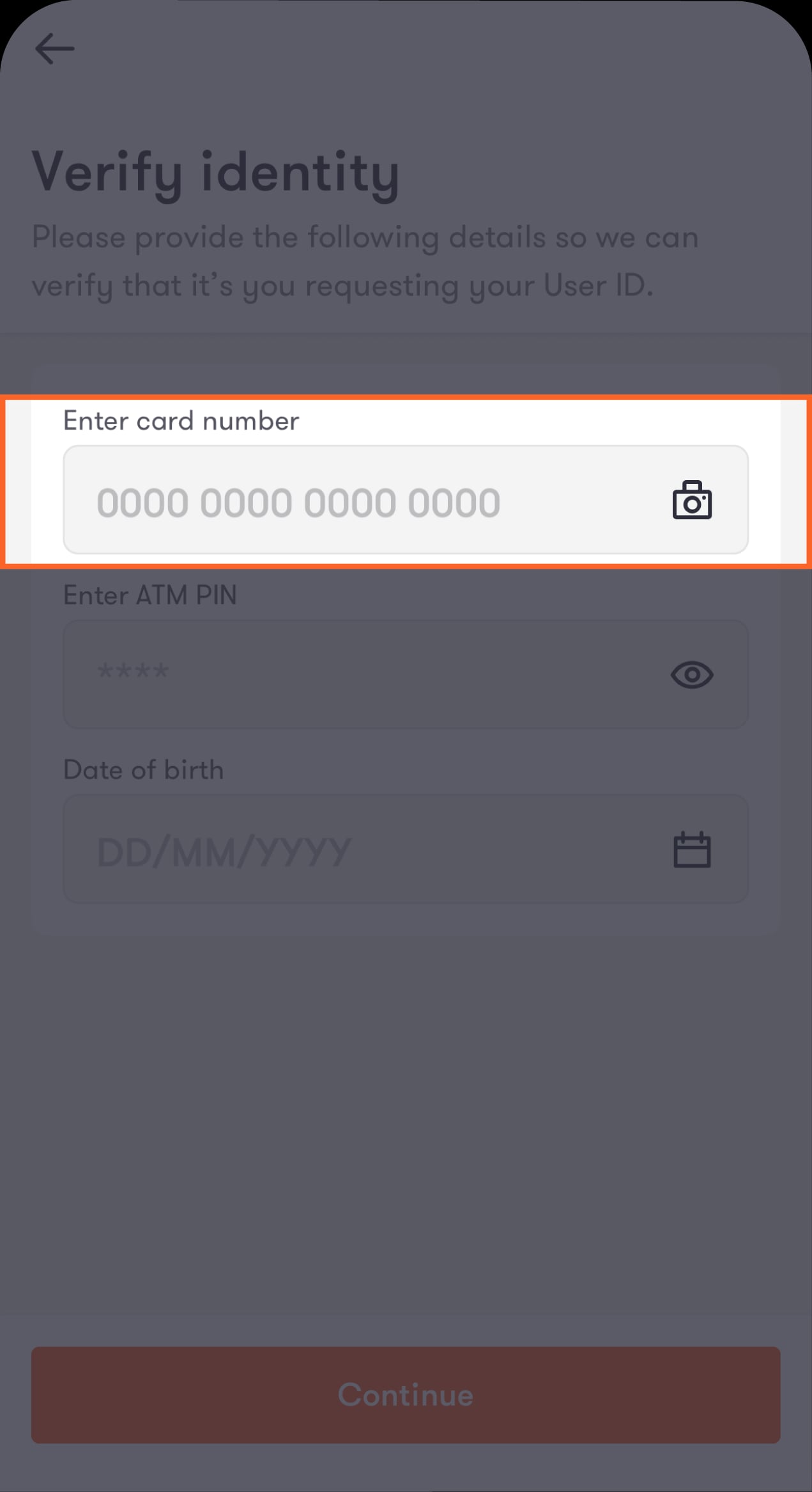
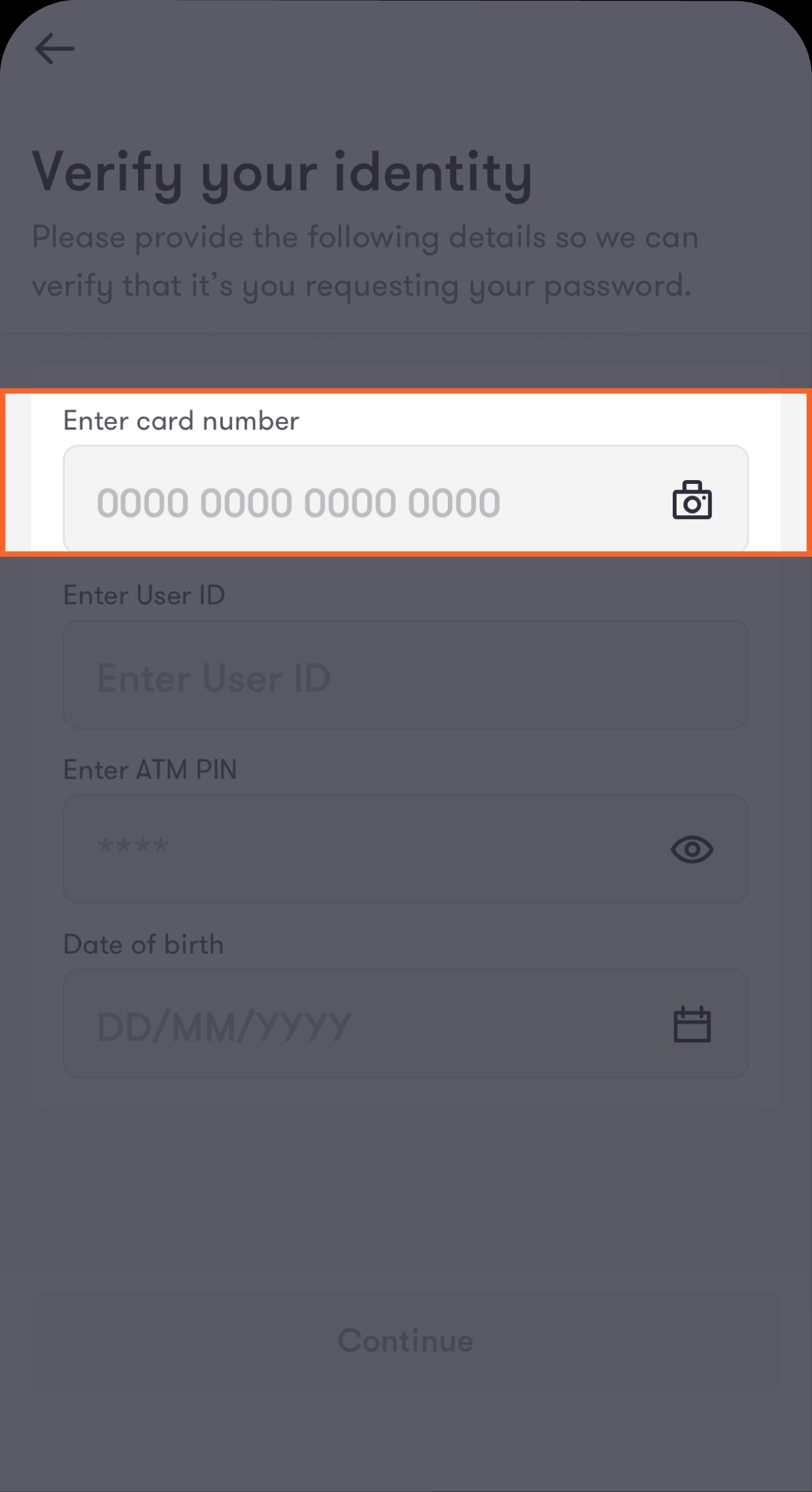
Select your preferred verification method from the top of the screen
If you want to use your primary debit card, you can either manually enter your card number or tap on the camera icon to scan the front of your card and autofill the card number field.
Step 4 of 10
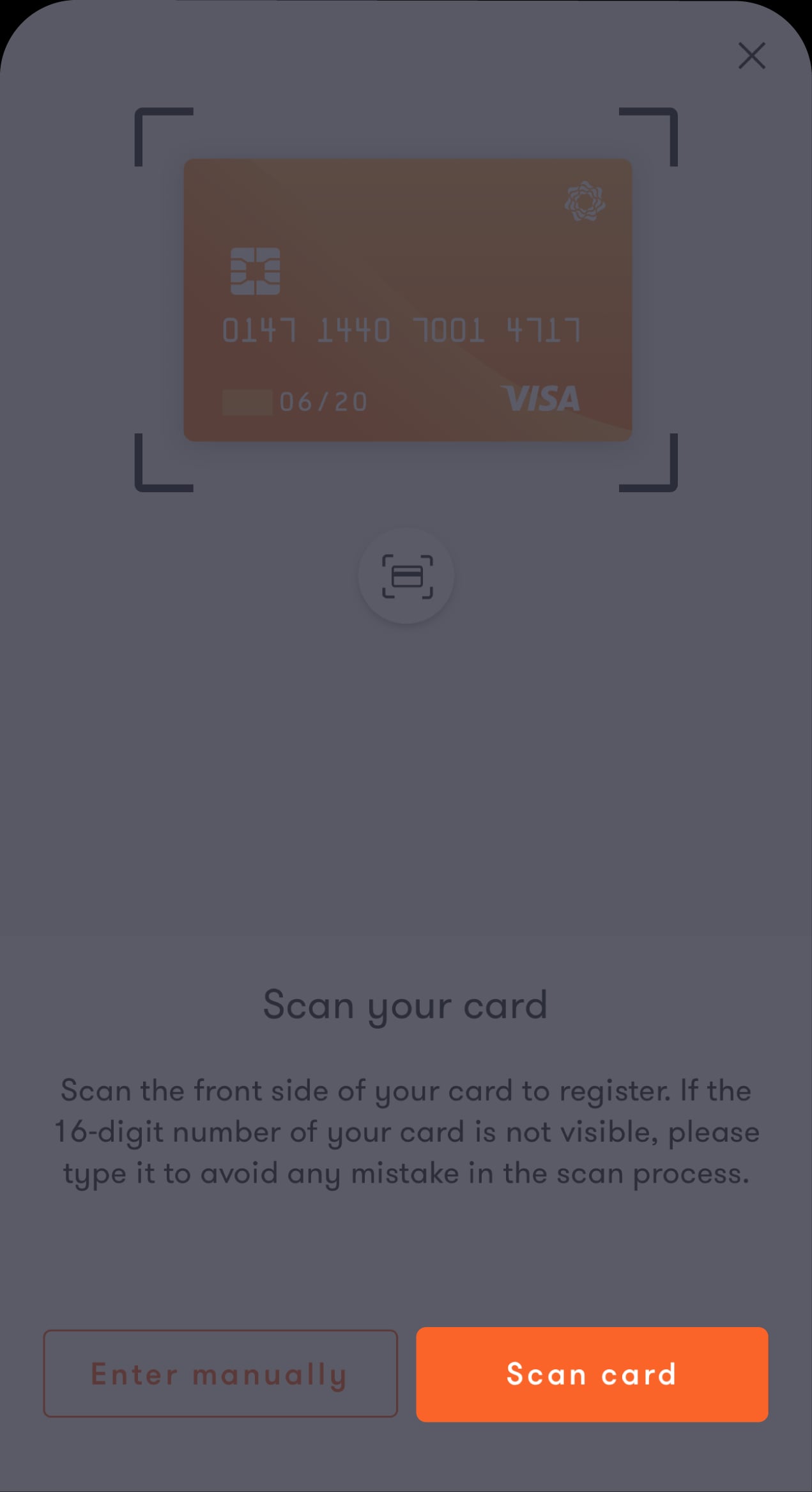
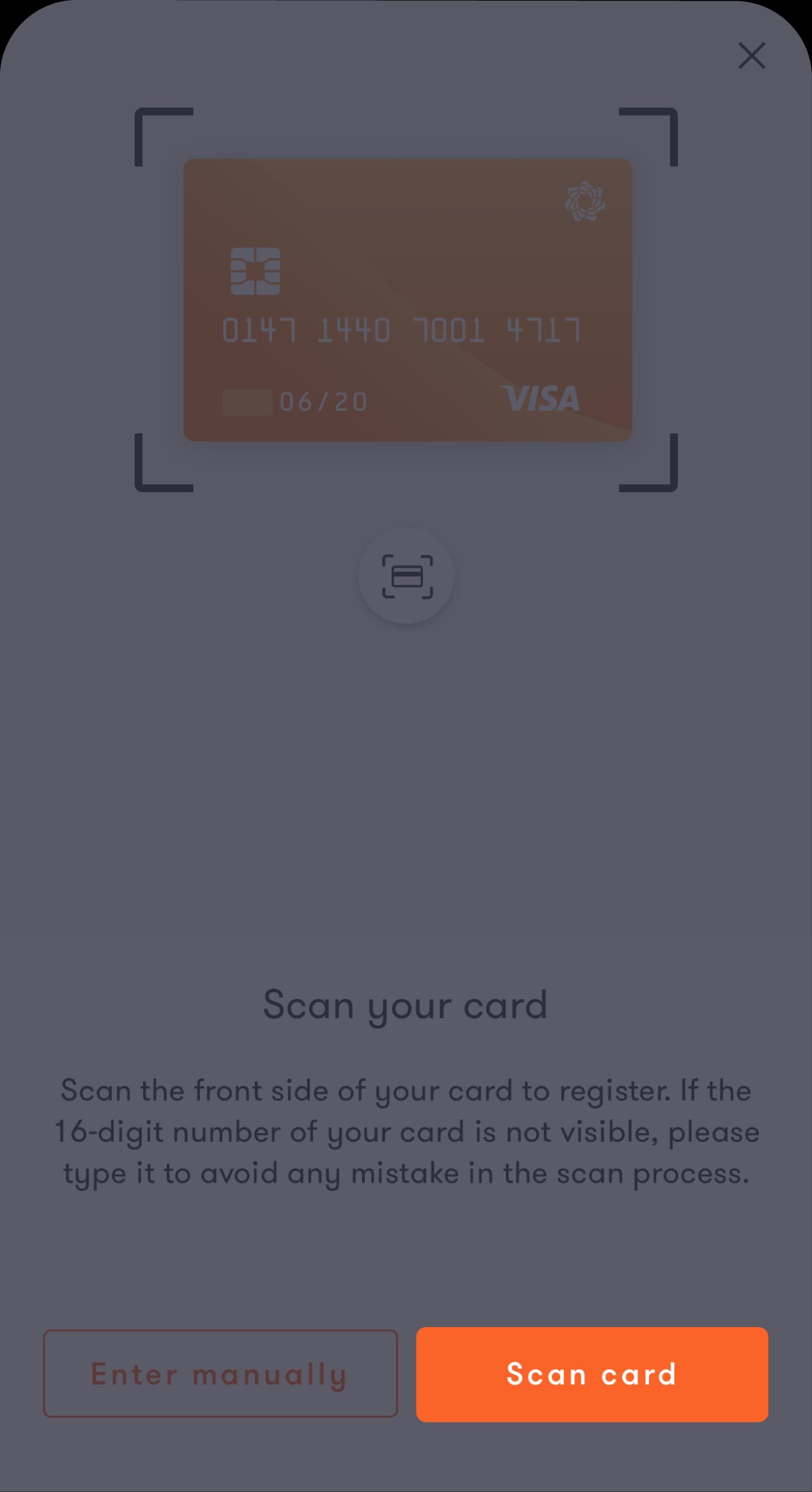
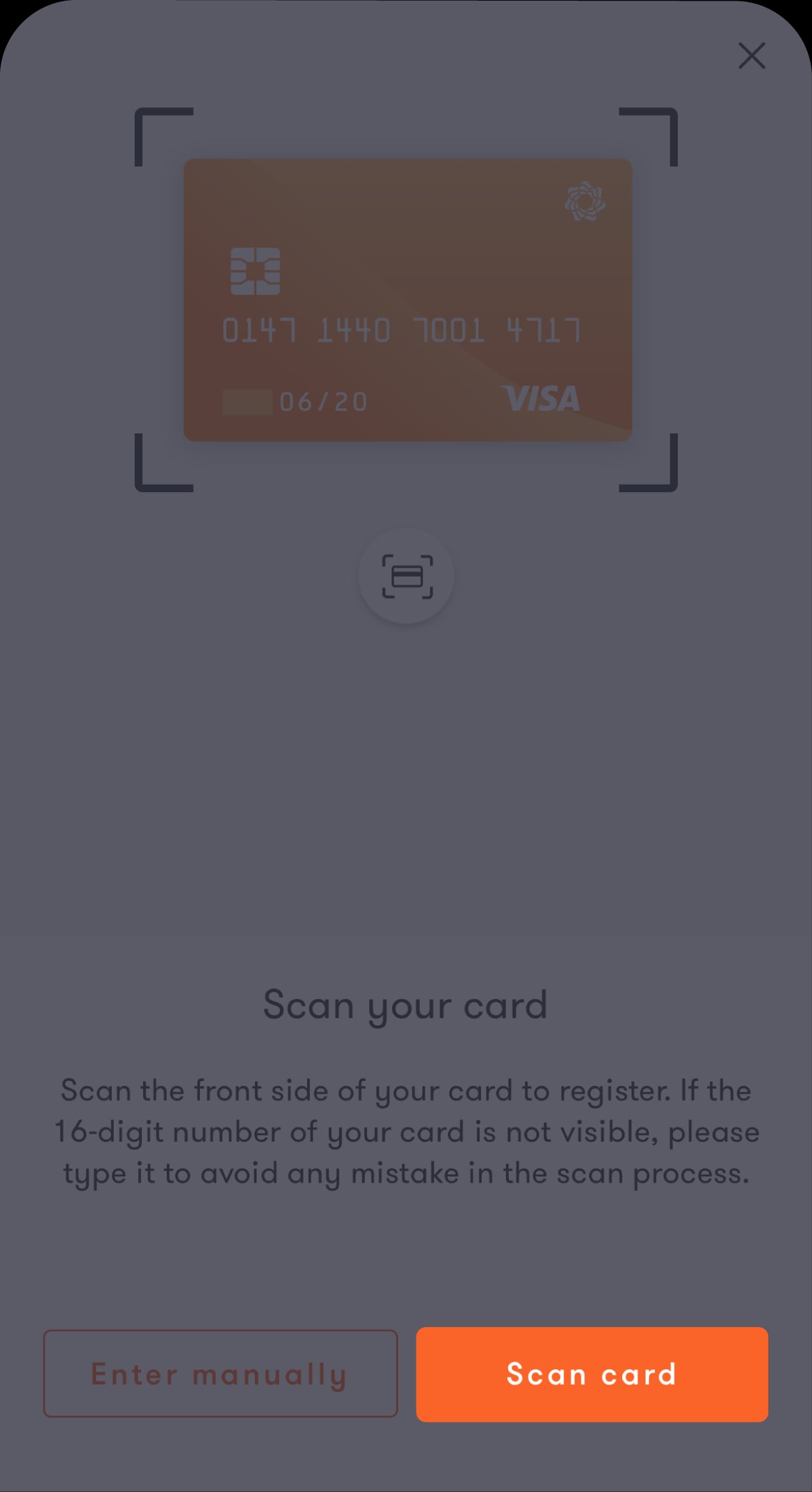
If you choose to scan your card, take a moment to read the instructions on this screen
Tap on “Scan card” from the bottom of the screen.
Step 5 of 10
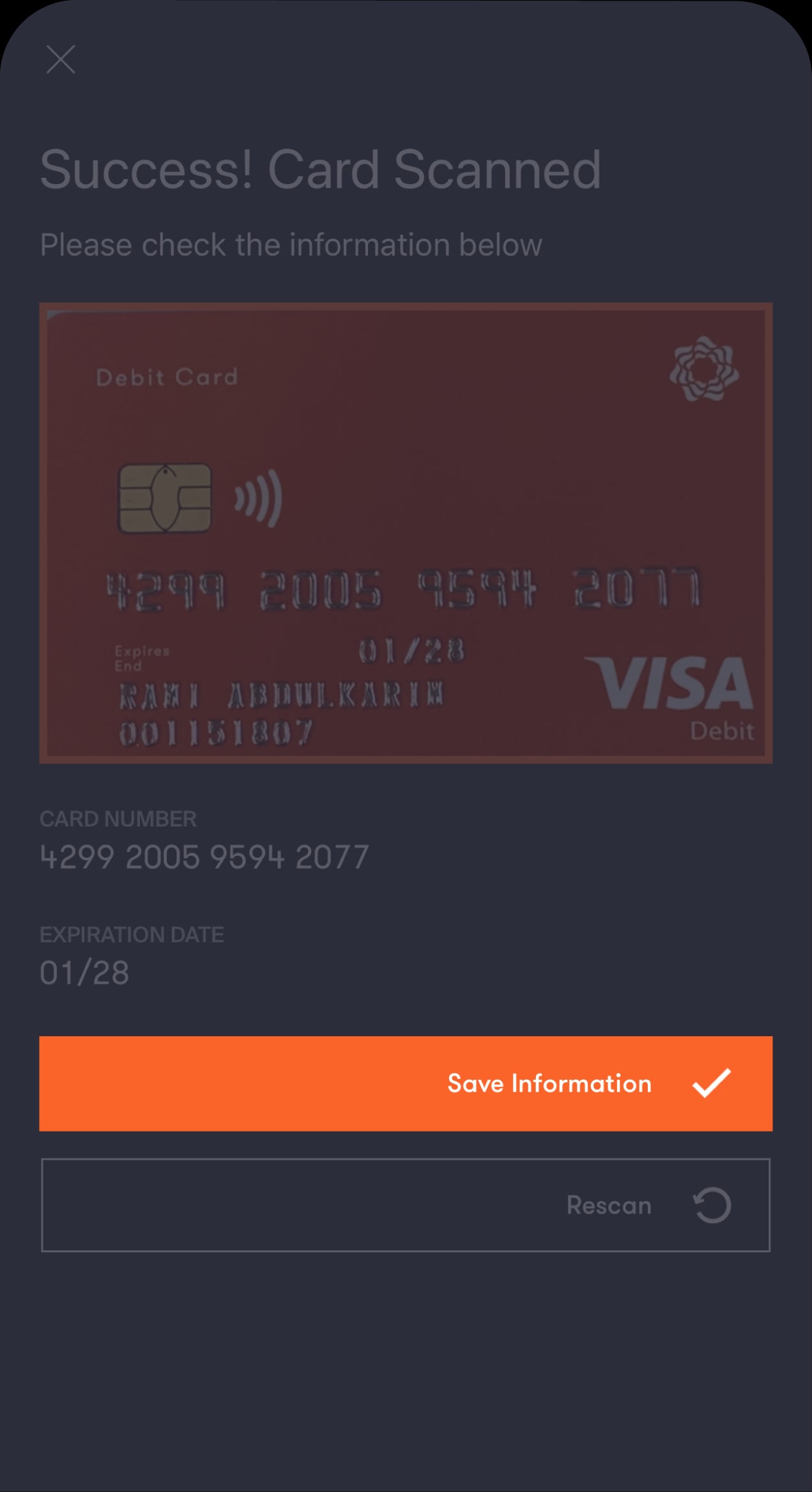
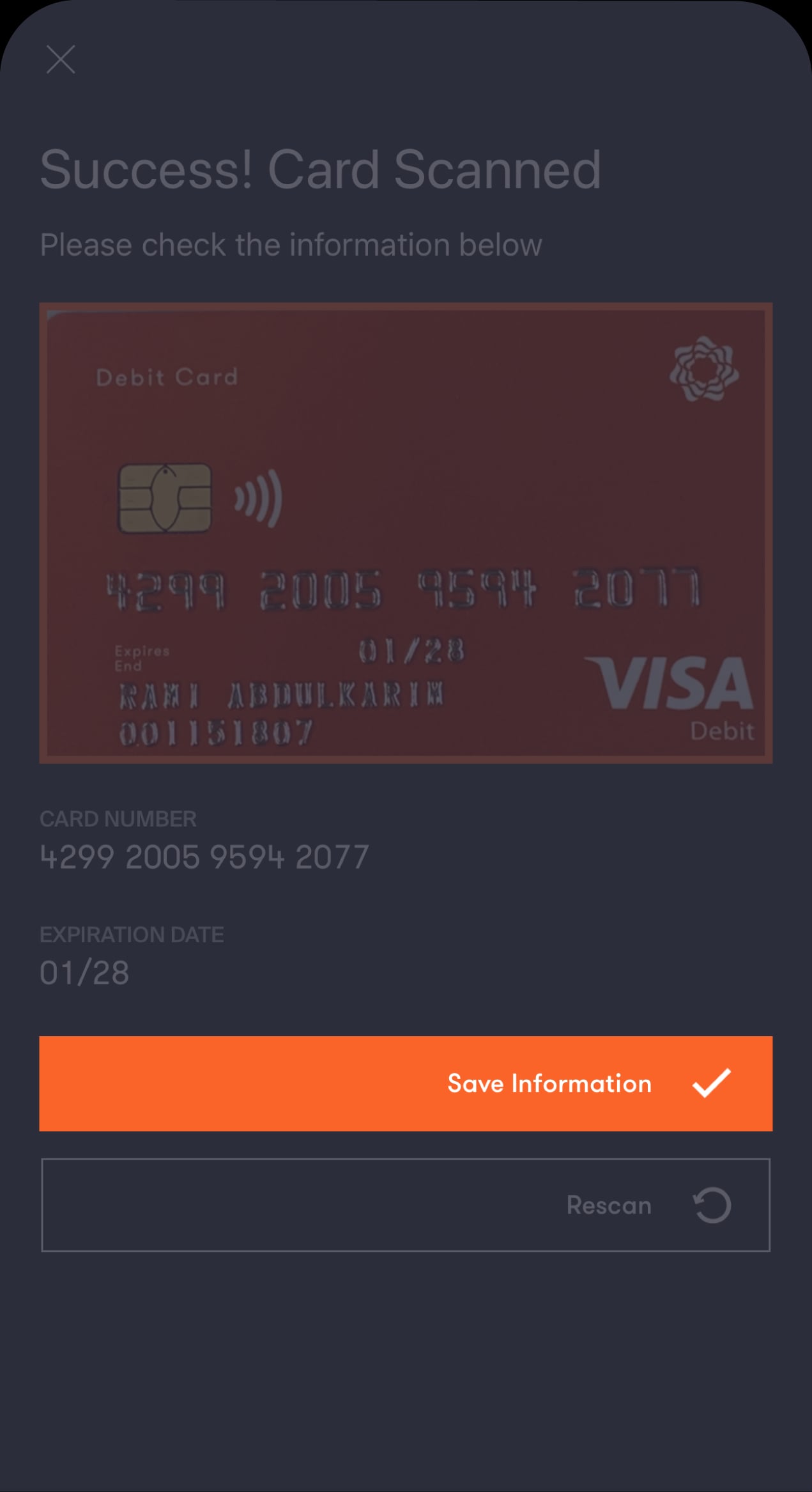
Double-check that the card number was captured correctly
If the numbers are correct, tap on “Save Information". If not, tap on “Rescan” to try again.
Step 6 of 10
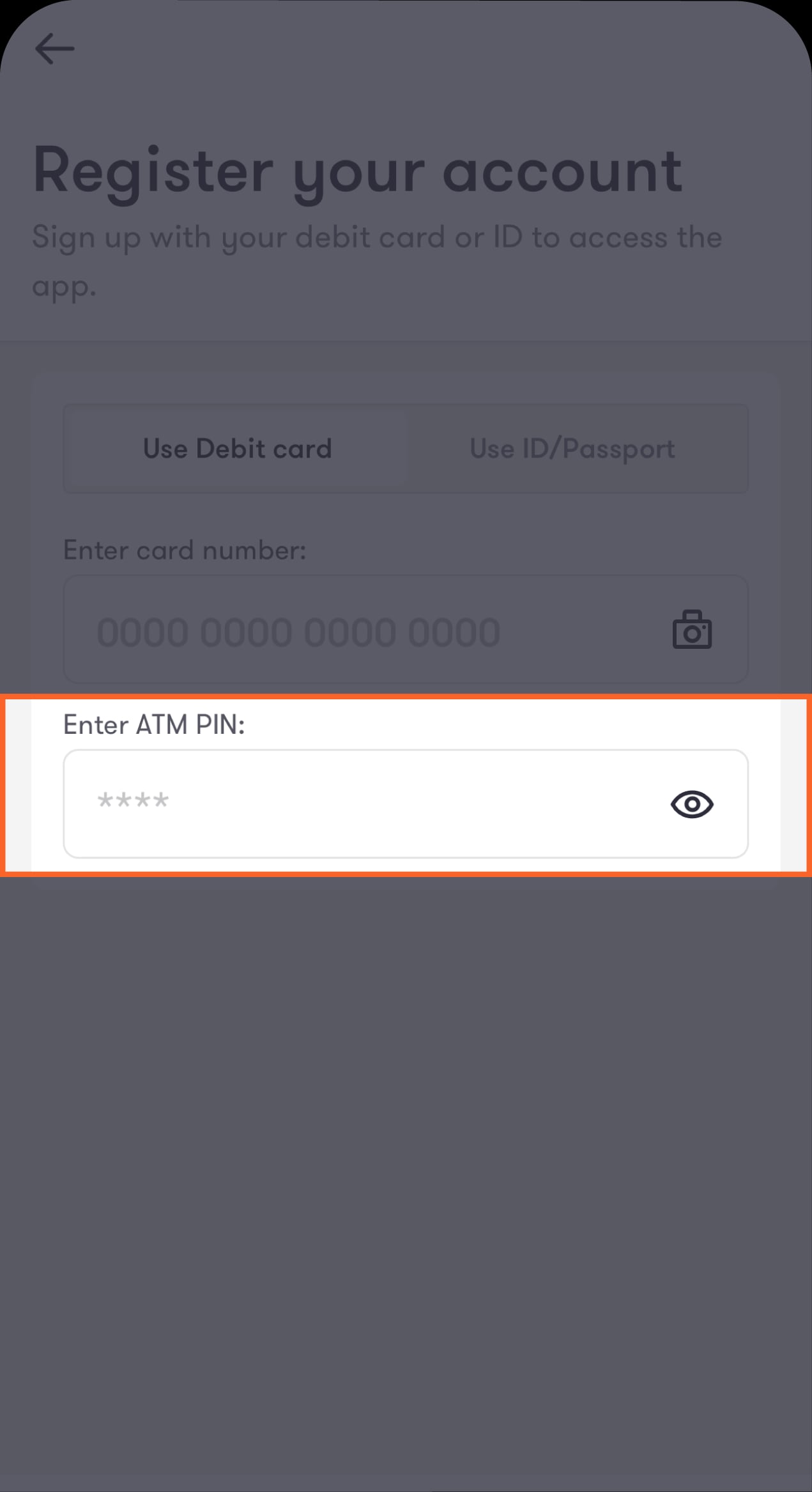
Enter your ATM PIN, then tap on “Continue”
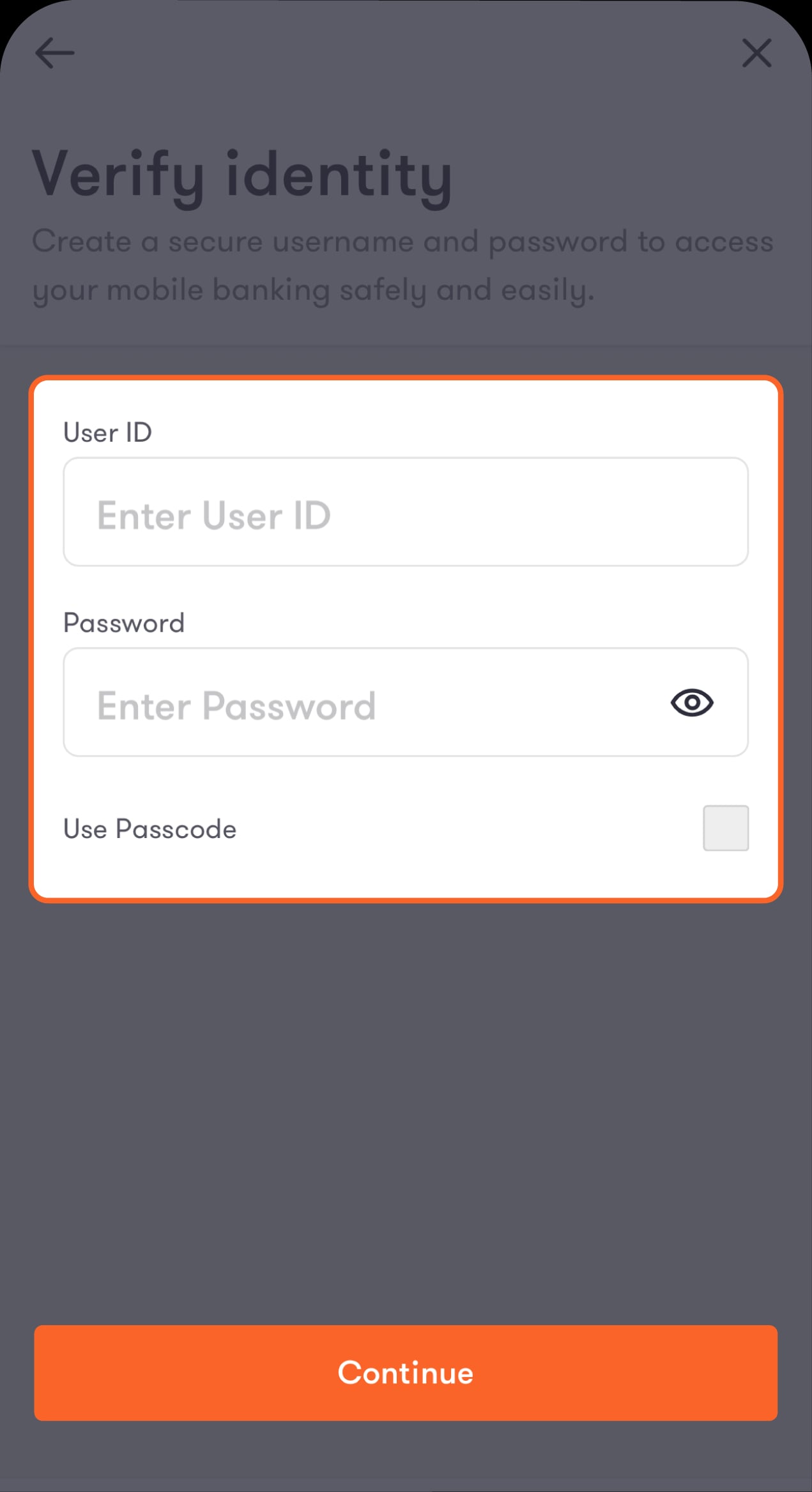
You will be directed to create an account username and password.
Step 7 of 10
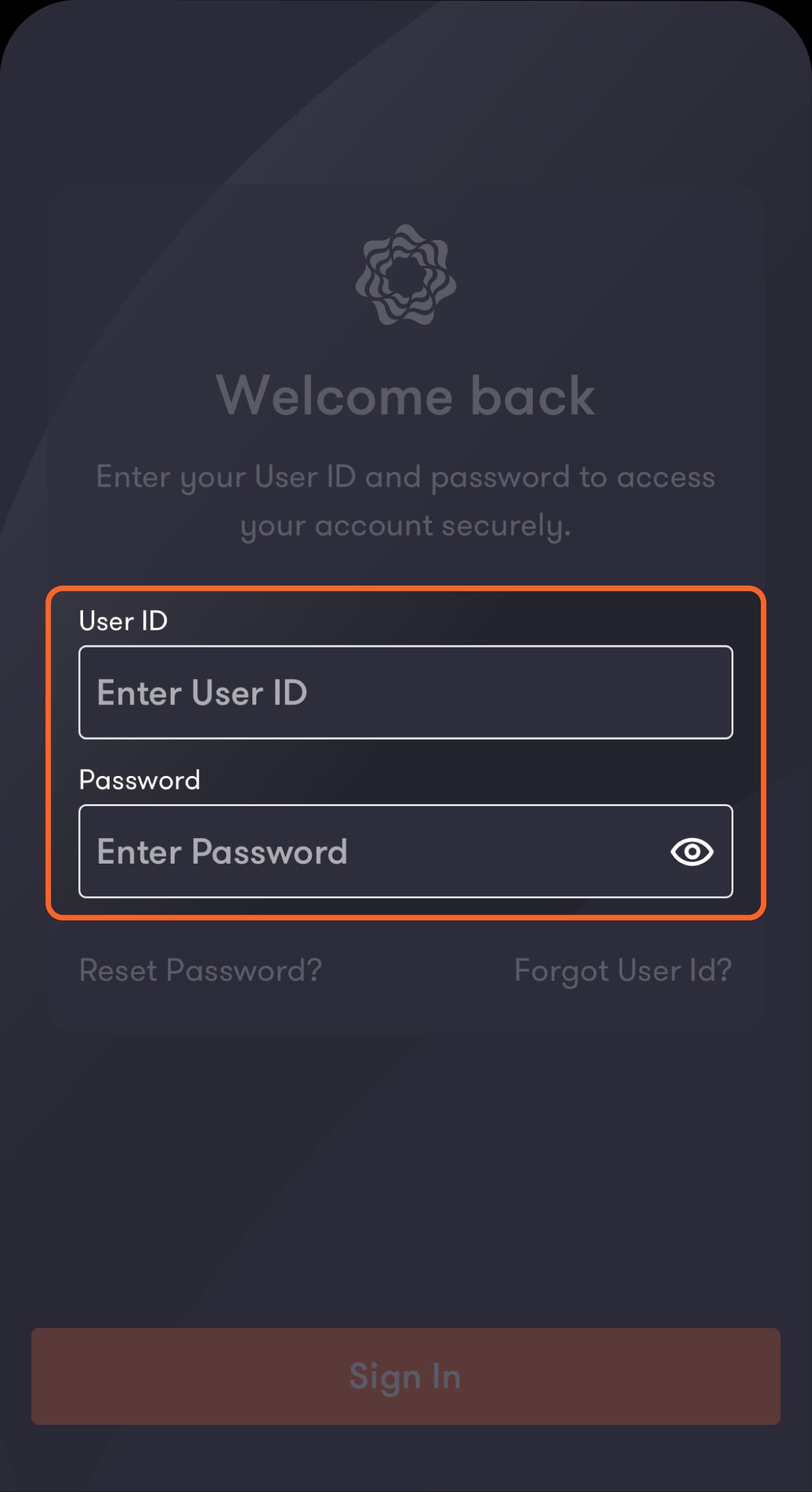
Enter your preferred username and password
You will be directed to enter the one-time password (OTP) you will receive via SMS. If you’ve already registered your account, an error message will appear. In that case, follow the steps under the “Recover your username” section to recover your username and password.
Step 8 of 10
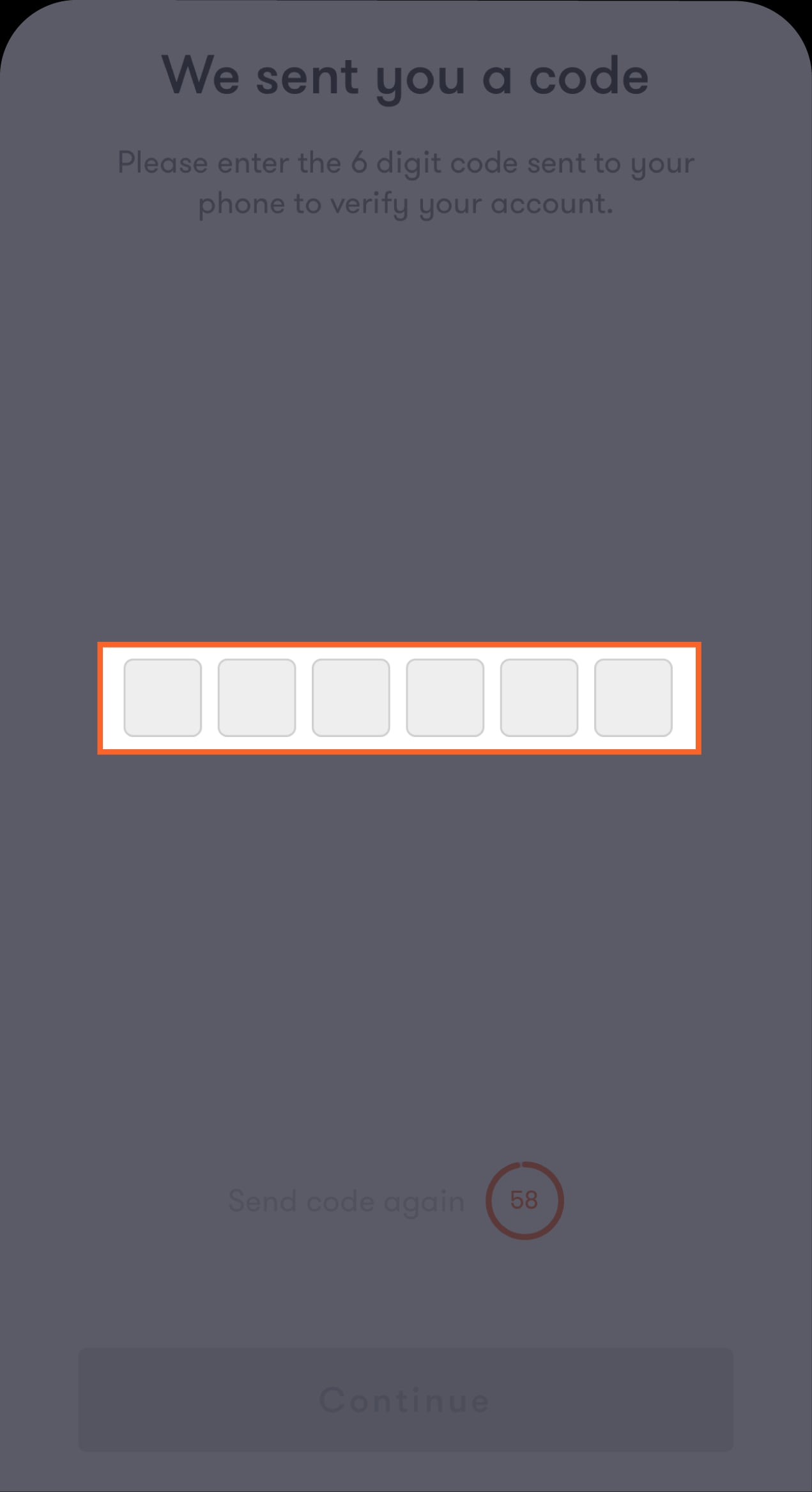
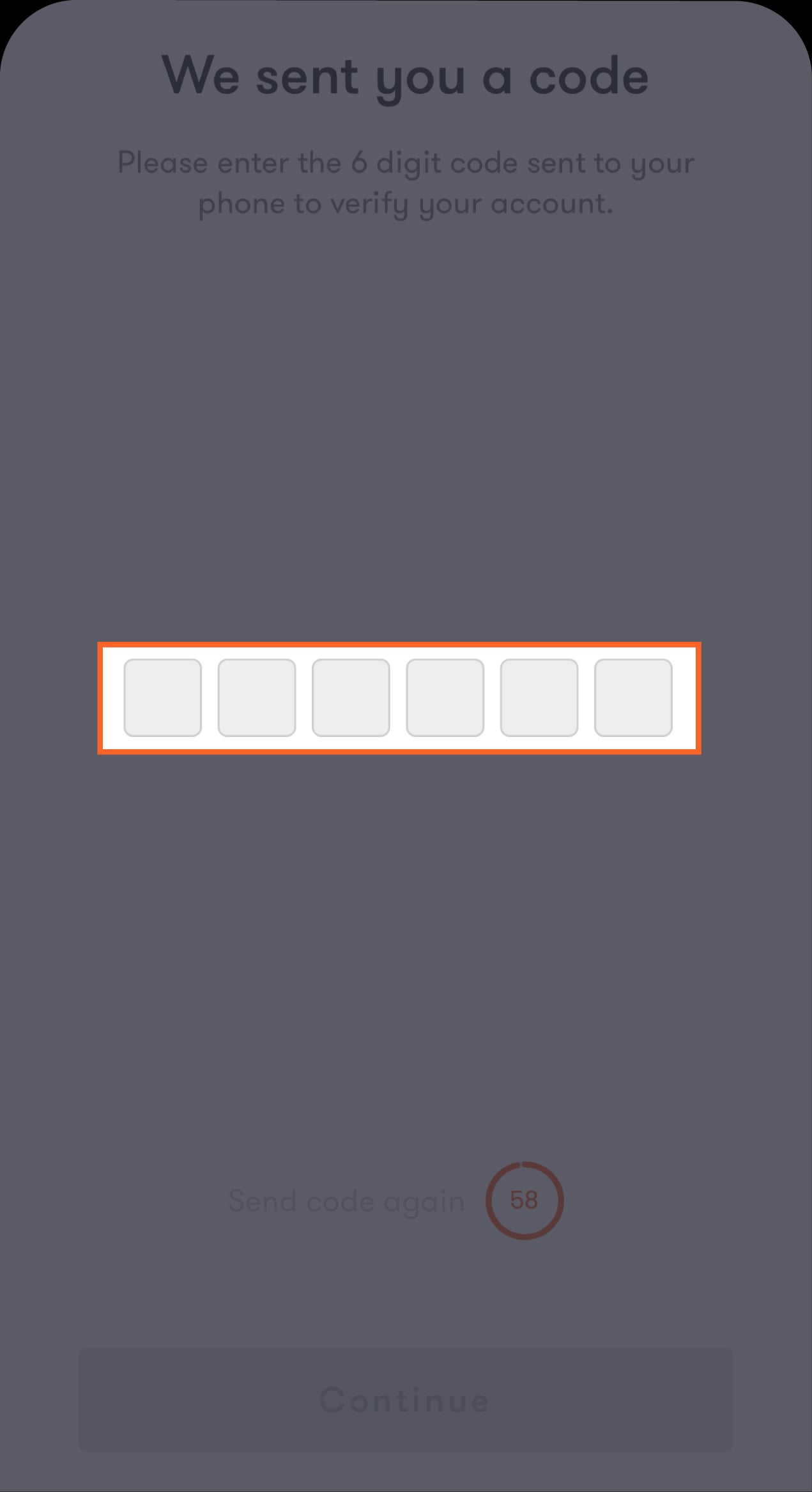
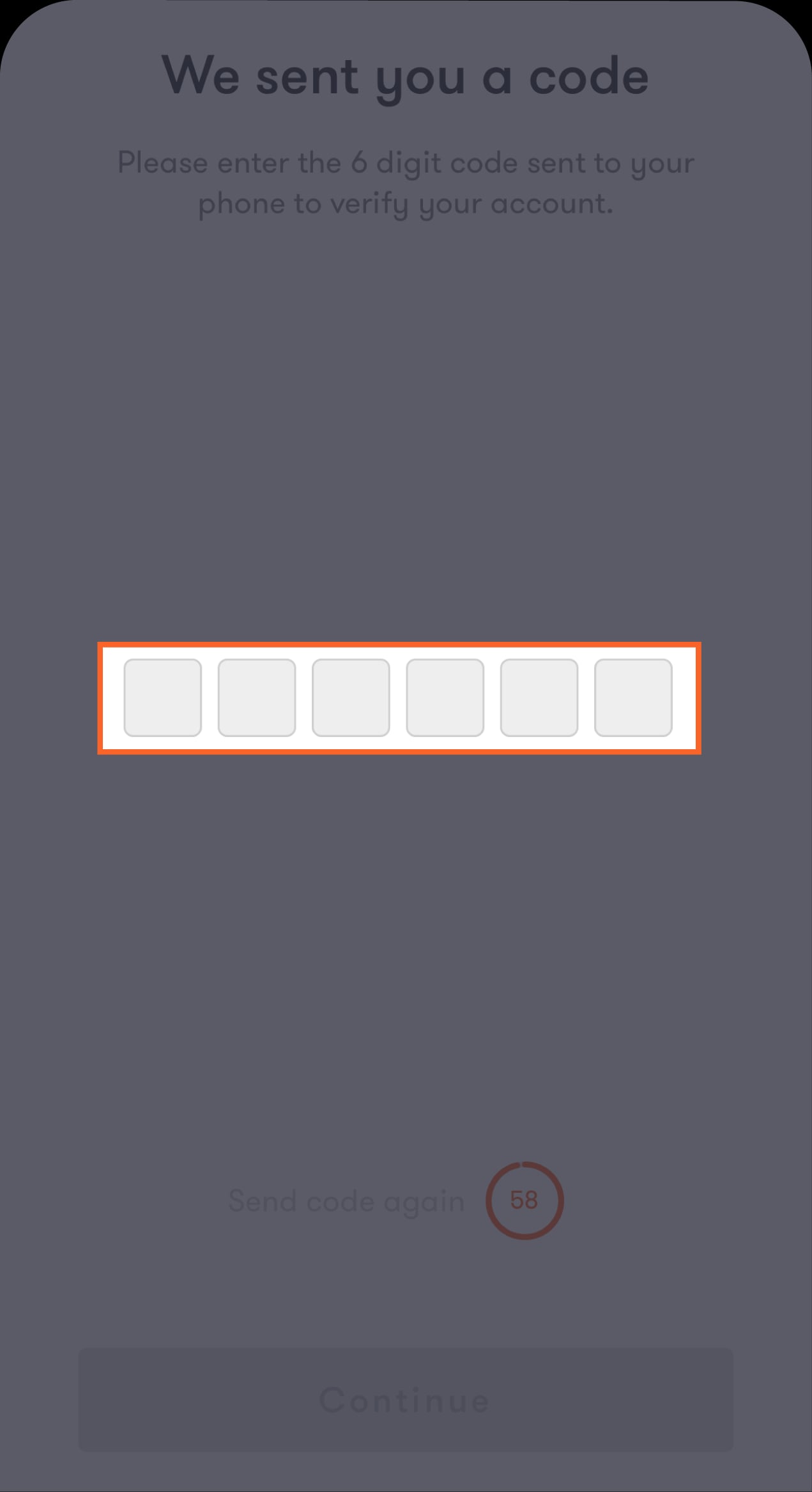
Enter the OTP you received via SMS
You will be directed to enter the lock key you will use to log in to the app.
Step 9 of 10
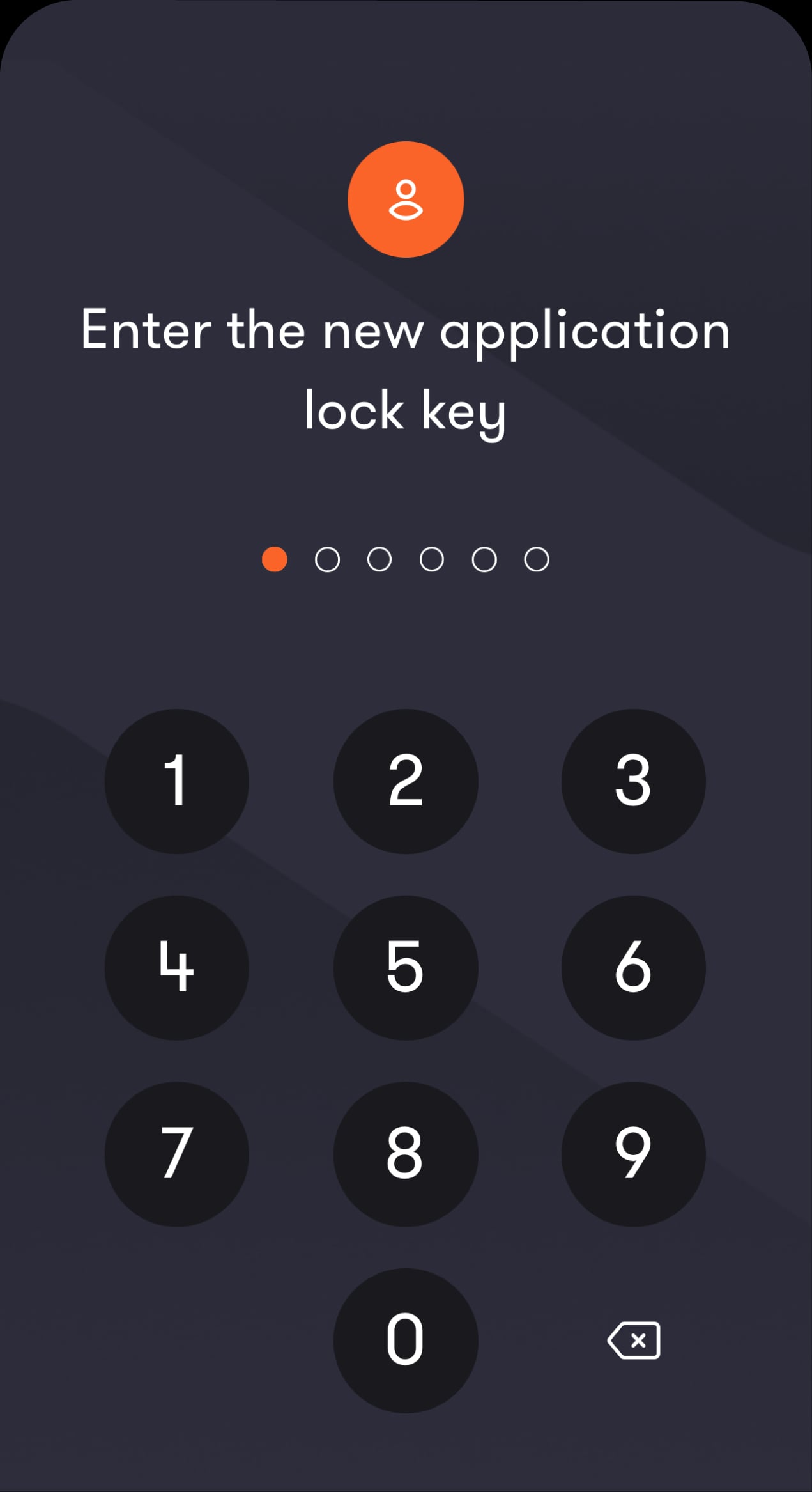
Enter your preferred lock key
You will be asked to enter the lock key twice to confirm it.
Step 10 of 10
Your account has been successfully registered
Check your inbox for a confirmation email.
Recover your username
Step 1 of 8
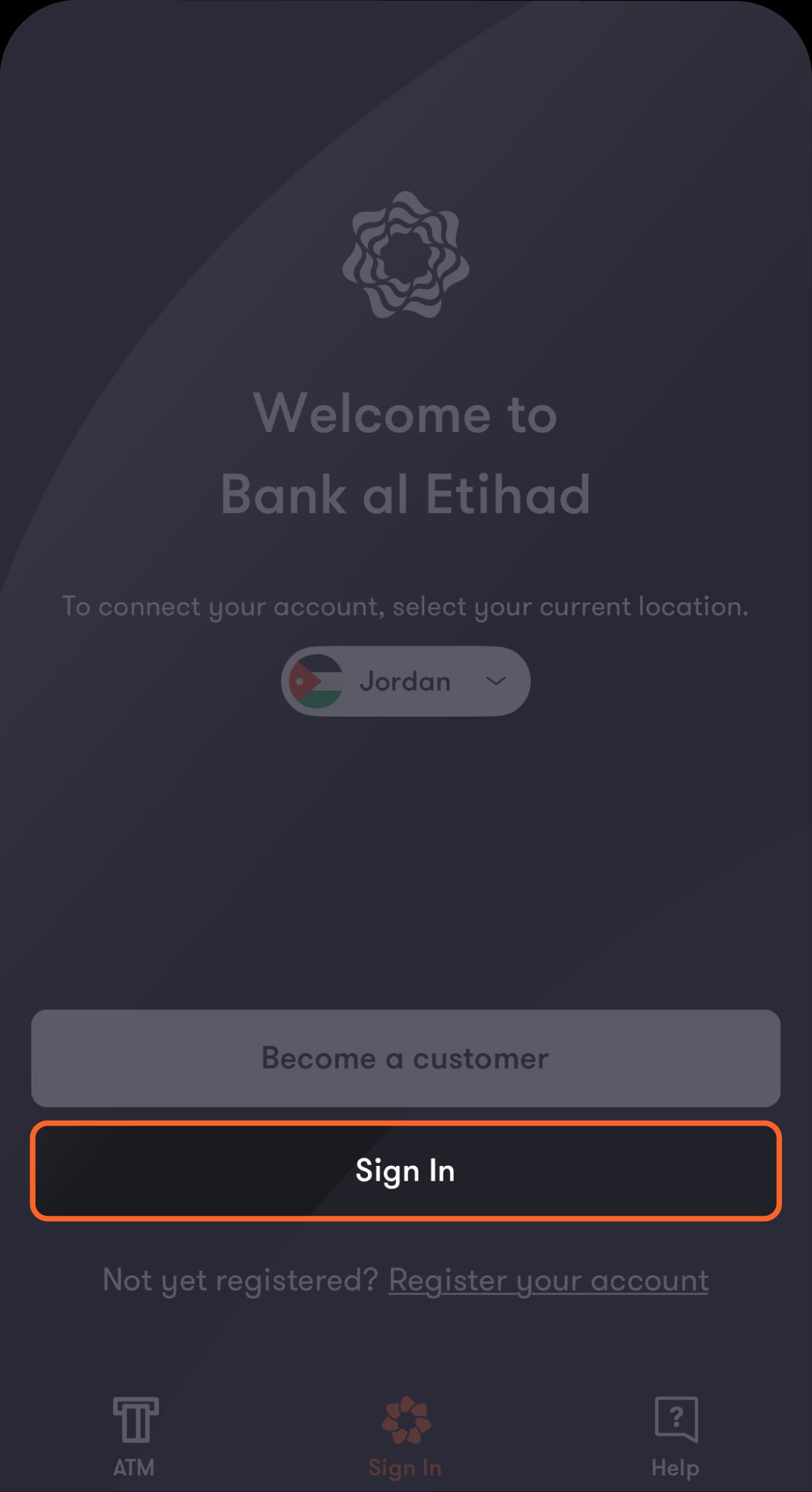
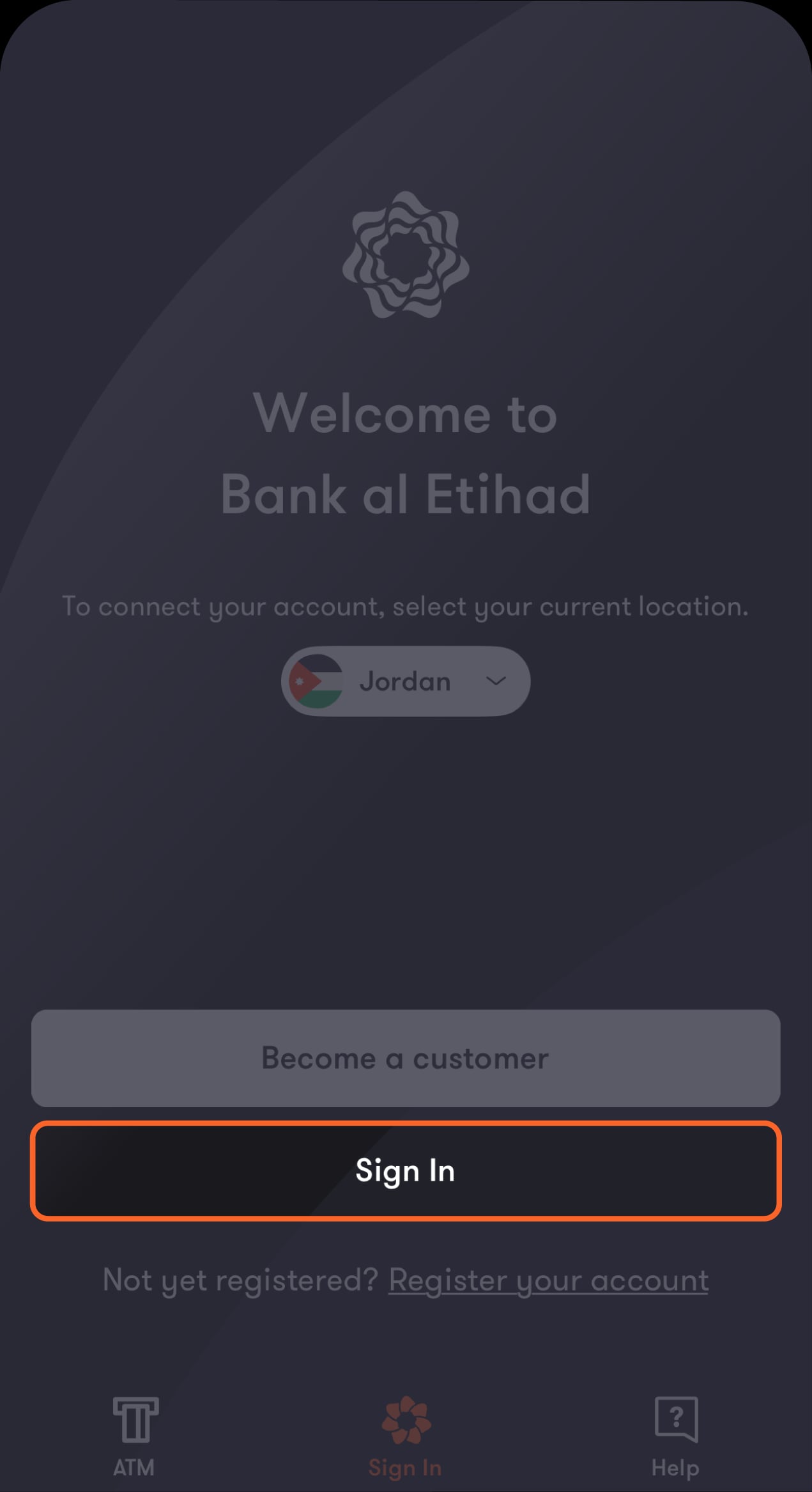
Open the app
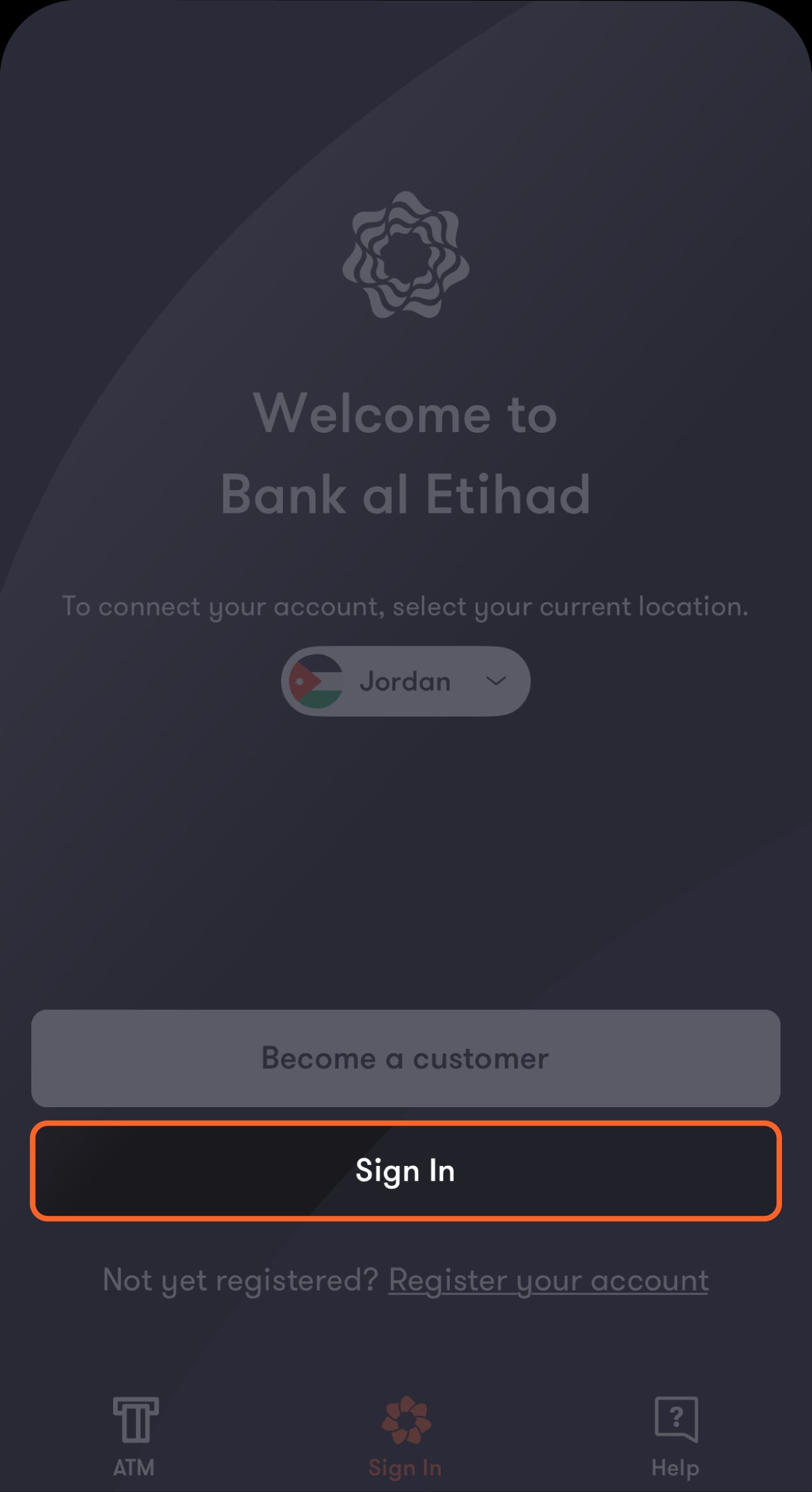
From the “Sign In” screen, tap on “Sign In”.
Step 2 of 8
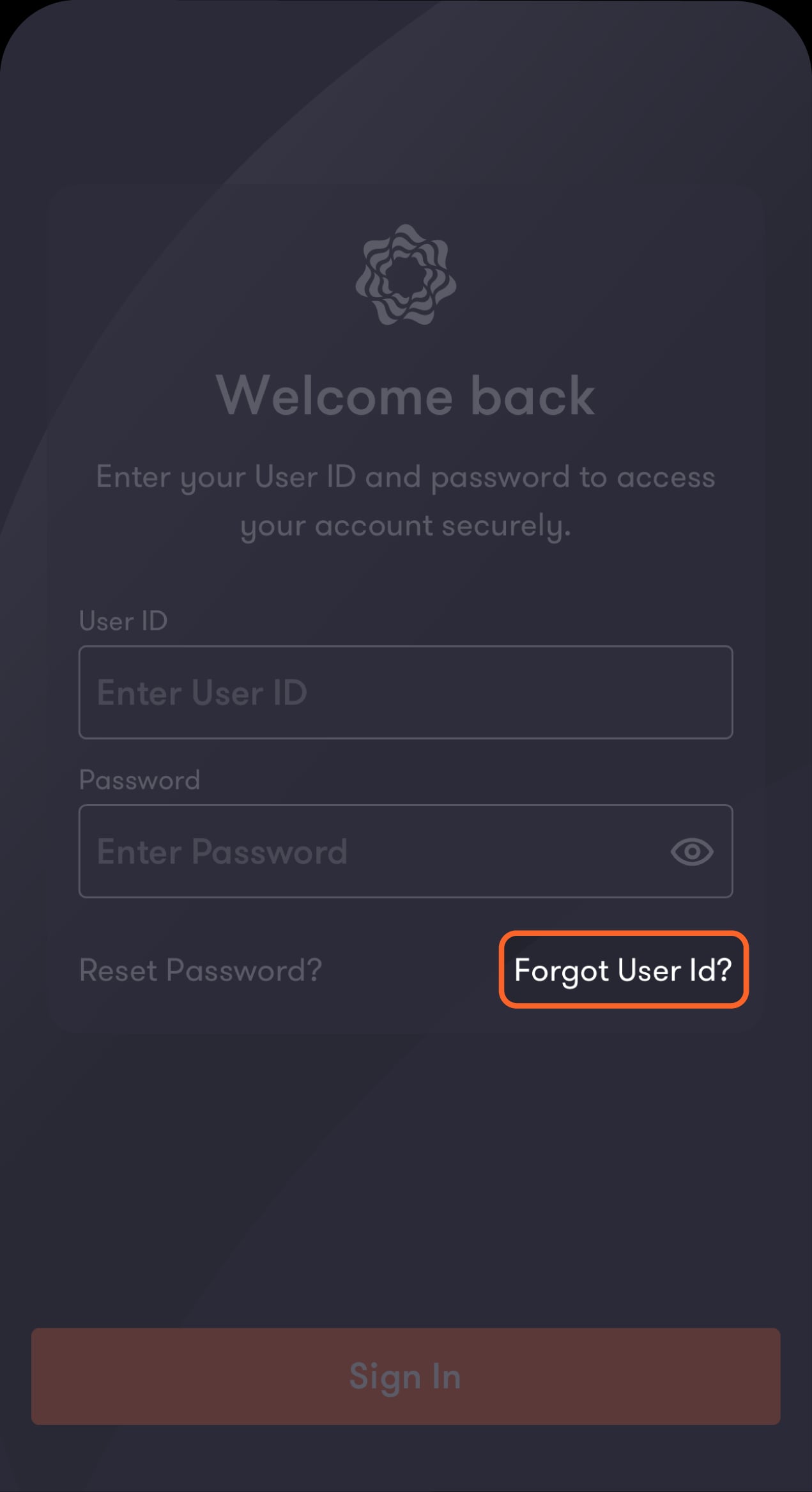
Tap on “Forgot User ID?” from the bottom right side of the screen
You will be directed to verify your identity.
Step 3 of 8
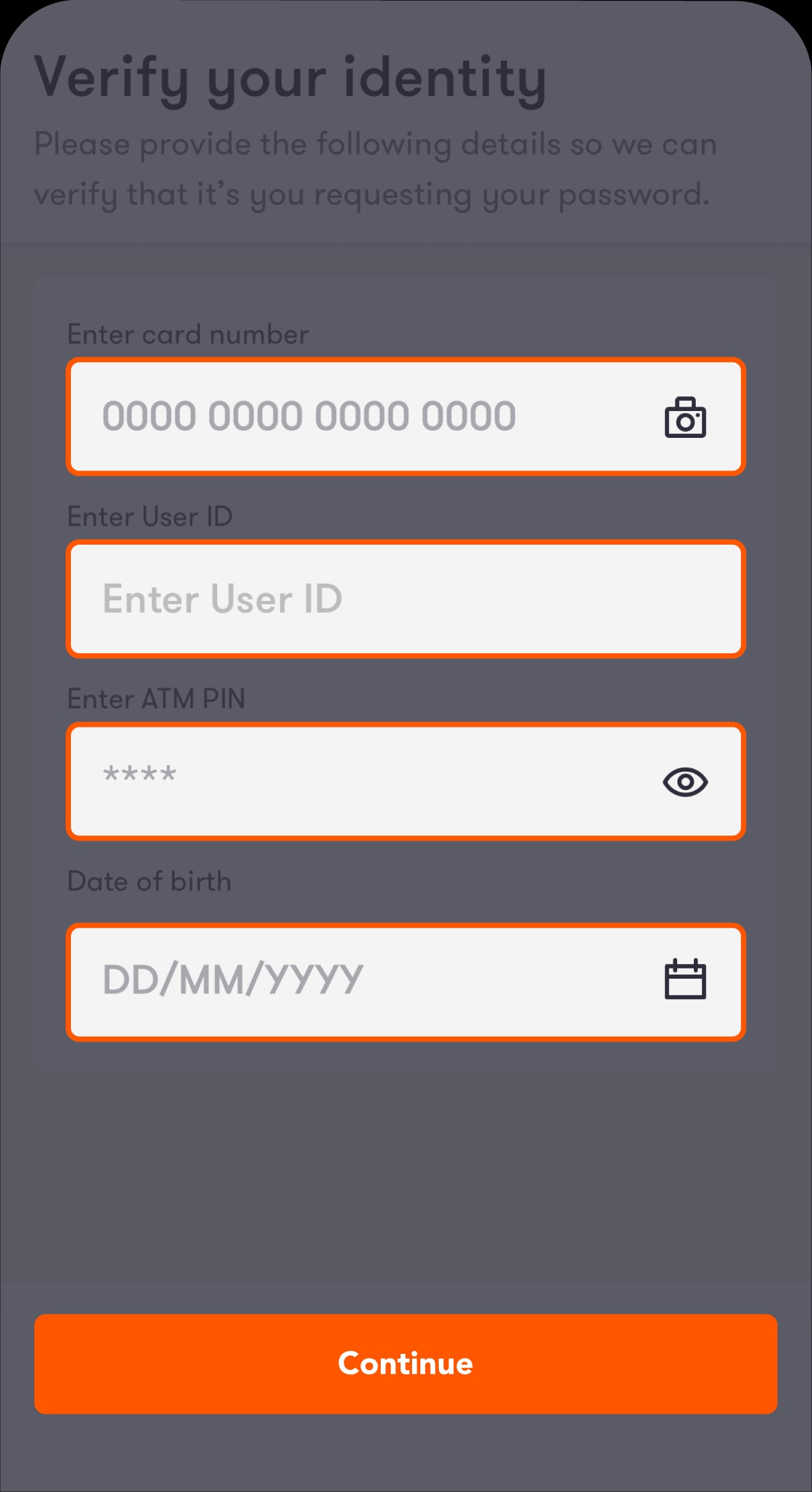
Fill in the required fields
Manually enter your primary debit card number or tap on the camera icon to scan the front of your card and autofill the card number field.
Step 4 of 8
If you choose to scan your card, take a moment to read the instructions on this screen
Tap on “Scan card” from the bottom of the screen.
Step 5 of 8
Double-check that the card number was captured correctly
If the numbers are correct, tap on “Save Information". If not, tap on “Rescan” to try again.
Step 6 of 8
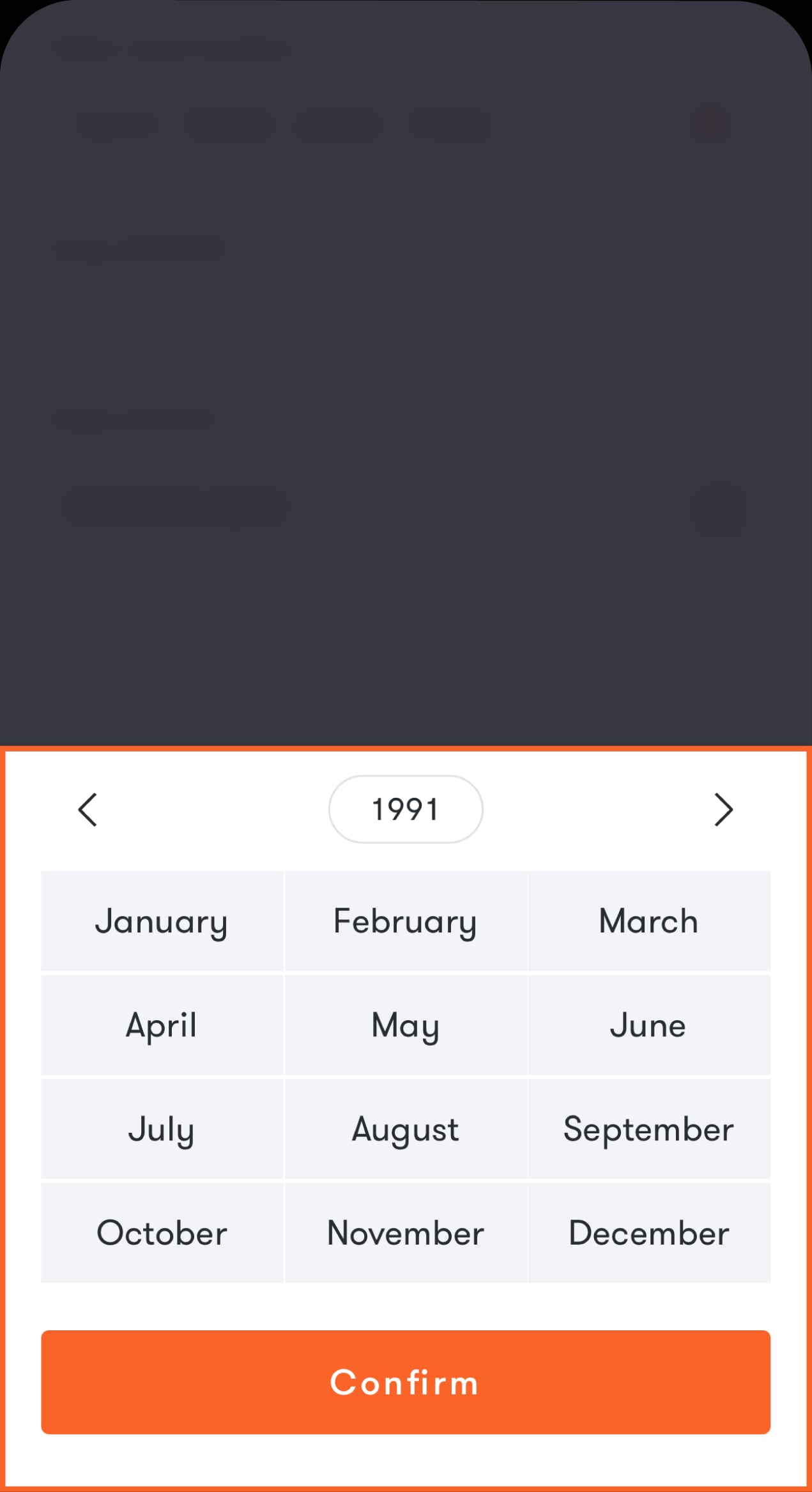
Enter your ATM PIN and date of birth
After double-checking that you’ve entered the correct date, tap on “Confirm", then on “Continue".
Step 7 of 8
Enter the OTP you received via SMS
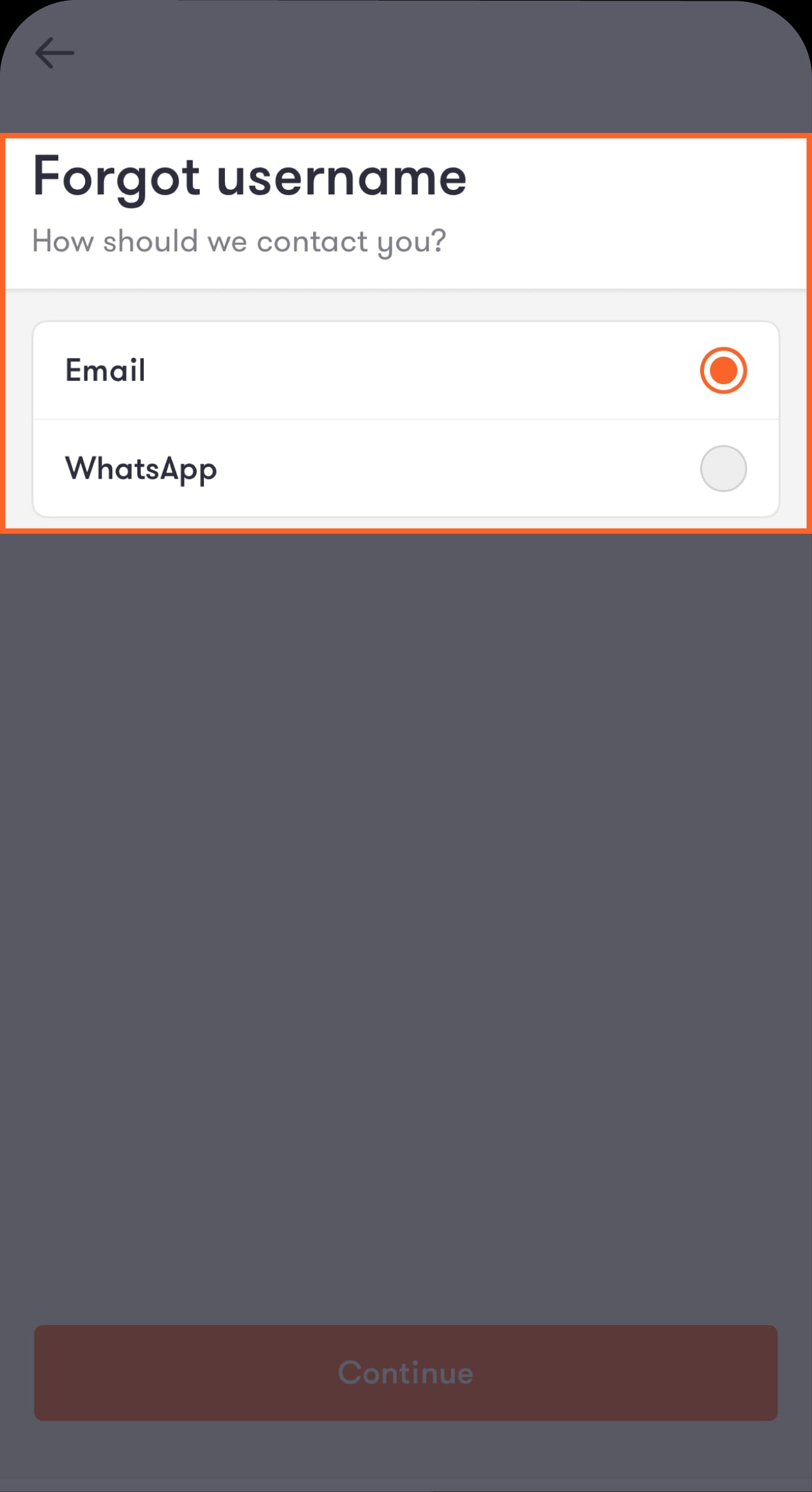
You will be directed to select how you prefer to receive your username.
Step 8 of 8
Select your preferred method of contact
Check your WhatsApp or Email inbox, depending on the method you selected for the bank to send your username.
Reset your password
Step 1 of 10
Open our app
From the start screen, tap on “Sign In”.
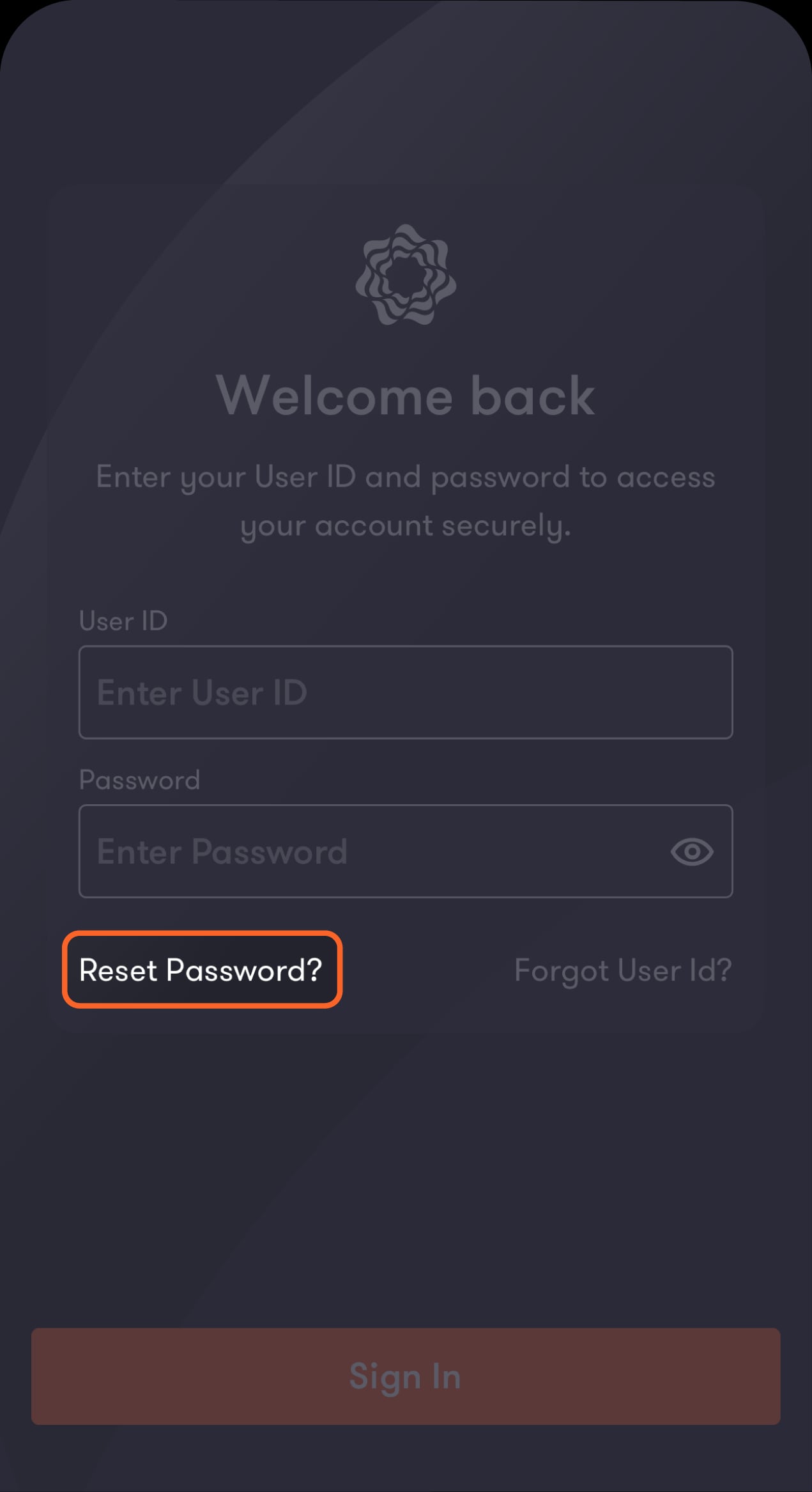
Step 2 of 10
Tap on “Reset Password?” from the bottom left side of the screen
You will be directed to verify your identity.
Step 3 of 10
Fill in the required fields
Manually enter your card number or tap on the camera icon to scan the front of your card and autofill the card number field.
Step 4 of 10
If you choose to scan your card, take a moment to read the instructions on this screen
Tap on “Scan card” from the bottom of the screen.
Step 5 of 10
Enter your card number, username, ATM PIN, and date of birth
After double-checking that you’ve entered the correct date, tap on “Confirm", then on “Continue".
Step 6 of 10
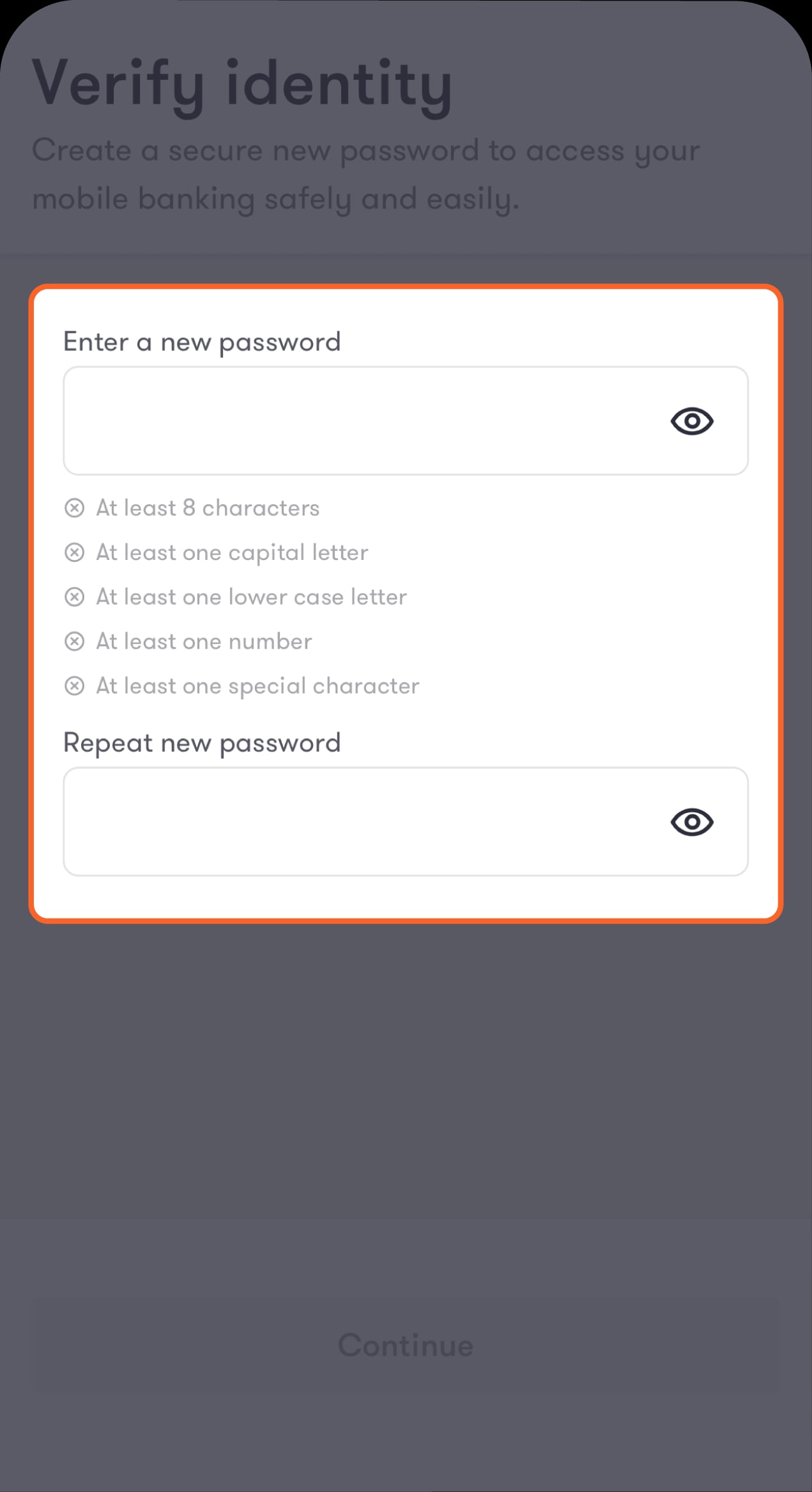
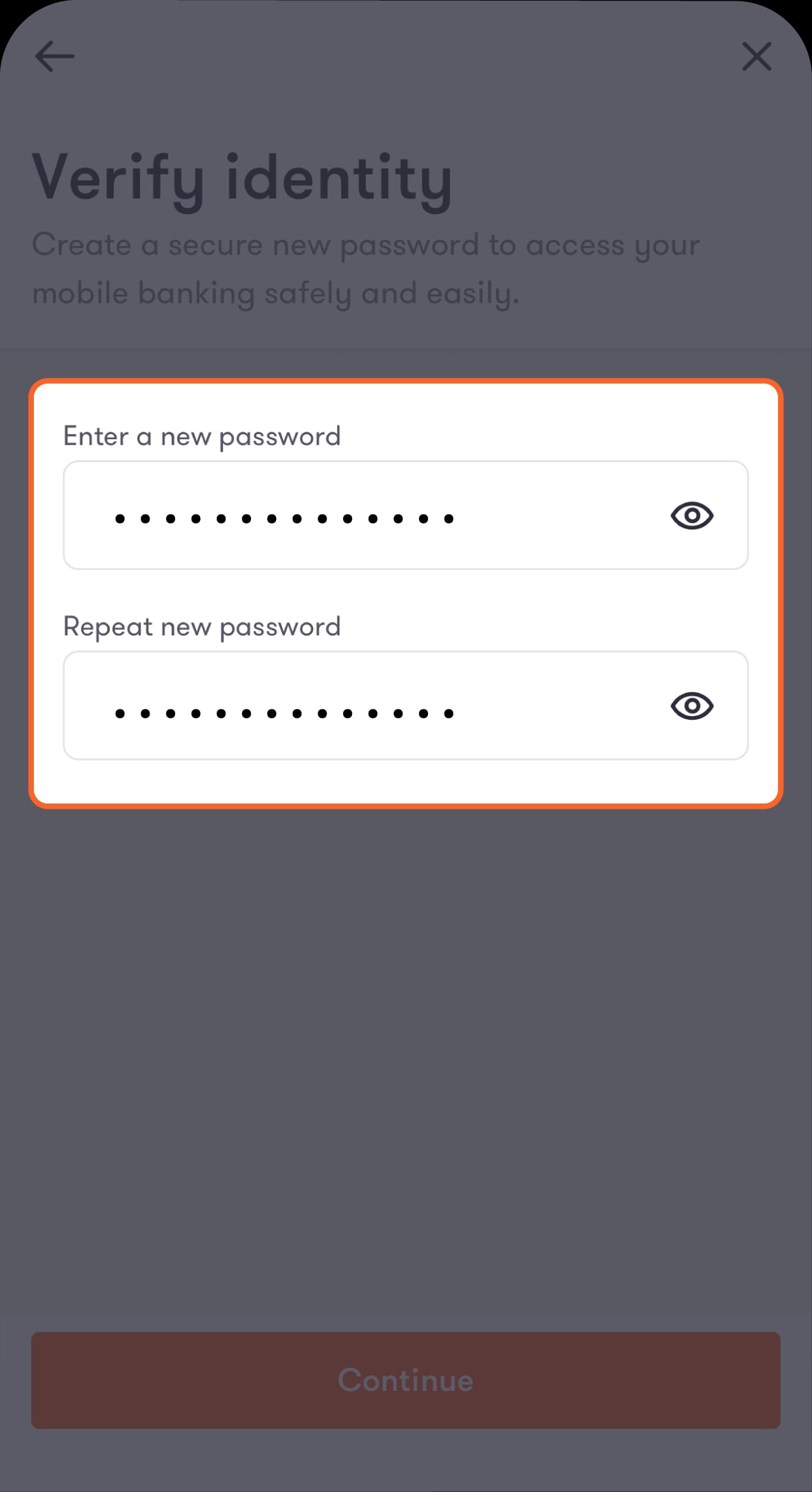
Choose a new password
The password must be at least 8 characters long and include a combination of numbers, special characters, uppercase, and lowercase letters.
Step 7 of 10
Re-enter your chosen password
Once finalised, tap on “}خىفهىعث.”
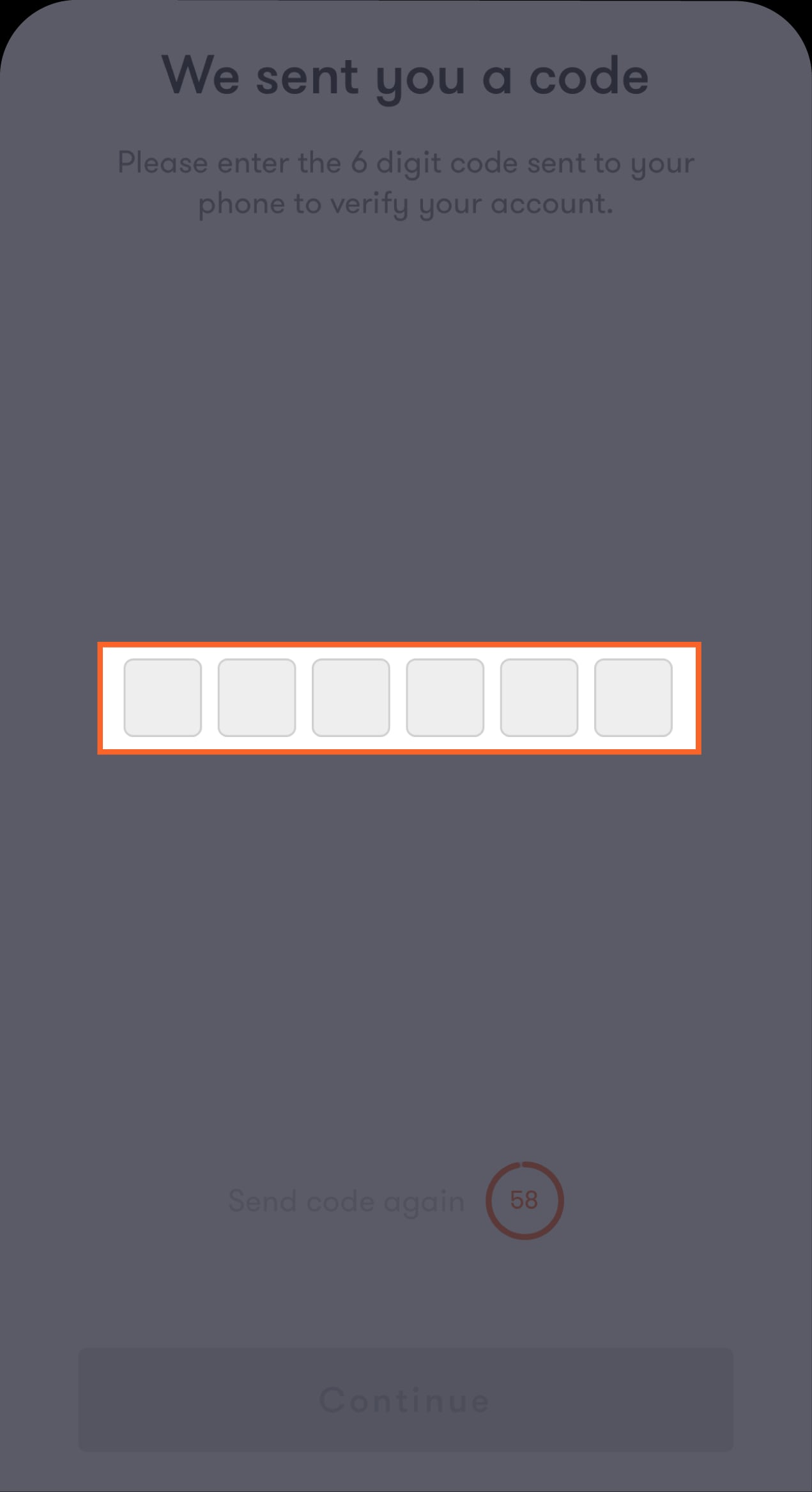
Step 8 of 10
Enter the OTP you received via SMS
Tap on “Continue”.
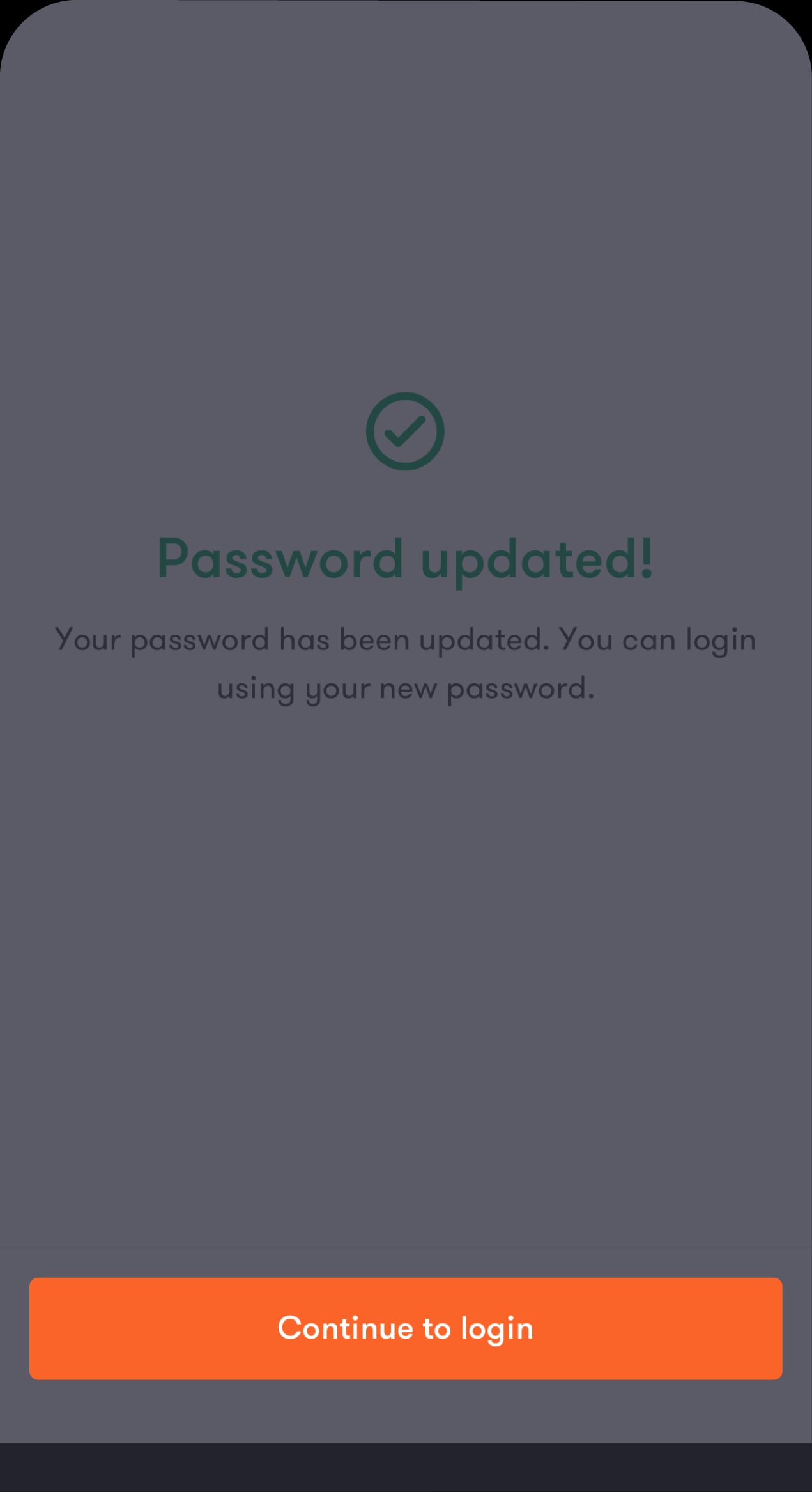
Step 9 of 10
Your password has been successfully updated
Tap on “Continue to login” to proceed with logging in to the app.
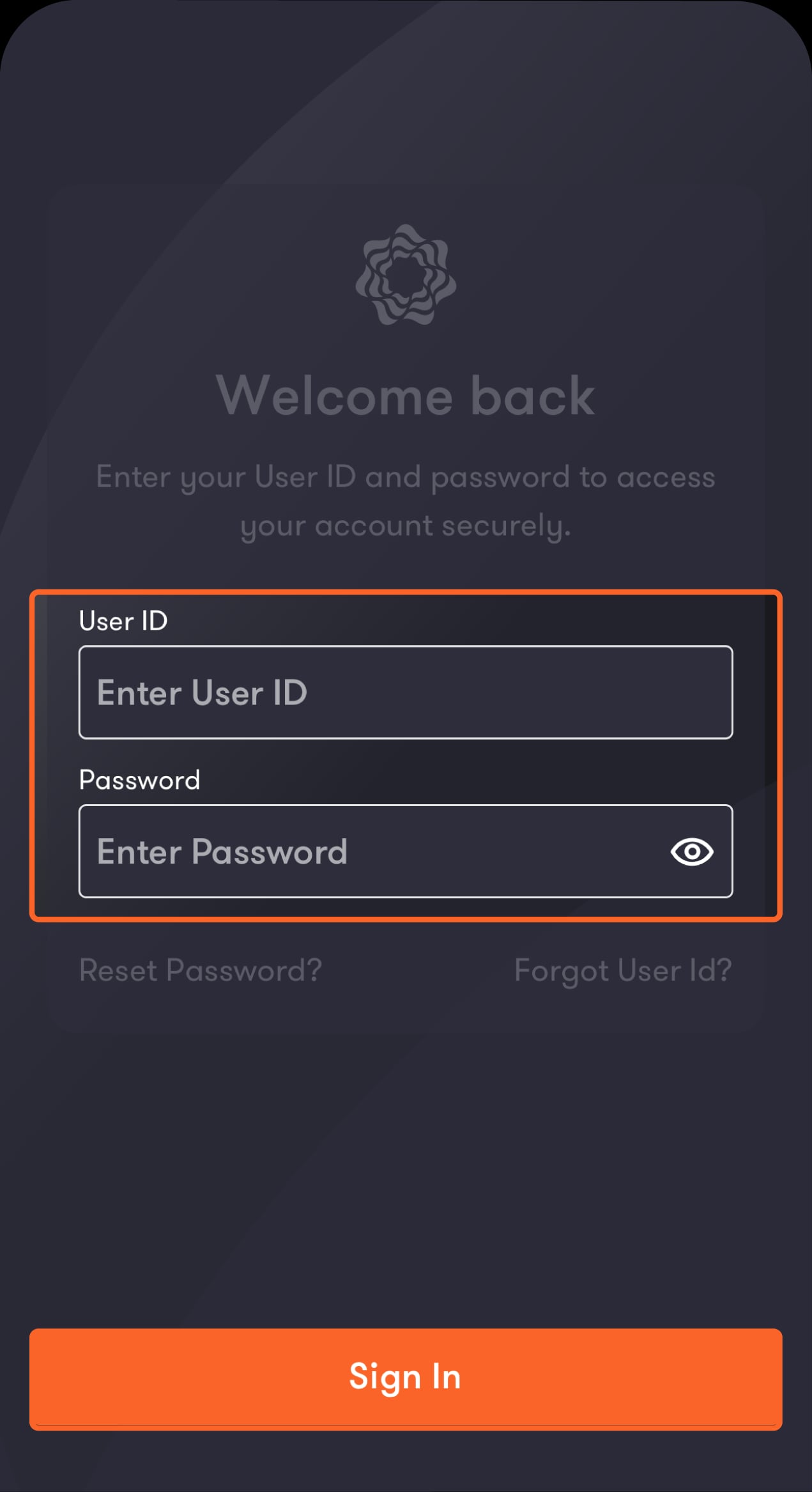
Step 10 of 10
Continue to log in
Enter your username and new password, then tap on “Sign In”.
Sign in to your account
Step 1 of 3
From the “Start” screen, tap on “Sign In”
You will be directed to enter your account details.
Step 2 of 3
Enter your username and password, then tap on “Sign In”
You will be directed to enter the OTP you will receive via SMS
Step 3 of 3
Enter the OTP you received via SMS
Tap on “Continue” to sign in to your account.
Was this article helpful?
We’re always looking to improve, and your feedback will help us shape our future content so we can be as useful to you as we possibly can.