Knowledge hub
Activate SMS notifications
Turn on your SMS alerts in just a few simple steps!
Want to activate your SMS notifications? It’s easy! You can do it right from our app in just a few quick steps, and you’ll instantly start receiving messages for every transaction on your account, whether it’s a withdrawal, deposit, transfer, or purchase.
Here’s how:
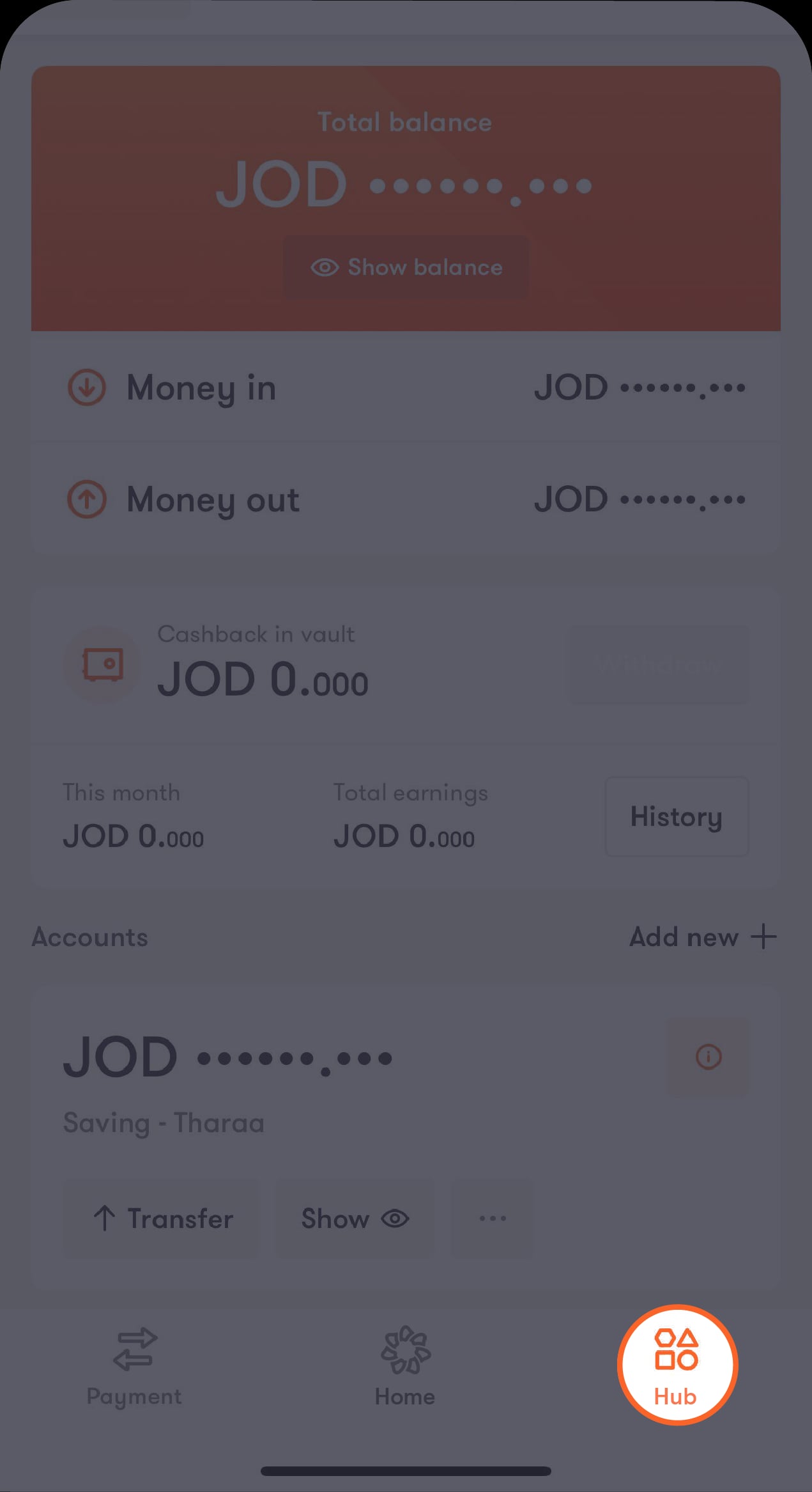
Step 1 of 3
Tap on “Hub”
You’ll find it on the bar at the bottom of the main screen
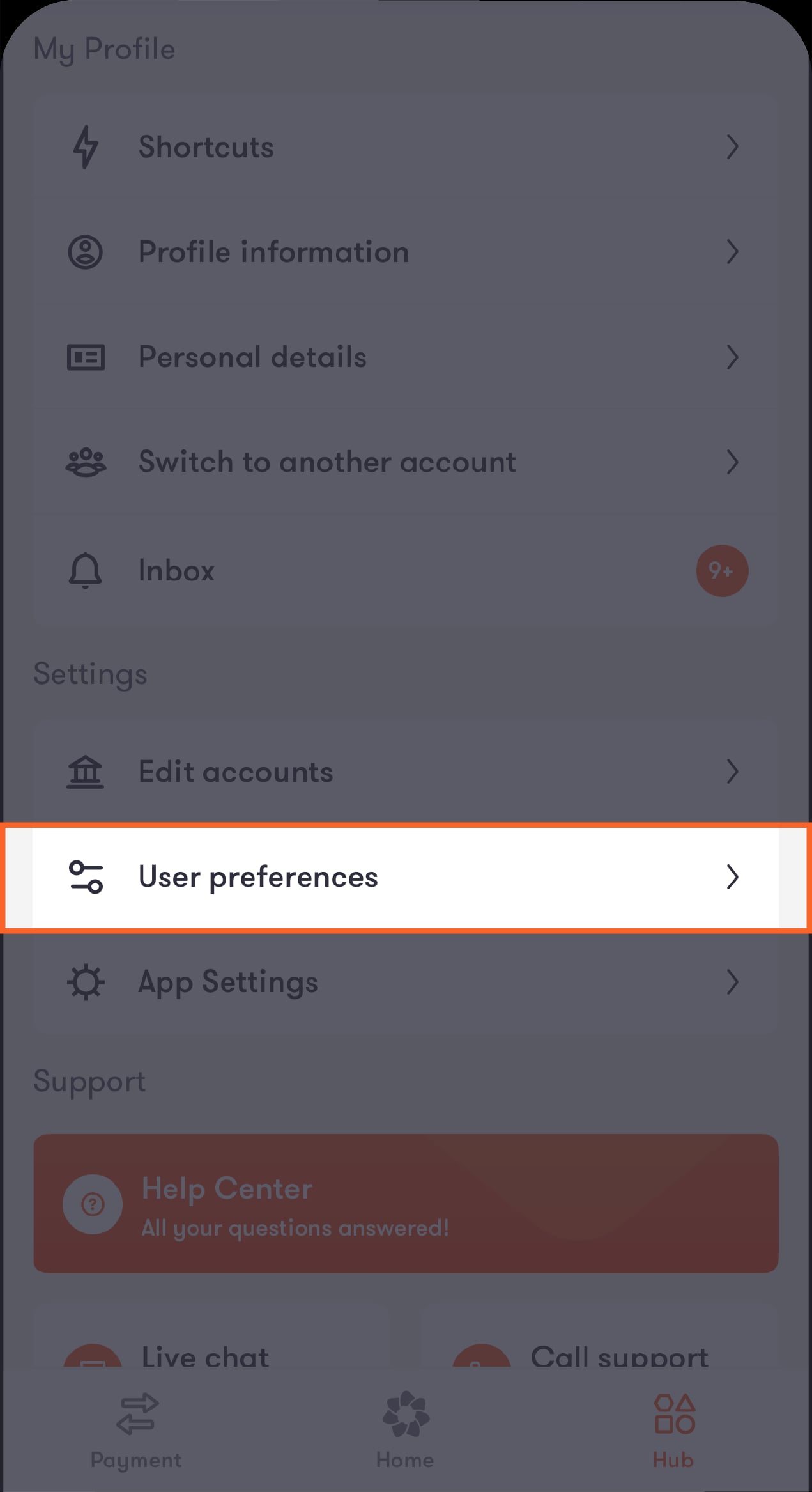
Step 2 of 3
Scroll down to the “Settings” section
Then select “User preferences”.
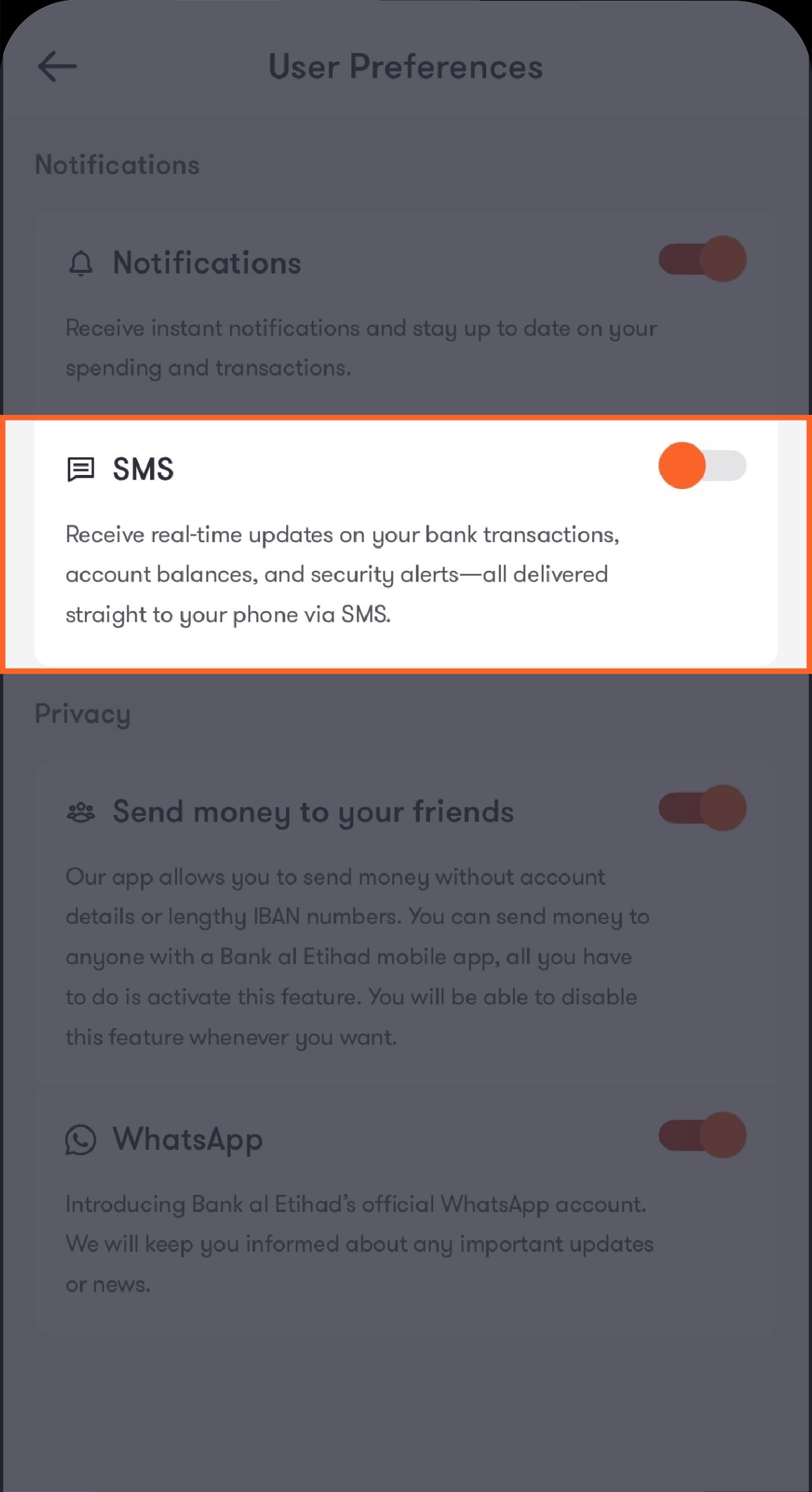
Step 3 of 3
Under “Notifications”, turn on the switch next to “SMS”
You’ll start receiving your SMS alerts!
Was this article helpful?
We’re always looking to improve, and your feedback will help us shape our future content so we can be as useful to you as we possibly can.