Knowledge hub
Cancer Care Insurance
Protect yourself with cancer care insurance from KHCC
Protect yourself with cancer care insurance, which provides medical coverage in case of a diagnosis. Subscription payments also help support the treatment of other patients.
Subscribe to cancer care insurance from the King Hussein Cancer Center
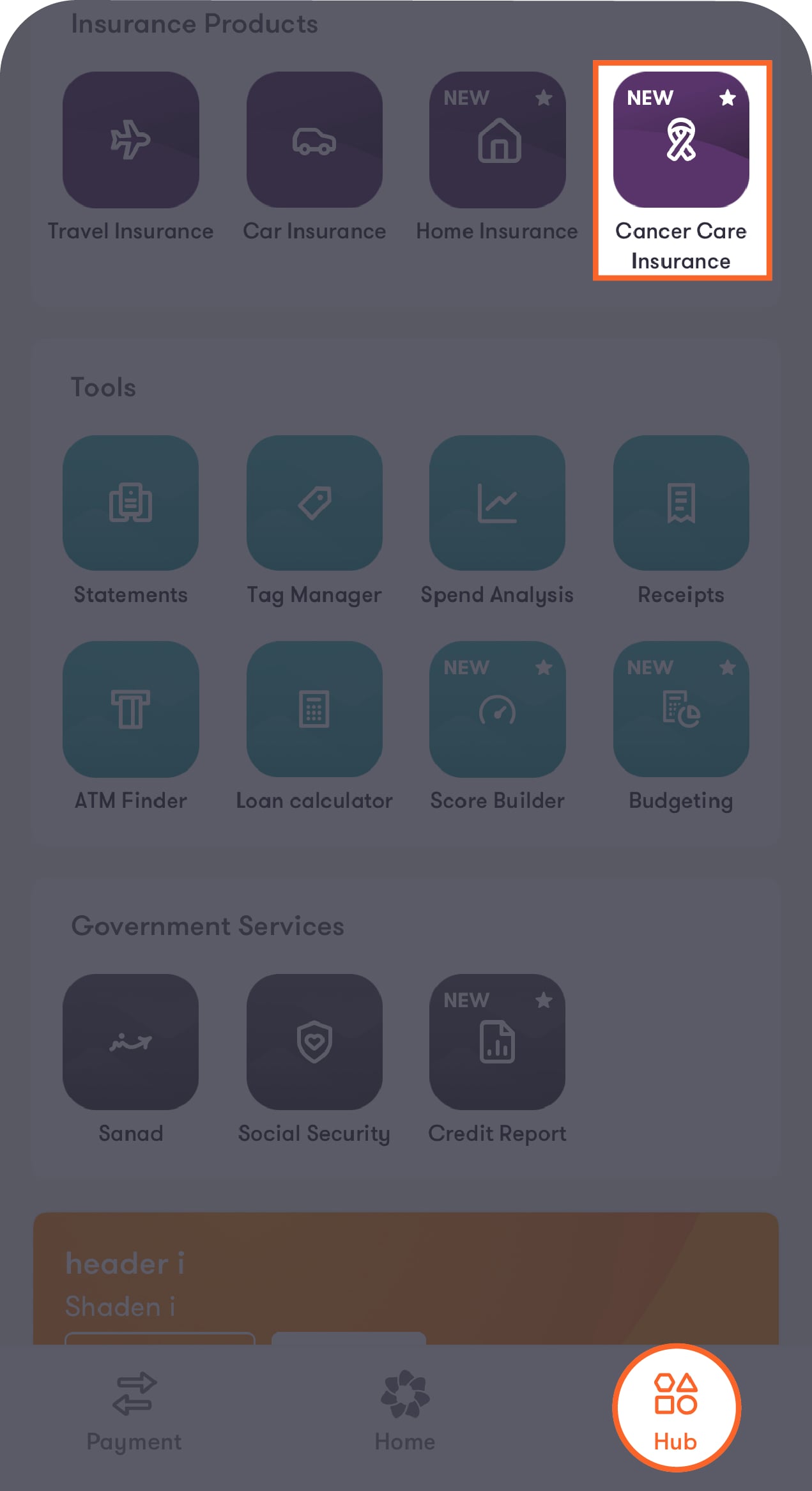
Step 1 of 9
Tap on "Hub" located at the bottom of the main screen
Tap on "Cancer Care Insurance" under the Insurance Products section to be directed to the introductory screen.
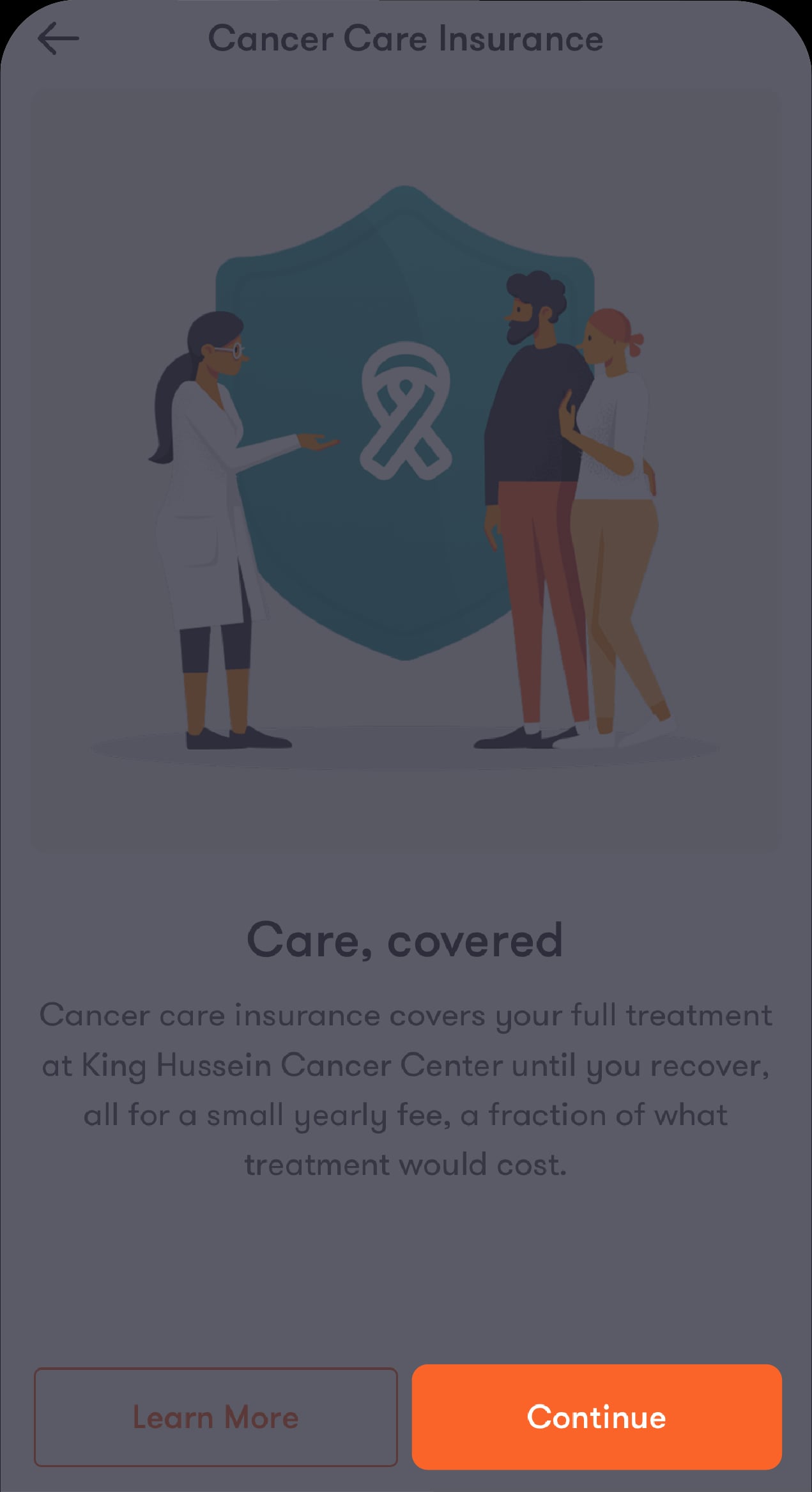
Step 2 of 9
Tap on “Continue” to purchase the insurance, or on “Learn More” to go to the Help Centre for more details
All your active and previously purchased policies will appear.
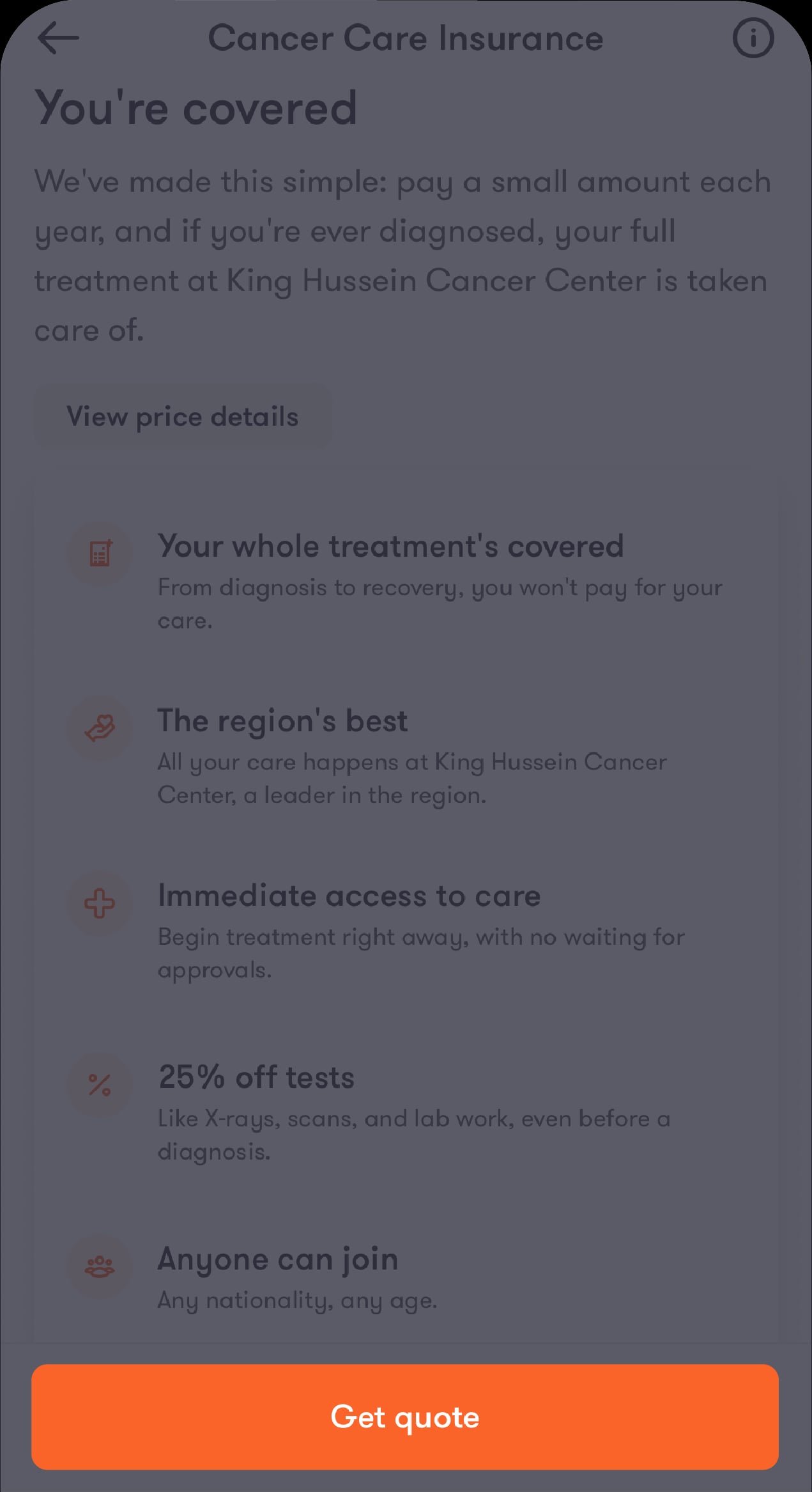
Step 3 of 9
Tap on "Get quote" after reviewing the benefits offered through the cancer care insurance
You’ll be directed to select who the insurance is for. You can also view the prices offered for each age group by tapping on “View price details” before you proceed.
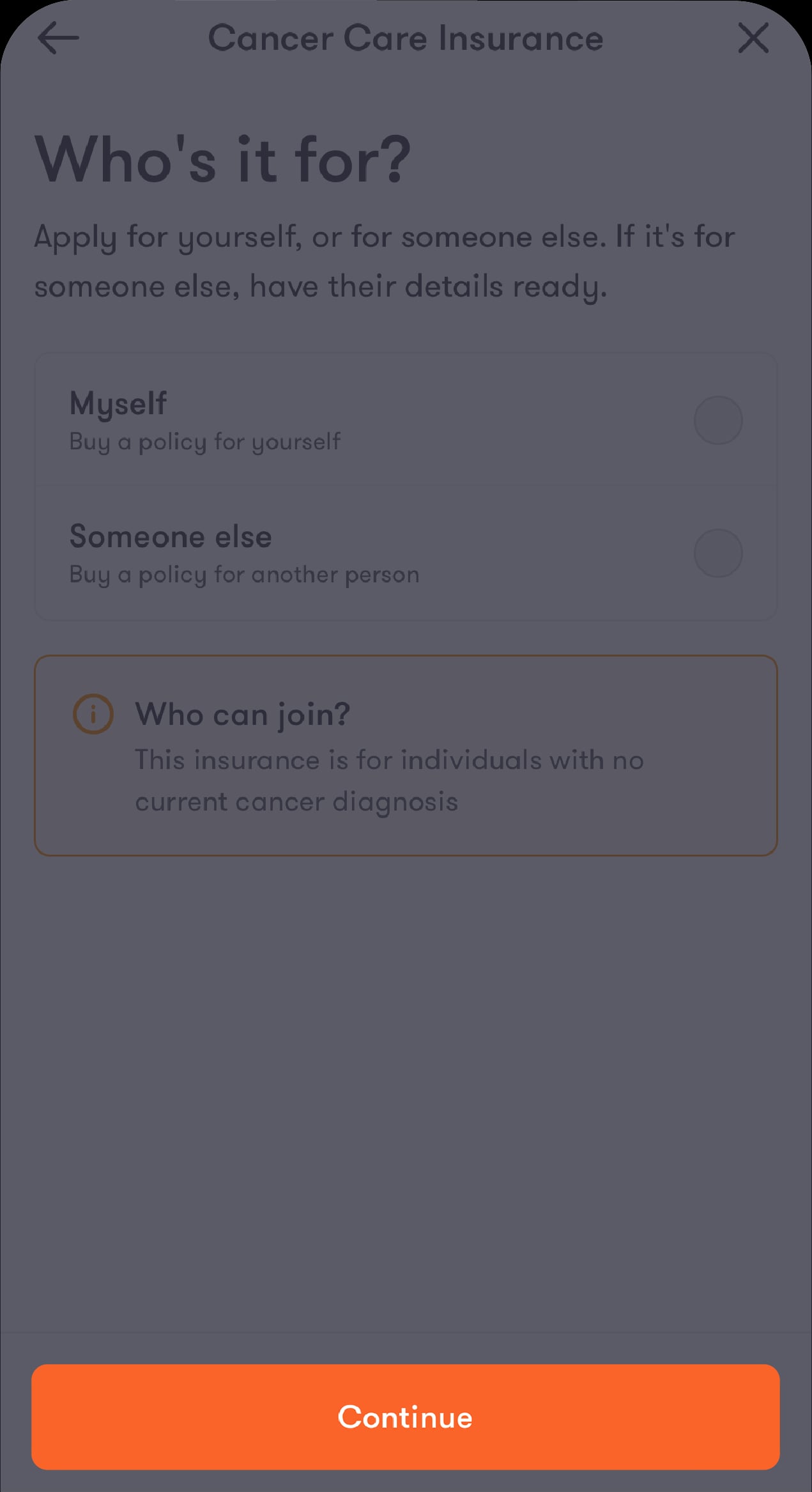
Step 4 of 9
Select the beneficiary for the policy, then tap on "Continue"
You’ll be directed to the accounts screen if you select “Myself”, and to the beneficiary details screen if you select “Someone else”.
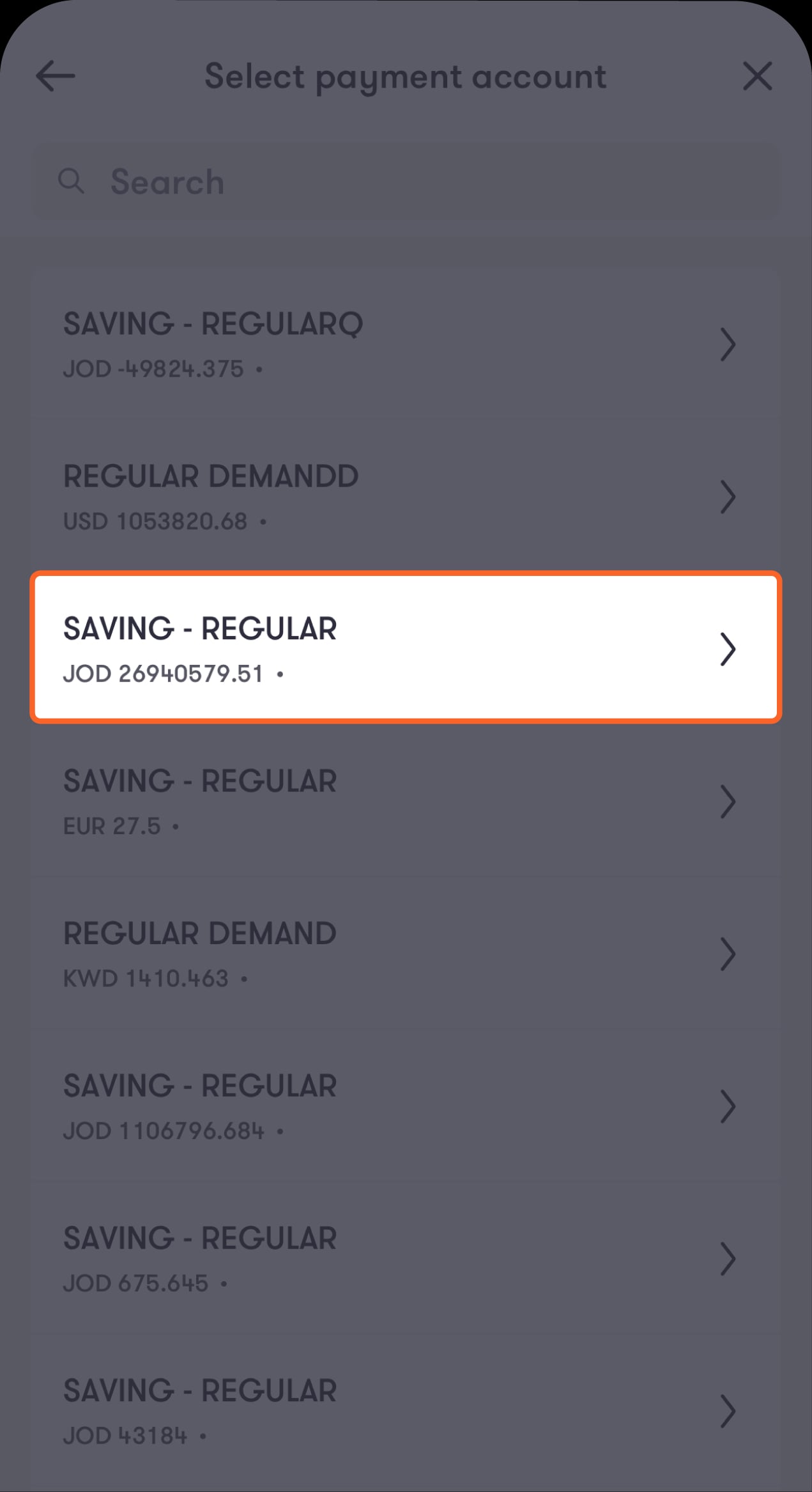
Step 5 of 9
Choose the account you want to pay from
You’ll be directed to the “Terms and conditions” screen.
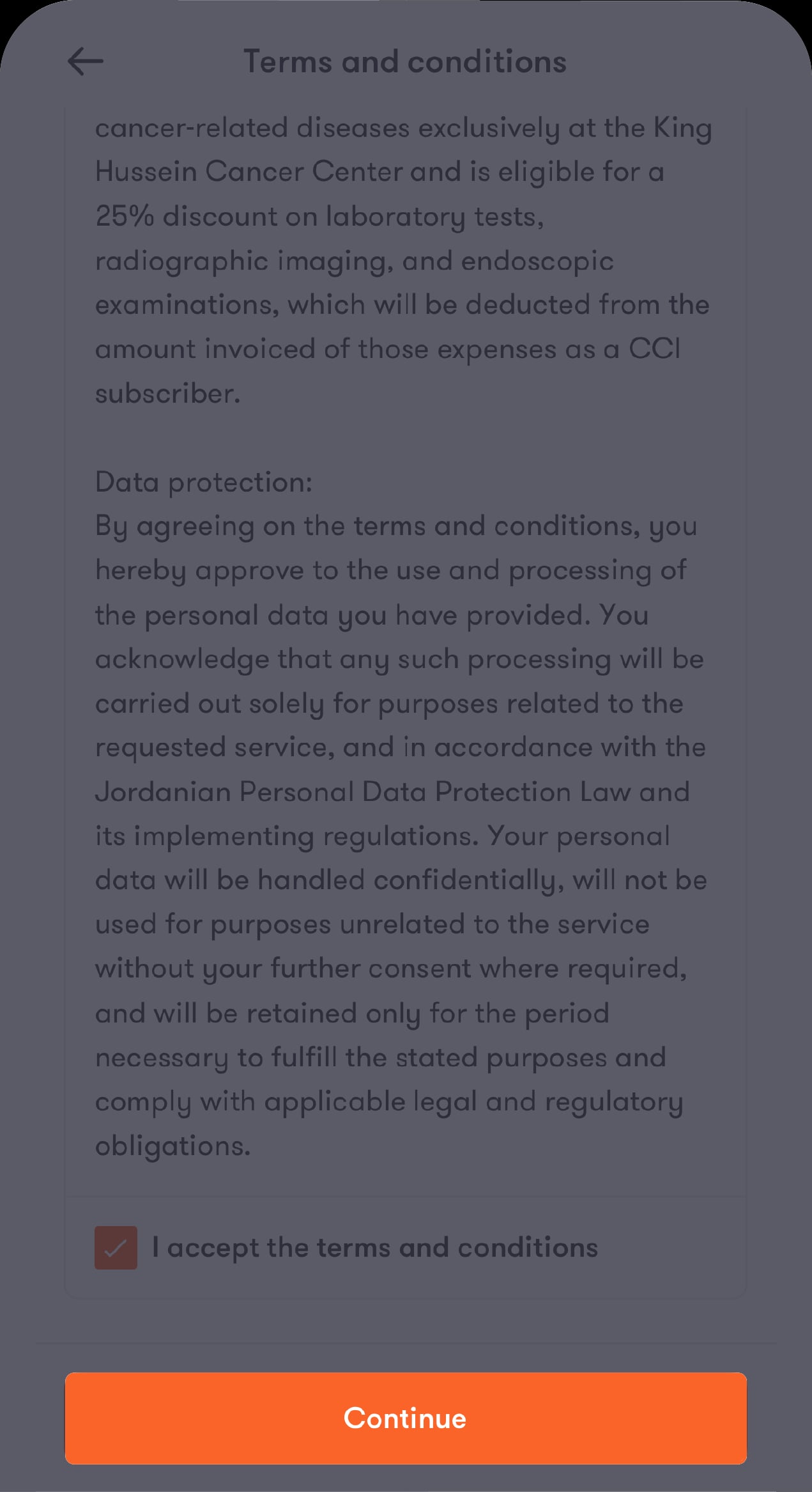
Step 6 of 9
Read the terms and conditions carefully
Then, tick the “I accept the terms and conditions” checkbox, and tap on “Continue”.
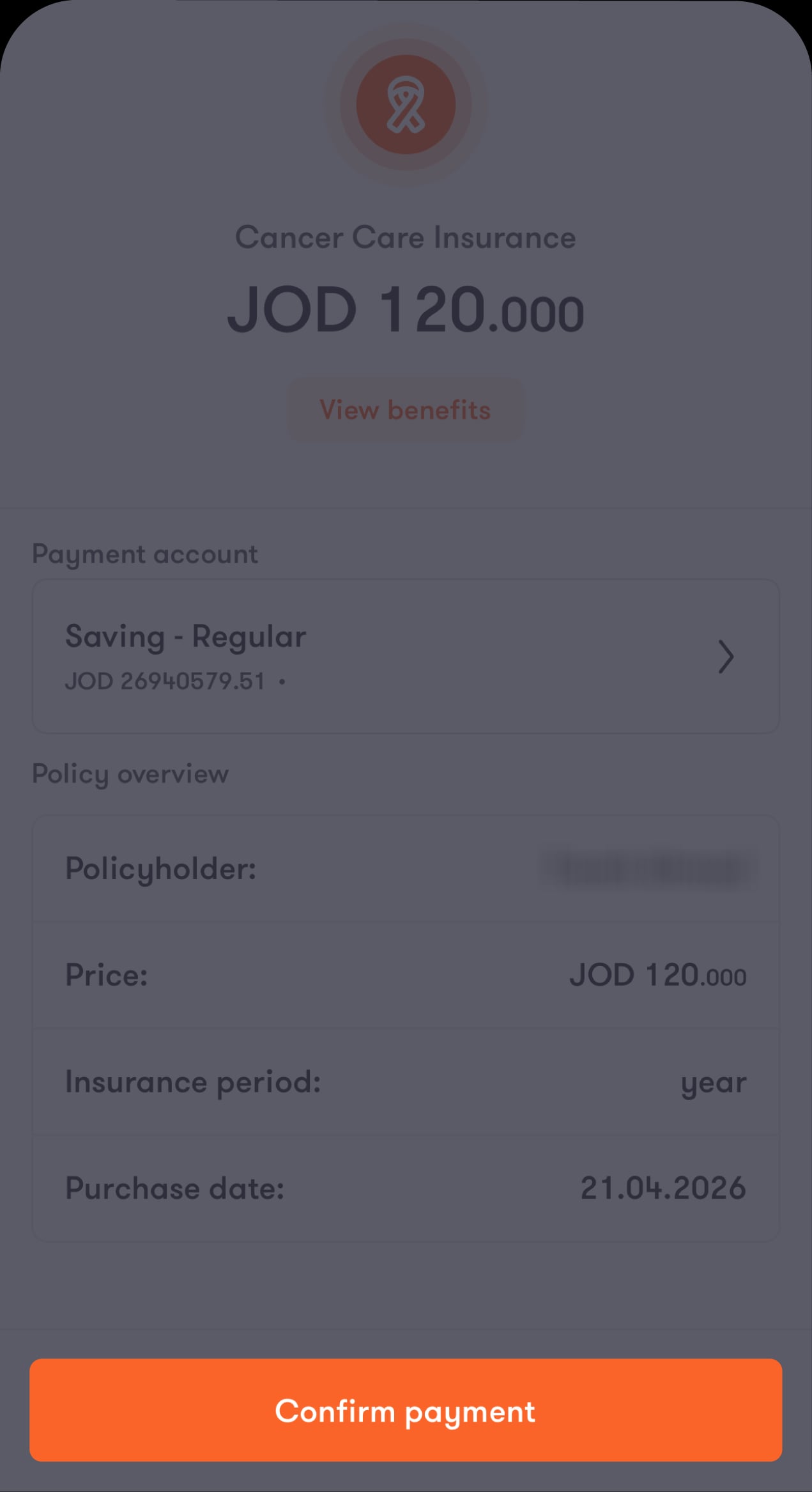
Step 7 of 9
Review the details of the policy you’re about to purchase
On this screen, you can change your payment account and recheck the benefits of the policy by tapping on “View benefits”. Once you’re done reviewing, tap on “Confirm payment”.
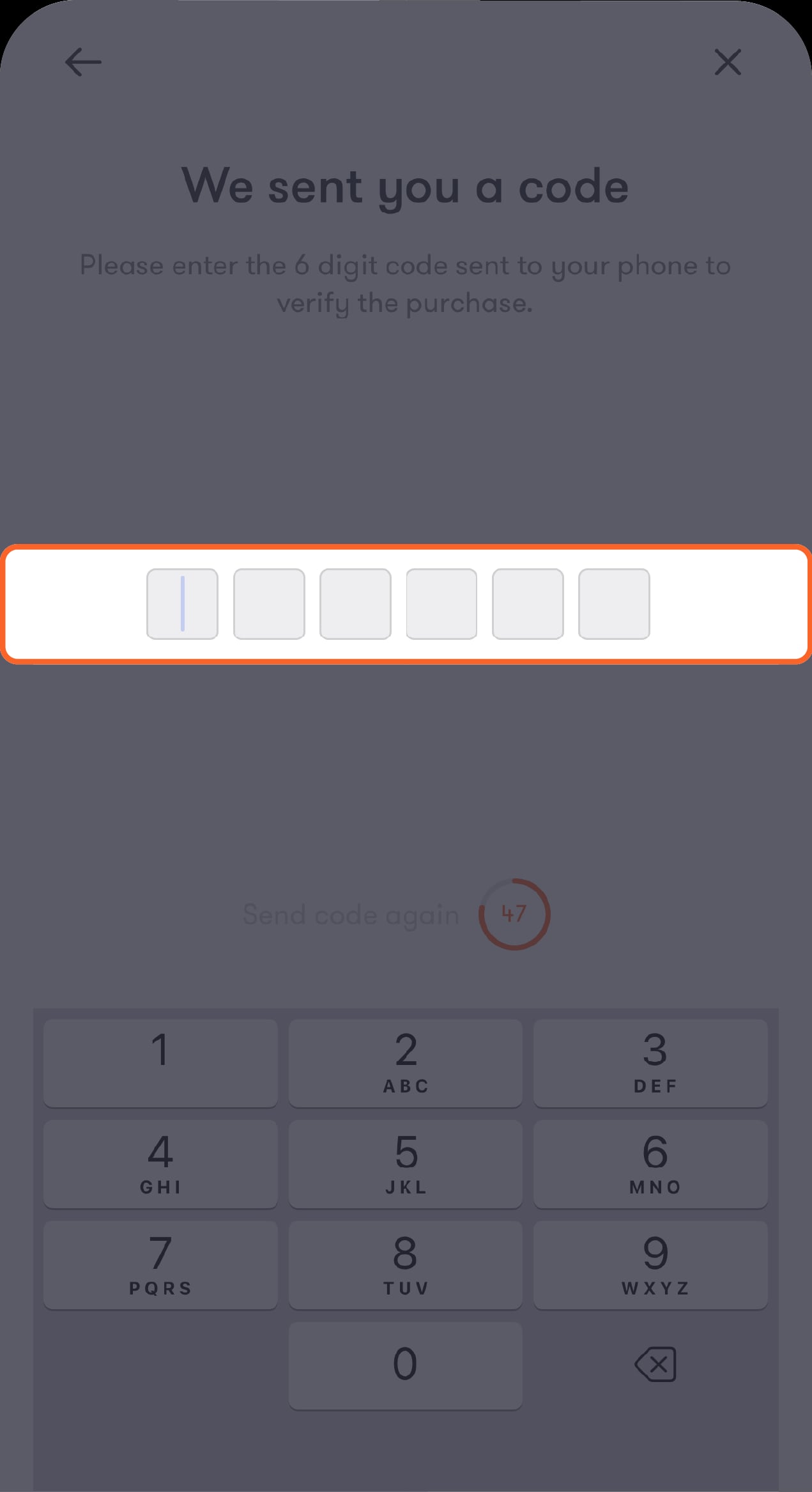
Step 8 of 9
Enter the verification code you will receive by SMS
Tap on "Continue" to confirm the transaction.
Step 9 of 9
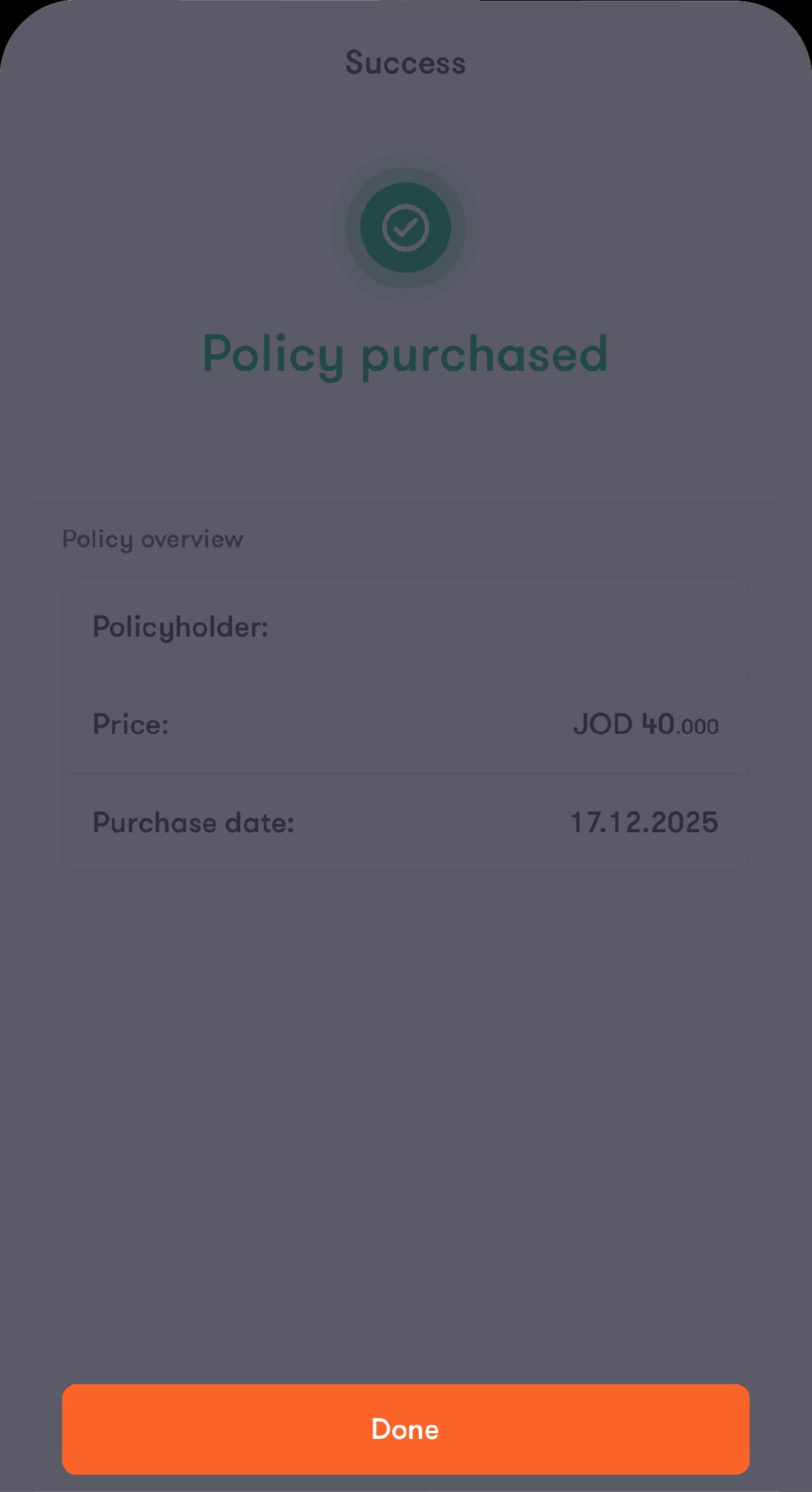
The purchase has been completed successfully
Tap on “Done” to view your cancer care insurance request and its status. Once it becomes active, you can view and download your policy.
Was this article helpful?
We’re always looking to improve, and your feedback will help us shape our future content so we can be as useful to you as we possibly can.