Knowledge hub
Generate Statement
Get your bank statement in just a few moments, straight from your phone!
The days of leaving your house just to wait in line for a bank statement are now over! Be it day or night, rain or shine – our app allows you to get your bank statement in just a few simple steps.
Get your general statement now!
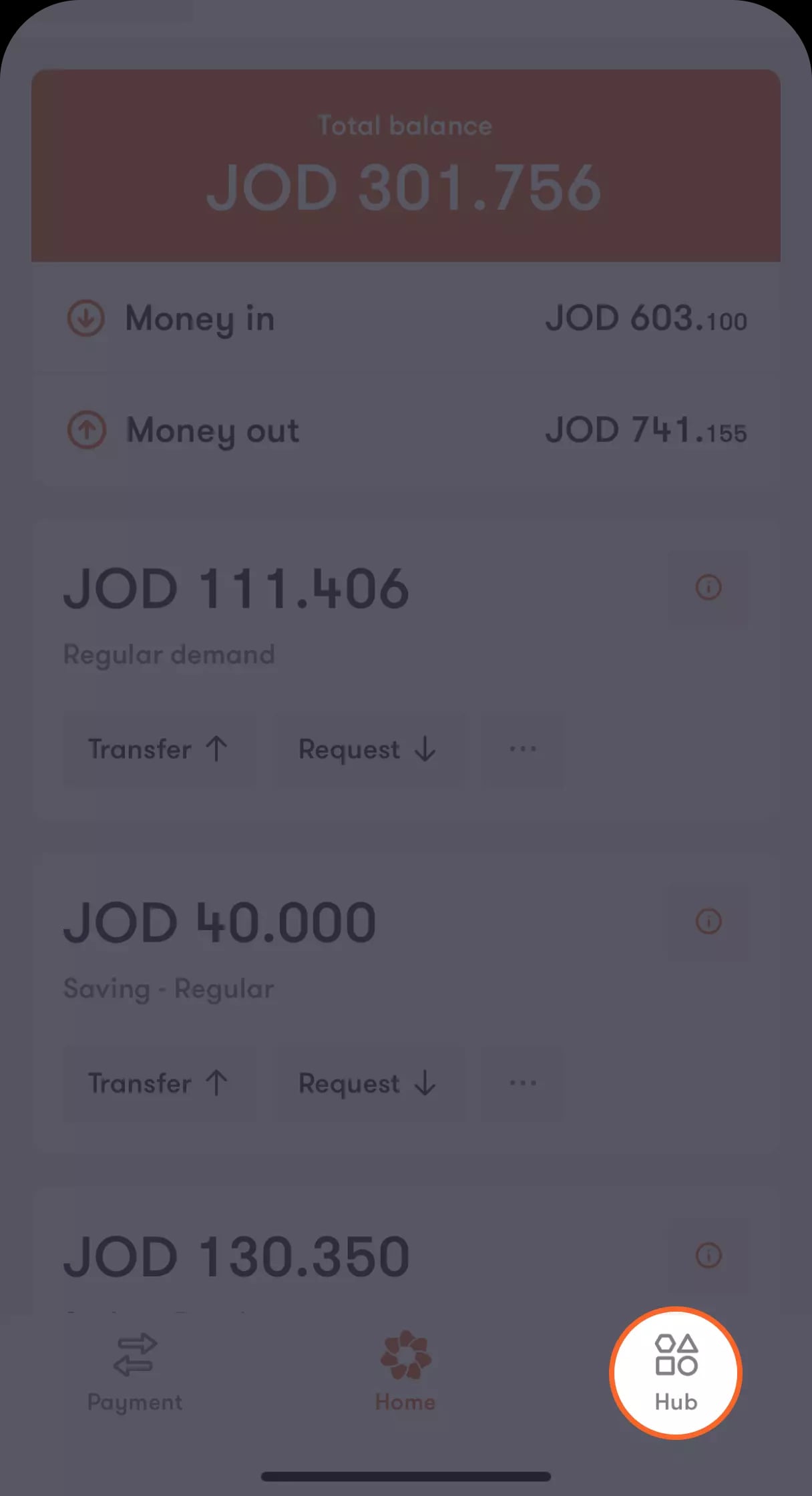
Step 1 of 4
Tap on “Hub” located at the bar at the bottom of the main screen
A menu will appear with a list of options.
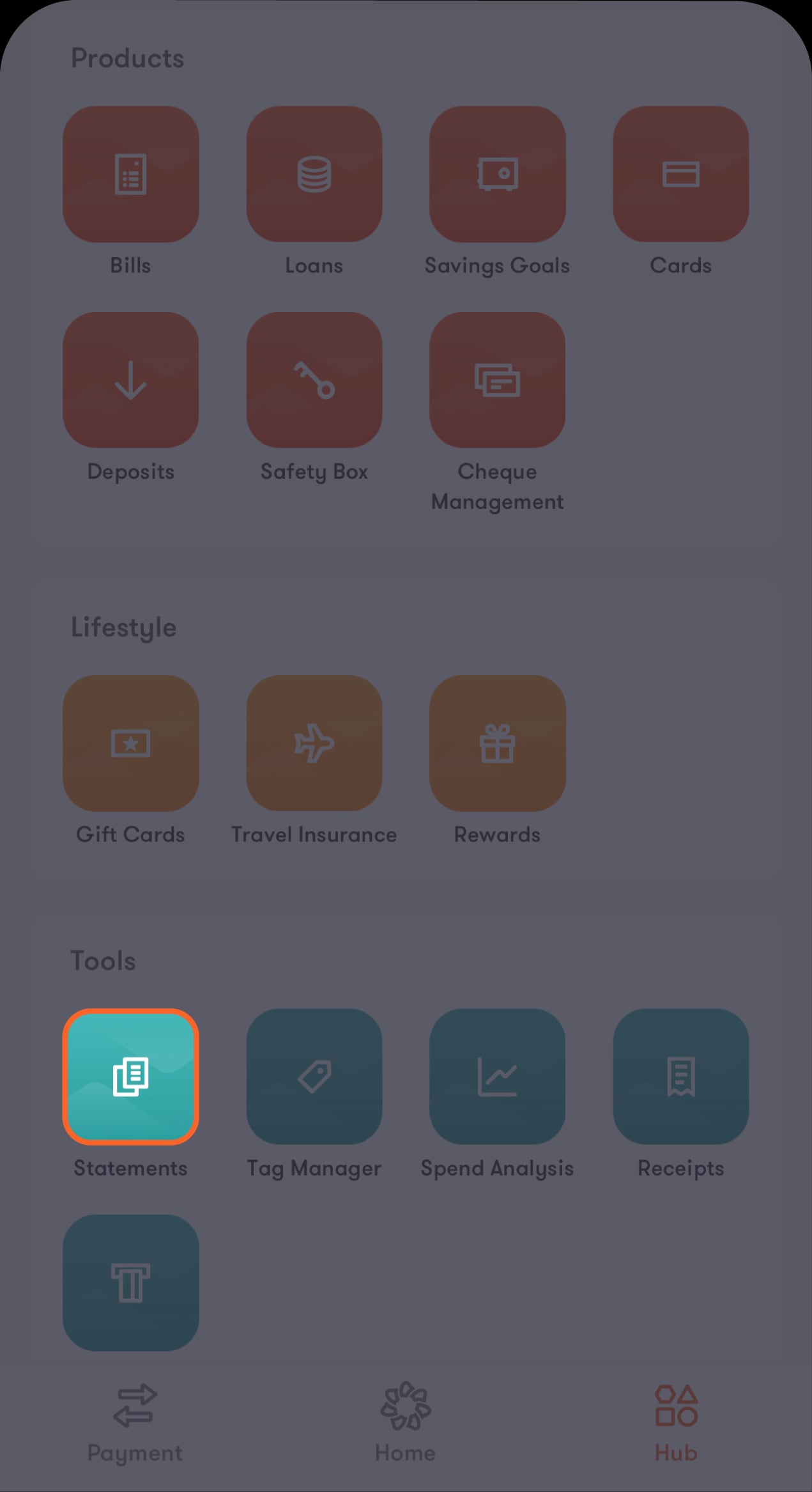
Step 2 of 4
Select “Generate statement” from the menu
You will be directed to the “Generate statement” screen which contains a list of your accounts.
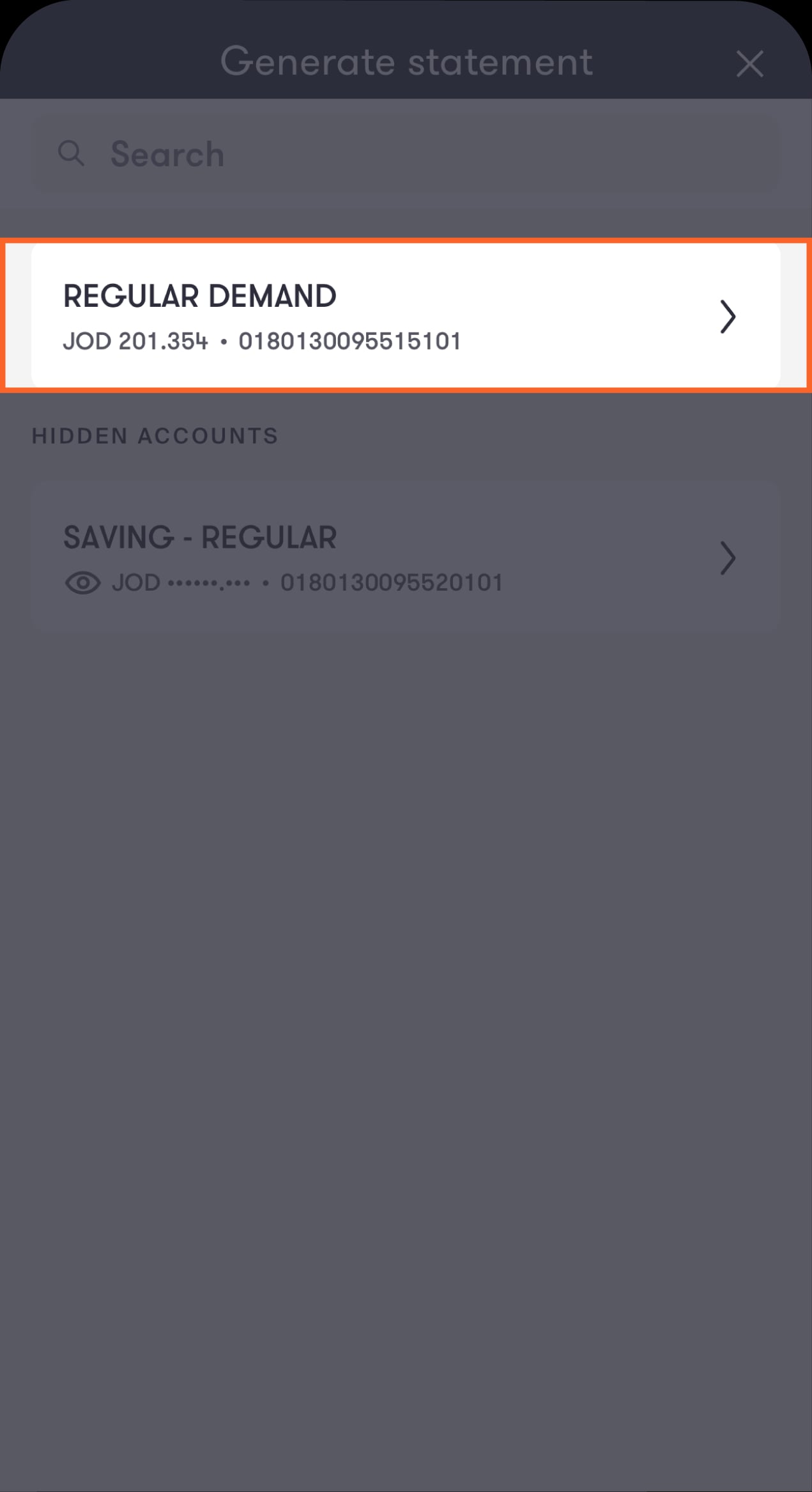
Step 3 of 4
Select the account you are issuing your general statement for
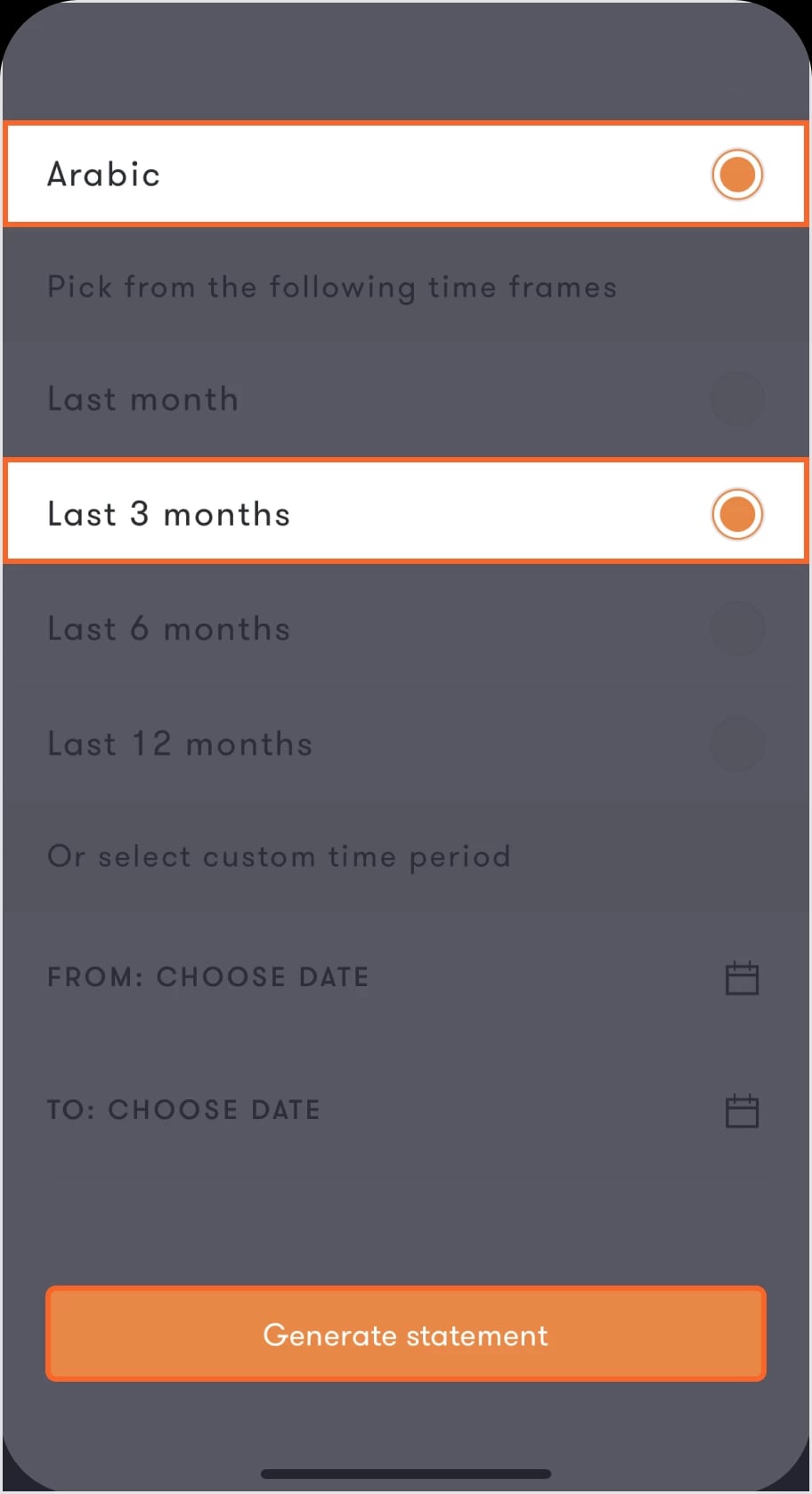
The screen will then present you with the option to select the language and period of time for your statement.
Step 4 of 4
Select the language and period of time for your statement, then tap on Generate statement located at the bottom of the screen
Wait a few seconds for your general statement to be ready. The screen will then present you with the option to either download your statement in PDF format by tapping on “Download”, or share the general statement with your contacts or through social media by tapping on “Share”.
Read the FAQ’s
Are bank statements issued through the app official?
Was this article helpful?
We’re always looking to improve, and your feedback will help us shape our future content so we can be as useful to you as we possibly can.