Knowledge hub
Prepaid Cards
The prepaid card!
Discover how easy it is to recharge your prepaid card through our app, and take charge of your banking experience with these simple steps.
How to access your cards
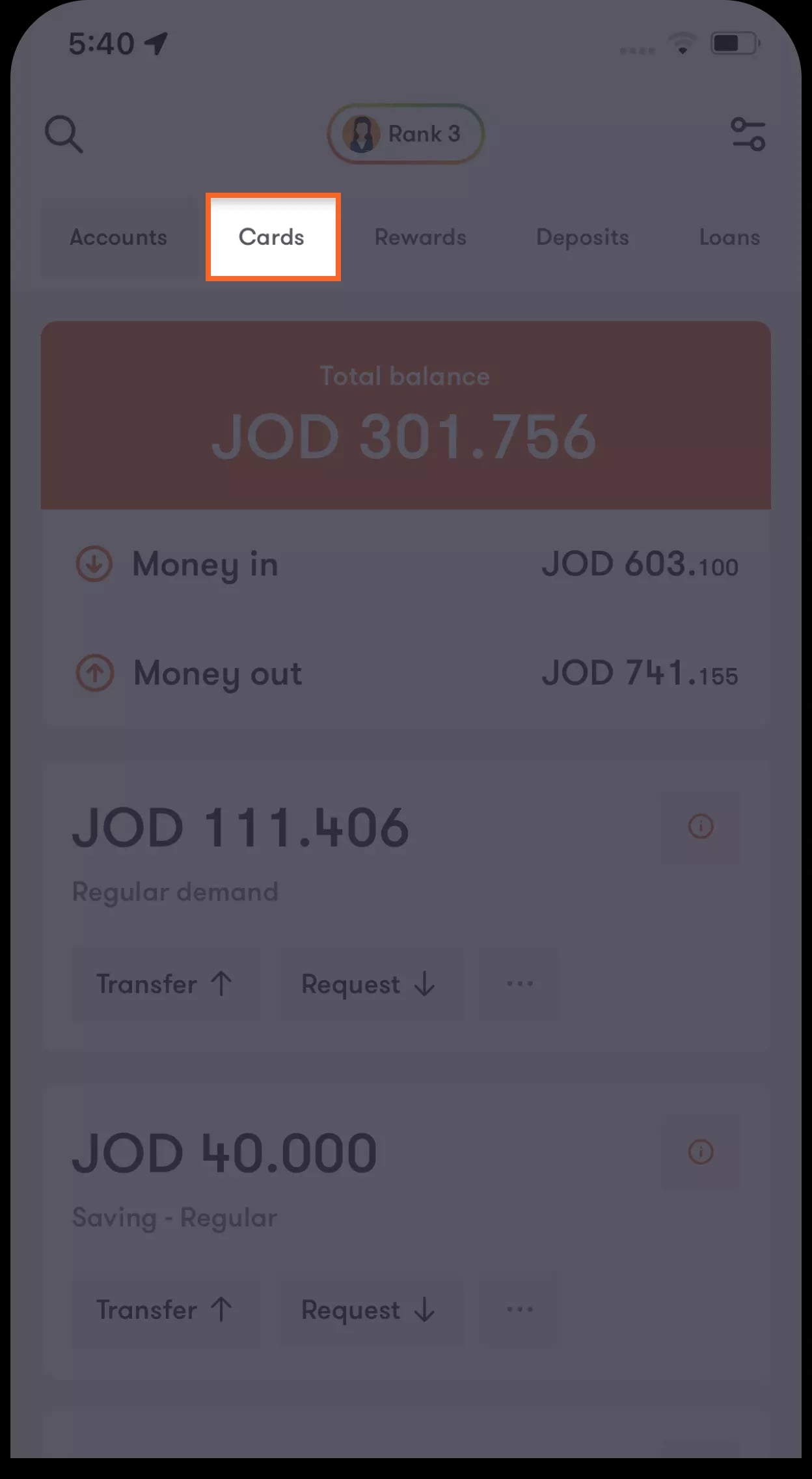
Step 1 of 2
Tap on "Cards" located on the main bar
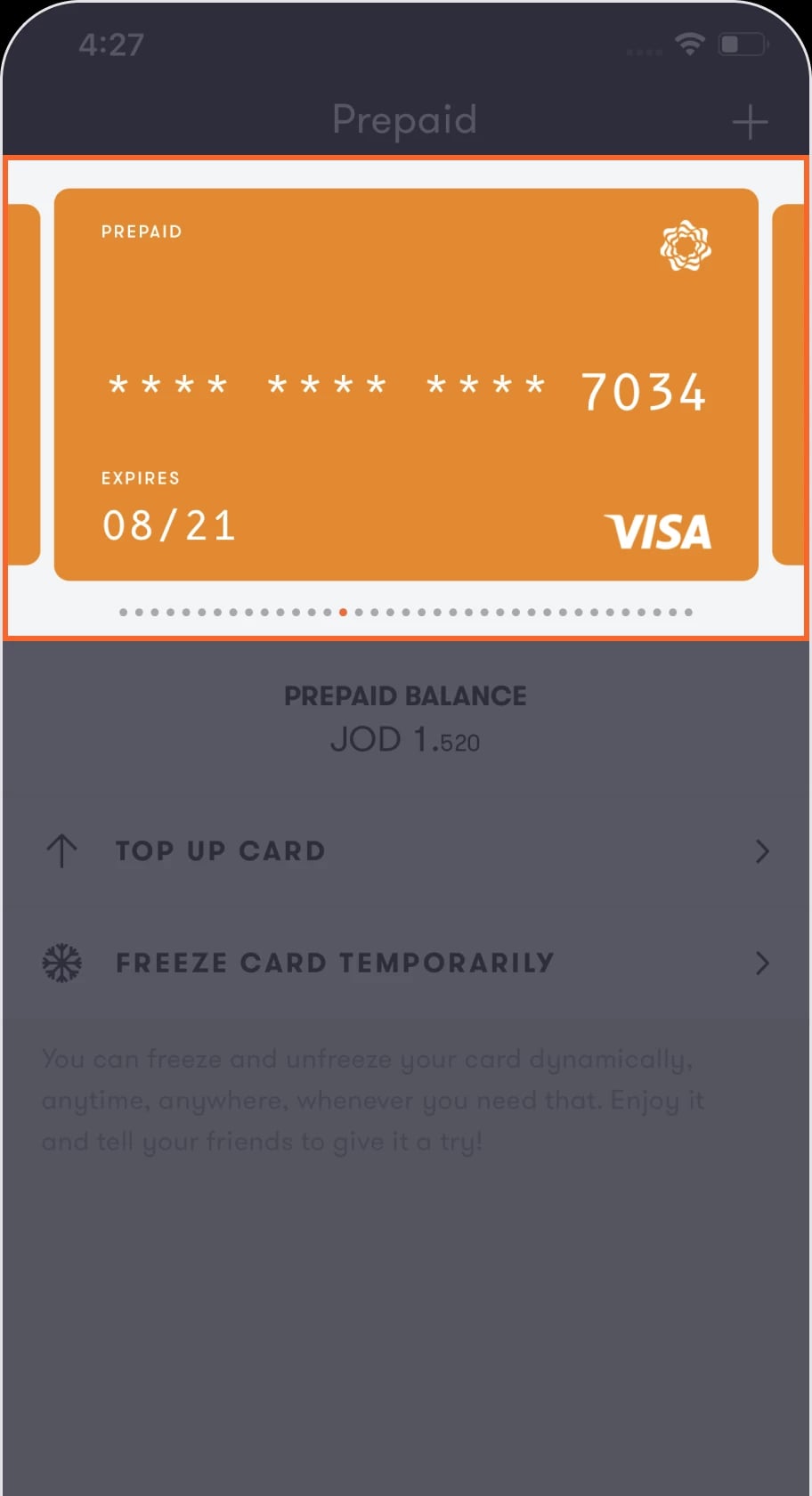
Step 2 of 2
You will be directed to a screen containing information about your cards and a list of settings you can choose from. Swipe left or right to choose the card you want to manage.
To recharge your card
Step 1 of 2
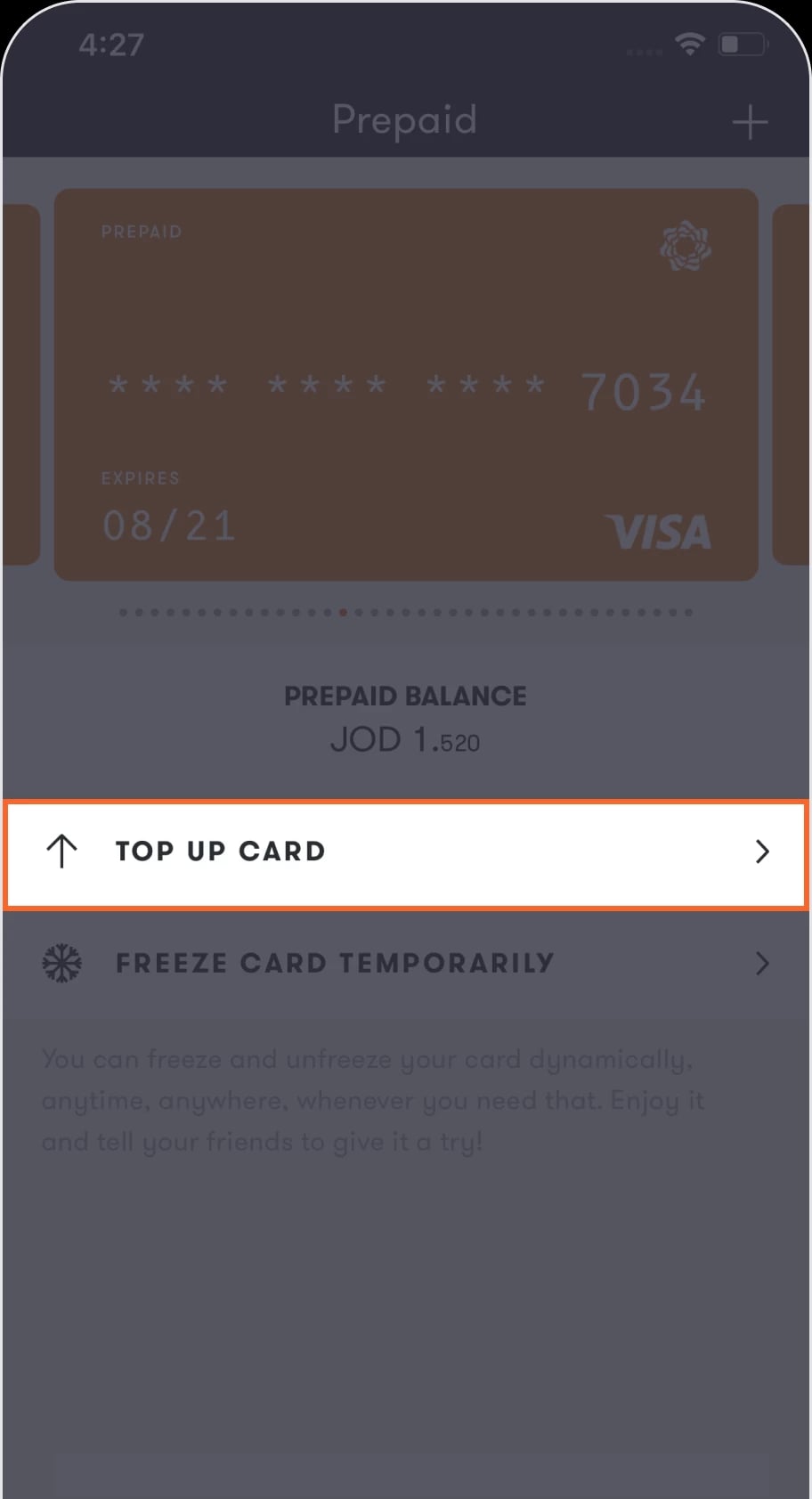
Tap on Top up card
Step 2 of 2
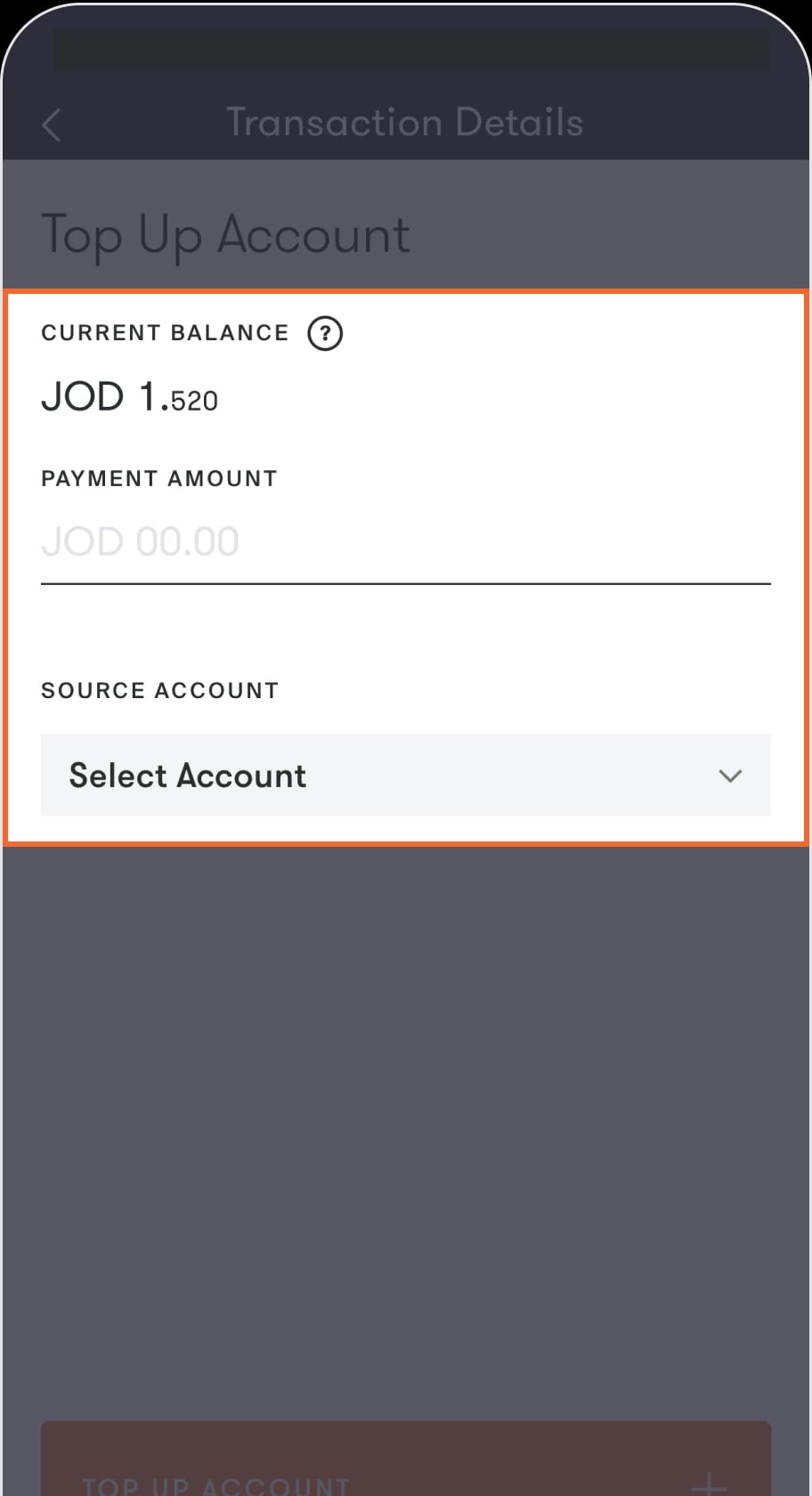
You will be directed to the “Transaction details” screen where you can enter the amount you want to recharge your card with, as well as select the account you are using to do so. Once selected, tap the “Top up account” button located on the bottom of the screen.
To freeze your card
Step 1 of 2
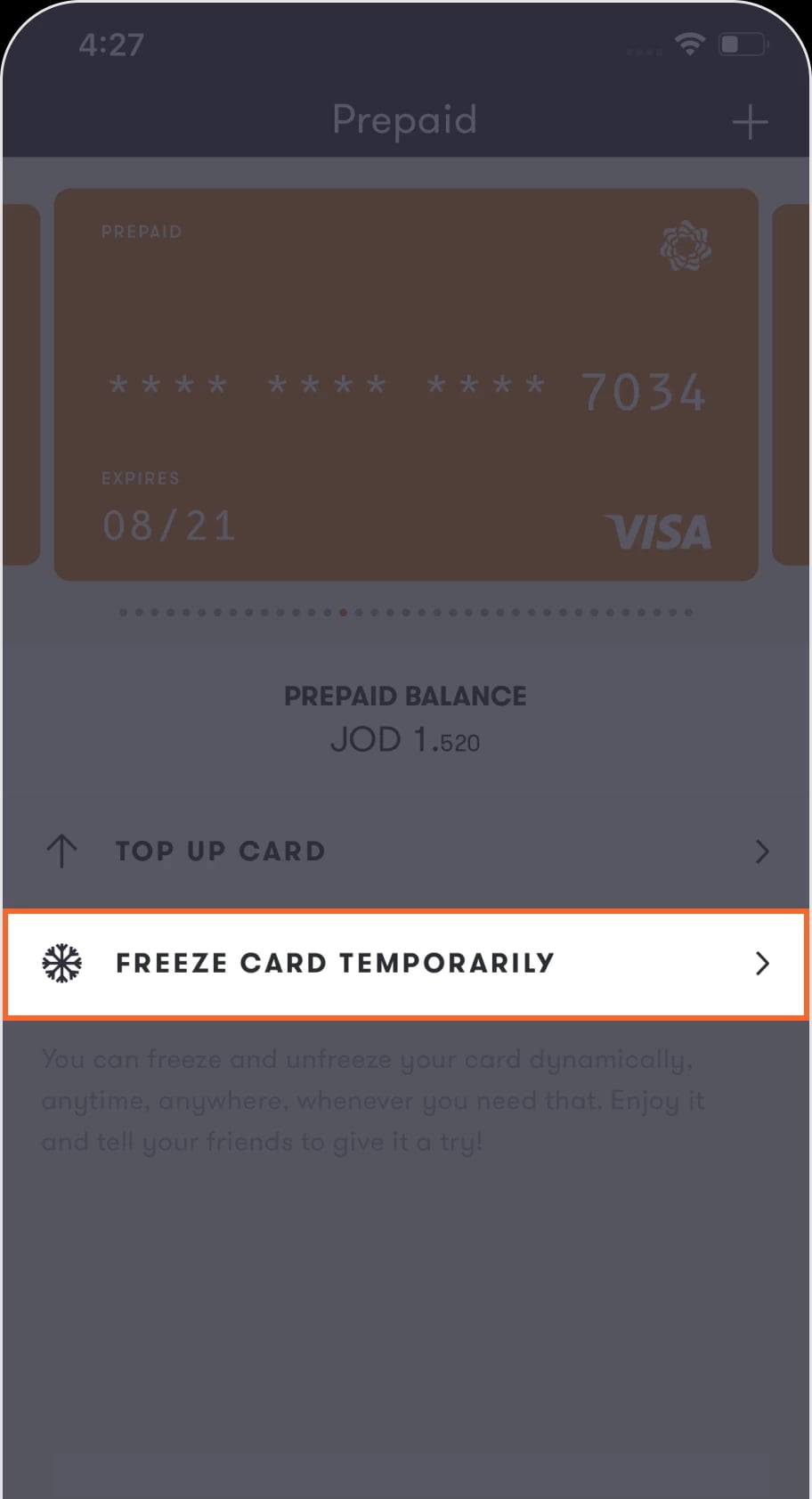
Tap on Freeze card
Step 2 of 2
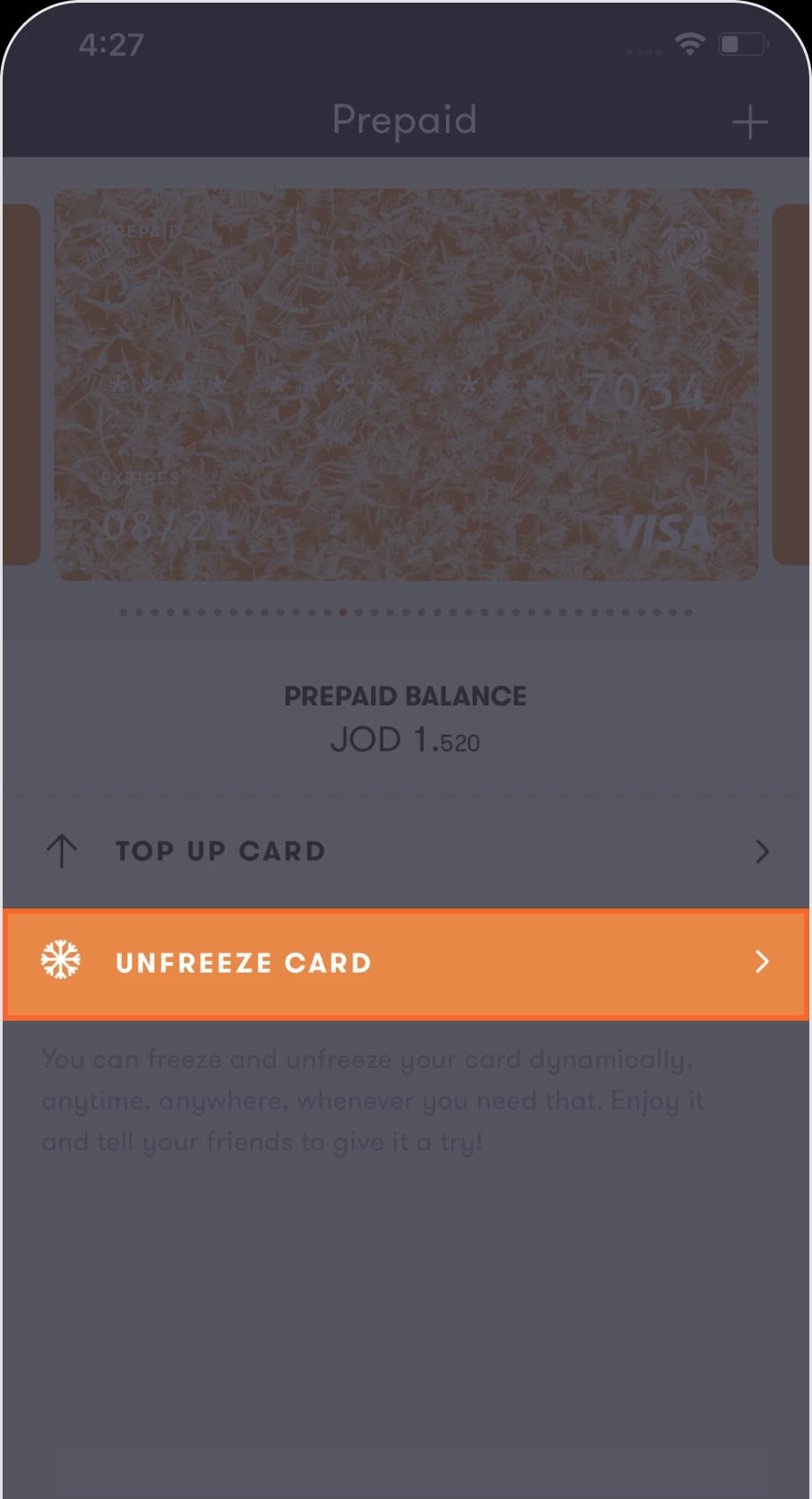
After your card is frozen the “Unfreeze card” button will appear, which you can tap on to unfreeze your card any time.
Was this article helpful?
We’re always looking to improve, and your feedback will help us shape our future content so we can be as useful to you as we possibly can.