Knowledge hub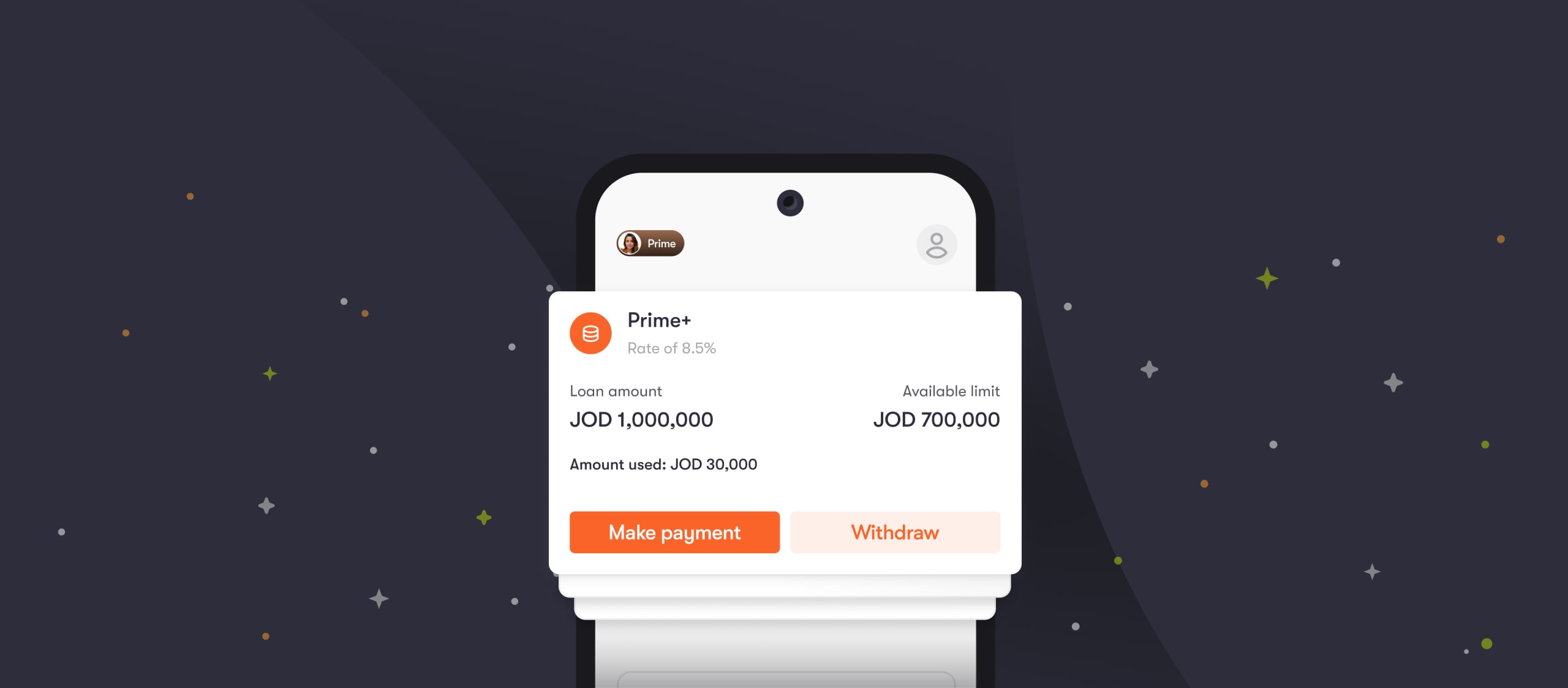
Prime+
Get more flexibility with Prime+
Prime+ gives you access to an approved credit limit for unexpected expenses or everyday needs. You can withdraw cash when you need it, then repay at your own pace for more control over your money and cash flow.
Here’s how:
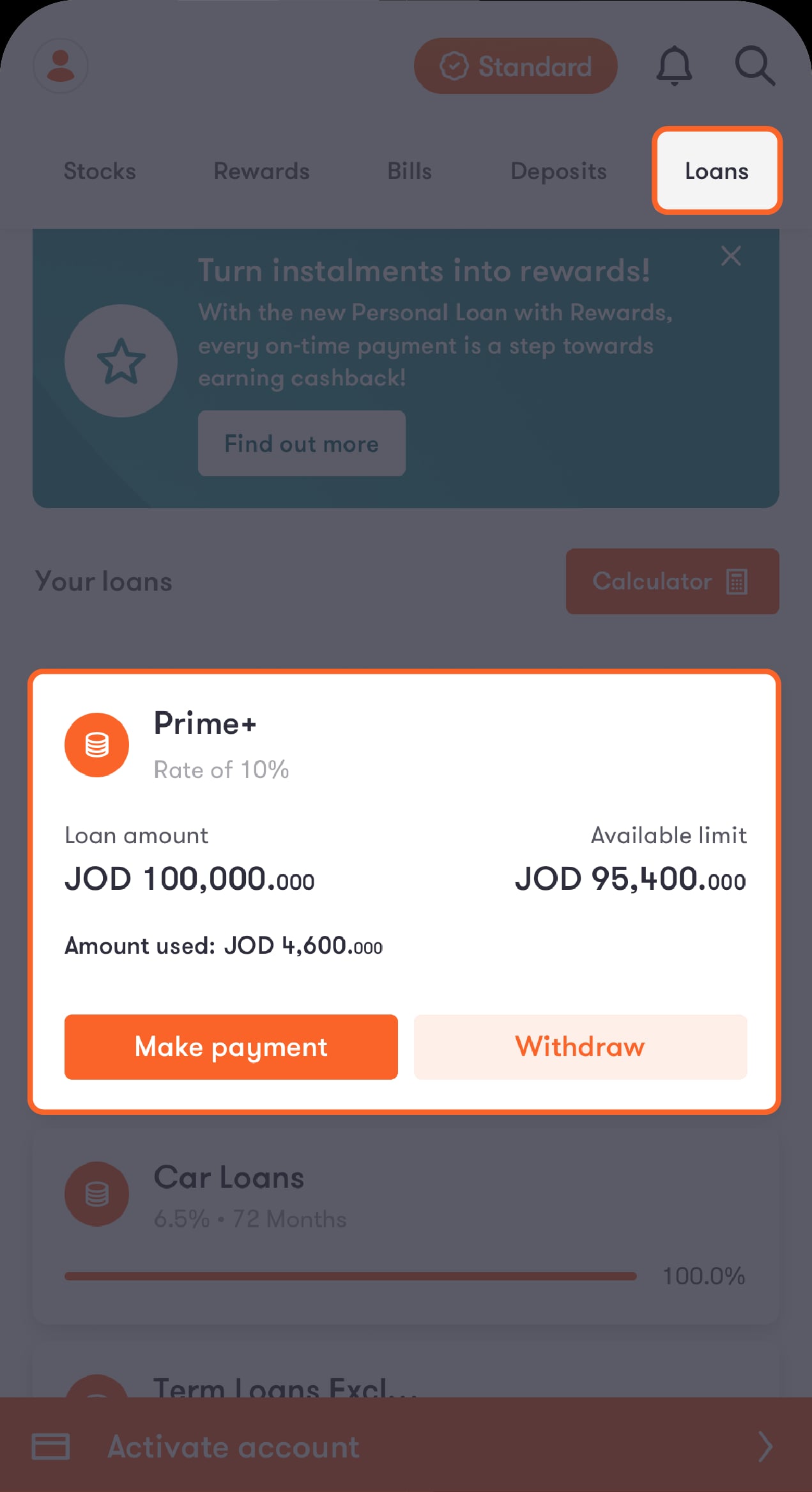
Step 1 of 6
Tap on “Loans” from the bar at the top of the main screen
You’ll be directed to a screen showing your loans. Tap on “Prime+”.
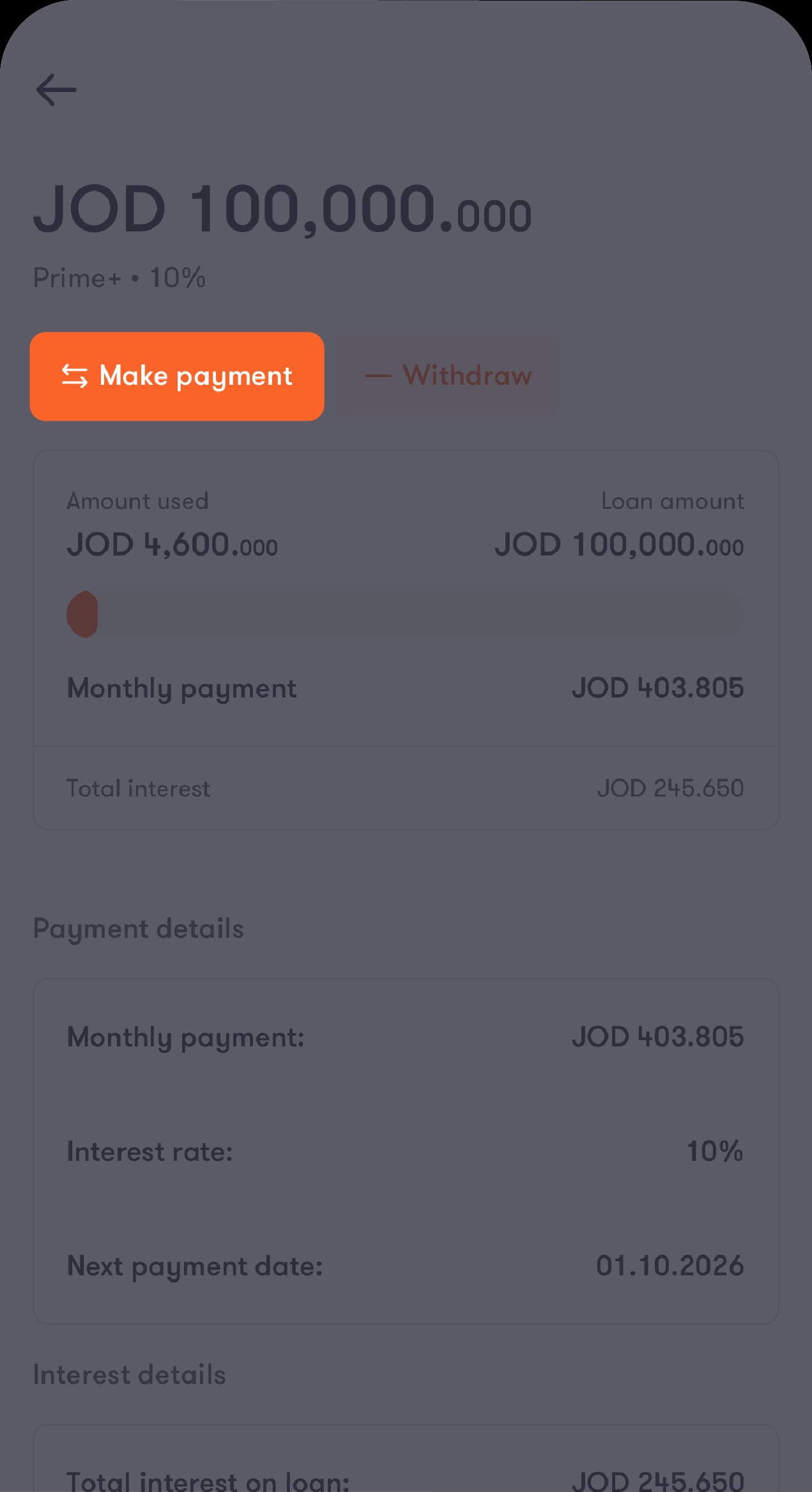
Step 2 of 6
Tap on “Make payment”
You’ll be asked to choose the account you want to pay from.
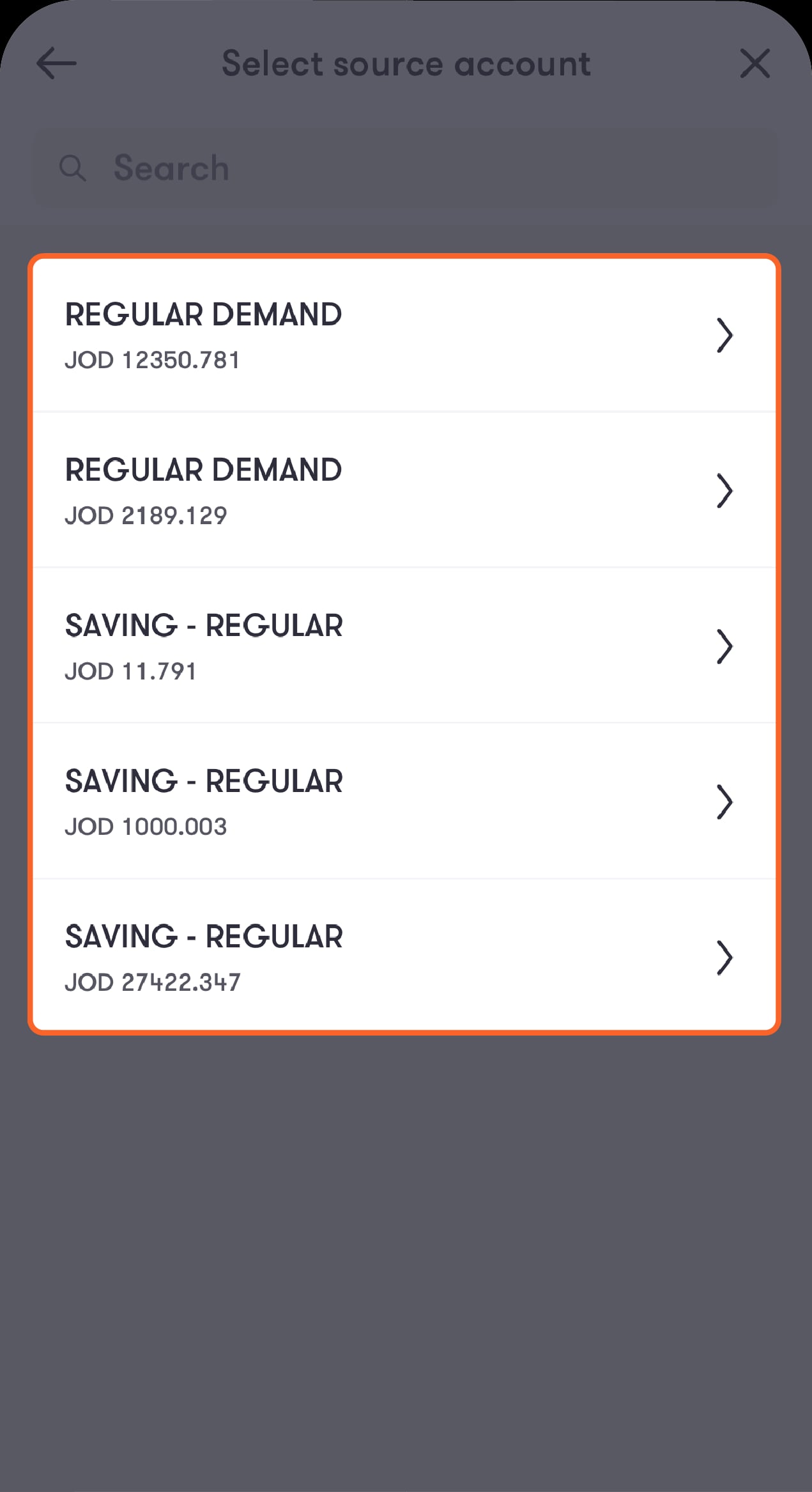
Step 3 of 6
Choose your source account
You’ll then be asked to enter the amount you want to repay.
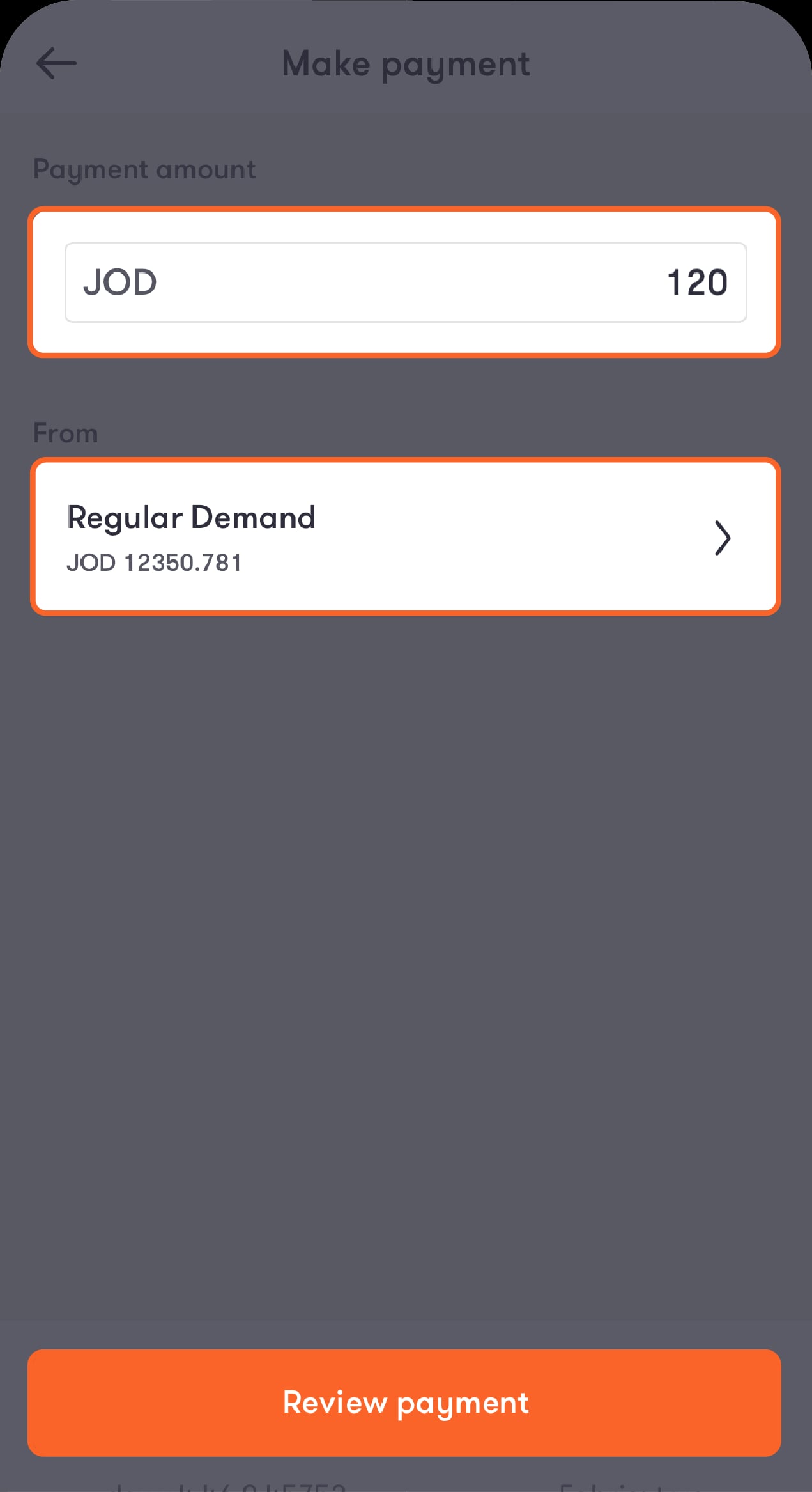
Step 4 of 6
Enter the amount and review the account you want to pay from
You’ll then be directed to the review screen.
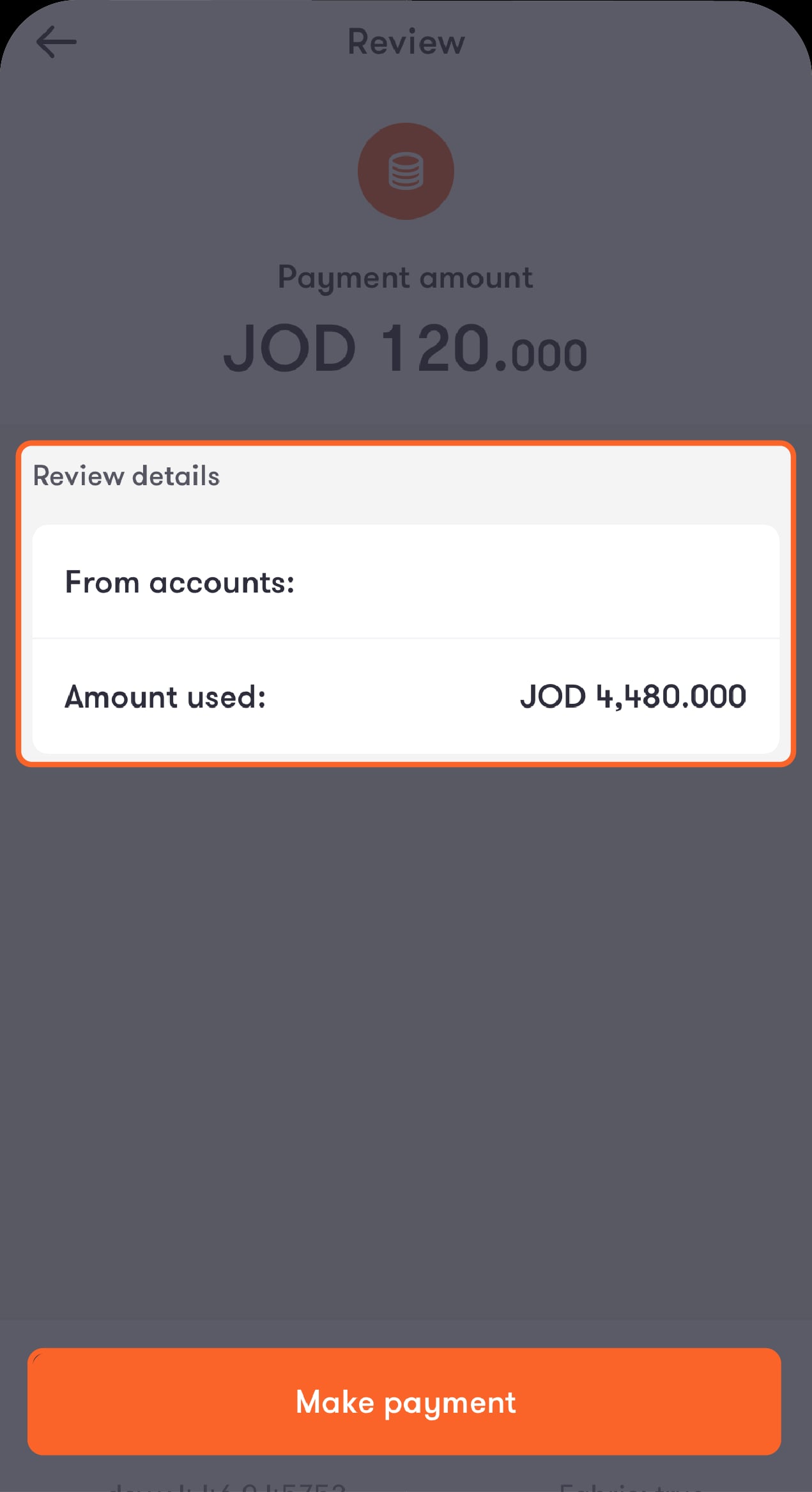
Step 5 of 6
Review the payment details, then tap on “Make payment”
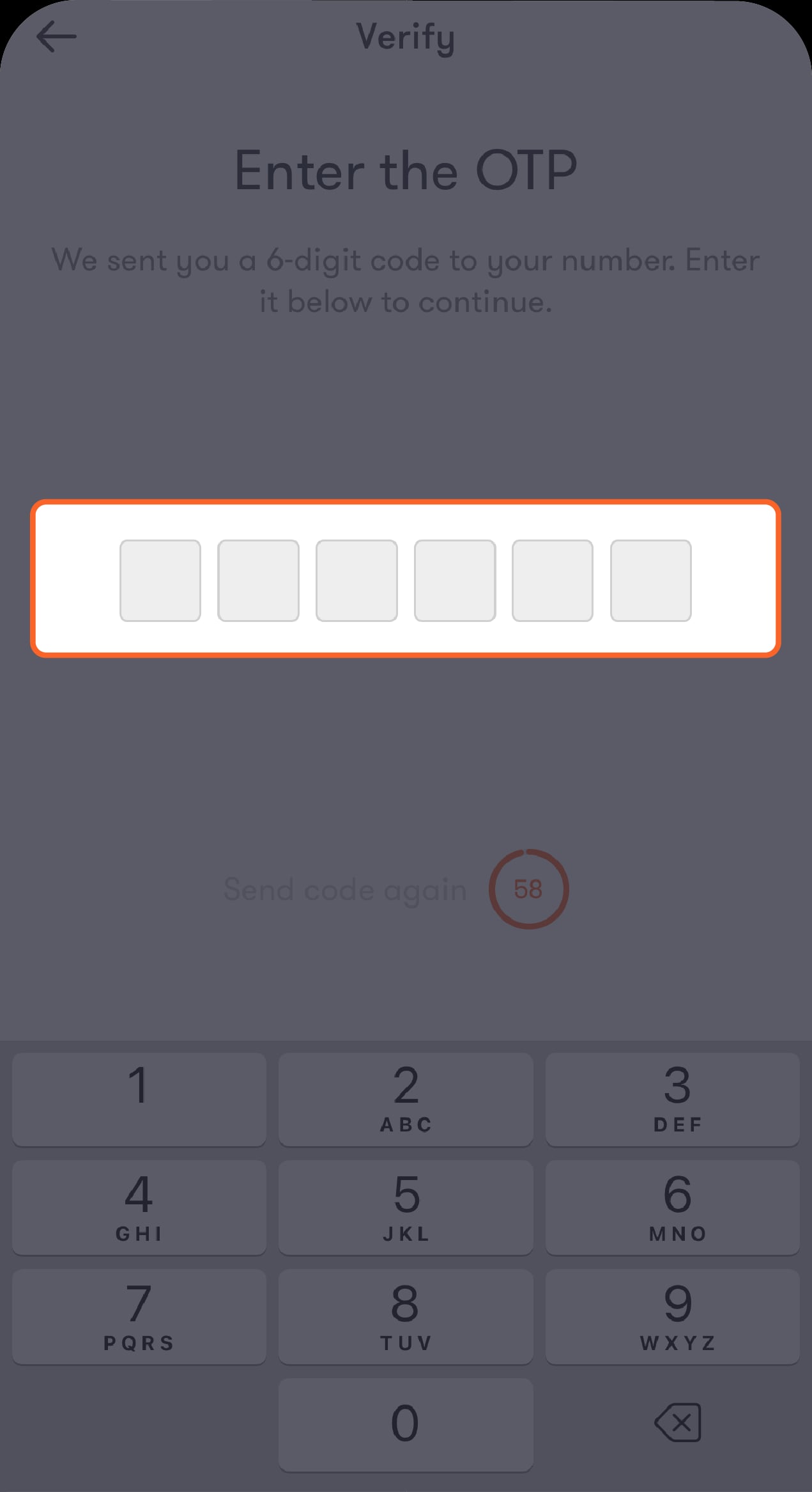
You’ll receive an OTP to submit the payment.
Step 6 of 6
Enter the OTP
You’re all set.
Here’s how:
Step 1 of 5
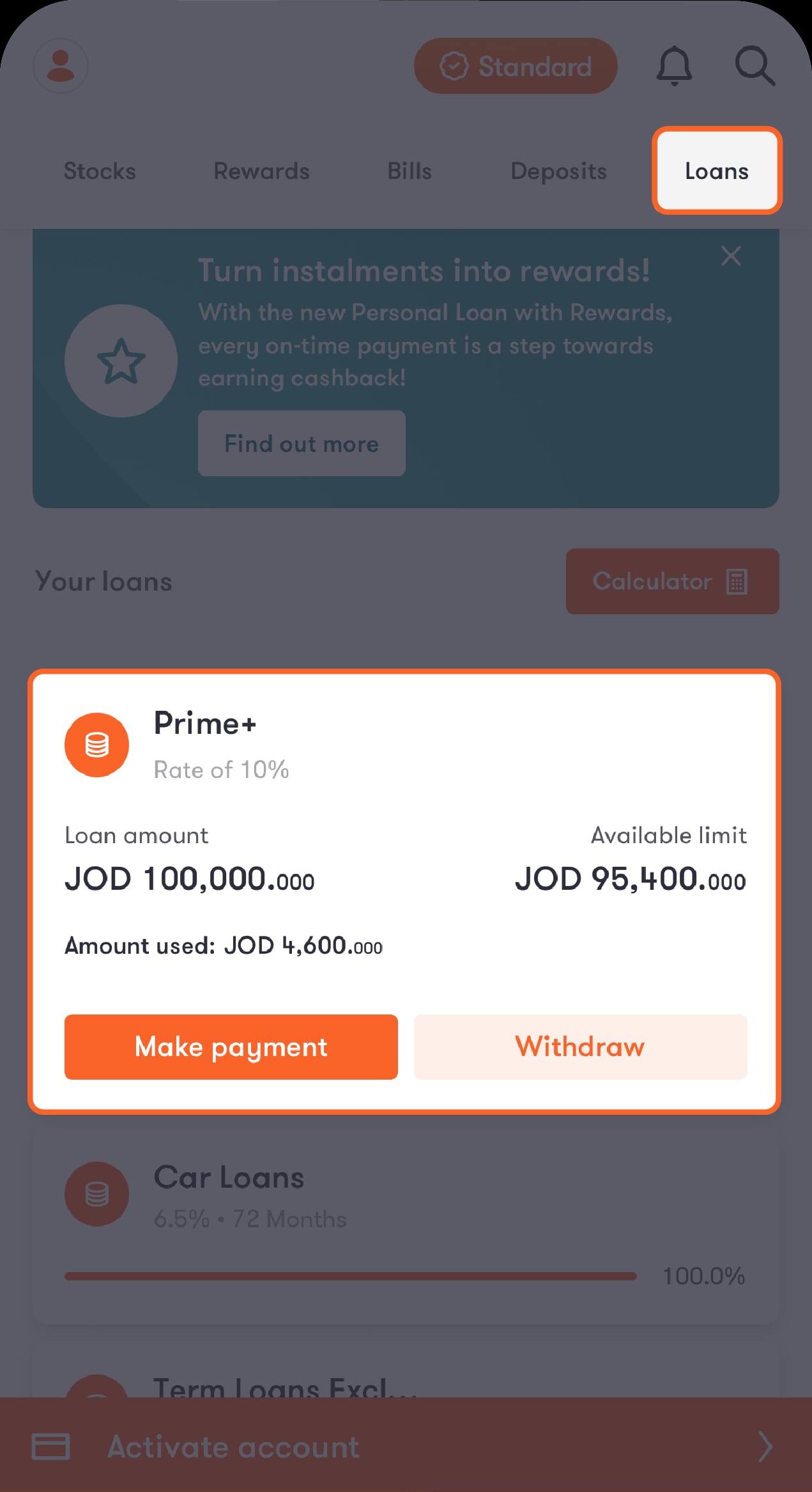
Tap on “Loans” from the bar at the top of the main screen
You’ll be directed to a screen showing your loans. Tap on “Prime+”.
Step 2 of 5
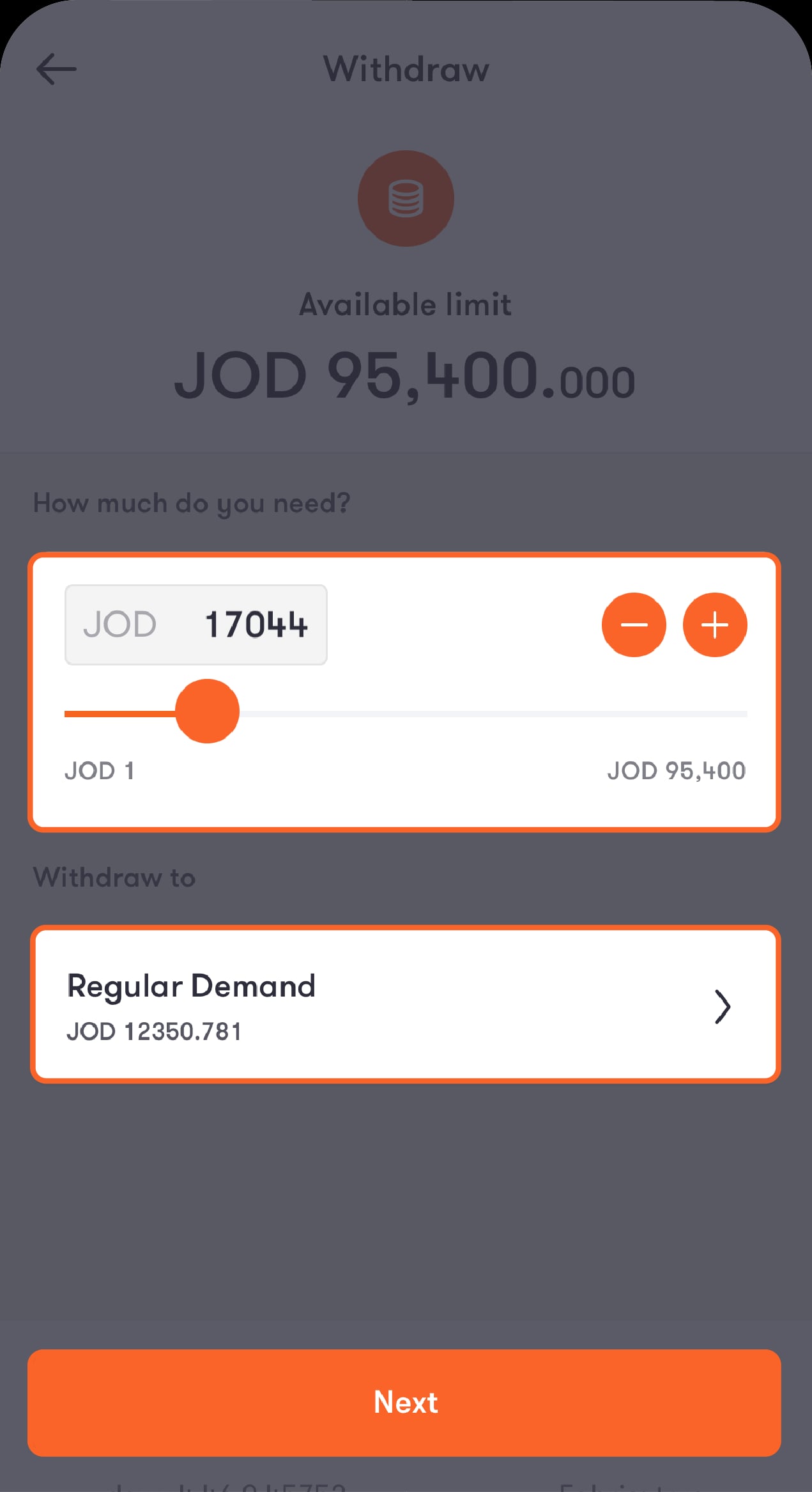
Enter the amount you want to withdraw and choose the account you want to receive it in
Tap on “Next” to be directed to the review screen.
Step 3 of 5
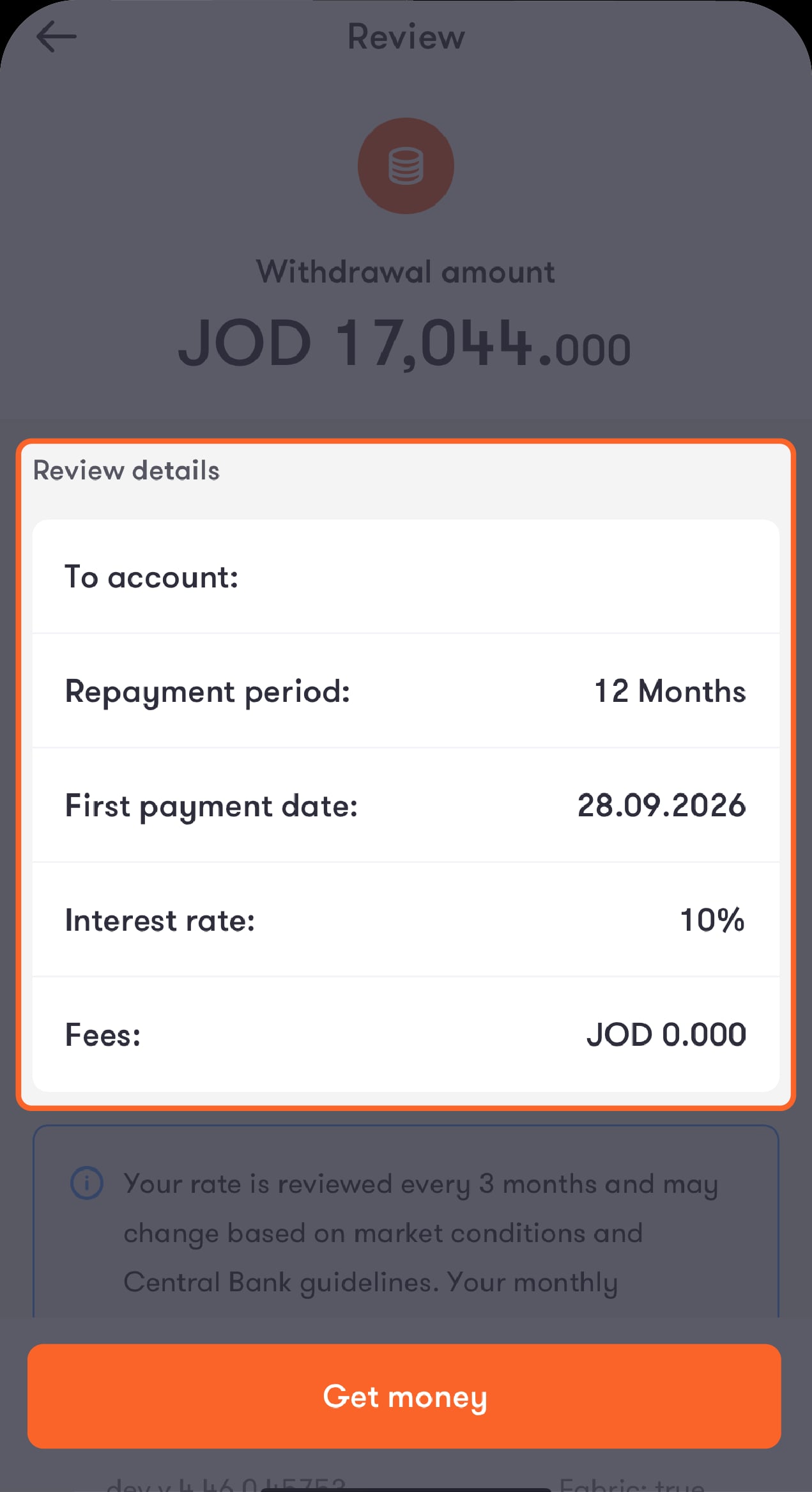
Review the withdrawal details, then tap on “Get money”
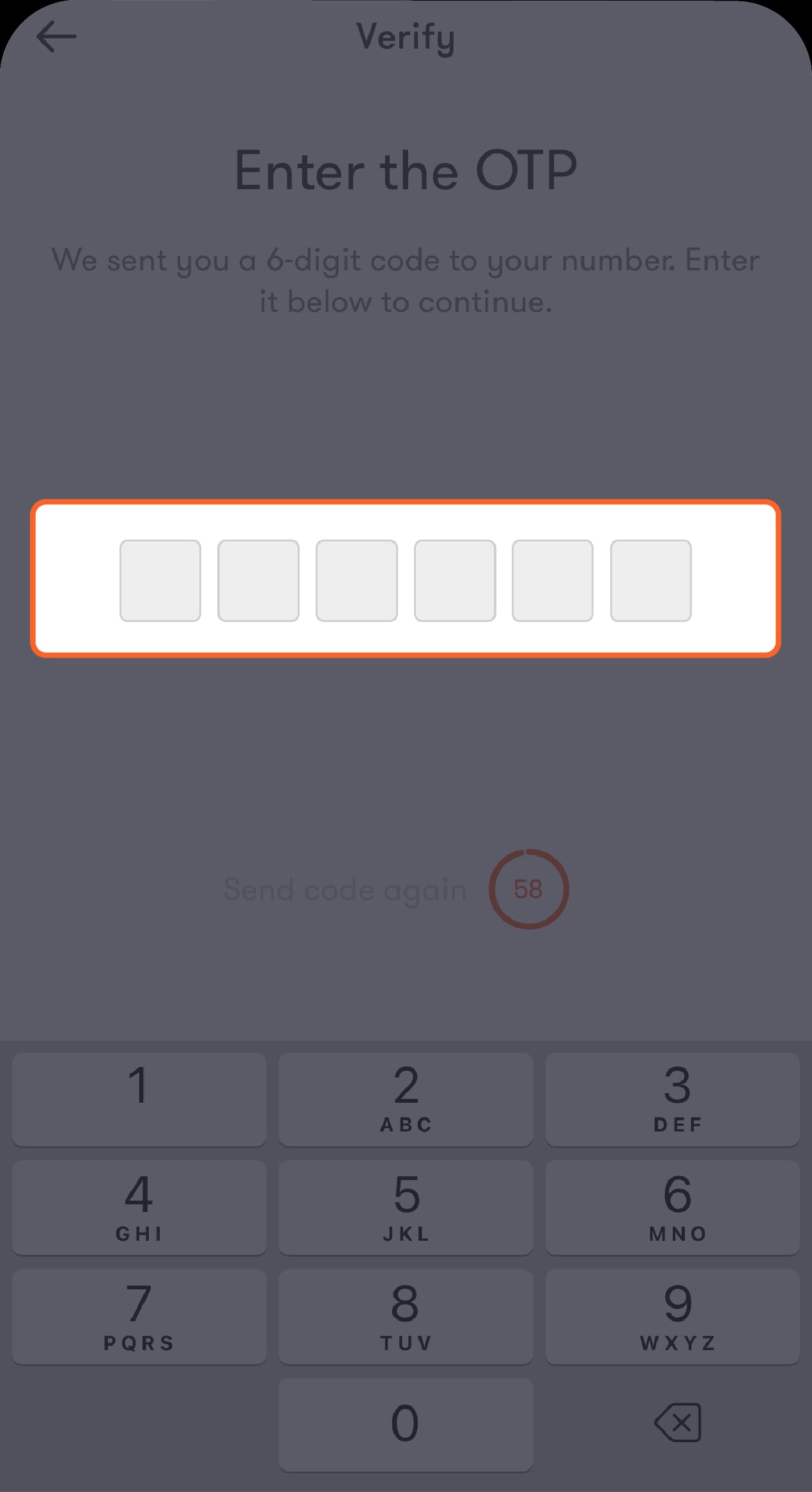
You’ll receive an OTP to request the withdrawal.
Step 4 of 5
Enter the OTP
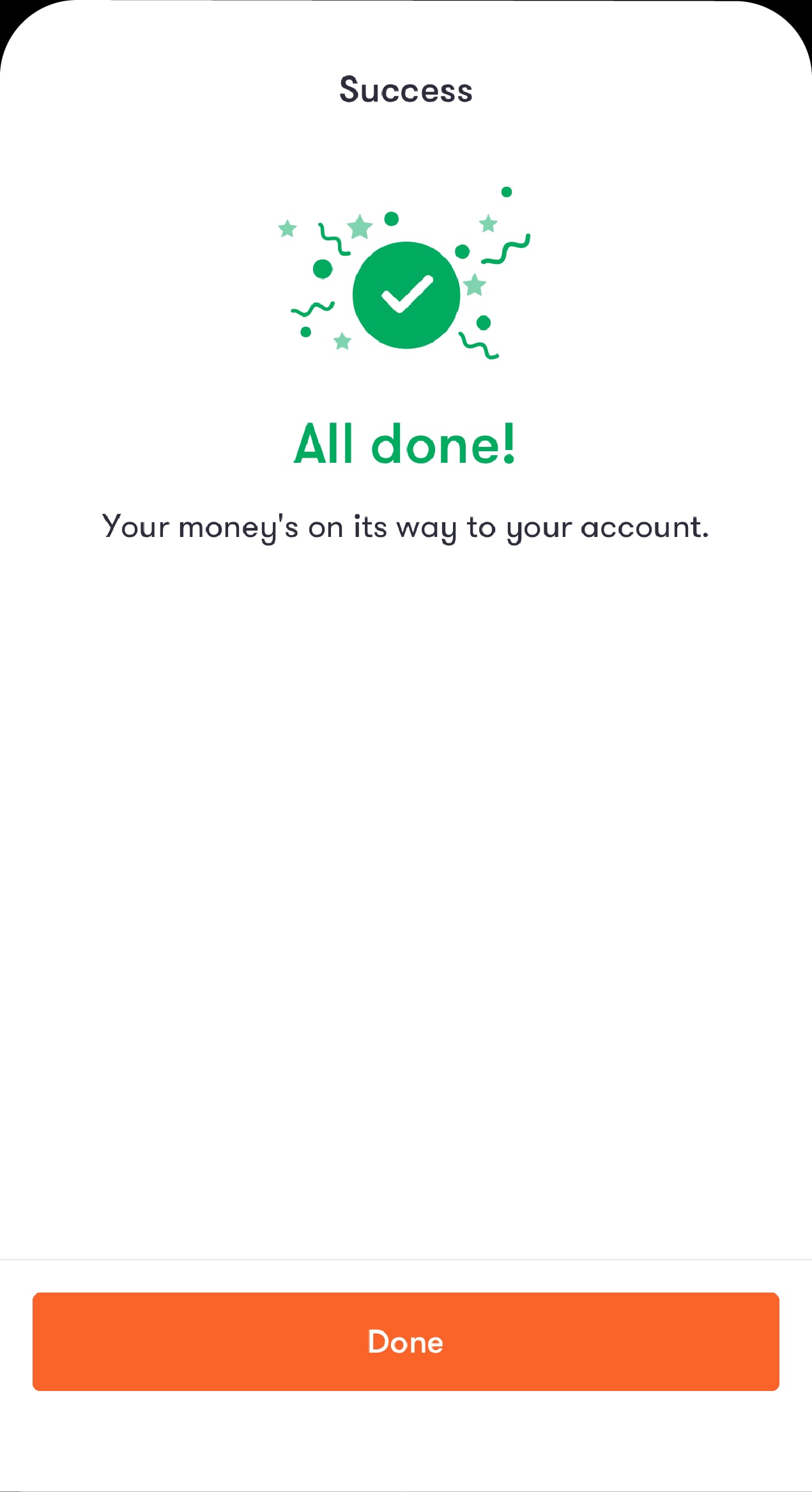
You’ll then be directed to the success screen.
Step 5 of 5
You’re all set
The amount will be deposited into your account.
Was this article helpful?
We’re always looking to improve, and your feedback will help us shape our future content so we can be as useful to you as we possibly can.