Knowledge hub

Profile update
Profile update
No more branch visits are needed to update your personal details! Simply use our mobile banking app for a quick and easy data update with just a few taps.
Profile update
Step 1 of 8
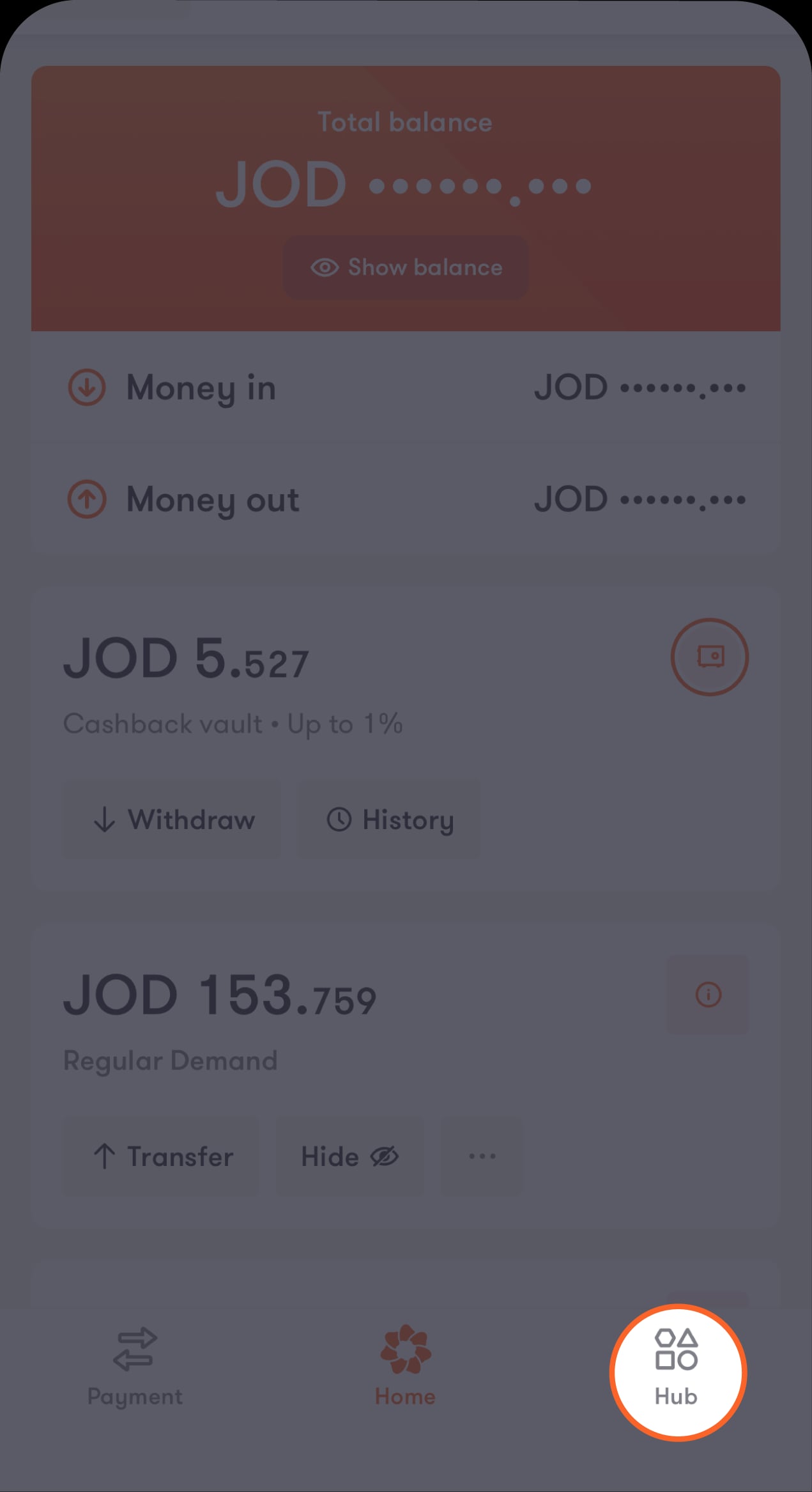
Tap on "Hub" located at the bottom of the main screen
A list of options will appear.
Step 2 of 8
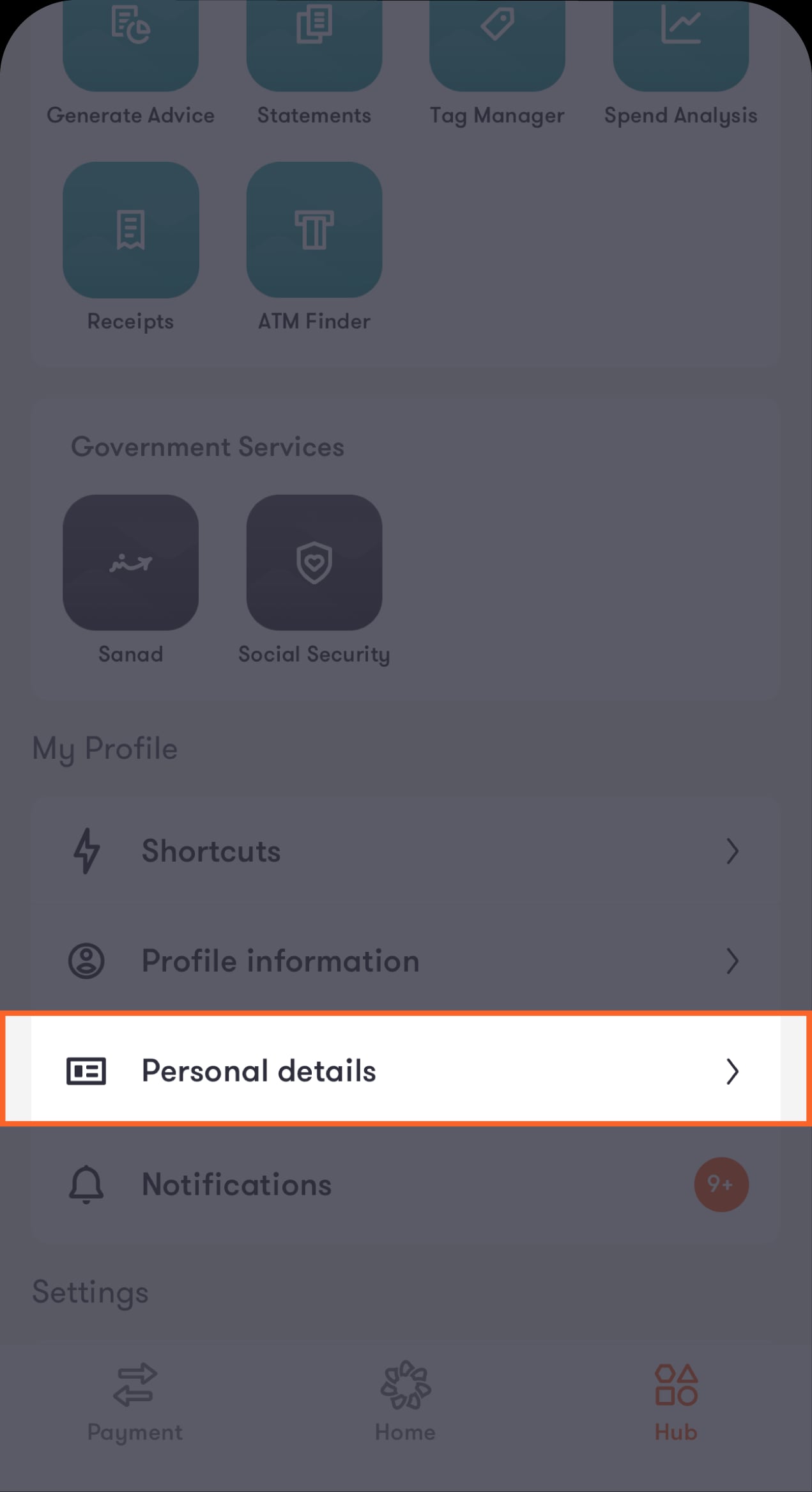
Scroll down to the "My Profile" section, then tap on "Personal details"
You'll be directed to the "Personal details" screen.
Step 3 of 8
Tap on "Get started" from the bottom of the screen
You'll be directed to a list of categories with your personal information.
Step 4 of 8
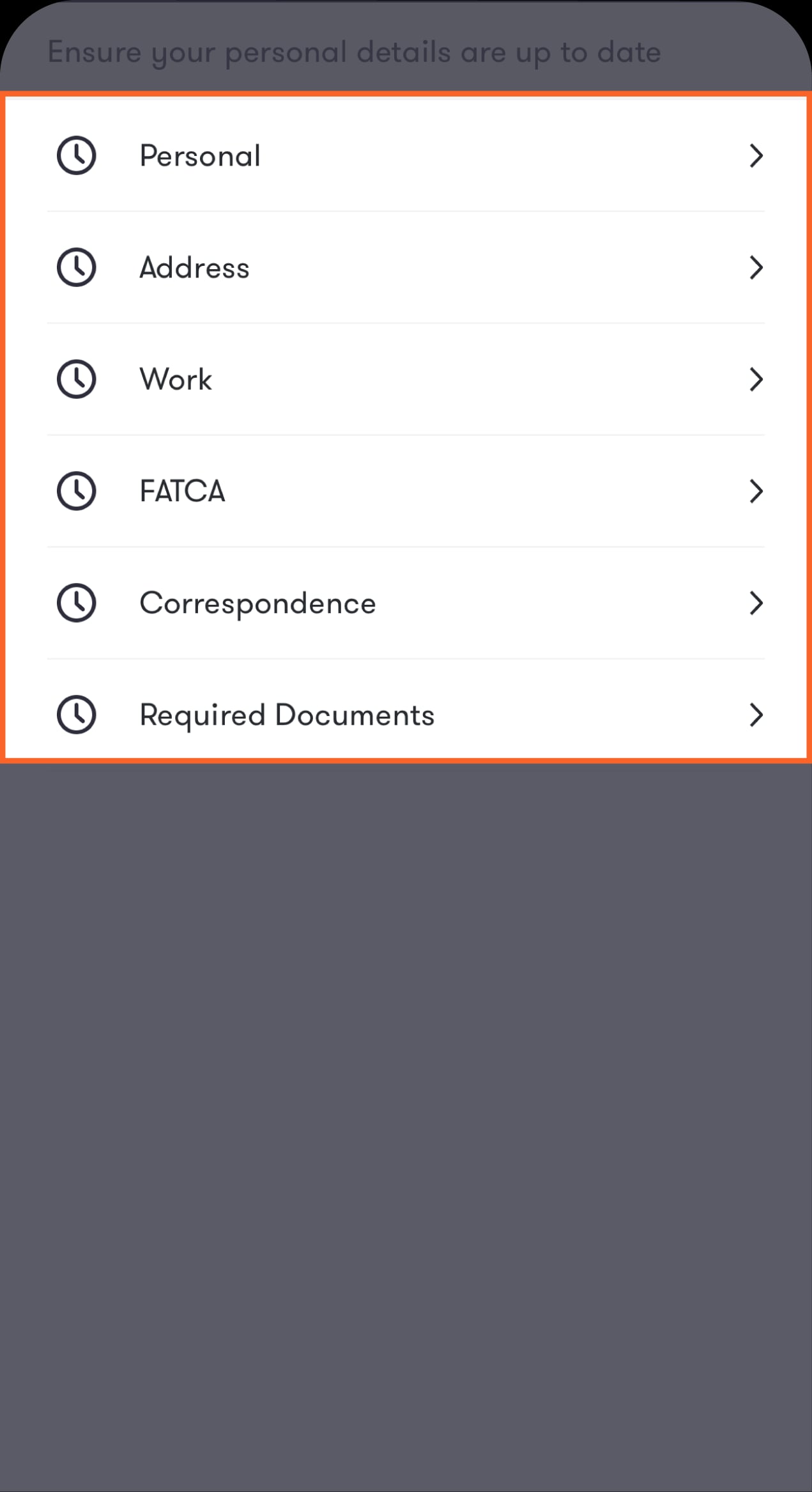
Make sure your information is updated
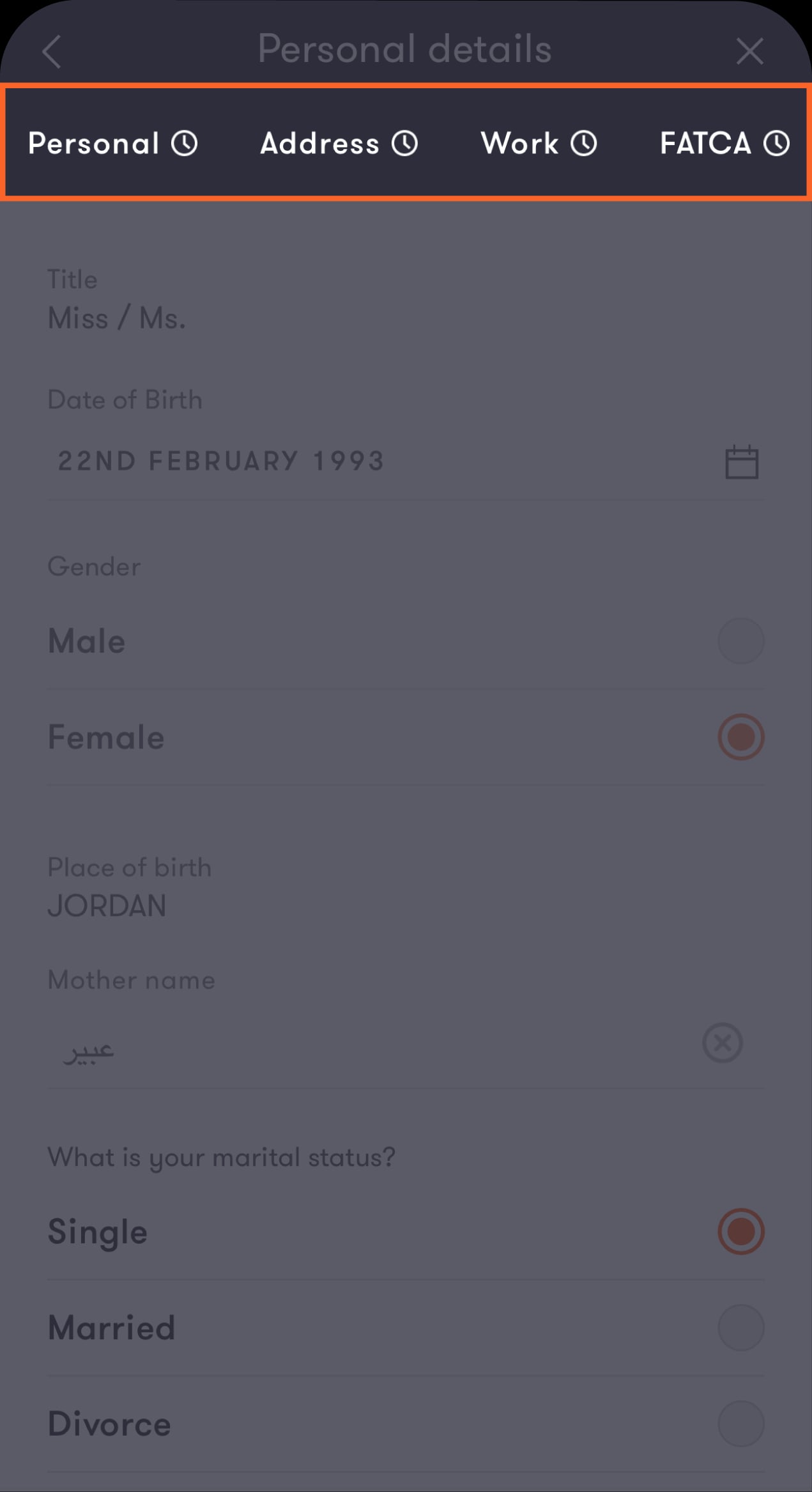
Tap on "Personal" to get started. The clock icon beside each category indicates that particular category needs an update.
Step 5 of 8
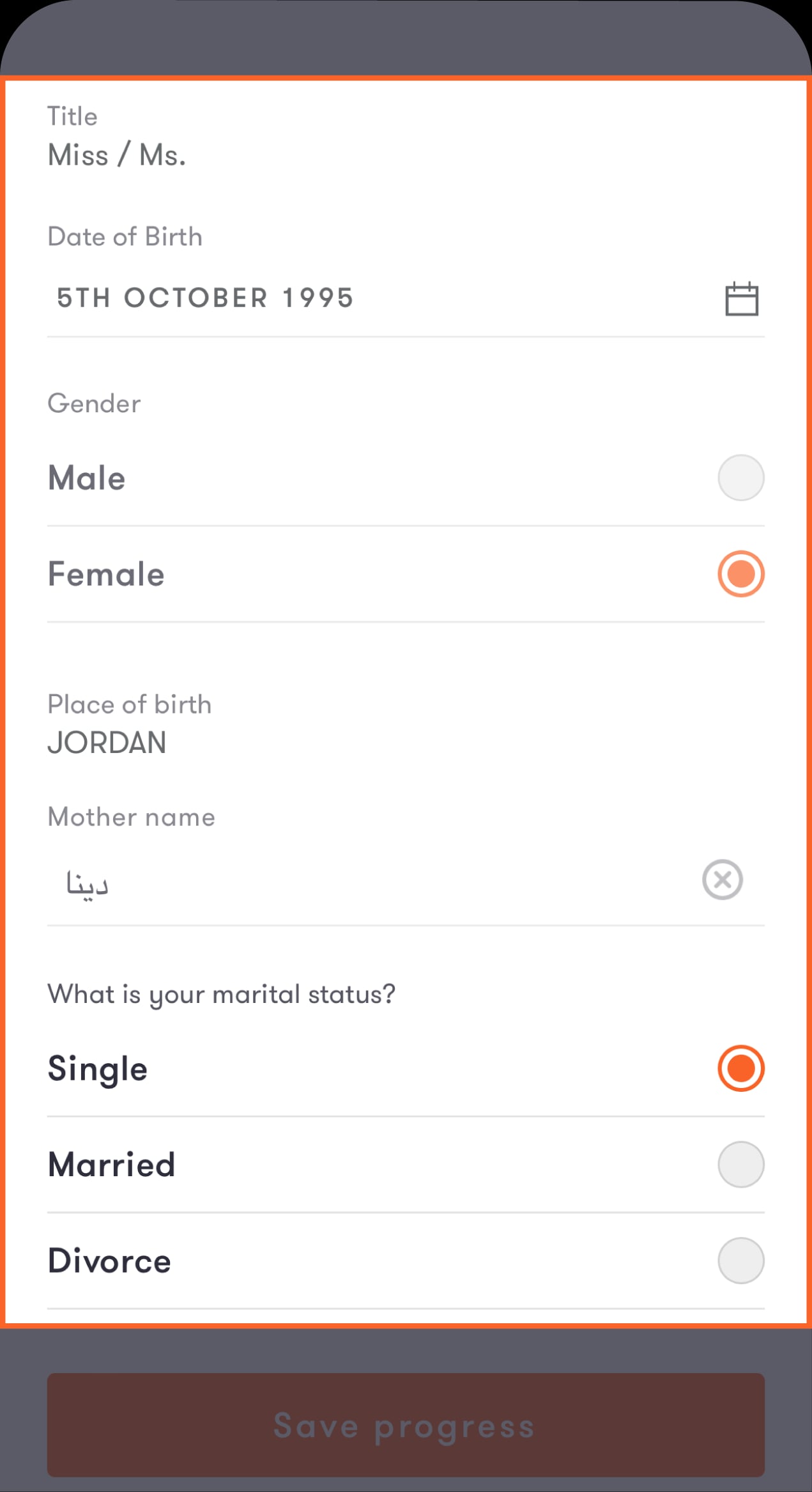
Enter your personal details
Tap on each field and make sure you fill it out with the correct and updated information.
Step 6 of 8
Navigate through the top bar to access the other categories
After updating the "Personal" category, tap on the next one from the top bar. You'll be directed to the next screen. Repeat this process for each category until you've updated all of them.
Step 7 of 8
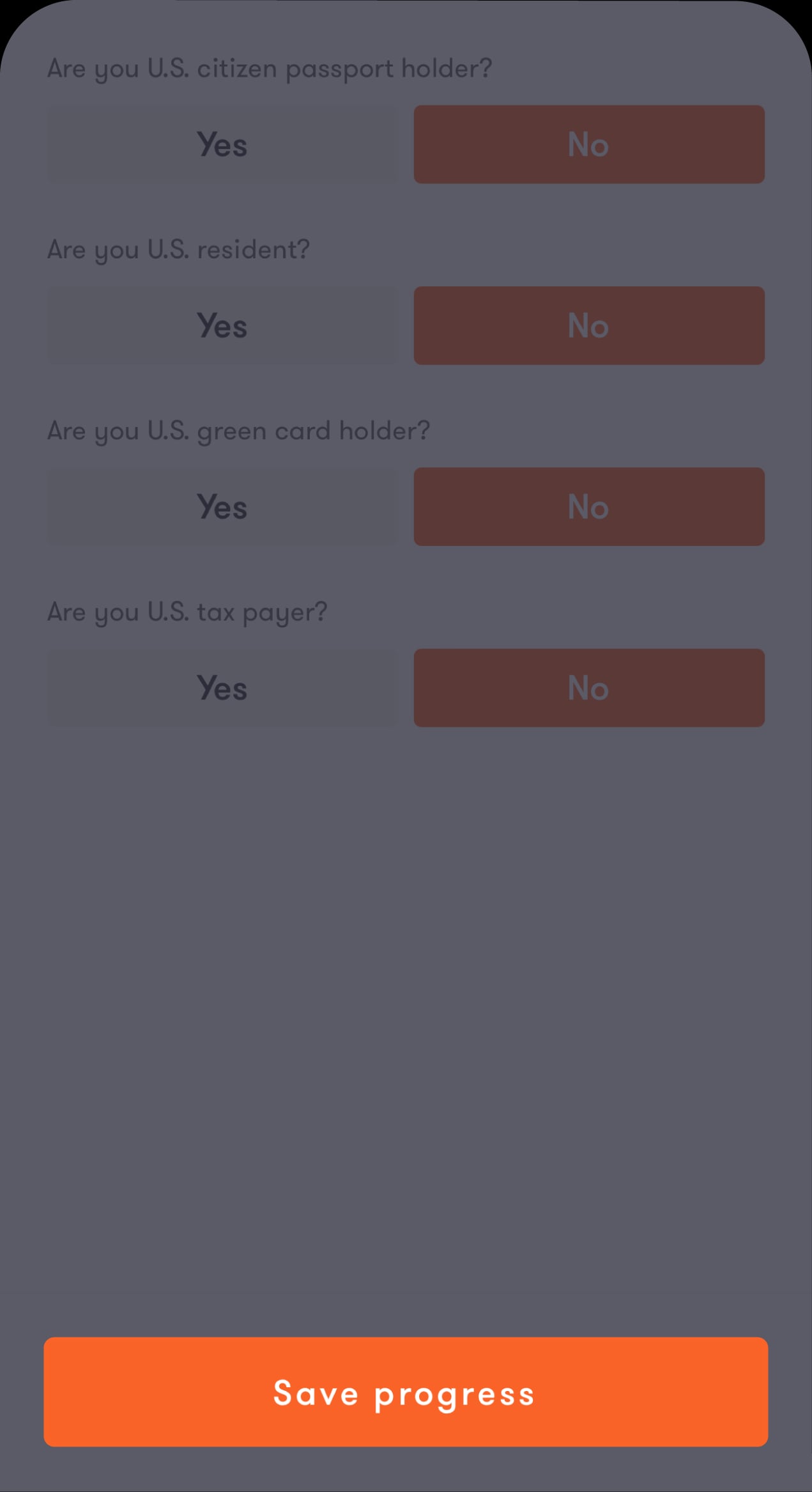
Tap on "Save progress"
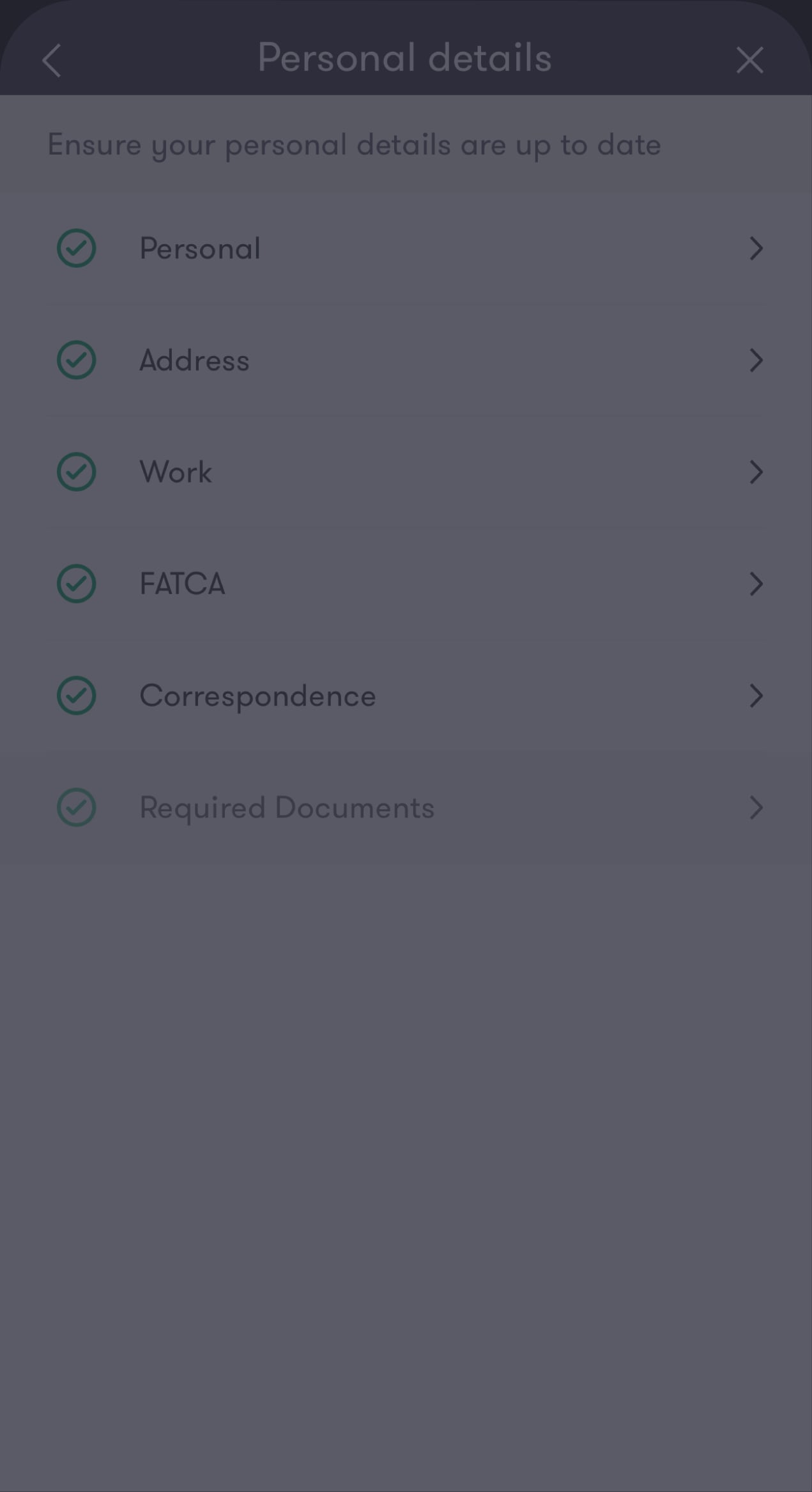
You'll be taken to the "Personal details" screen again.
Step 8 of 8
The process was completed successfully
You've updated your personal details.
Was this article helpful?
We’re always looking to improve, and your feedback will help us shape our future content so we can be as useful to you as we possibly can.