Knowledge hub
Score Builder
Check your loan eligibility with Score Builder
Easily find out which loans are right for you through our app. Share a few details about your financial commitments, and we’ll recommend options that match your needs.
Start now!
Step 1 of 8
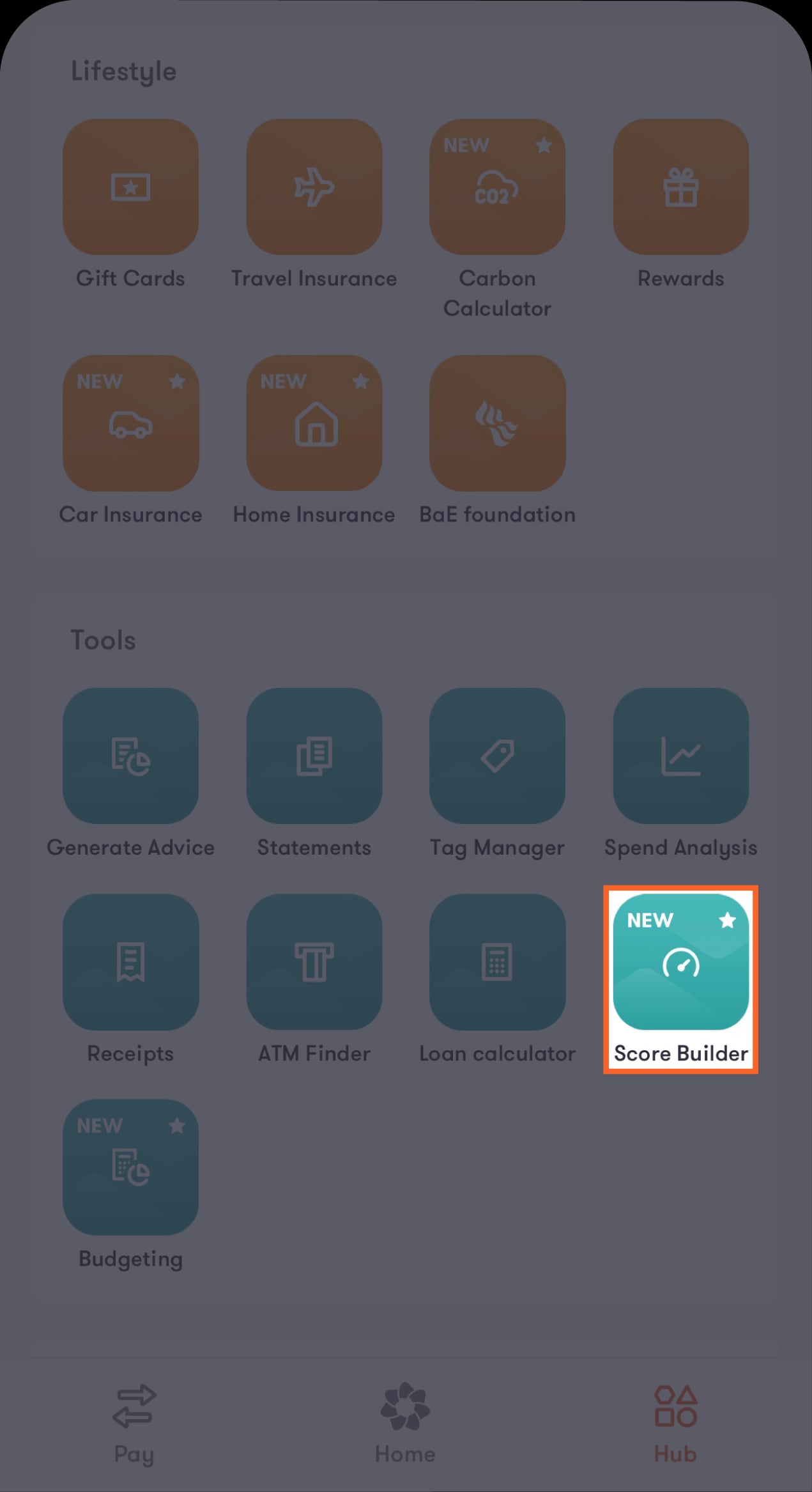
Go to the “Score Builder” feature
After logging in to our mobile banking app, tap on “Hub” at the bottom of the main screen, then tap on “Score Builder” under the Tools section.
Step 2 of 8
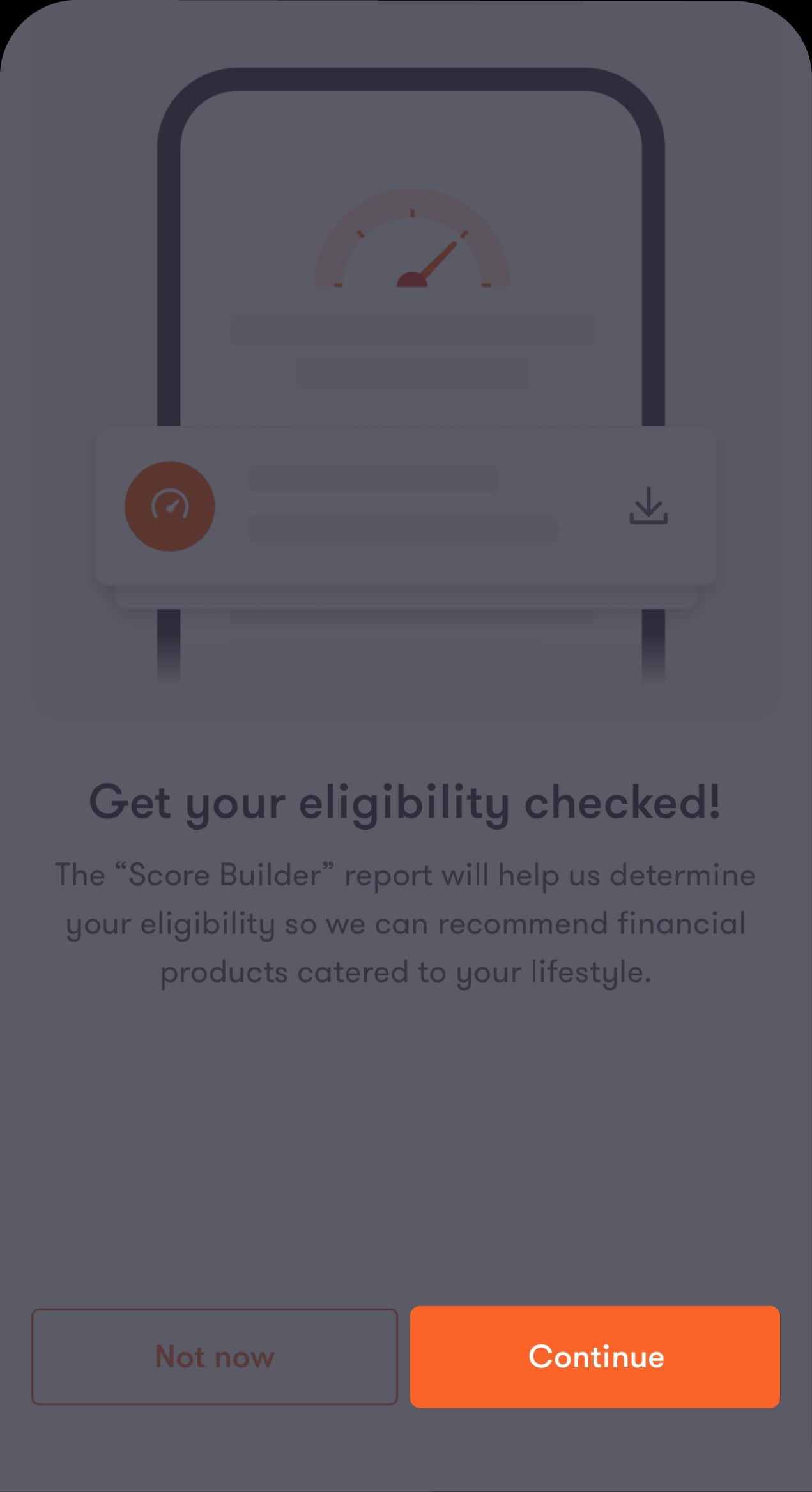
Get started
An introductory screen will appear. Tap on “Continue”.
Step 3 of 8
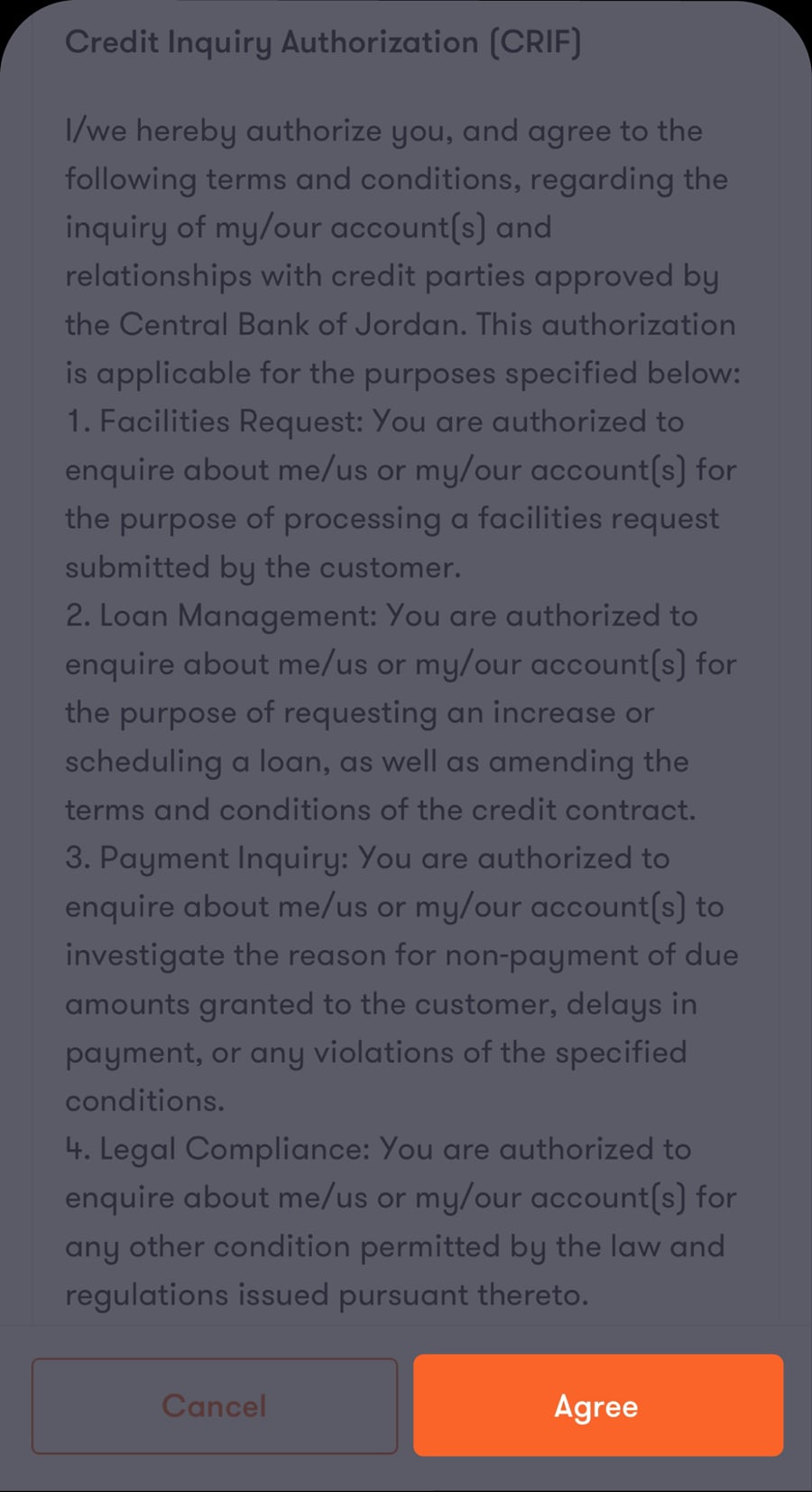
Review and agree to the terms and conditions
Read the terms and conditions carefully, then tap on “Agree” to continue.
Step 4 of 8
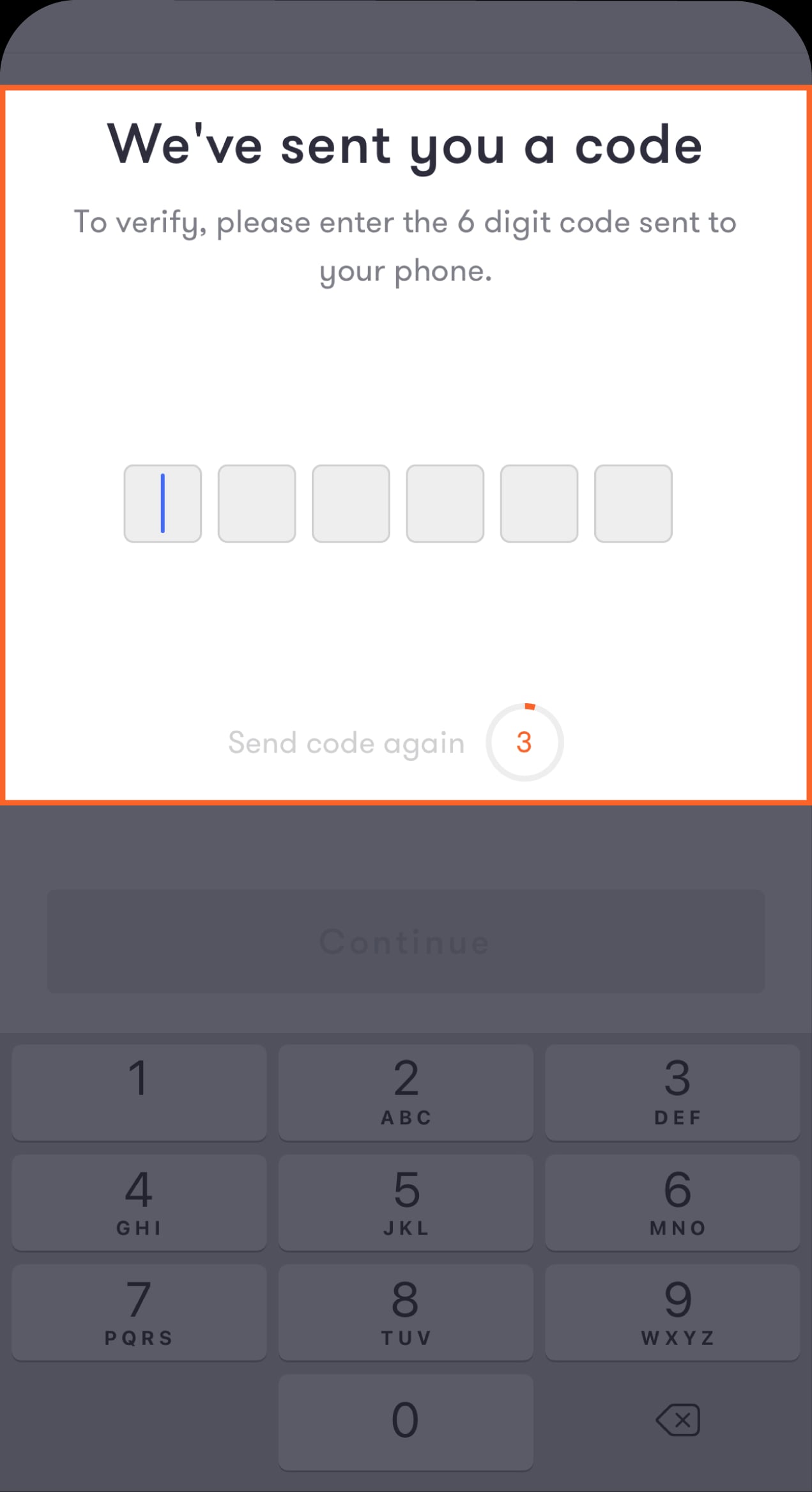
Verify your identity
Enter the one-time password (OTP) sent to you by SMS.
Step 5 of 8
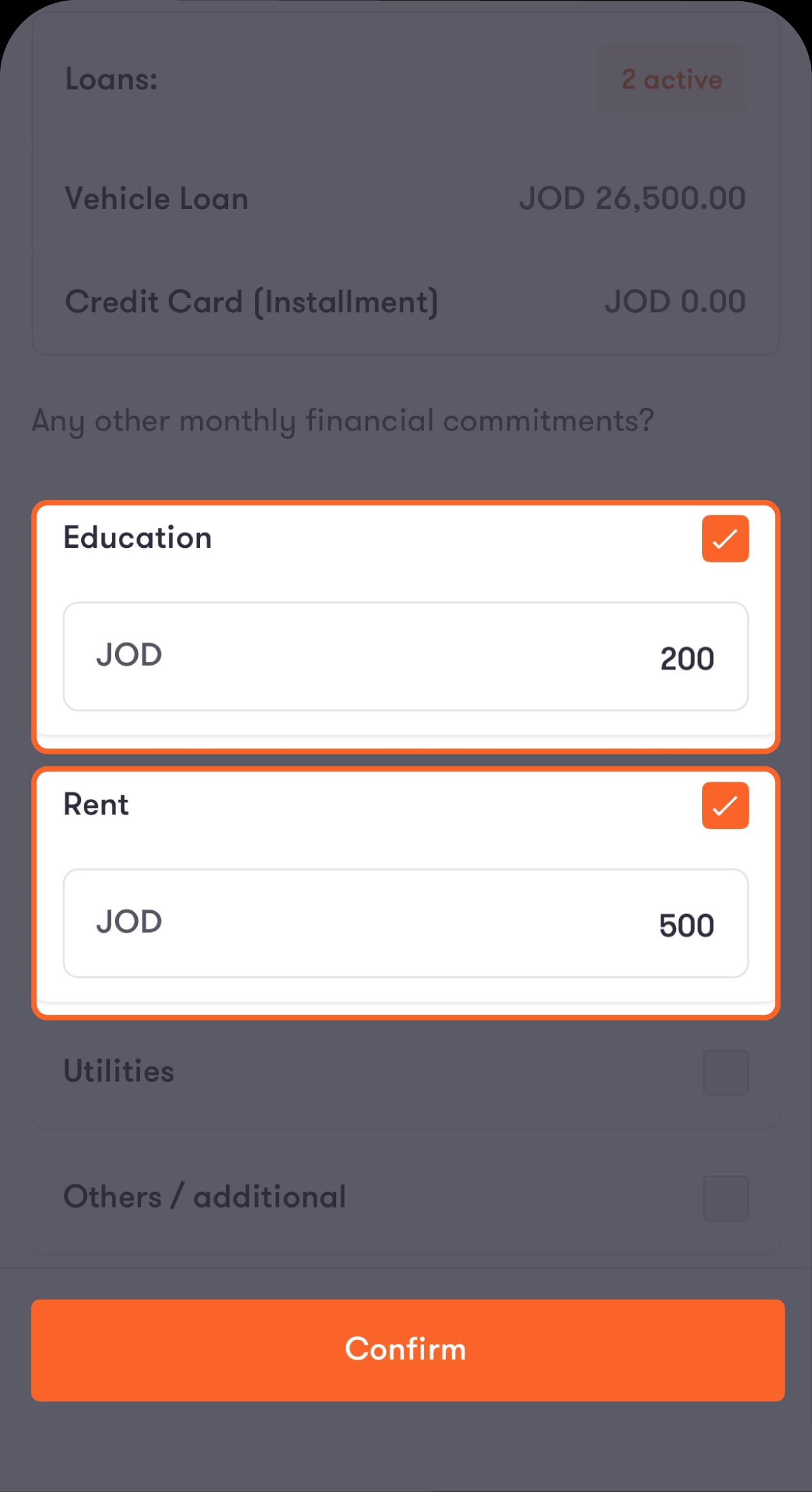
Review your financial commitments
Here, you'll find the list of your commitments that we have on record. If you have others, select the relevant category and enter the amount. If you don't have any, tap on "None". When you're done, tap on "Confirm".
Step 6 of 8
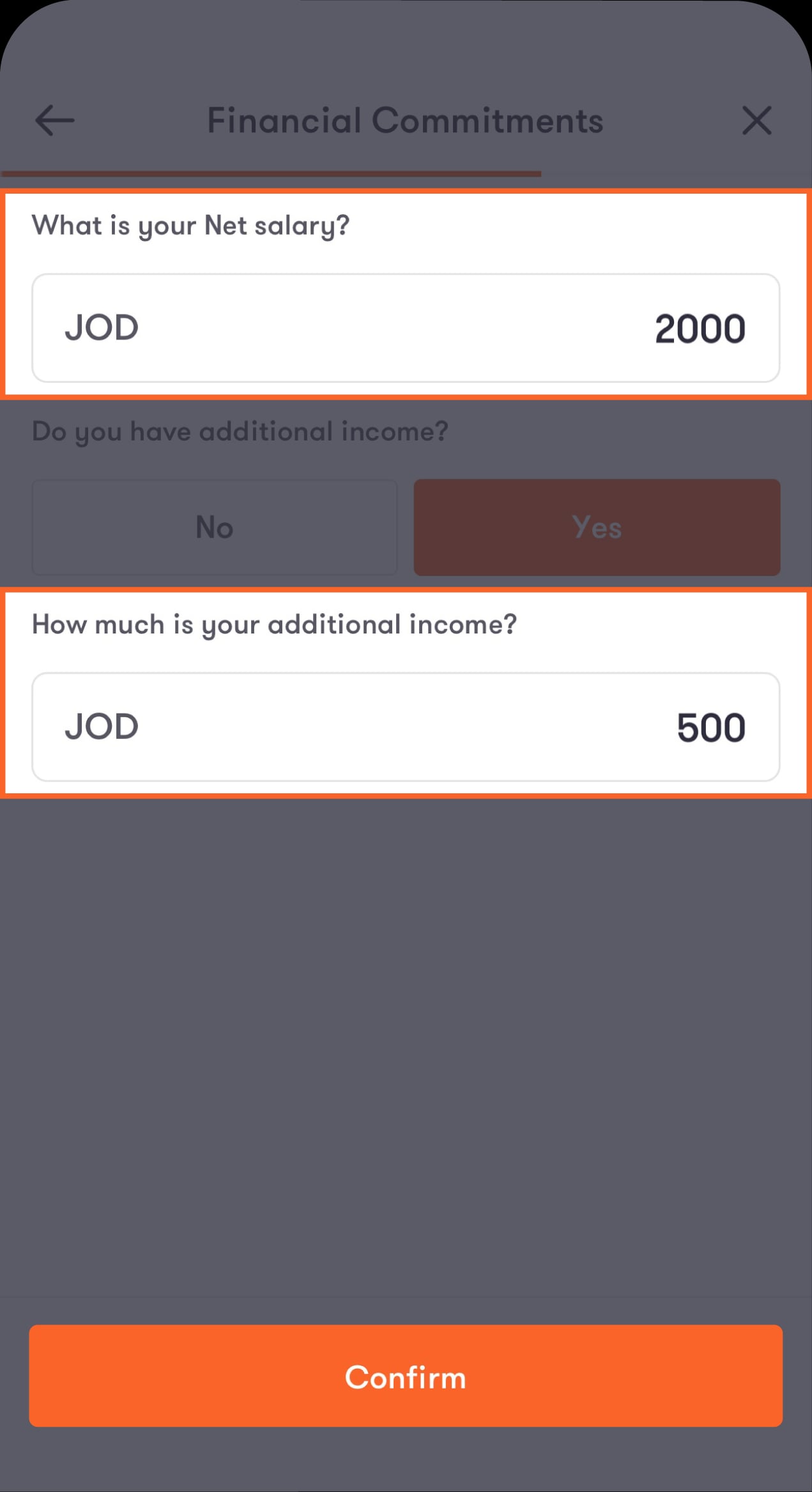
Share your income details
Enter your monthly net salary. If you have additional income, select “Yes” and add the monthly average. When you’re done, tap on “Confirm”.
Step 7 of 8
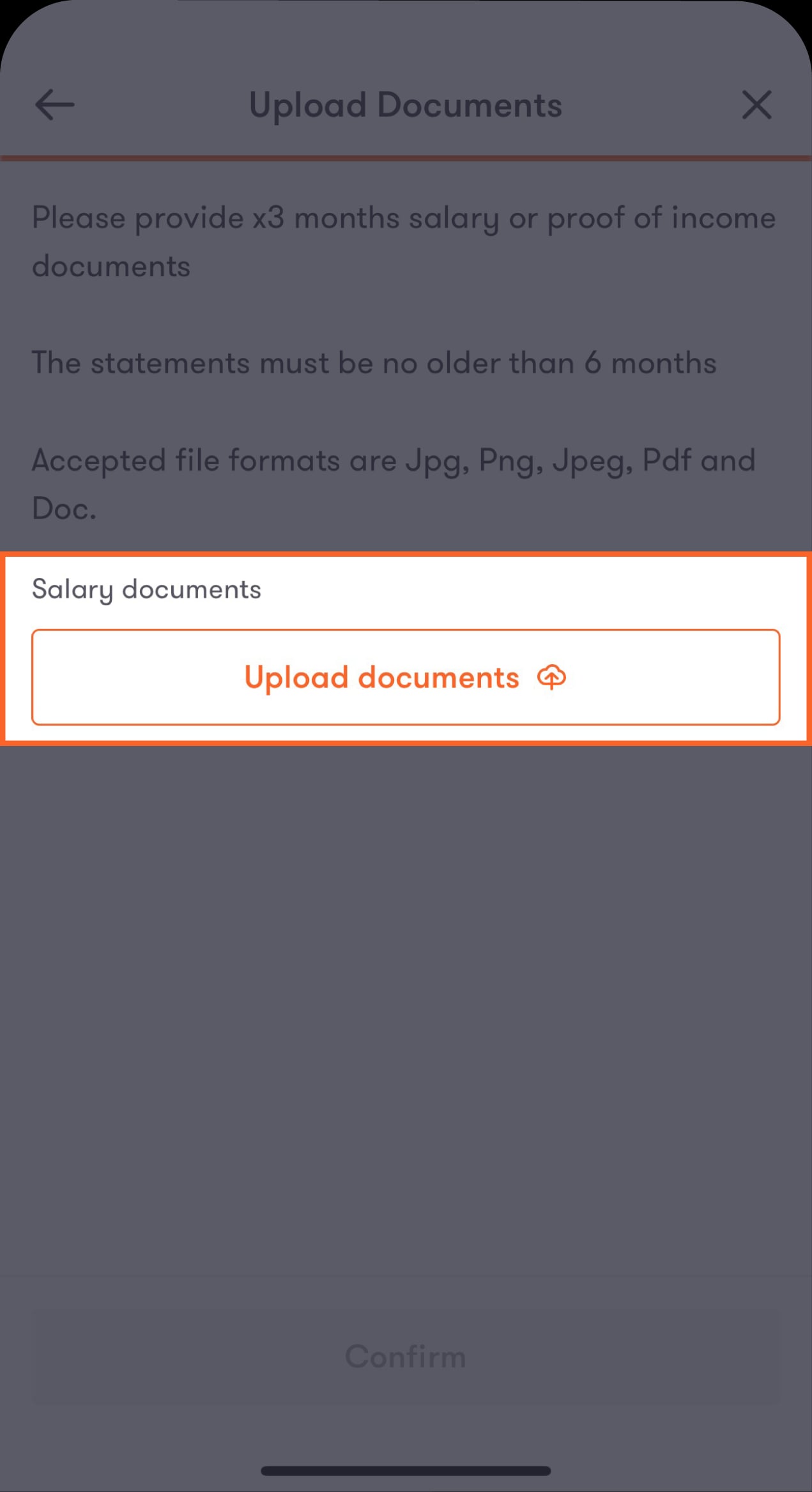
Upload your proof of income
Upload your salary slip or other supporting documents directly from your device, then tap on “Confirm”.
Step 8 of 8
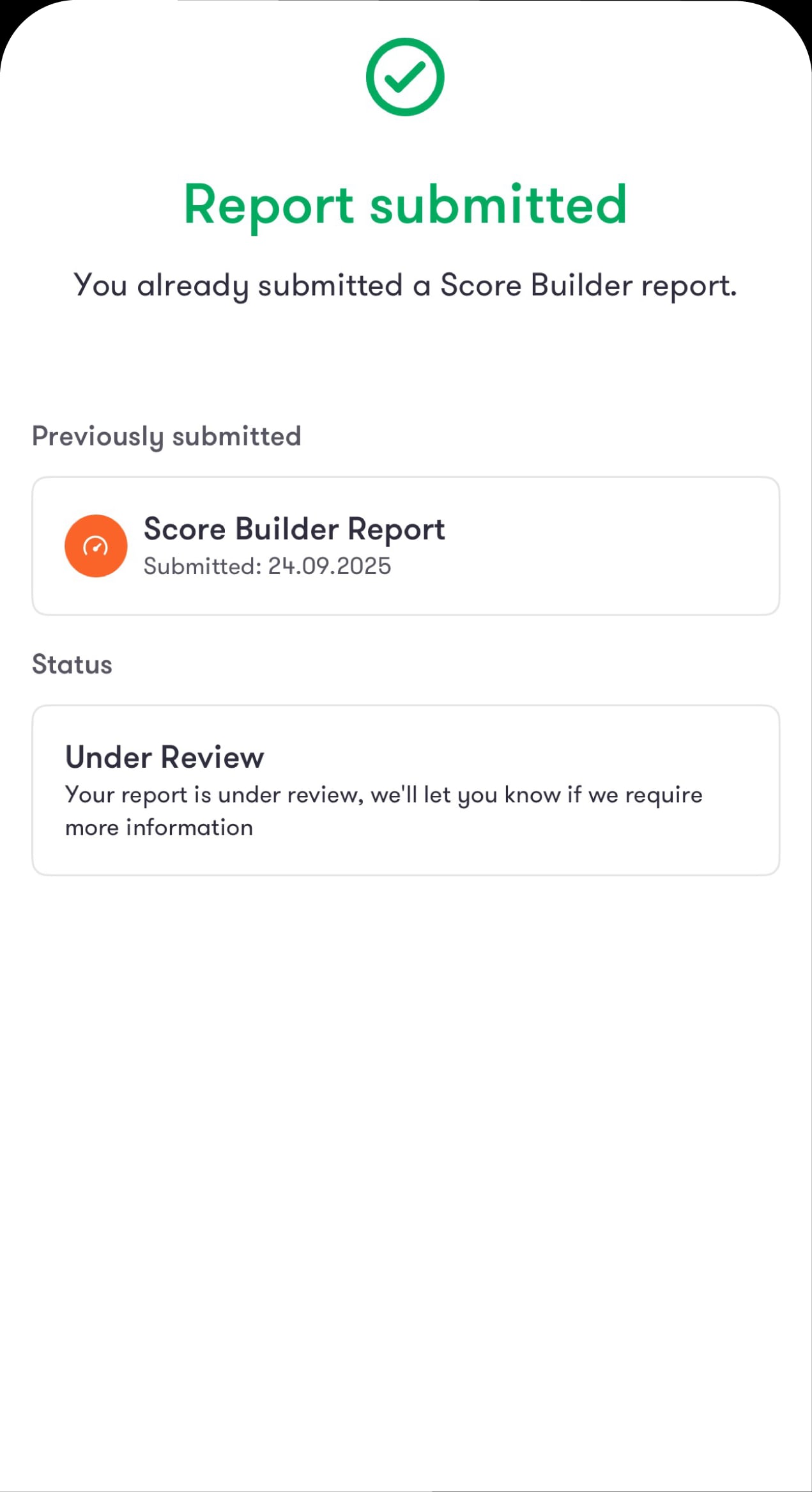
Check your results later
Your request has been submitted successfully. Return to the "Score Builder" feature later to view the loans available to you. If any information is missing, we’ll let you know through an app notification.
Was this article helpful?
We’re always looking to improve, and your feedback will help us shape our future content so we can be as useful to you as we possibly can.