Knowledge hub
Transfer with Western Union
Send your money through Western Union from your phone!
You can now transfer money worldwide with Western Union through our app, and from the comfort of your home!
No more running around between agents’ offices. Follow these easy and simple steps to make your next transfer.
Transfer your money now!
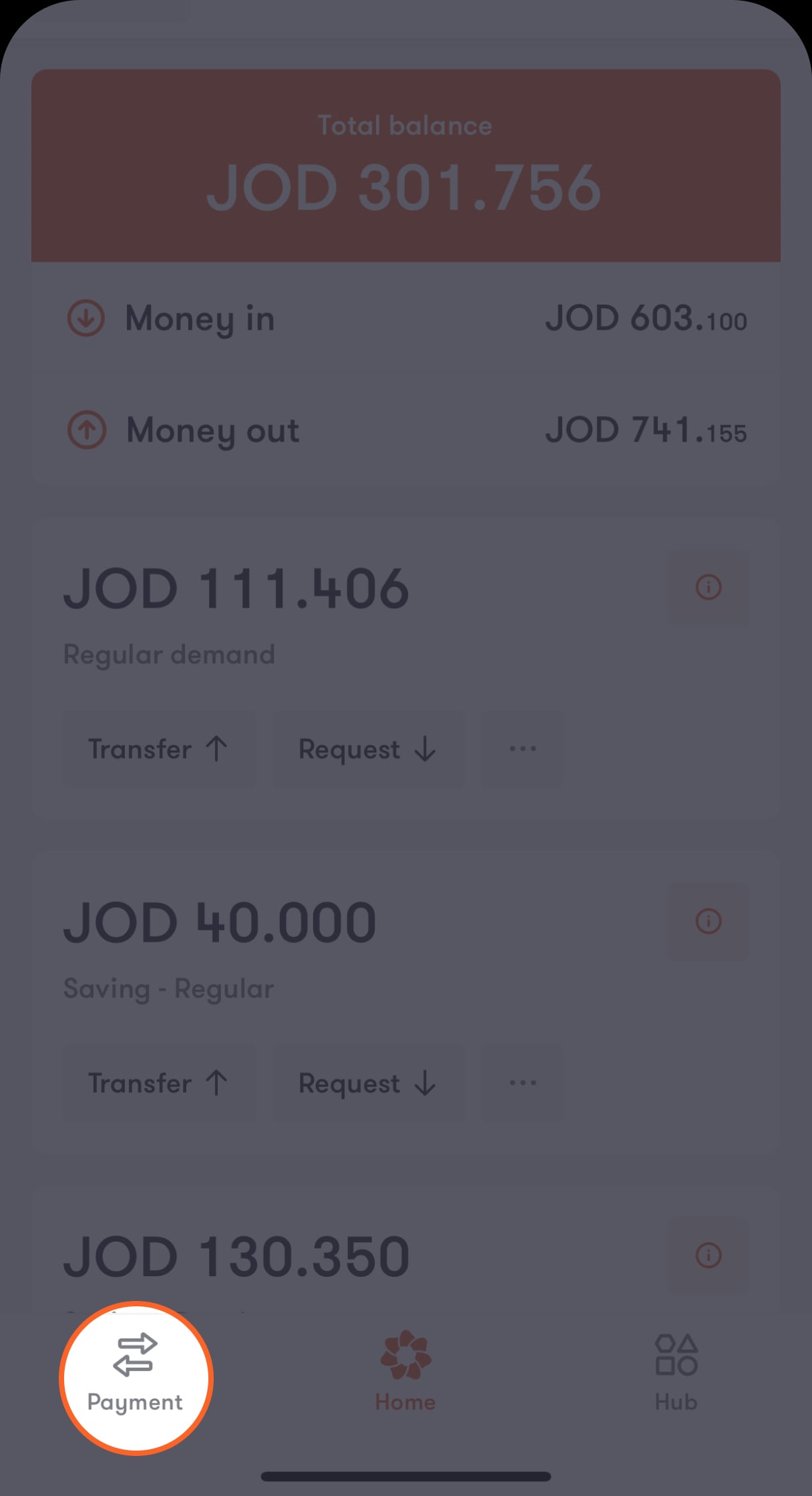
Step 1 of 8
Tap on “Payment” located on the bar at the bottom of the main screen
You will be presented with a menu with a list of options.
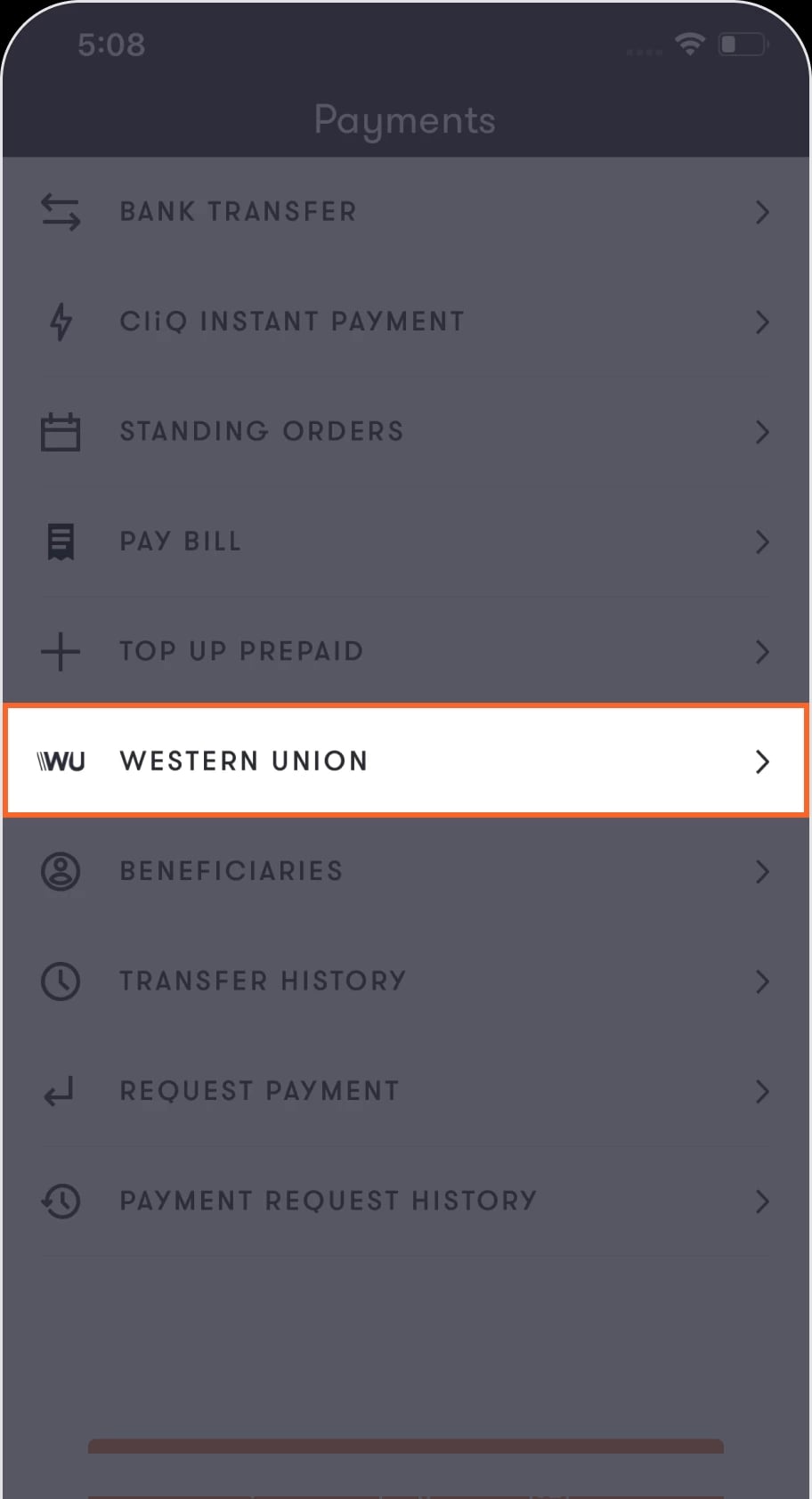
Step 2 of 8
Choose Western Union from the list.
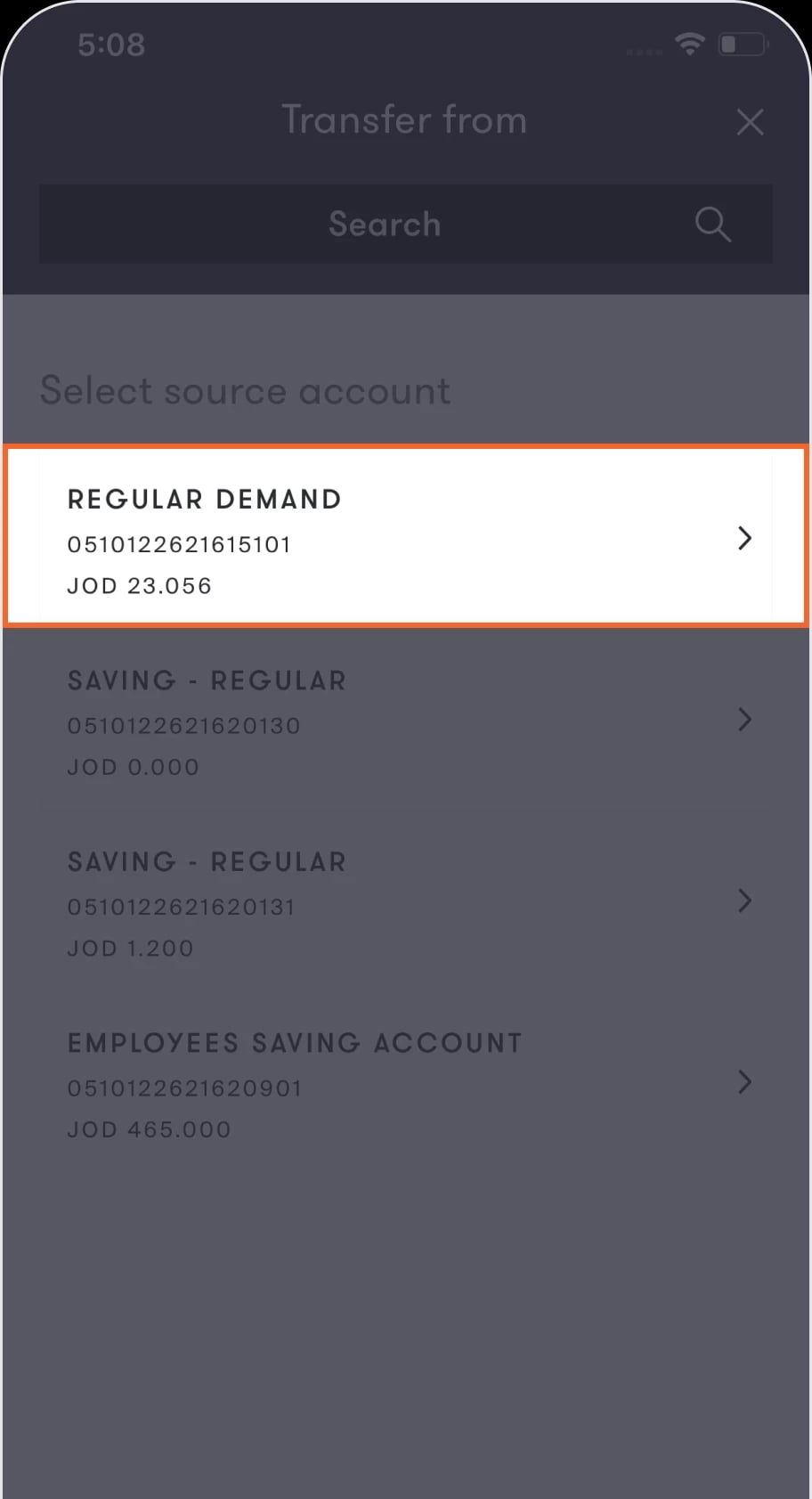
You will then be directed to the “Transfer from” screen, containing a list of your accounts.
Step 3 of 8
Choose the account from which you want to send the transfer.
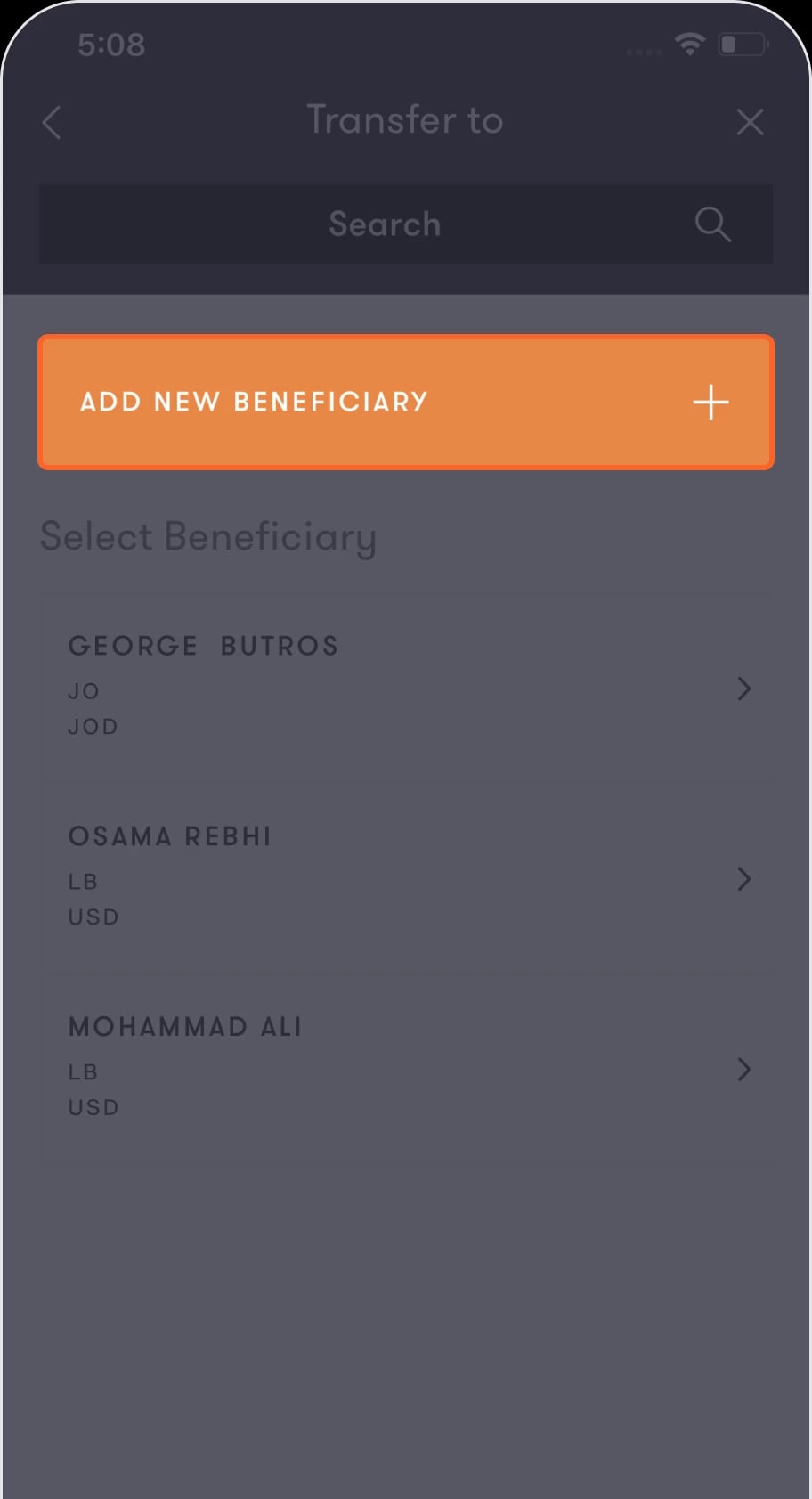
You will then be directed to a screen that gives you the option to add a new beneficiary or choose from previous beneficiaries.
Step 4 of 8
If you’re sending to a new beneficiary, click on Add new beneficiary.
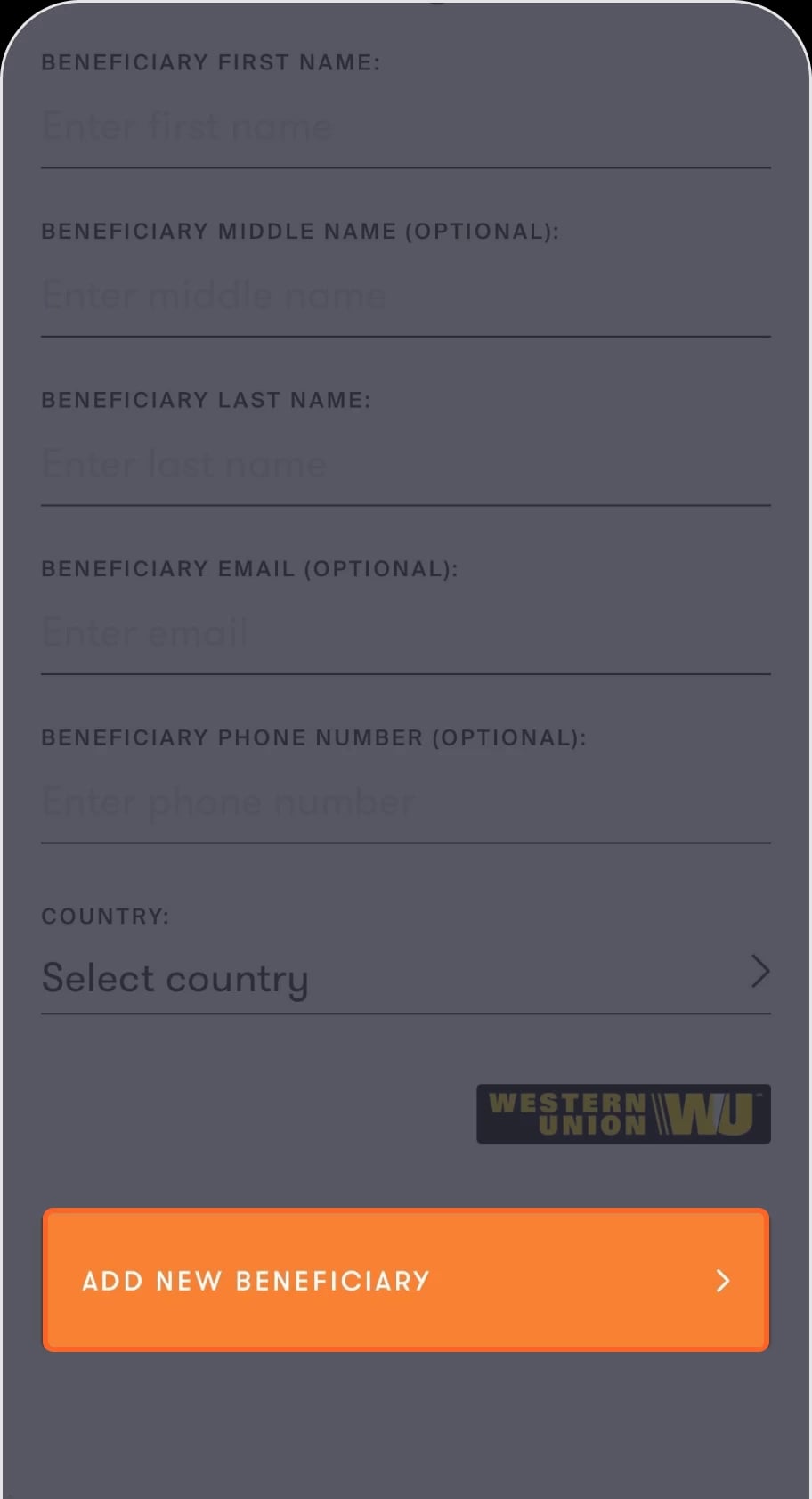
You will then be directed to the “Beneficiary details” screen to enter the beneficiary’s information.
Step 5 of 8
Fill in the required information then tap on Add new beneficiary.
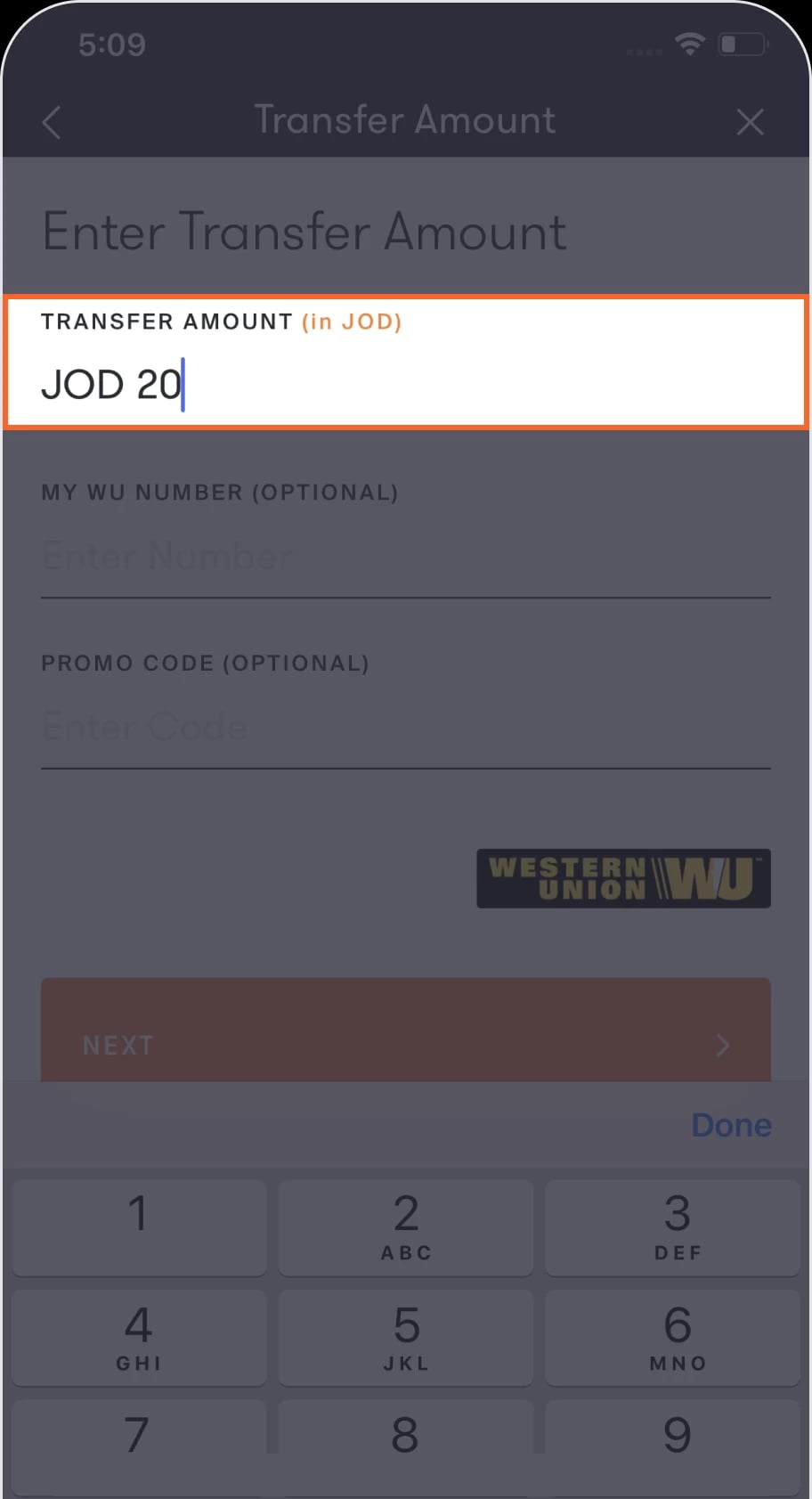
You will then be directed to the “Transfer amount” screen to enter the amount you wish to transfer.
Step 6 of 8
Enter the amount you want to transfer, then tap on the Next button.
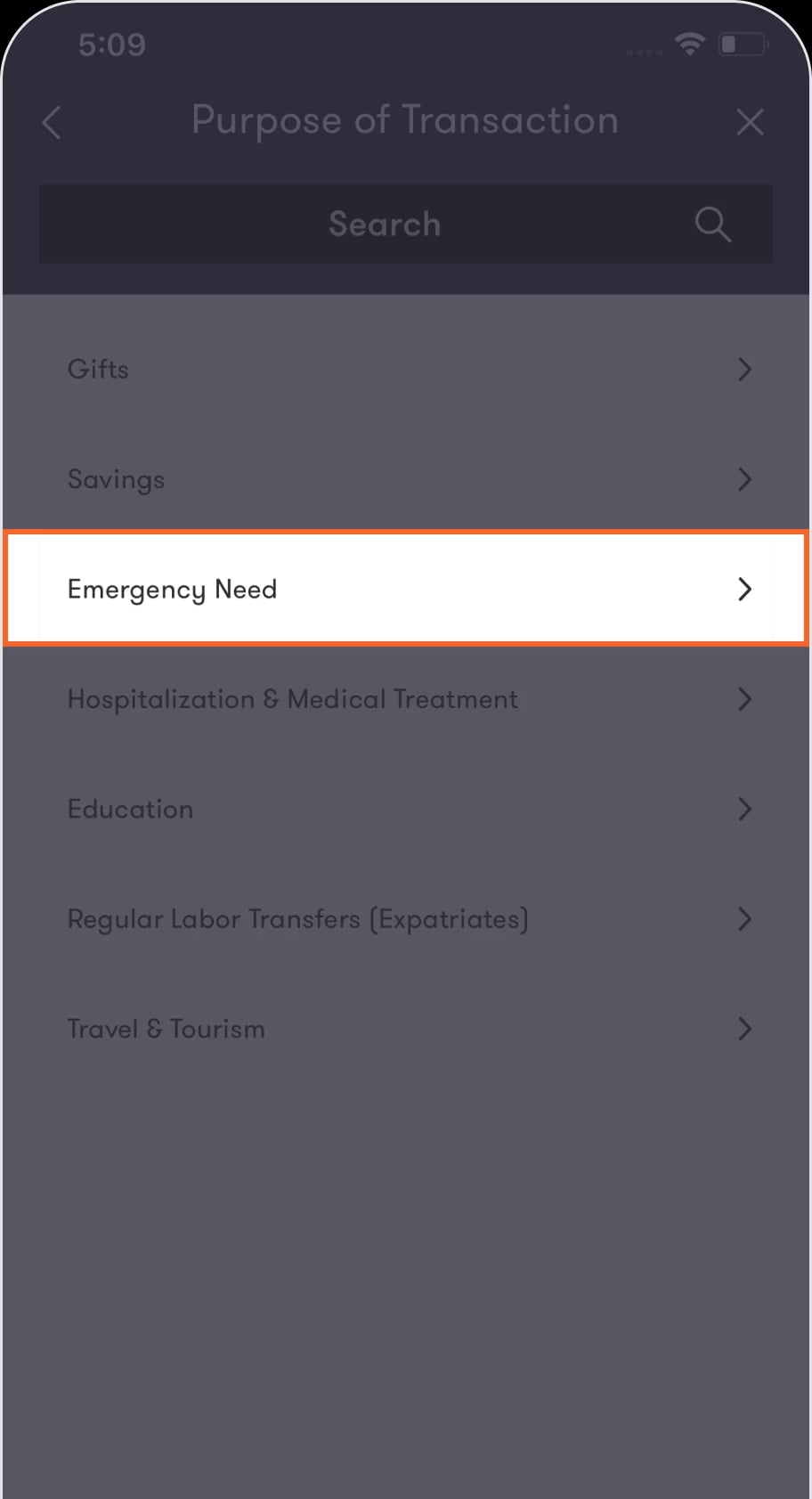
You will then be directed to the “Purpose of transaction” screen.
Step 7 of 8
Choose the purpose of the transfer from the list available.
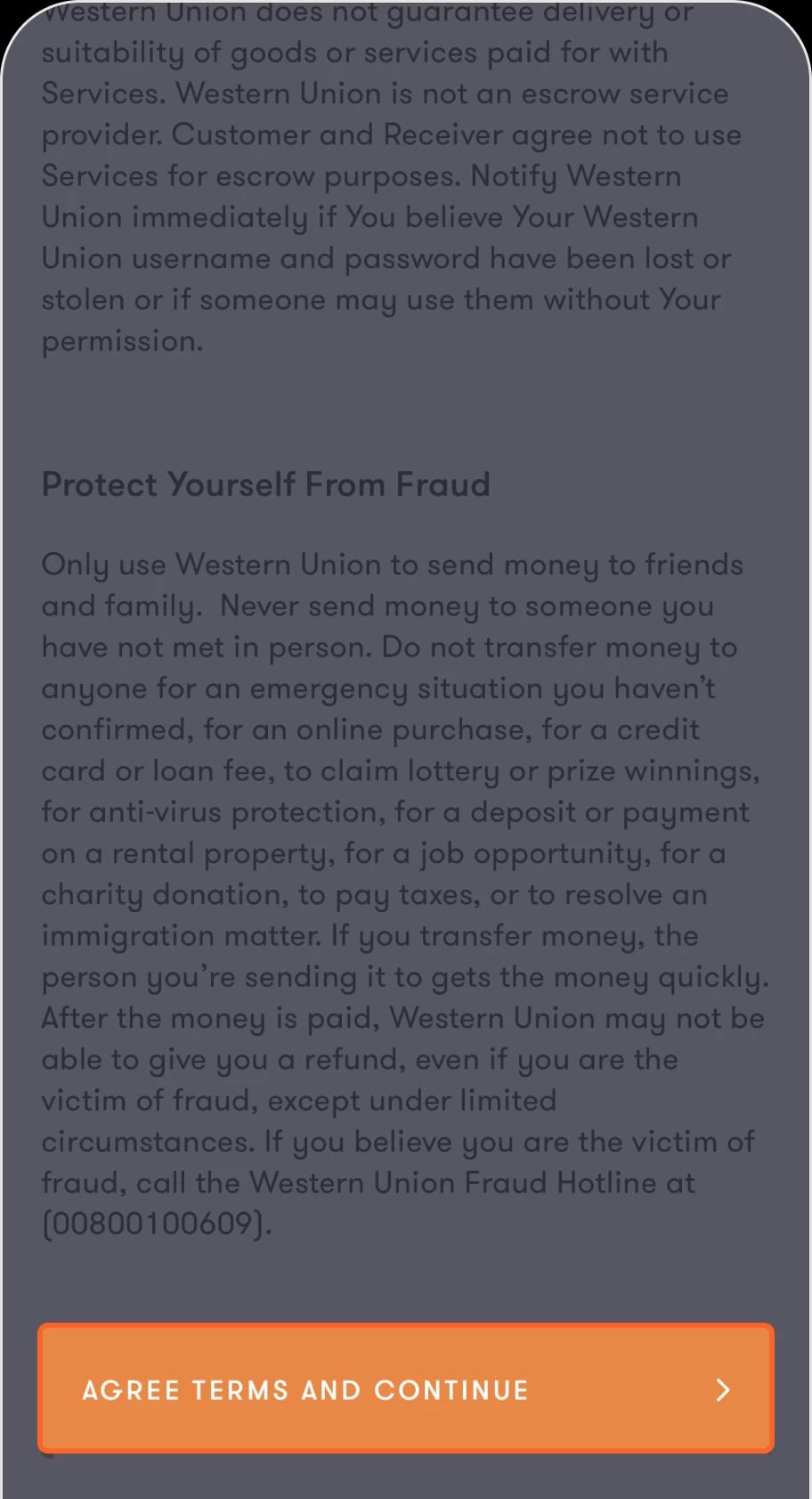
You will then proceed to the “Review transfer details” screen, which contains a summary of the transfer information and the terms and conditions. Read them carefully by scrolling down until the “Agree terms and continue” button appears.
Step 8 of 8
Tap on the Agree terms and continue.
This will take you to the “Transfer complete” screen, which contains the transfer details in addition to the tracking number that you can copy and send to the beneficiary. You can also Tap on “Share details” to send the full details of the transfer through any of the social media channels.
Read the FAQ’s
What is the transfer cap that can be processed through bank al Etihad app?
How is the exchange rate calculated in case the amount received is not in JOD?
How are transfer fees calculated?
Can I use MyWU through bank al Etihad app?
Can I use the Western Union promo code through Bank al - Etihad app?
Where can I get the MTCN number if I need it later?
What language should the beneficiary name be written in?
Was this article helpful?
We’re always looking to improve, and your feedback will help us shape our future content so we can be as useful to you as we possibly can.