Knowledge hub


Wealth Management
Wealth management
The wealth management feature gives you access to financial advisory services digitally. With just a few simple steps on our app, you can create a personalised strategy to manage your wealth. All you need to do is share a few details, and our team will schedule a consultation to discuss your financial goals.
Start your wealth management journey
Step 1 of 7
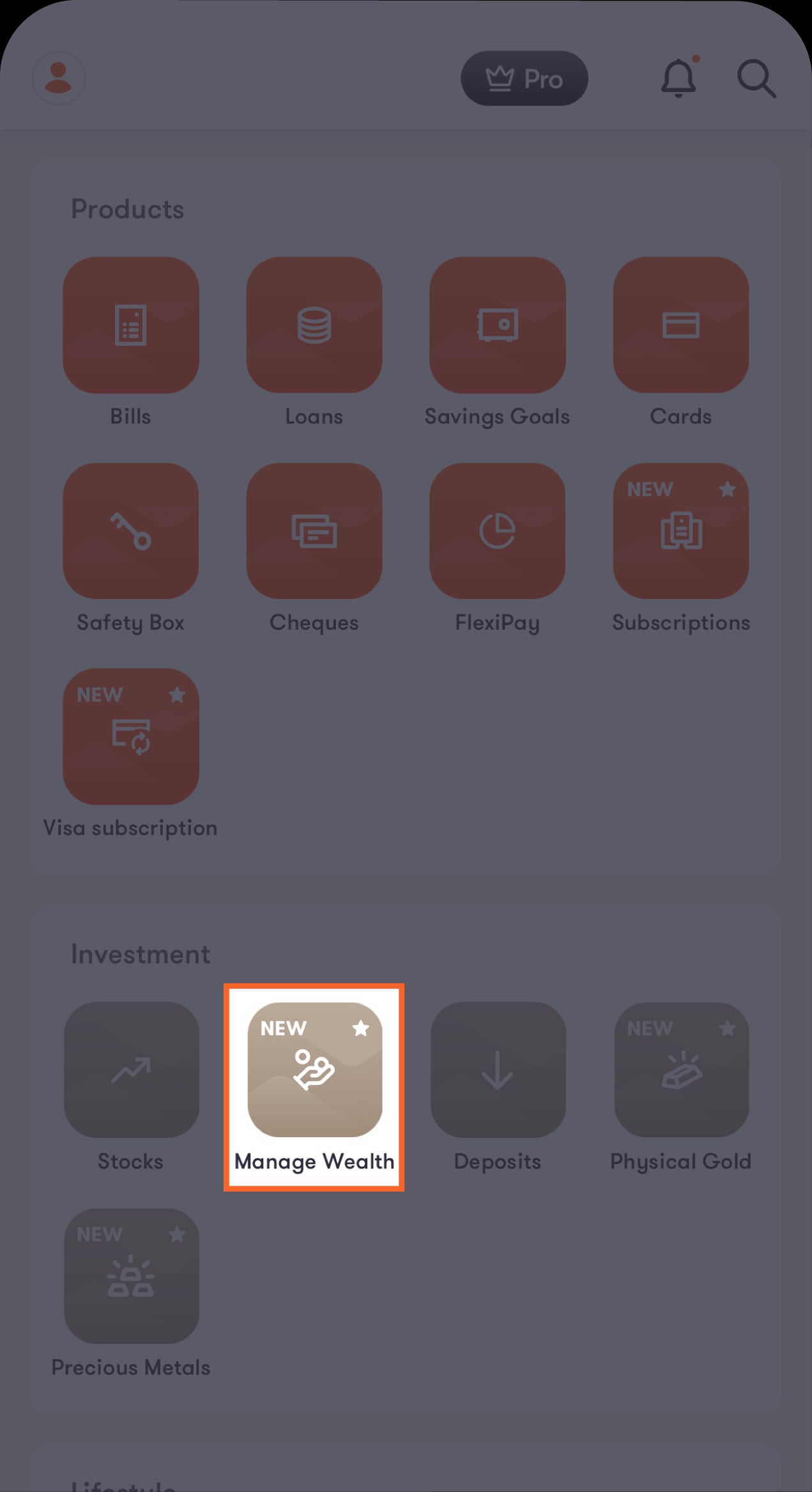
From the Hub screen, scroll to the Investment section
Tap on “Manage Wealth” to be directed to the introductory screen.
Step 2 of 7
Tap on “Continue”
You’ll be directed to see what this feature offers.
Step 3 of 7
Tap on “Build an investment plan”
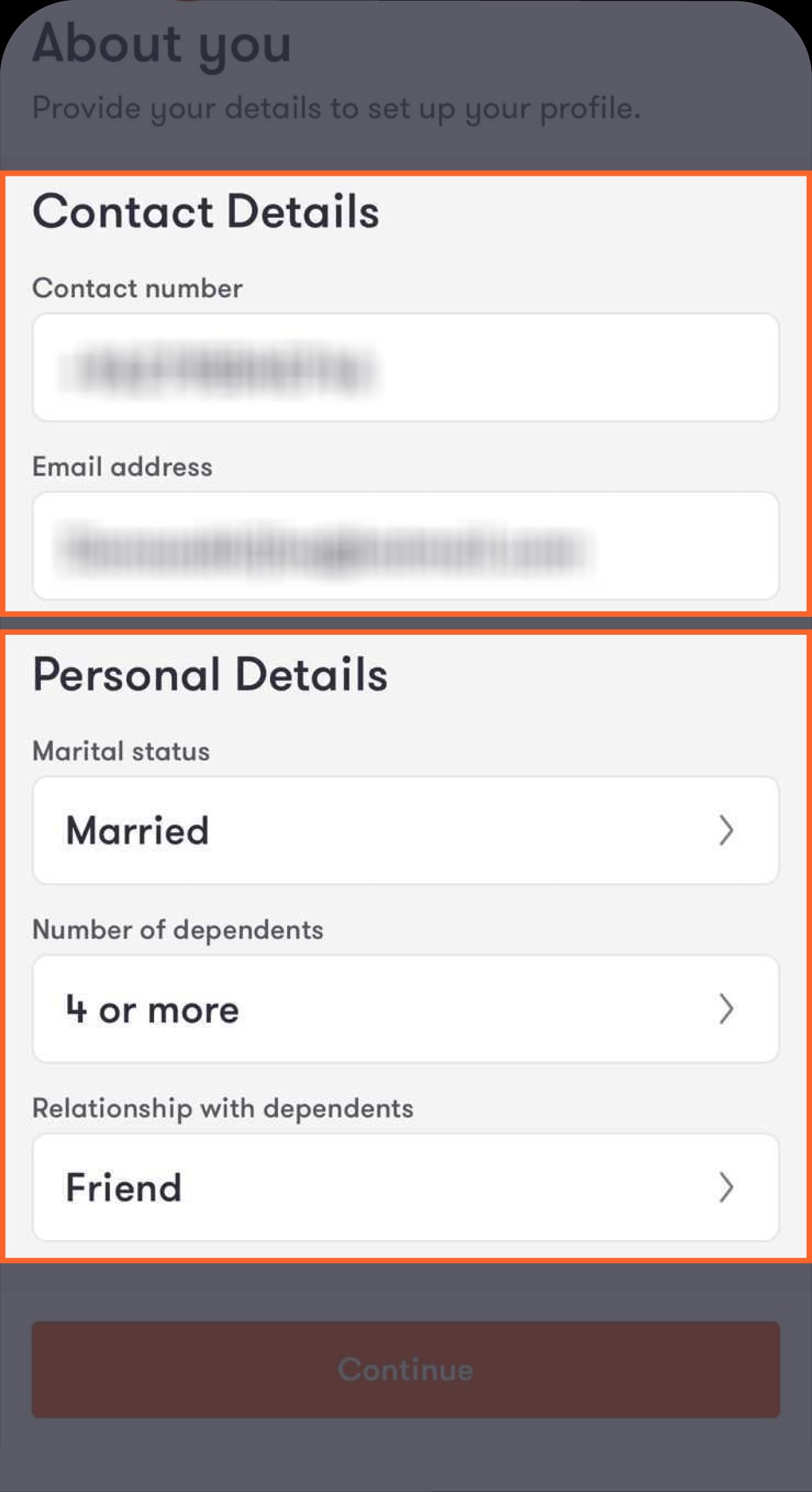
You’ll be directed to the first section to provide your contact and personal details.
Step 4 of 7
Fill in your contact and personal details, then tap on “Continue”
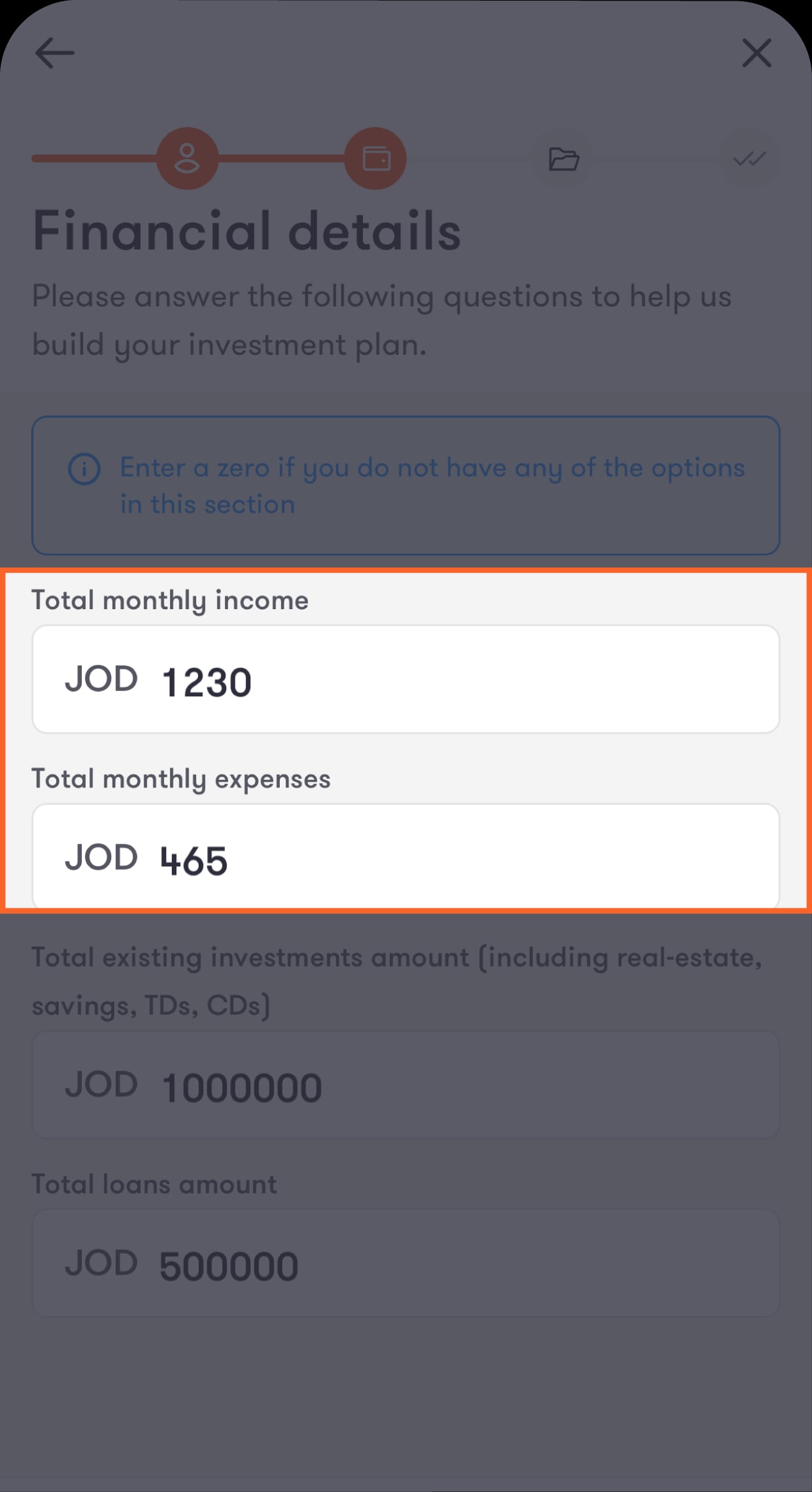
You’ll be directed to enter your current financial details.
Step 5 of 7
Fill in details about your salary and other income sources (e.g., rental income, investments, bonuses)
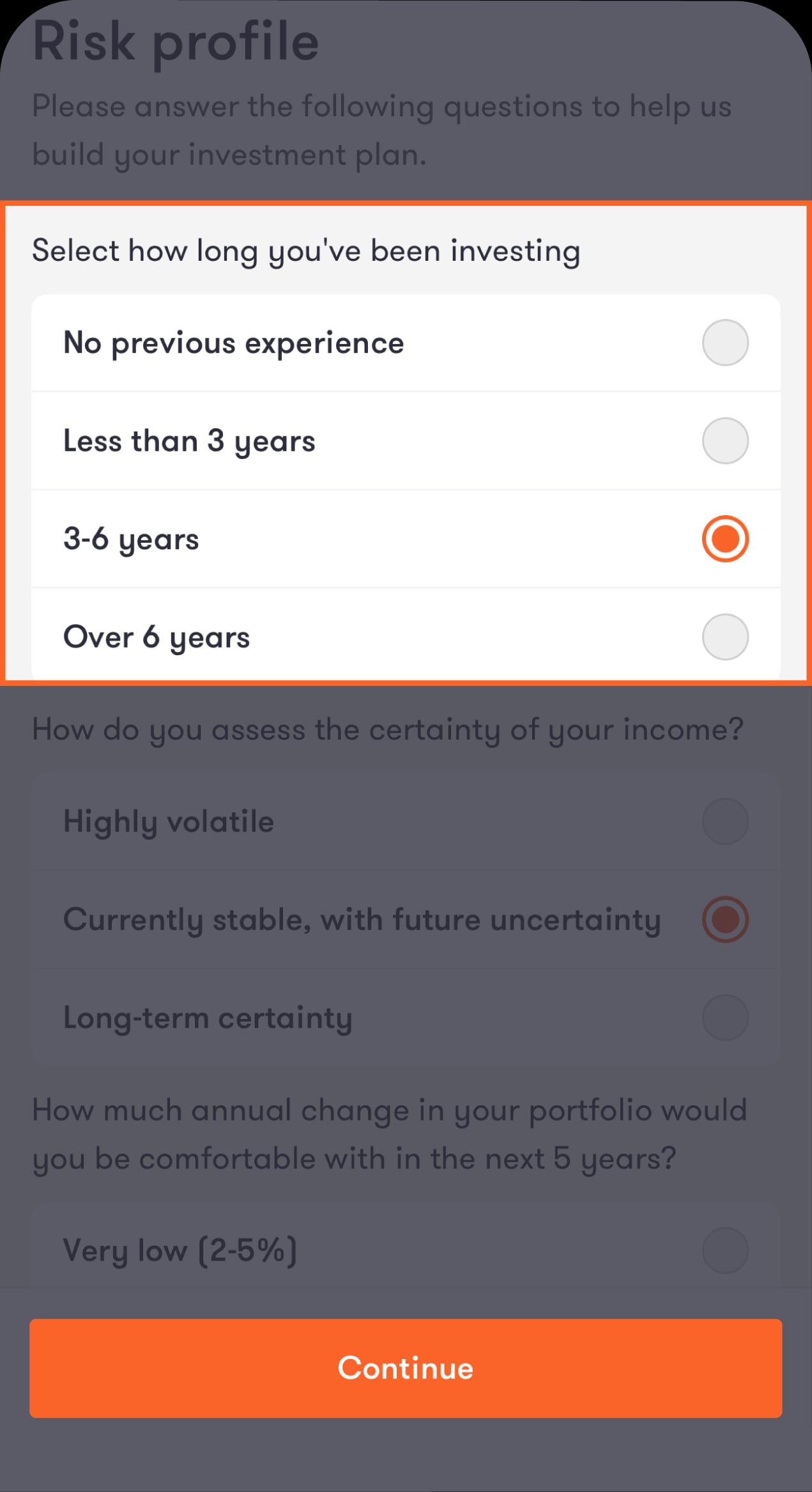
You’ll be directed to a questionnaire to complete your risk profile.
Step 6 of 7
Answer a set of questions to assess your risk tolerance
This step is important because it helps us recommend investments that best fit your profile.
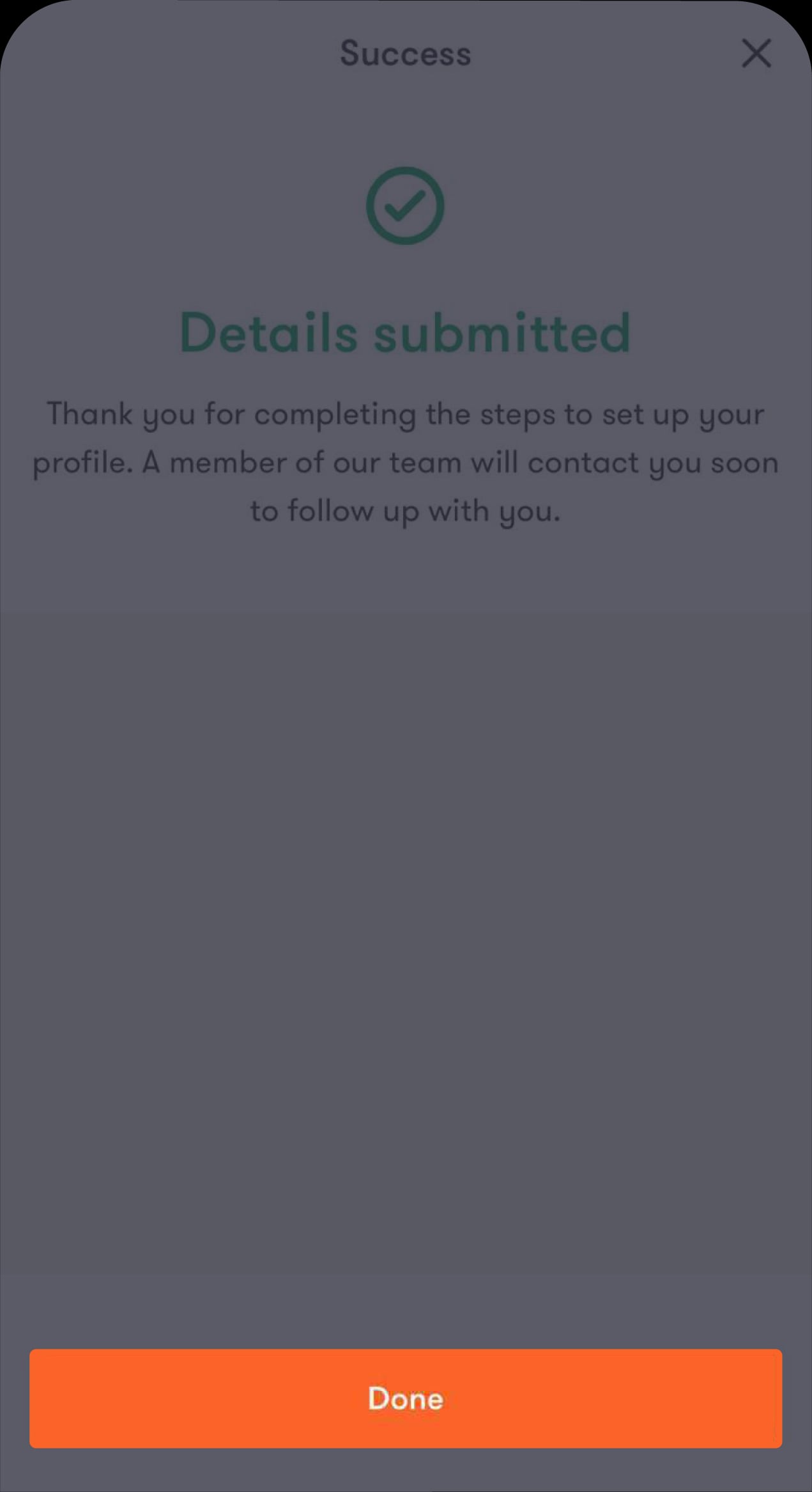
Step 7 of 7
And you’re all set!
A representative from the wealth management team will review your profile and contact you within 3–5 business days to schedule your first consultation and start the wealth management process.
Read the FAQ’s
What is the wealth management feature?
What kind of information is required in the in-app form?
How long does the in-app form take?
After I submit the form, when can I expect to be contacted?
Who is the representative who will contact me?
Is the personal and financial information I submit safe?
Was this article helpful?
We’re always looking to improve, and your feedback will help us shape our future content so we can be as useful to you as we possibly can.