Knowledge hub
Split bill
Do you always end up paying the bill when you’re out with friends but never get all your money back?
Looking for an easy way to collect money from others to buy a gift for a resigning work colleague or a newlywed relative?
Our app offers you a new feature that allows you to split expenses between your contacts and collect your payments using your mobile app. It’s that easy!
Follow these simple steps
Step 1 of 5
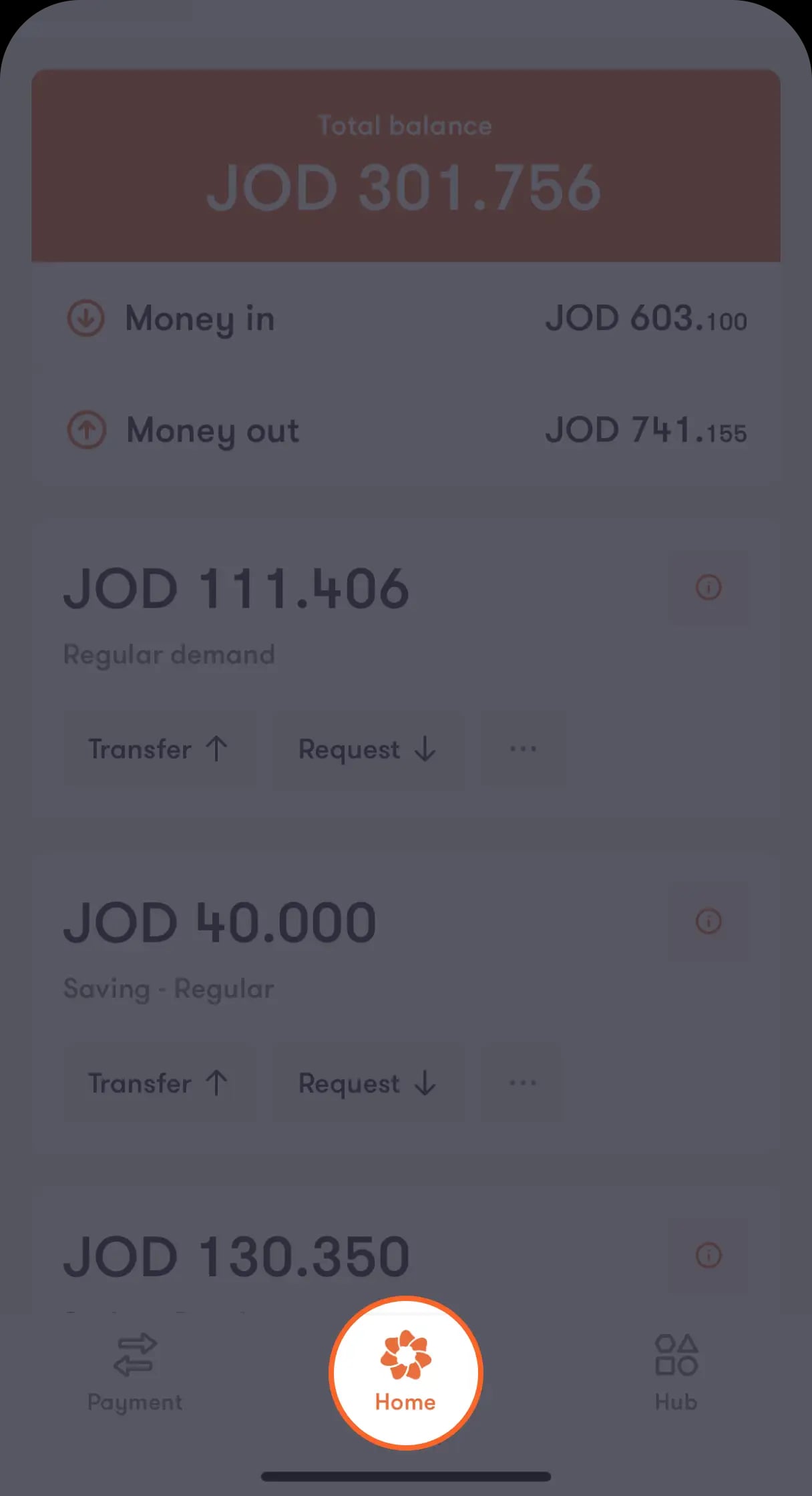
Login to your Bank al Etihad mobile app
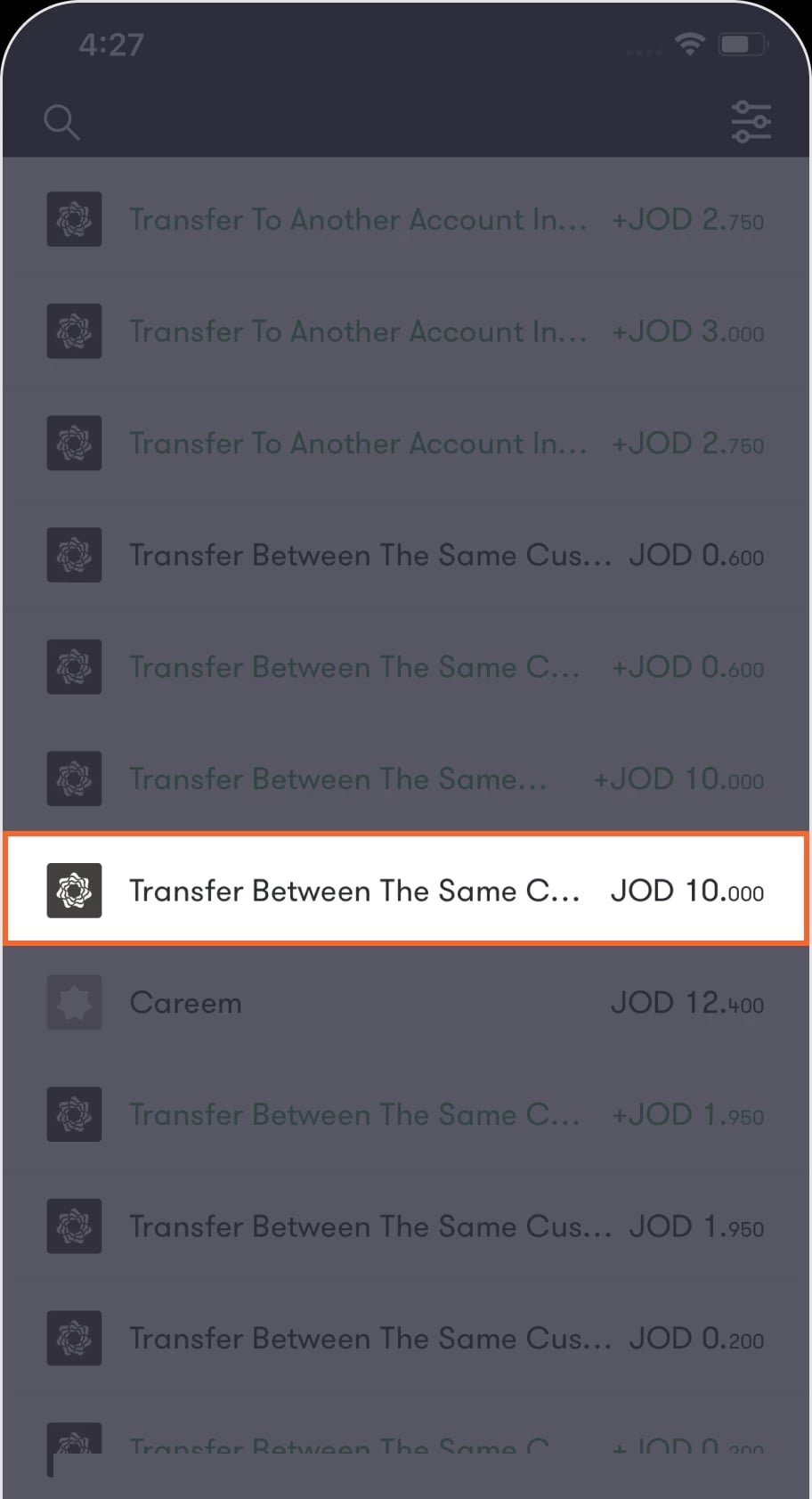
Scroll to bottom from the “Home” screen until you find a list of your recent transactions
Step 2 of 5
Tap on the transaction you want to split.
You will be directly transferred to the “Transaction” screen that shows you the transaction details
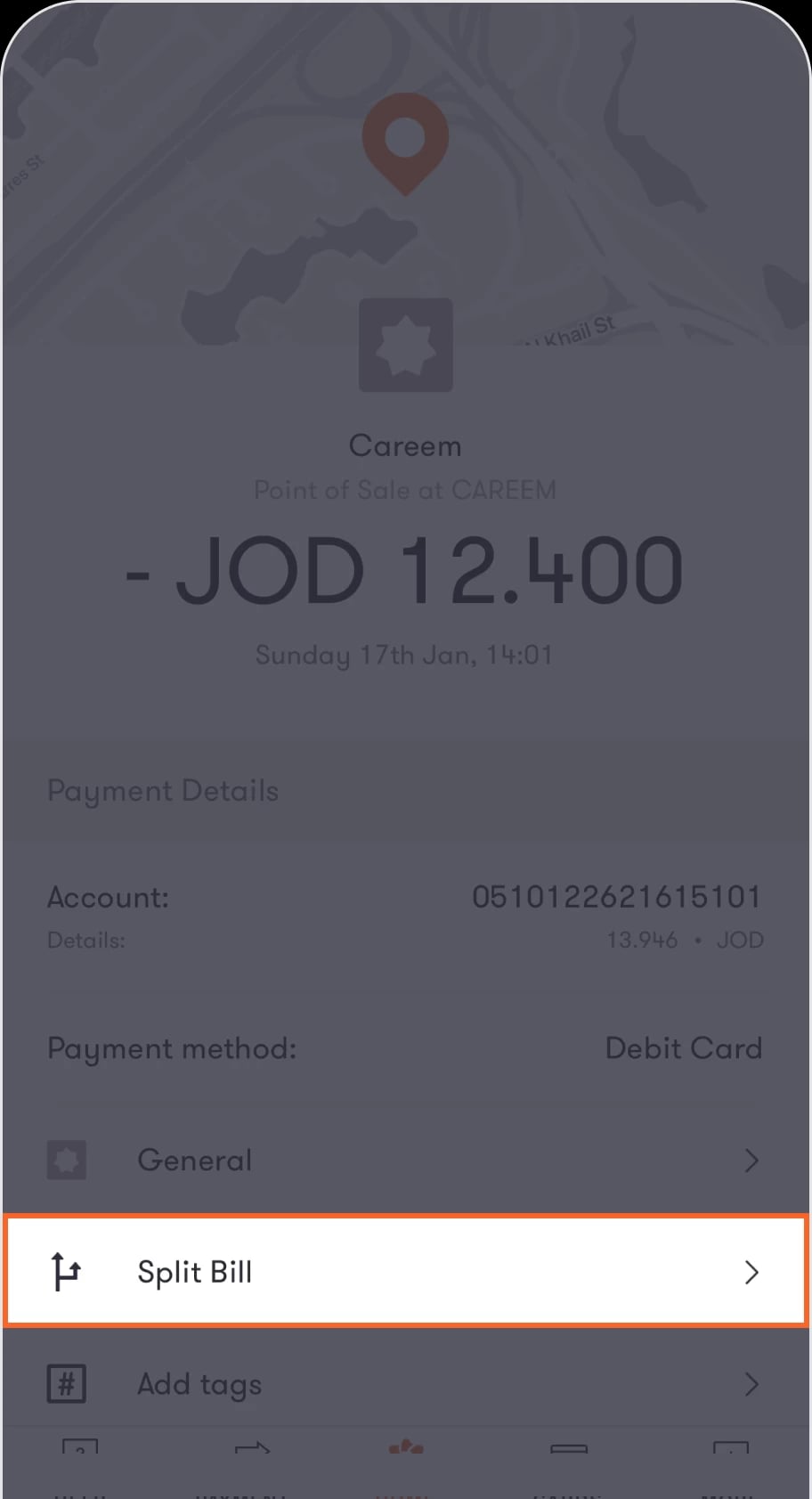
Step 3 of 5
Tap on the Split Bill button from the menu.
You will be redirected to the “Request payment” screen to select the account you’d like to receive the payment in.
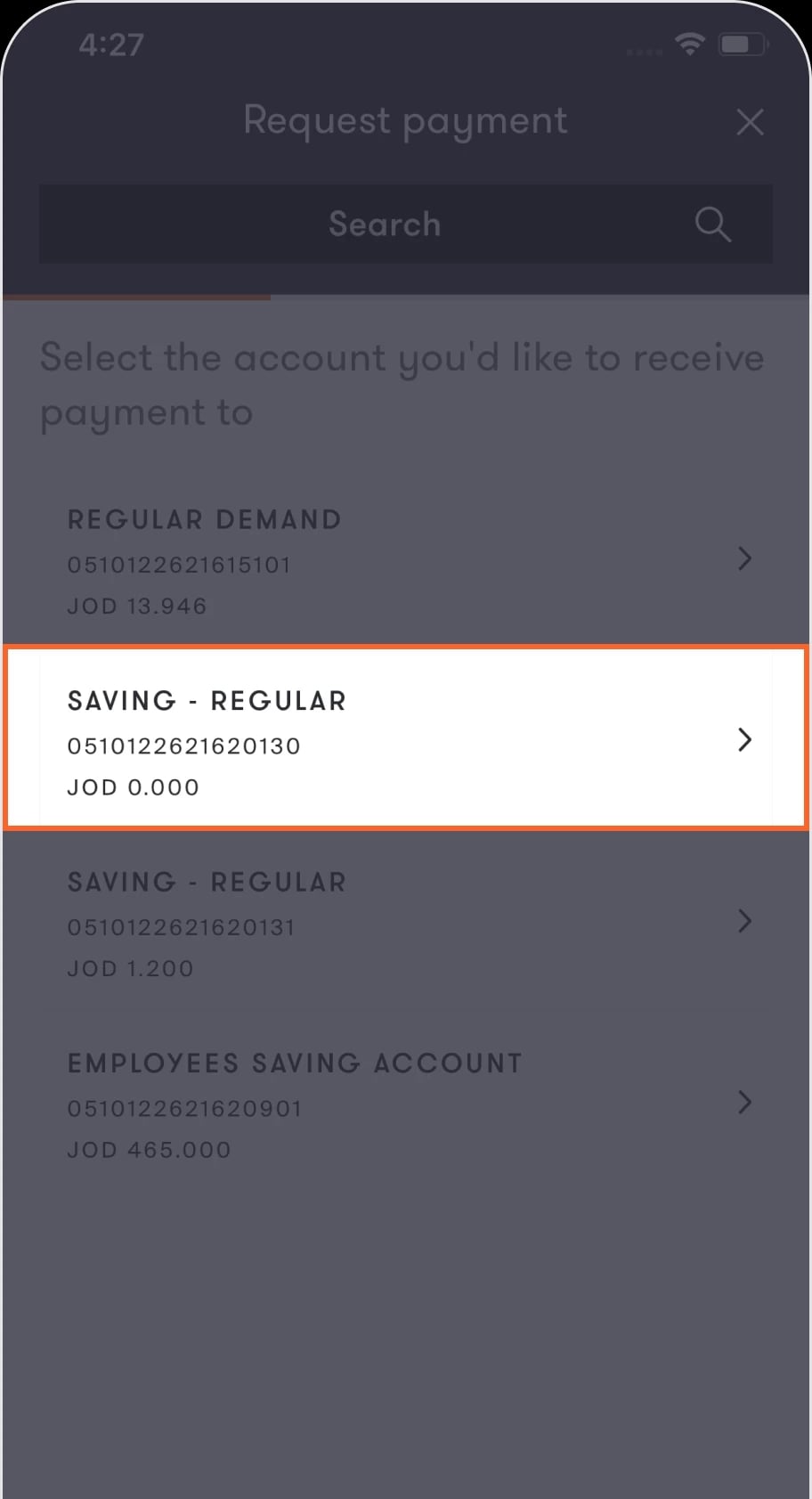
Step 4 of 5
Select the account in which you wish to receive the payment.
Upon doing so, your payment request will be created successfully.
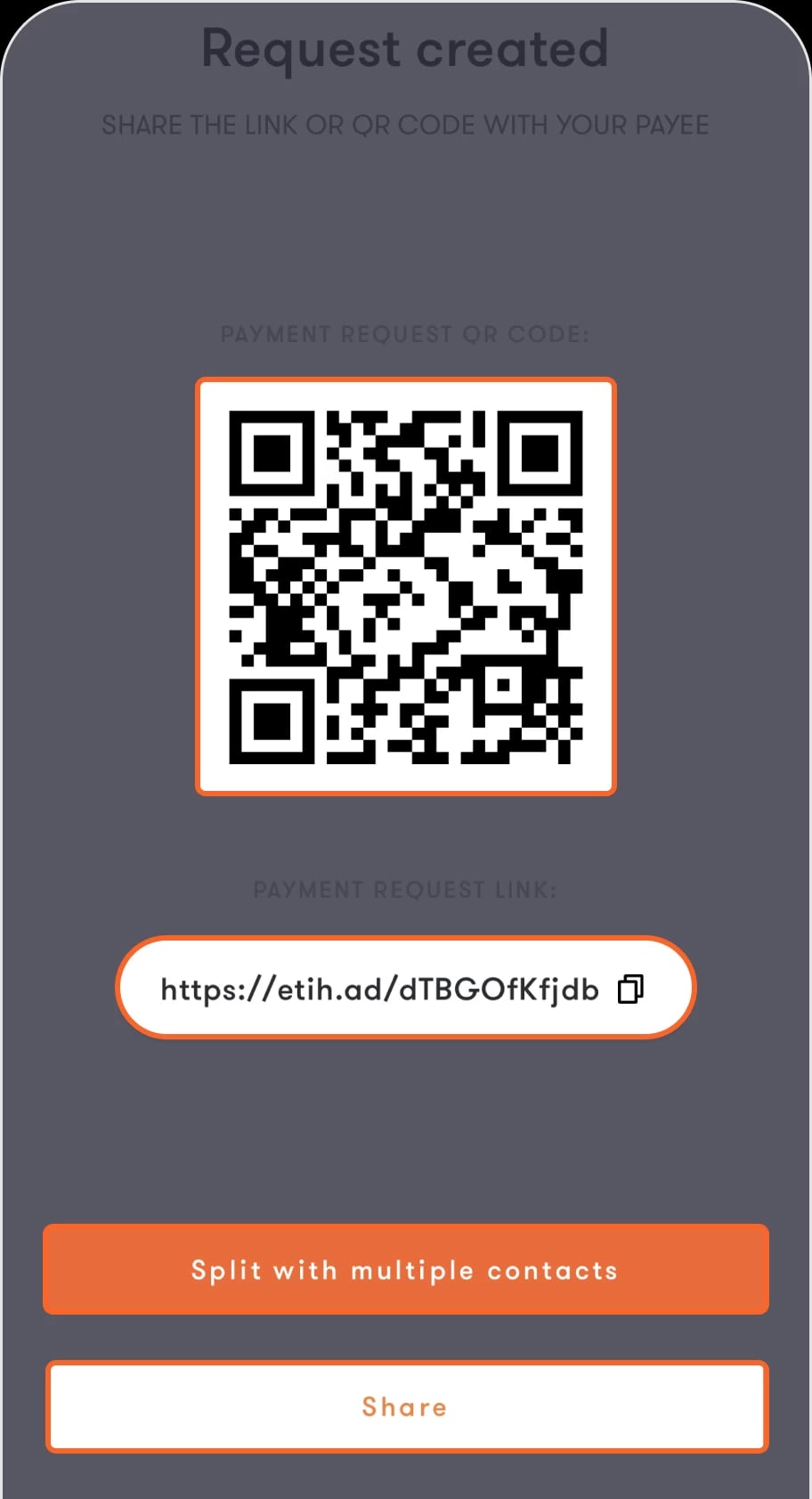
Step 5 of 5
Tap on the Split with multiple contacts button at the bottom of the screen. You can now select the contacts that you wish to split the payment with.
The app will distribute the payment between the contacts selected. You can amend the required value you want to request from each contact before tapping continue.
Read the FAQ’s
Can I amend the payment value I want to split between my contacts?
What happens if one of my contacts does not have/use the application?
If someone sends me a payment request, how would I receive it?
In case I ignore the split payment request once, how would I be able to pay it later?
Was this article helpful?
We’re always looking to improve, and your feedback will help us shape our future content so we can be as useful to you as we possibly can.