
Knowledge hub

Pending Stock Orders

Pending Stock Orders

Pending stock orders

Place pending orders that execute automatically when your target price is reached.

To create a pending order:

Step 1 of 2
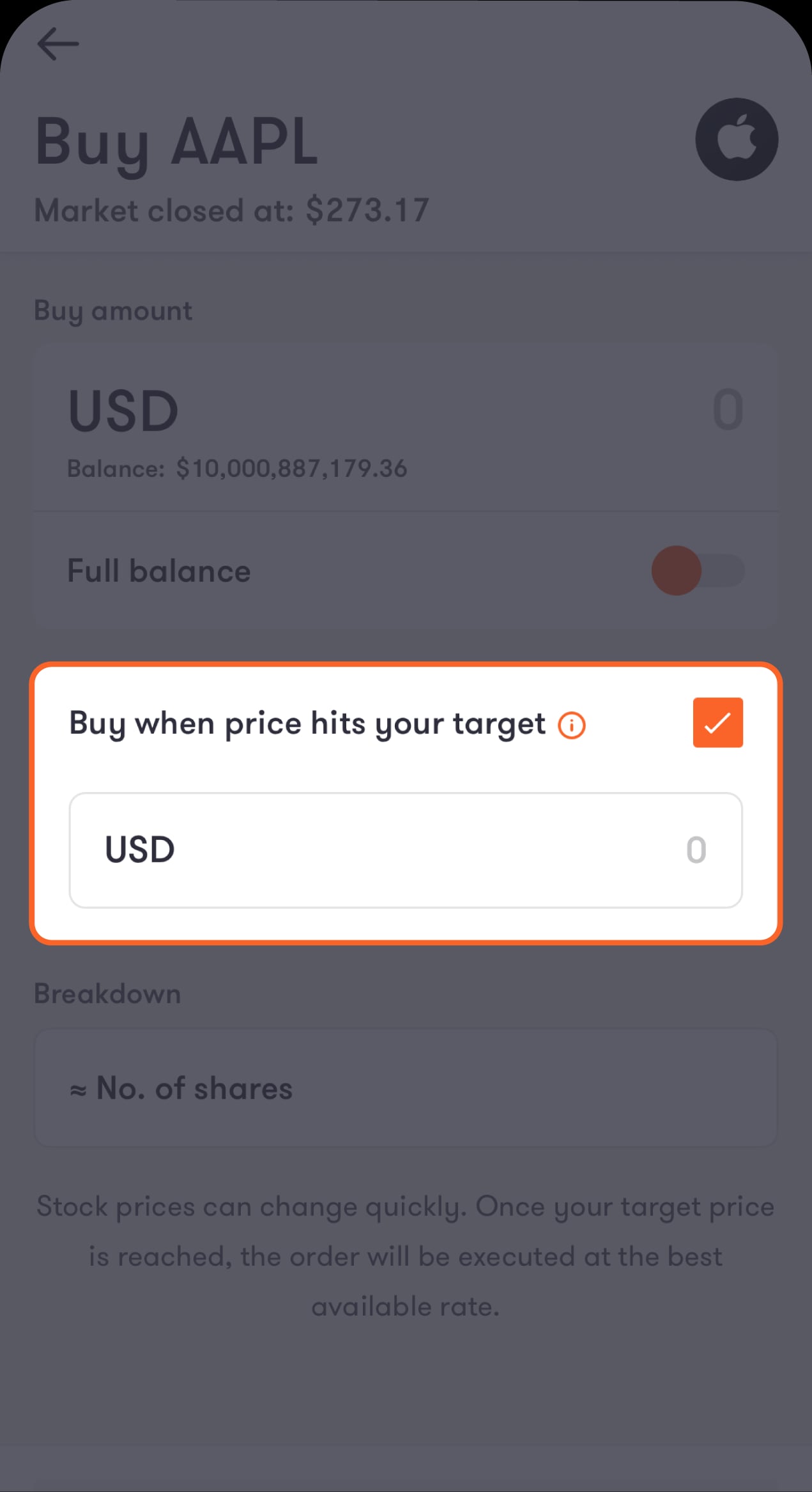
When you tap on "Buy" or "Sell" to place an order, you’ll see a clickable field on the order details screen where you can enter the target price.
Select this option and enter your target price, which is the price at which you want to buy or sell the stock.
Create pending orders 1 EN
Step 2 of 2
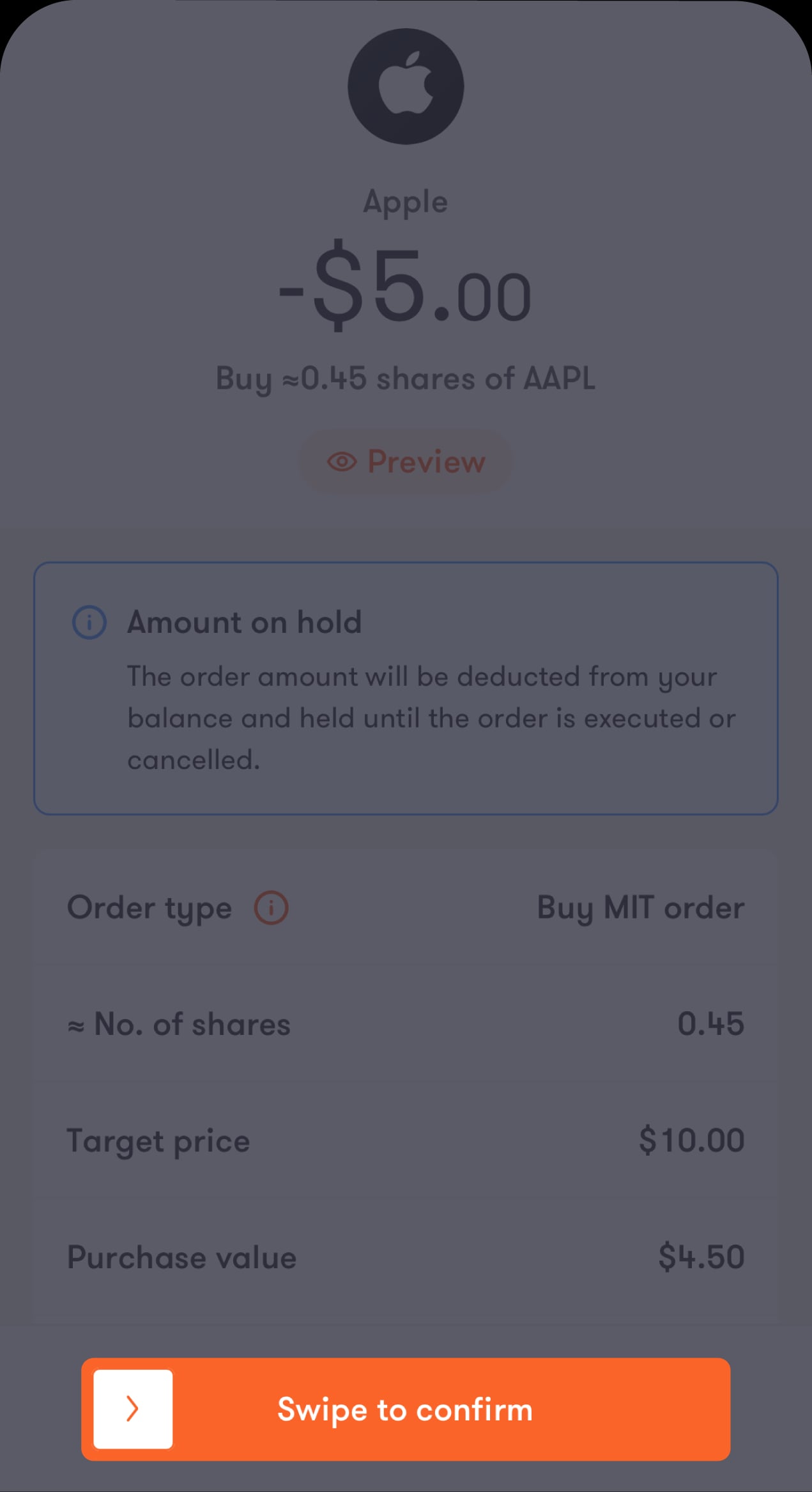
Tap on "Review order" to review your order details.
Then, swipe to "Confirm" to confirm your details and complete the process.
Create pending orders 2 EN

To view your existing pending orders

Step 1 of 2
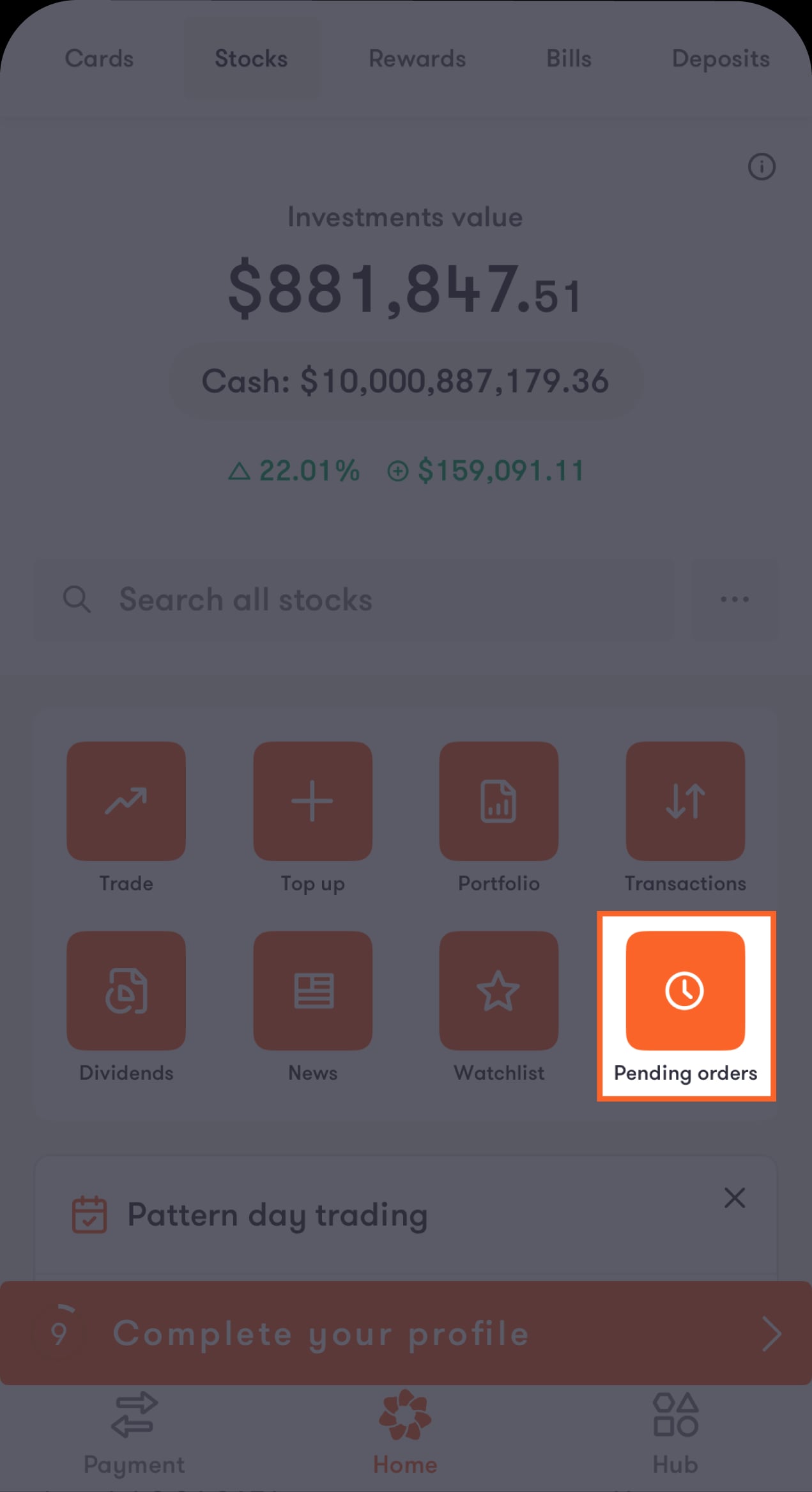
Tap on "Pending orders" on the stocks home screen.
View Pending Orders 1 EN
Step 2 of 2
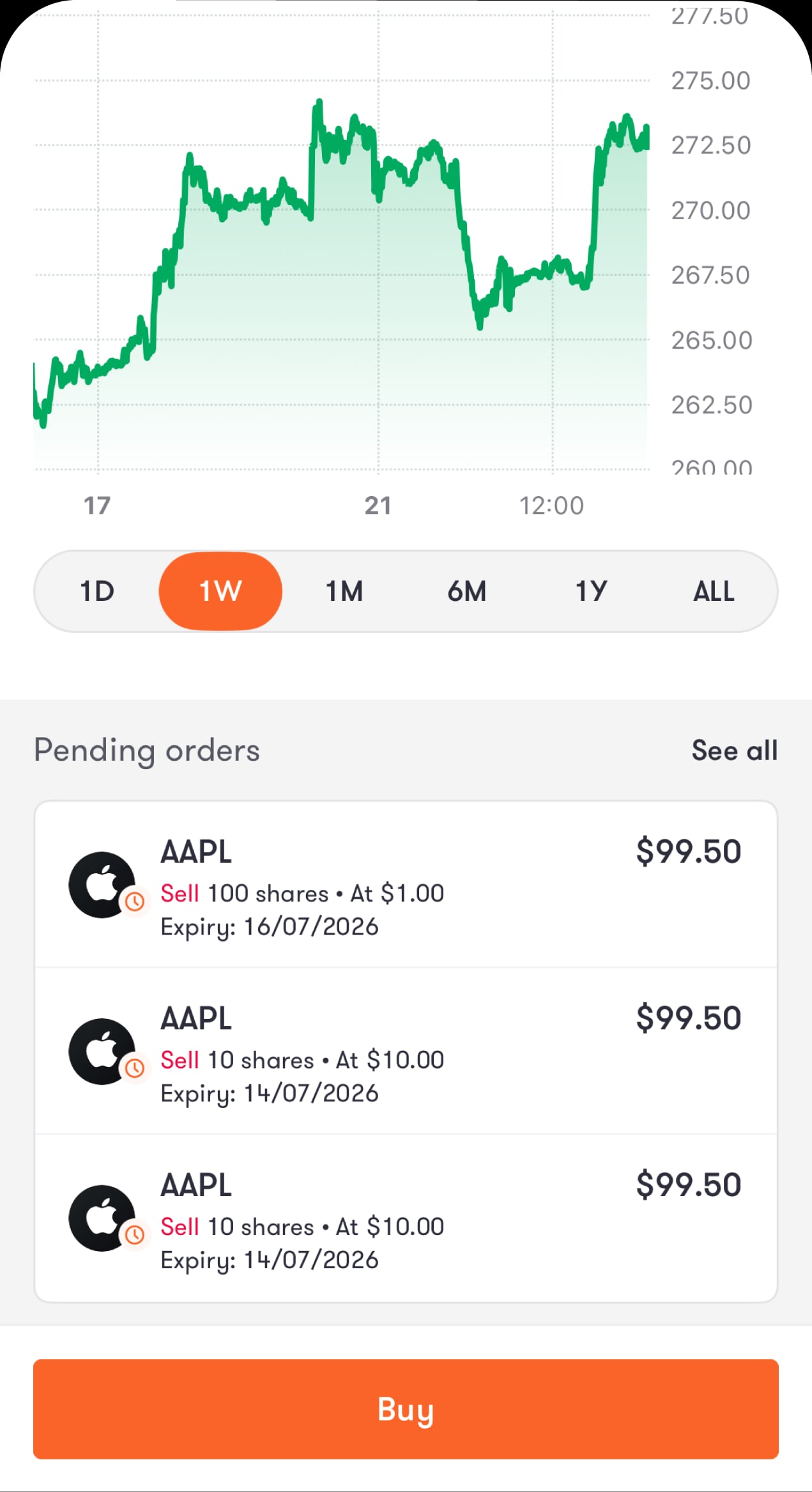
Or scroll down to the “Pending orders” section of a specific stock to view the pending orders for that stock.
View Pending Orders 2 EN

To cancel pending orders:

Step 1 of 2
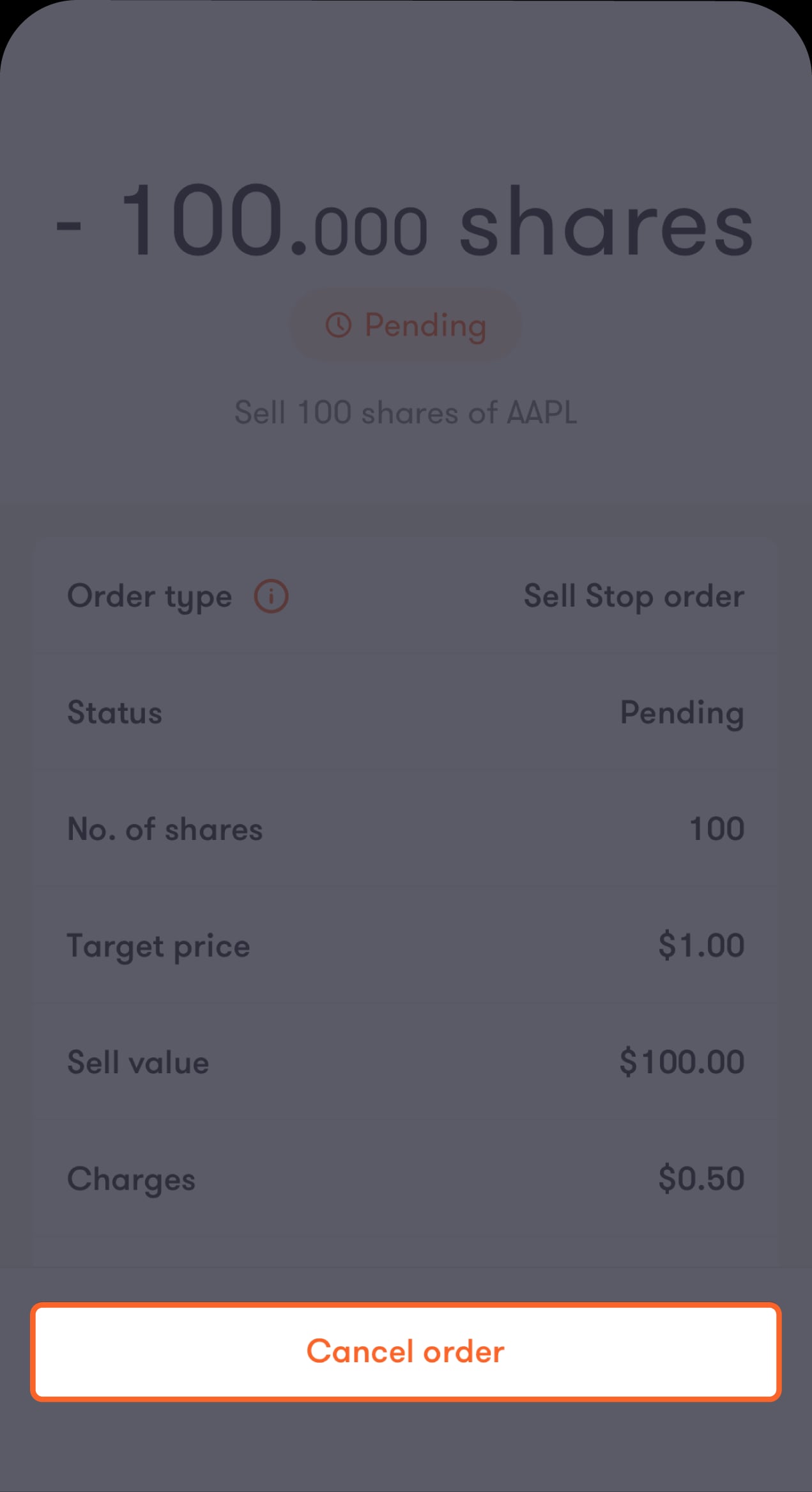
Open the pending order details and tap on "Cancel order".
Cancel pending orders 1 EN
Step 2 of 2
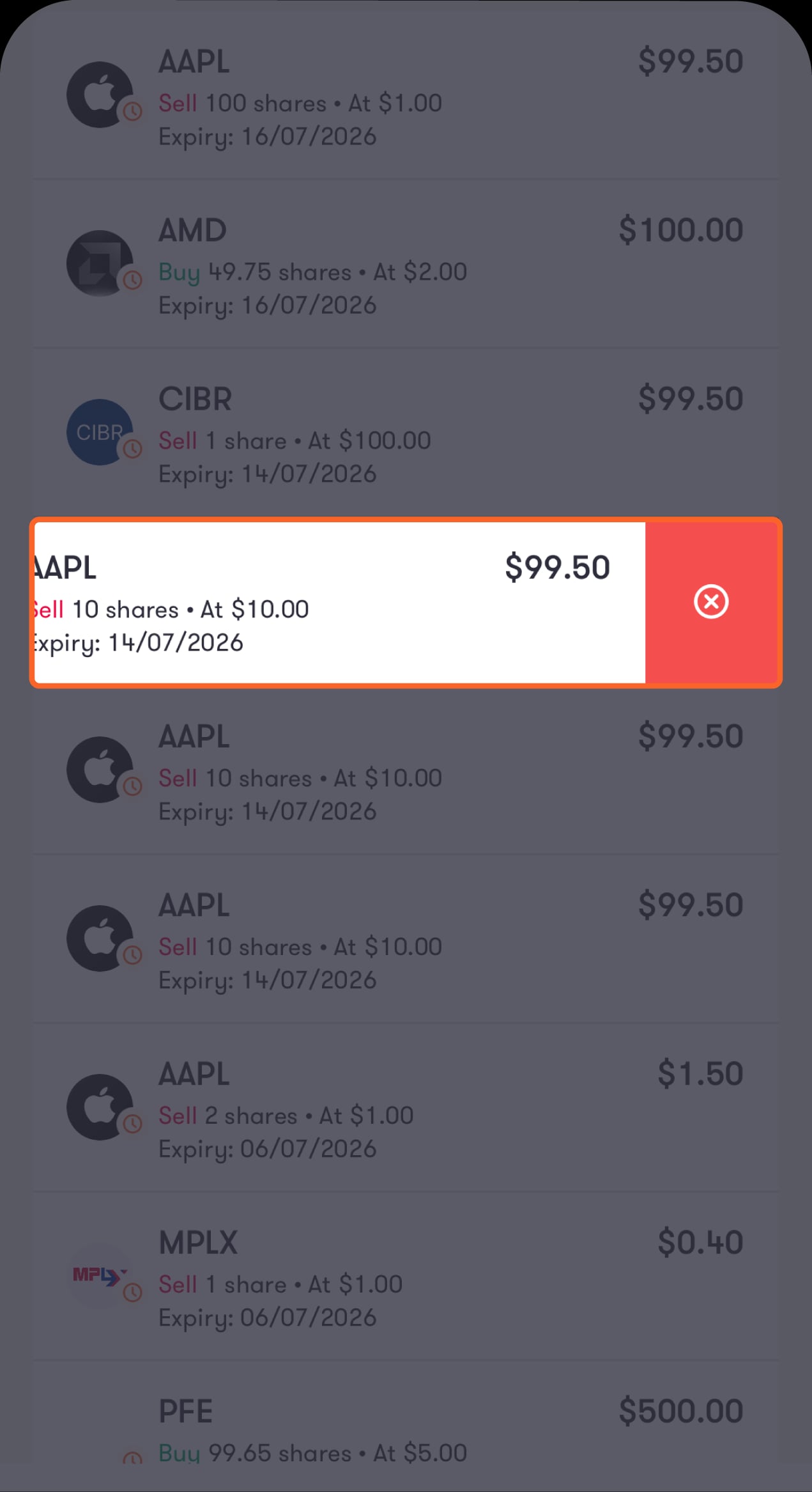
Or you can swipe left on a pending order and tap the X button.
Cancel pending orders 2 EN

Read the FAQ’s

Can I create a pending order outside trading hours?
When will my pending order be executed?
Will my order be executed at the exact target price I set?
What happens to my funds when I place a buy pending order?
What happens if I place a sell pending order but don't have enough shares?
How long does a pending order remain active?
Can I cancel a pending order?
Where will my order appear after it's executed?
Are the fees the same as regular market orders?
Do Pattern Day Trading (PDT) rules apply to pending orders?
Published:
13 May 2026
Share:
Was this article helpful?
We’re always looking to improve, and your feedback will help us shape our future content so we can be as useful to you as we possibly can.

Related products
Credit Card Request
Credit Card Request
Apply for a credit card without visiting a branch!
Cards
Read more
Generate Advice
Generate Advice
Master the art of effortless advice issuance with our step-by-step guide!
Statement
Read more
Multi-Currency Prepaid Card
Carry the world's currencies in your pocket!
Cards
Read more
All your finances at your fingertips
Account analytics
See what you’ve spent this month, and stay up to date on your transactions and learn your spending habits to save and spend smarter.
One tap payments
Manage cards on the go
Siri integration