Knowledge hub
Personal Loan Request
Apply for a Personal Loan without visiting the branch!
Have you ever imagined a world where you could apply for a personal loan without stepping into a bank? With our mobile banking app, you now can! Once your request is approved, the amount will be deposited into your account immediately!
Not subscribed to the Social Security Corporation and want less than 25,000 JOD?
Step 1 of 8
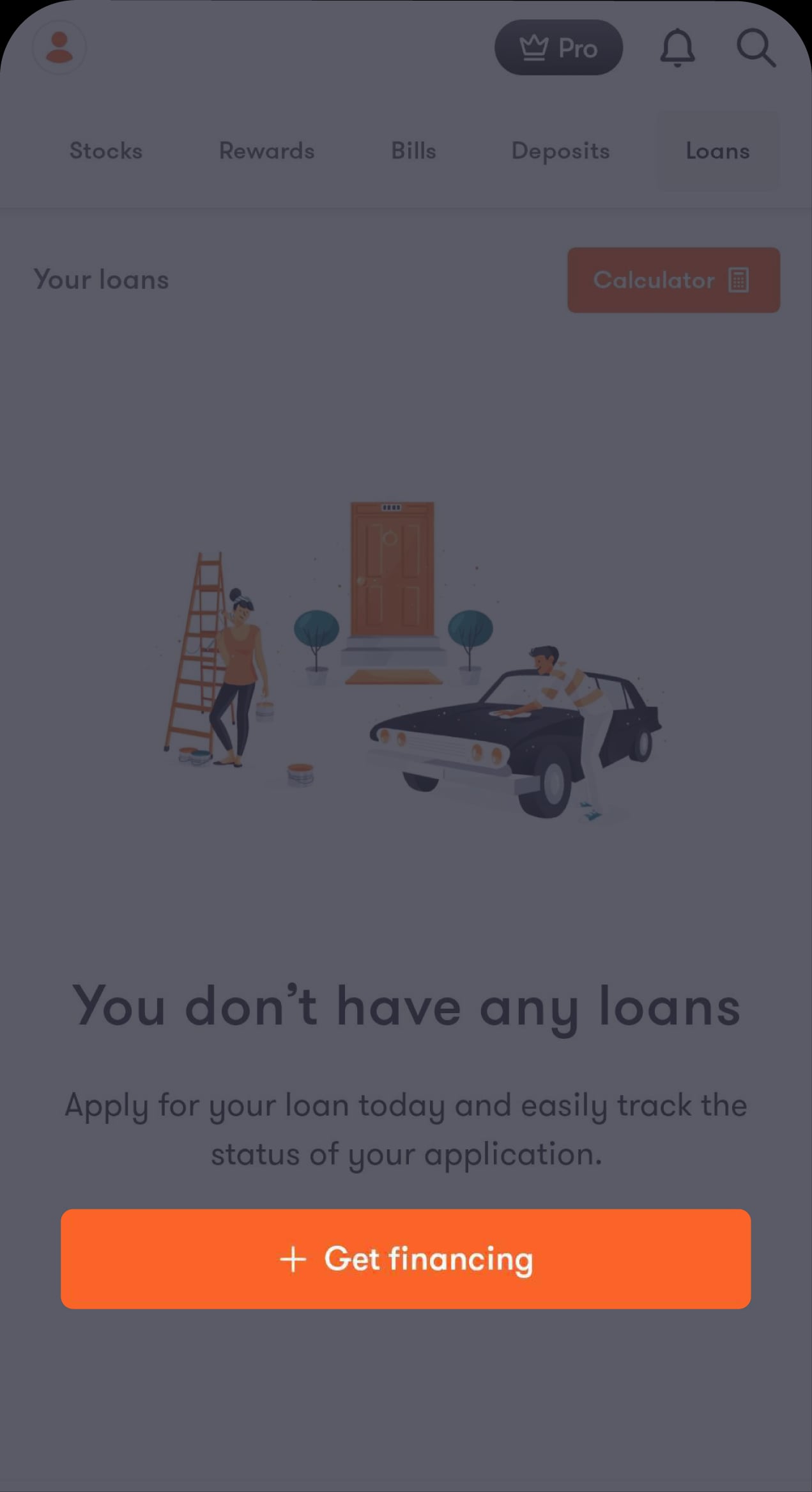
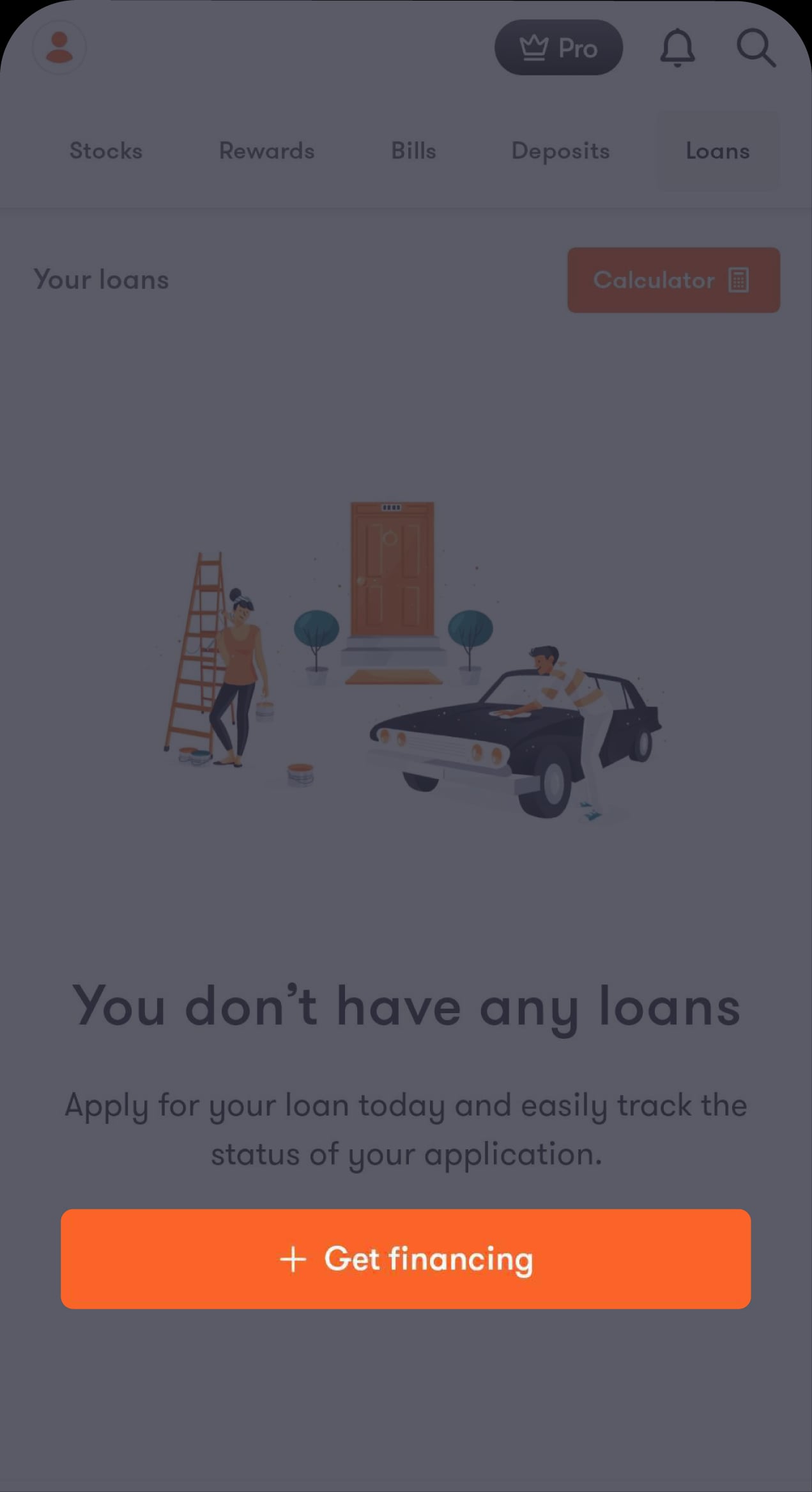
Tap on “+ Get financing”
Which will direct you to choose the type of loan you want
Step 2 of 8
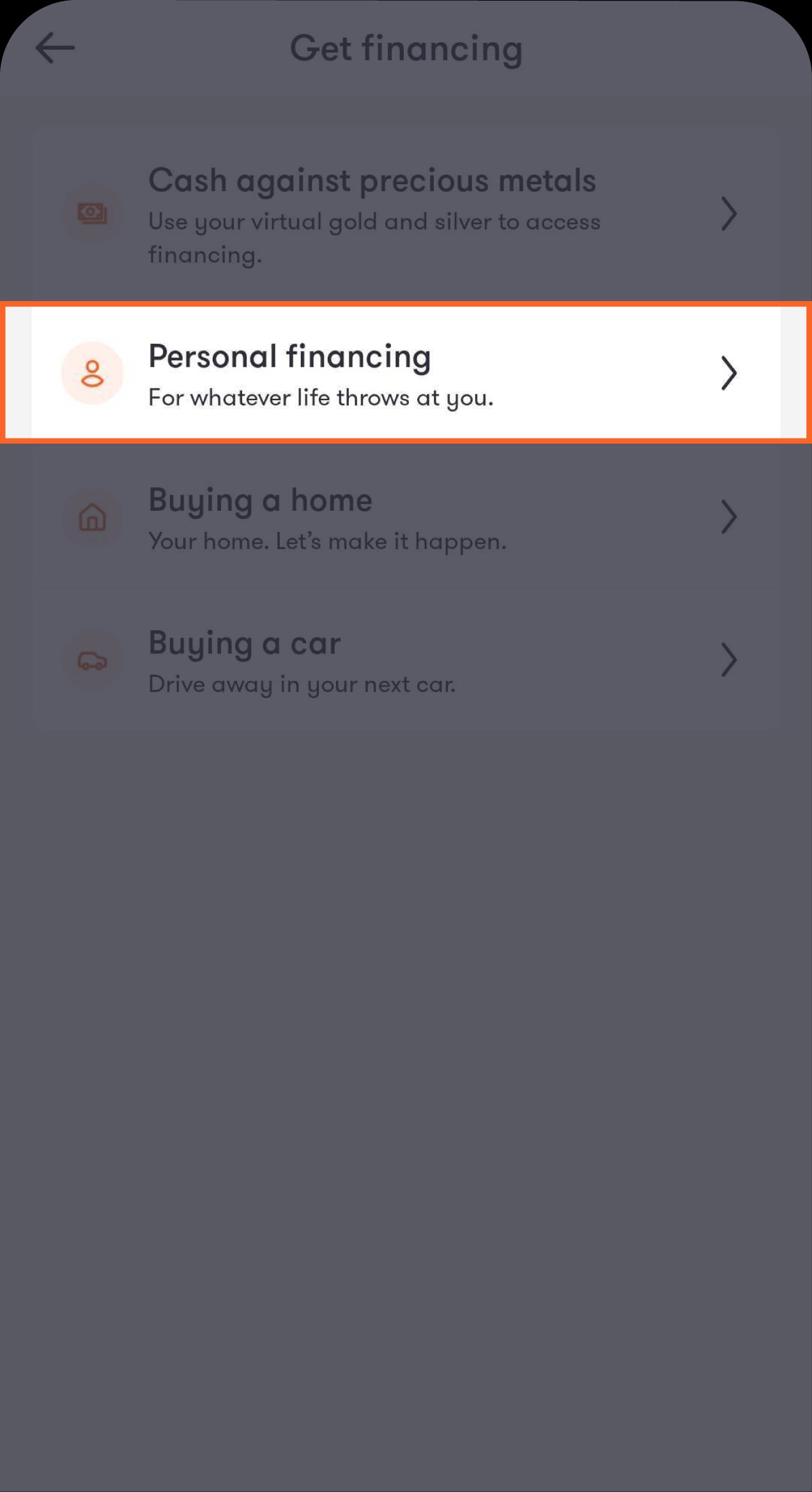
Tap on “Personal financing”
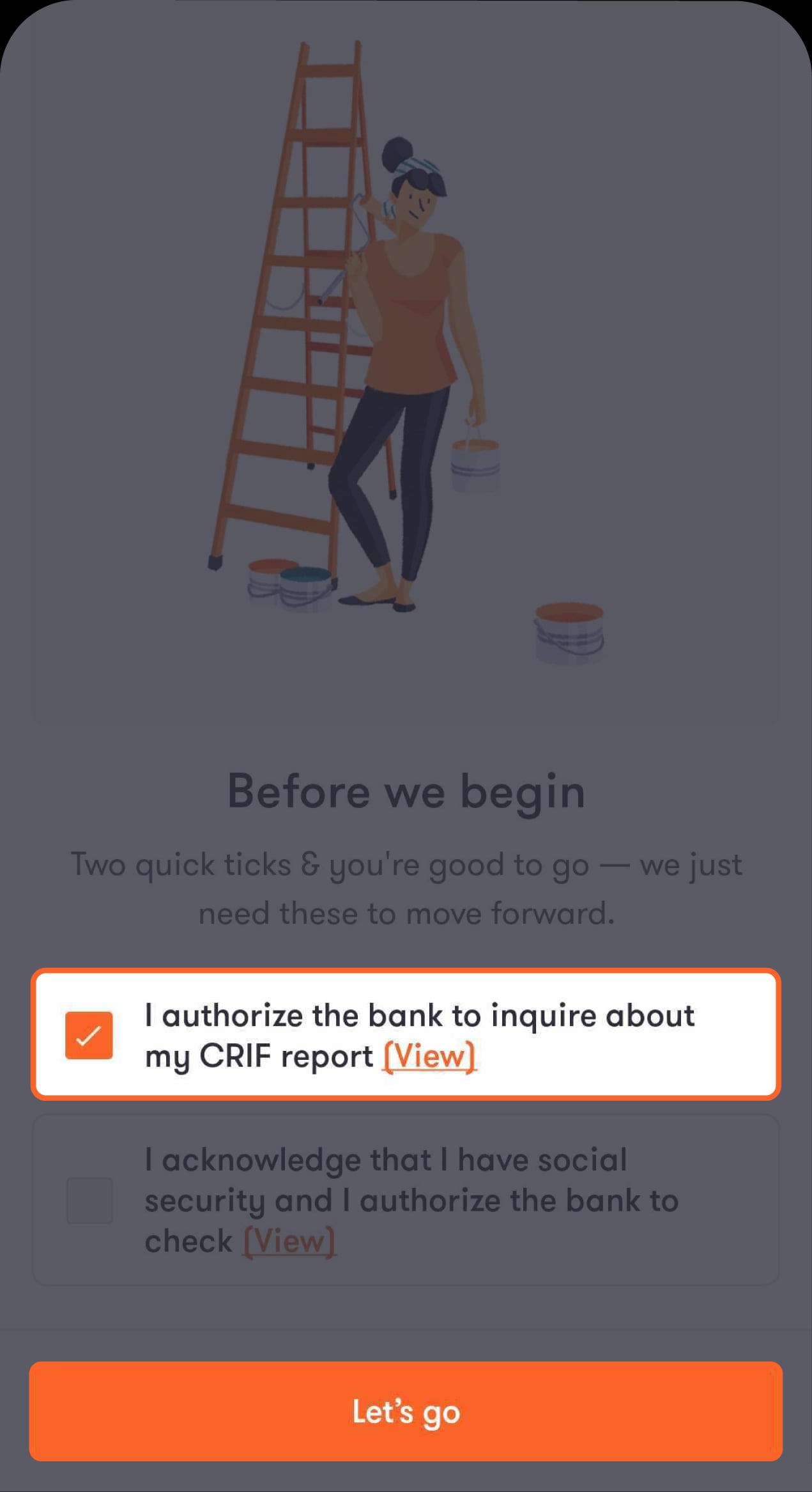
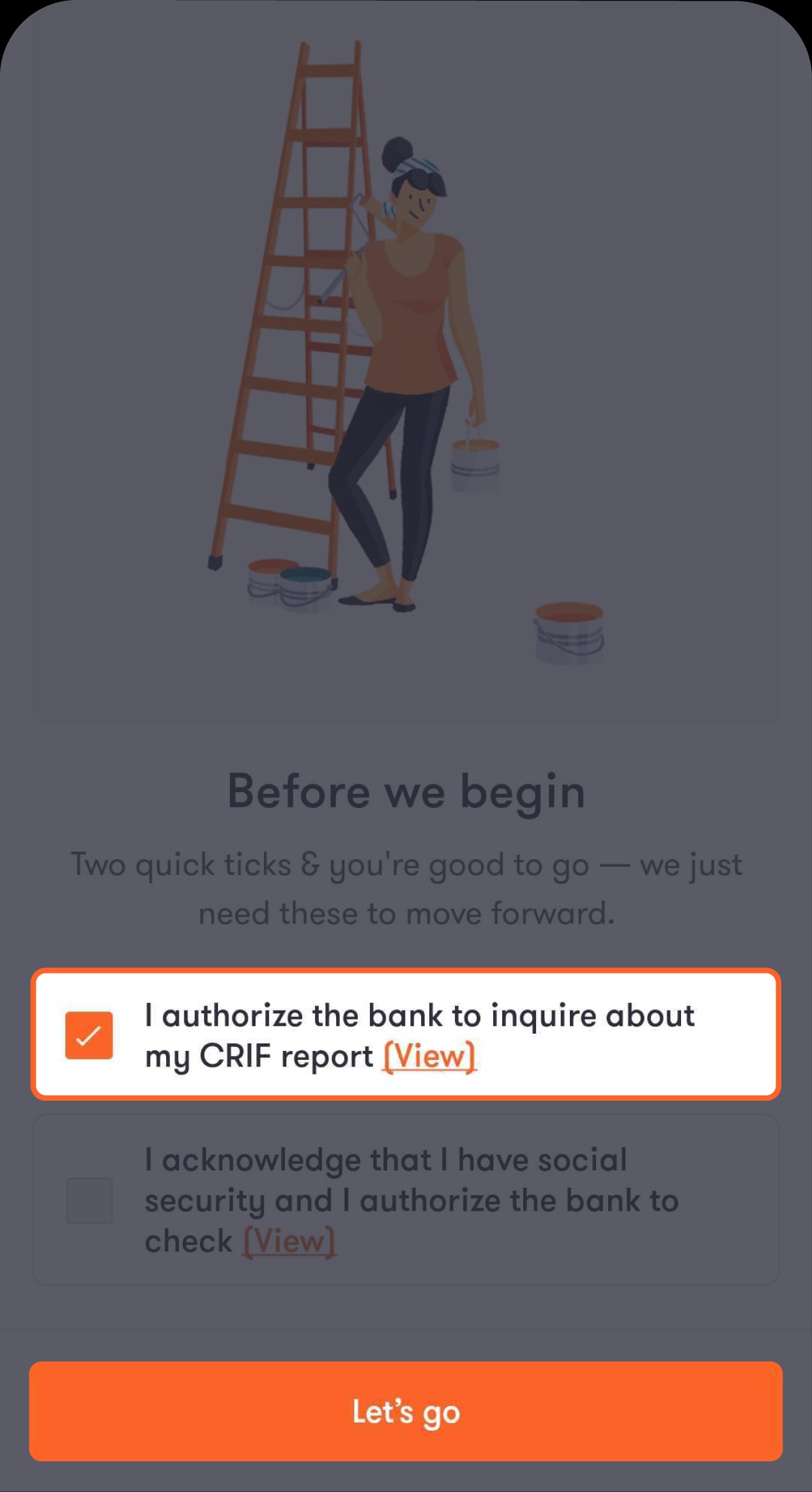
You’ll be asked to authorise the bank to check your CRIF report and agree to the terms and conditions.
Step 3 of 8
Tick the box to authorise the bank to check your CRIF report
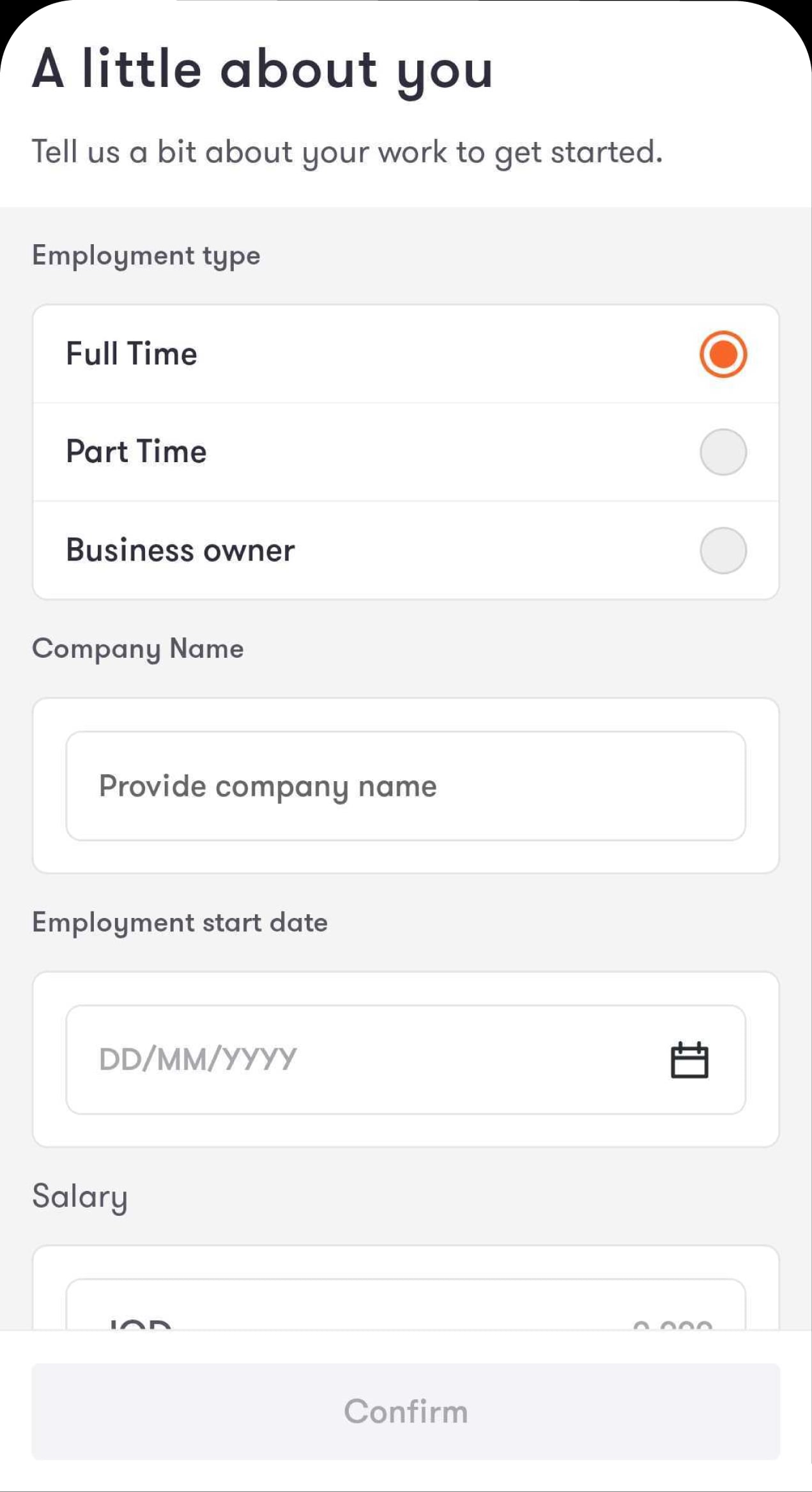
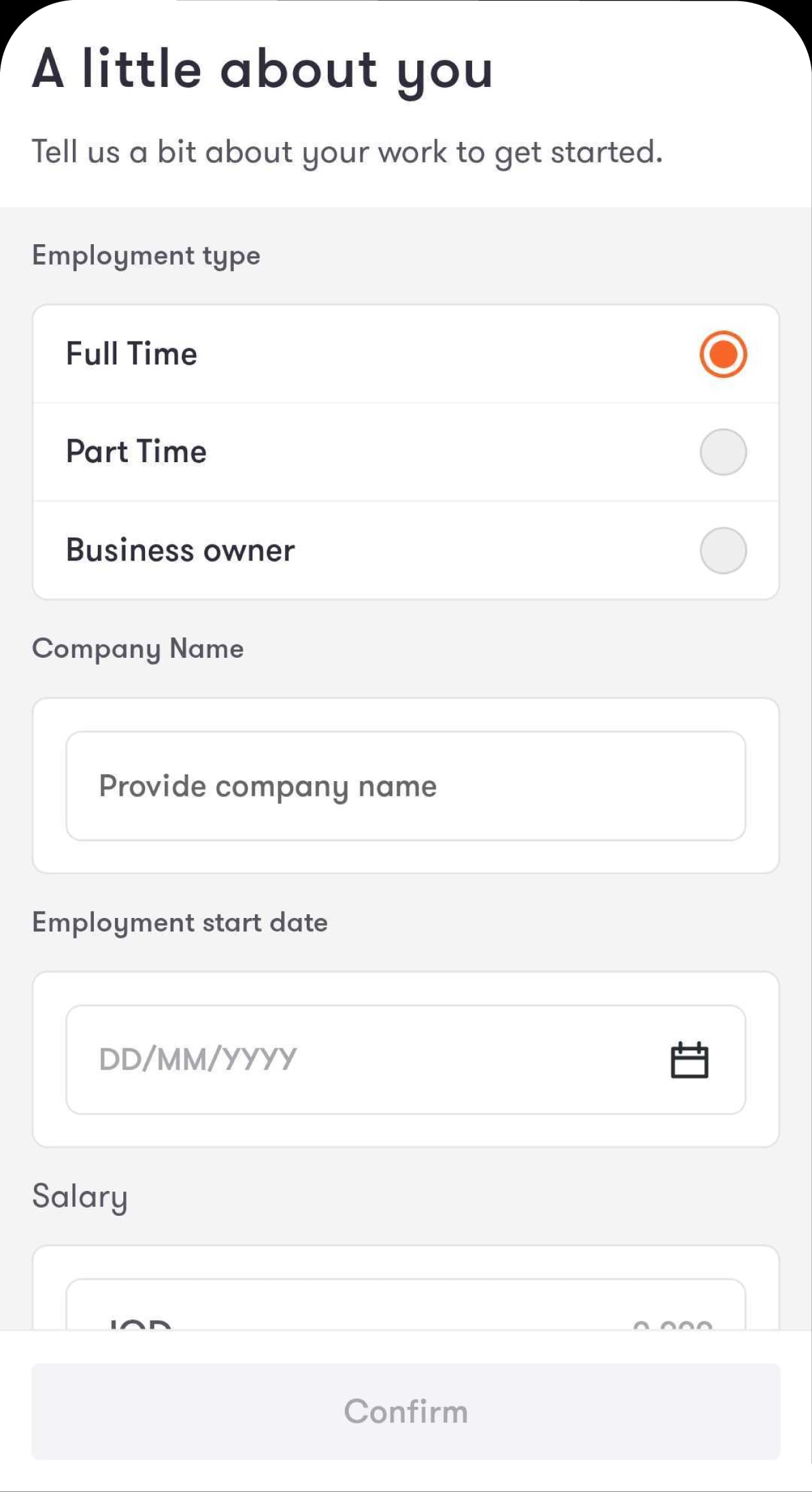
You’ll then be directed to fill in your personal information.
Step 4 of 8
Enter your employment details, including your salary, then tap on “Confirm”
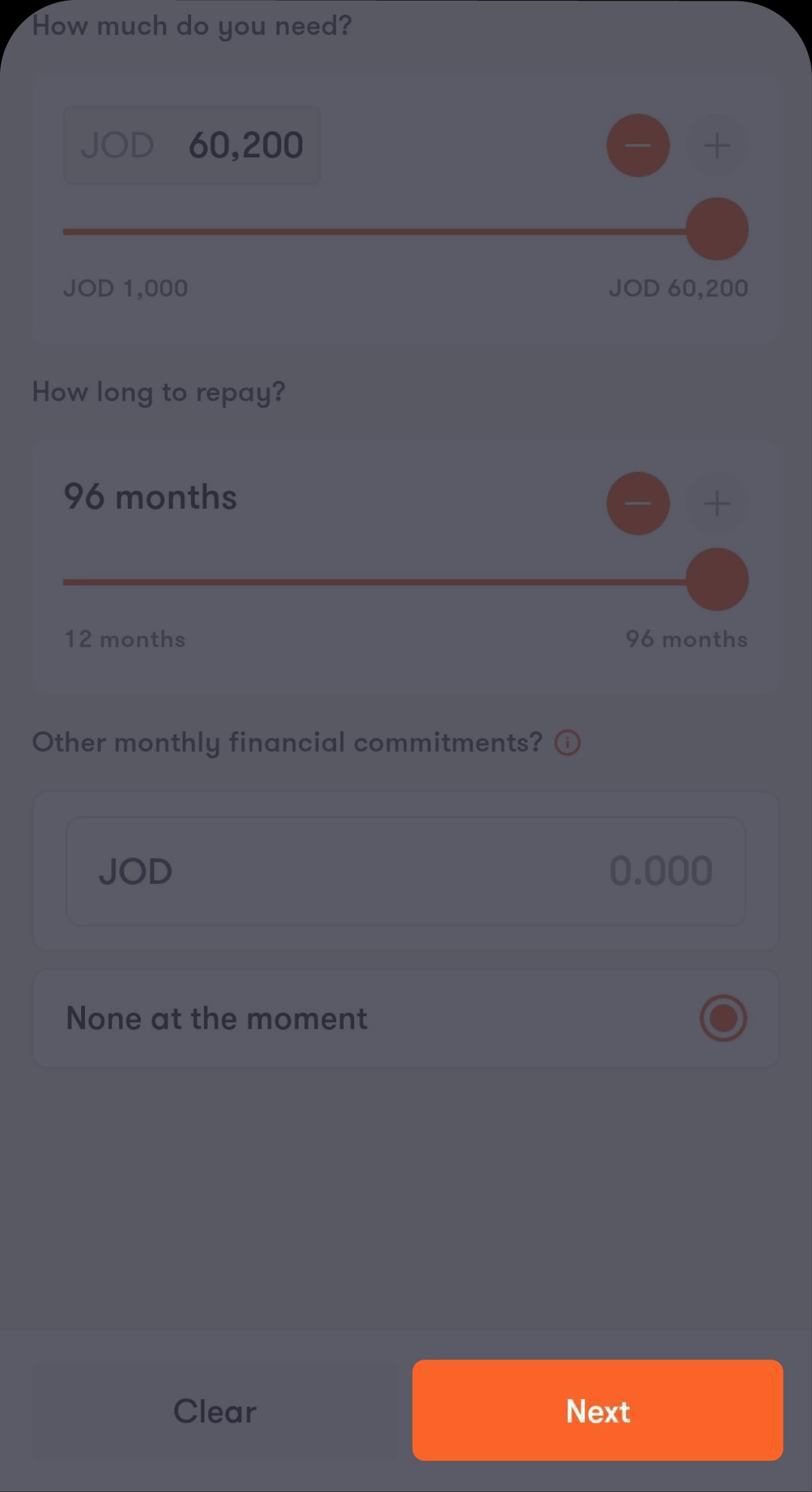
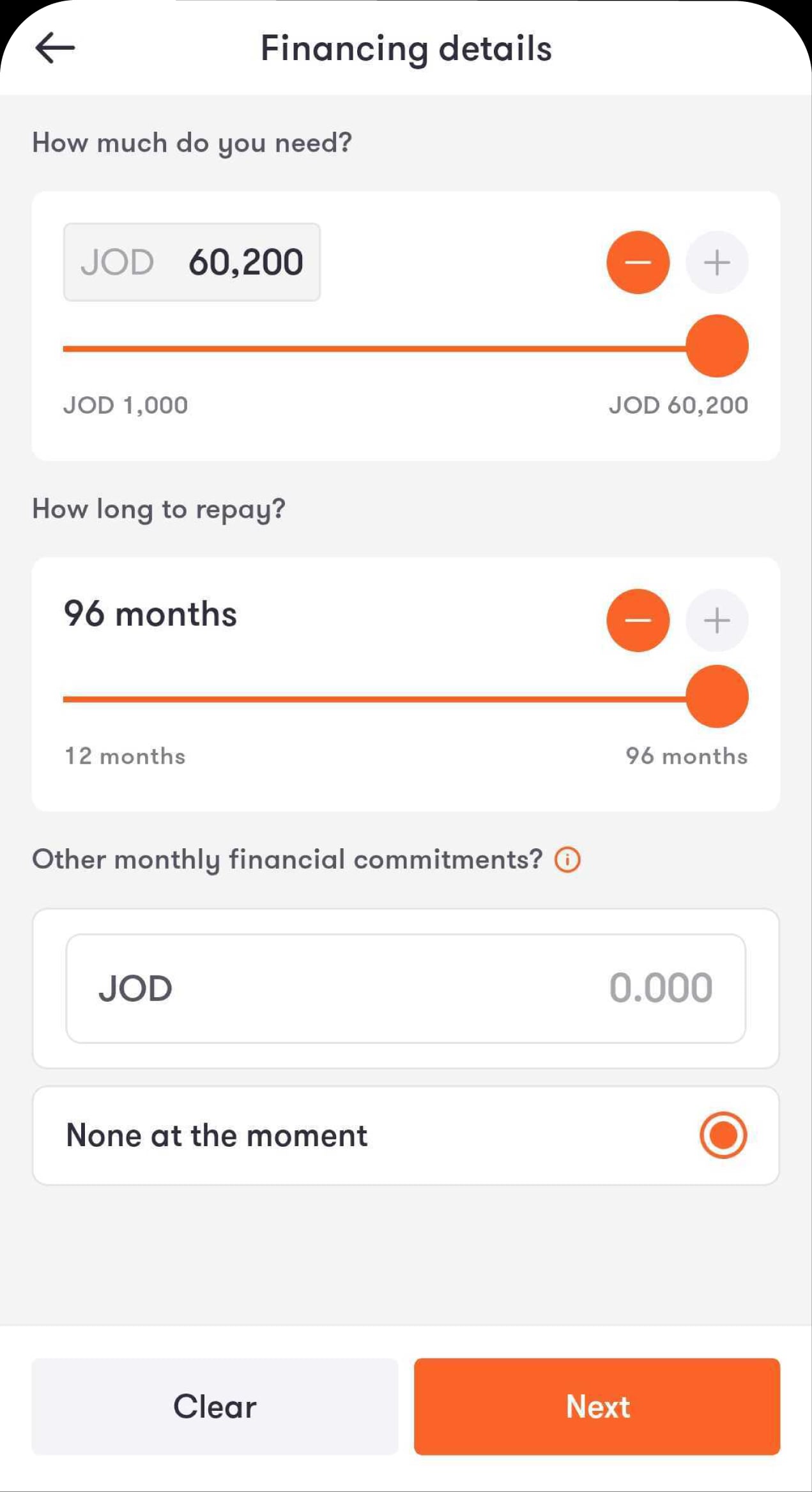
You’ll then be directed to enter the financing amount you need.
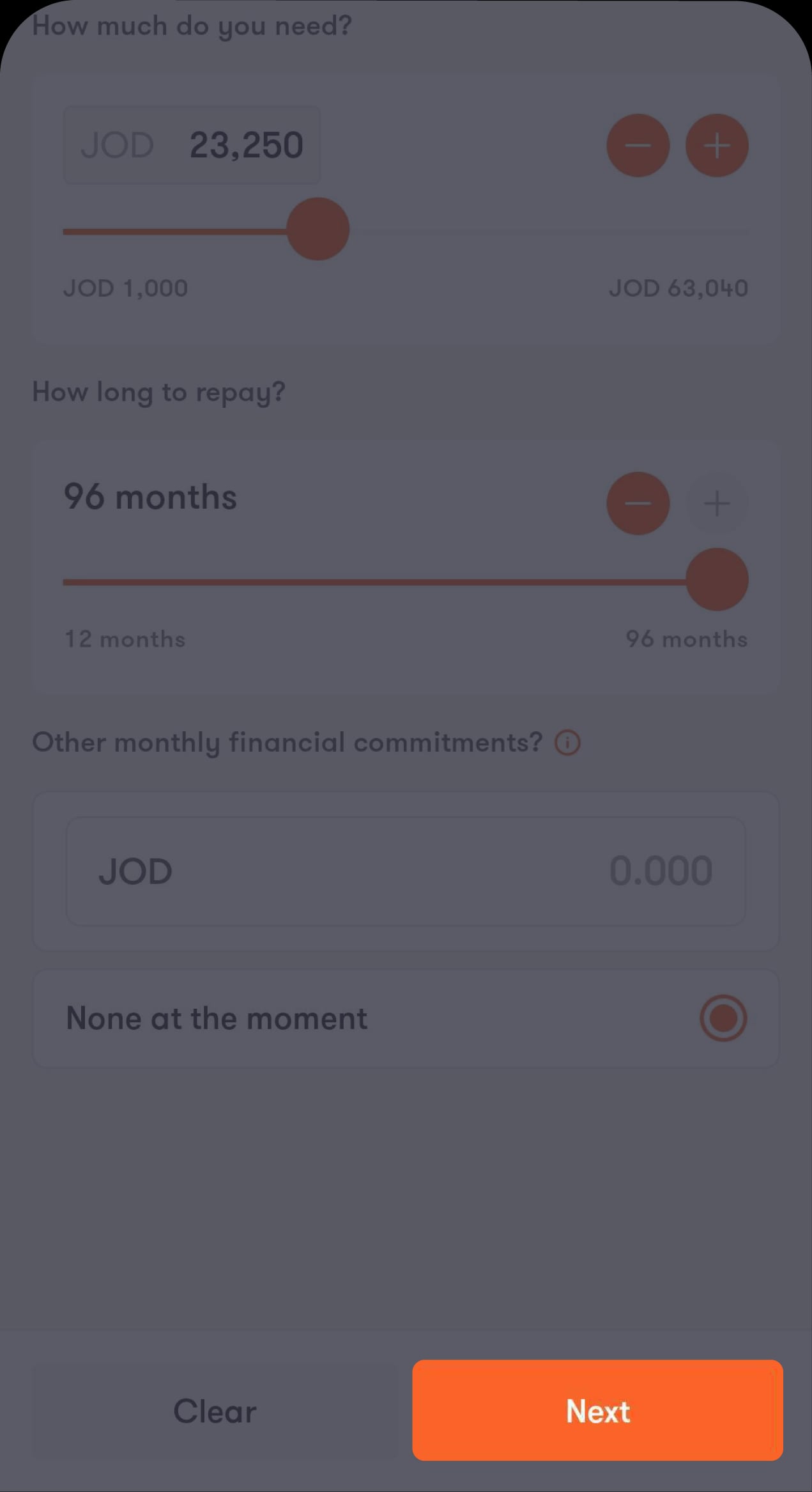
Step 5 of 8
Enter the financing amount you need
You’ll then be directed to view the amount you’re eligible for.
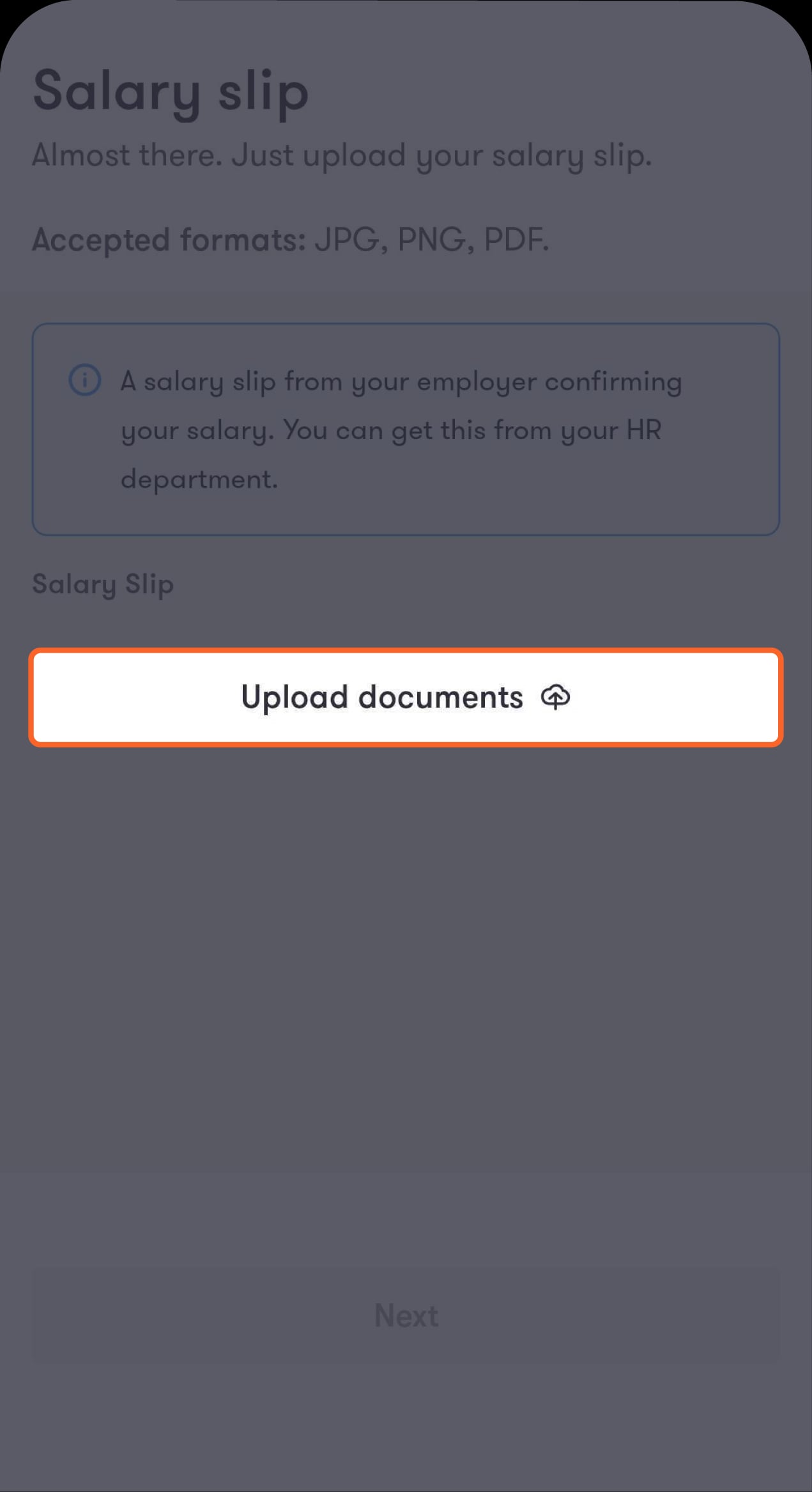
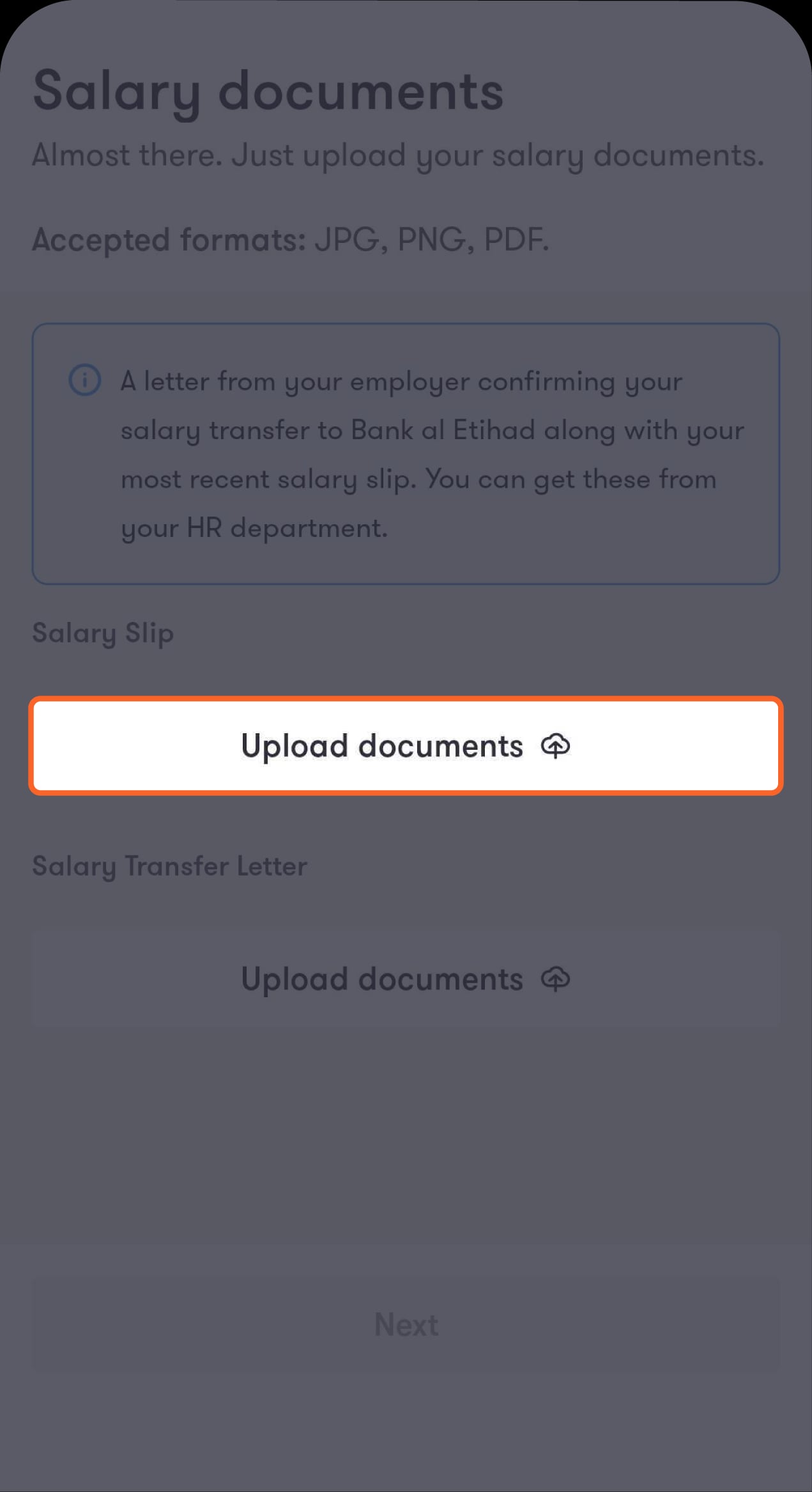
Step 6 of 8
Upload your salary slip
Then tap on “Next” to review your financing details.
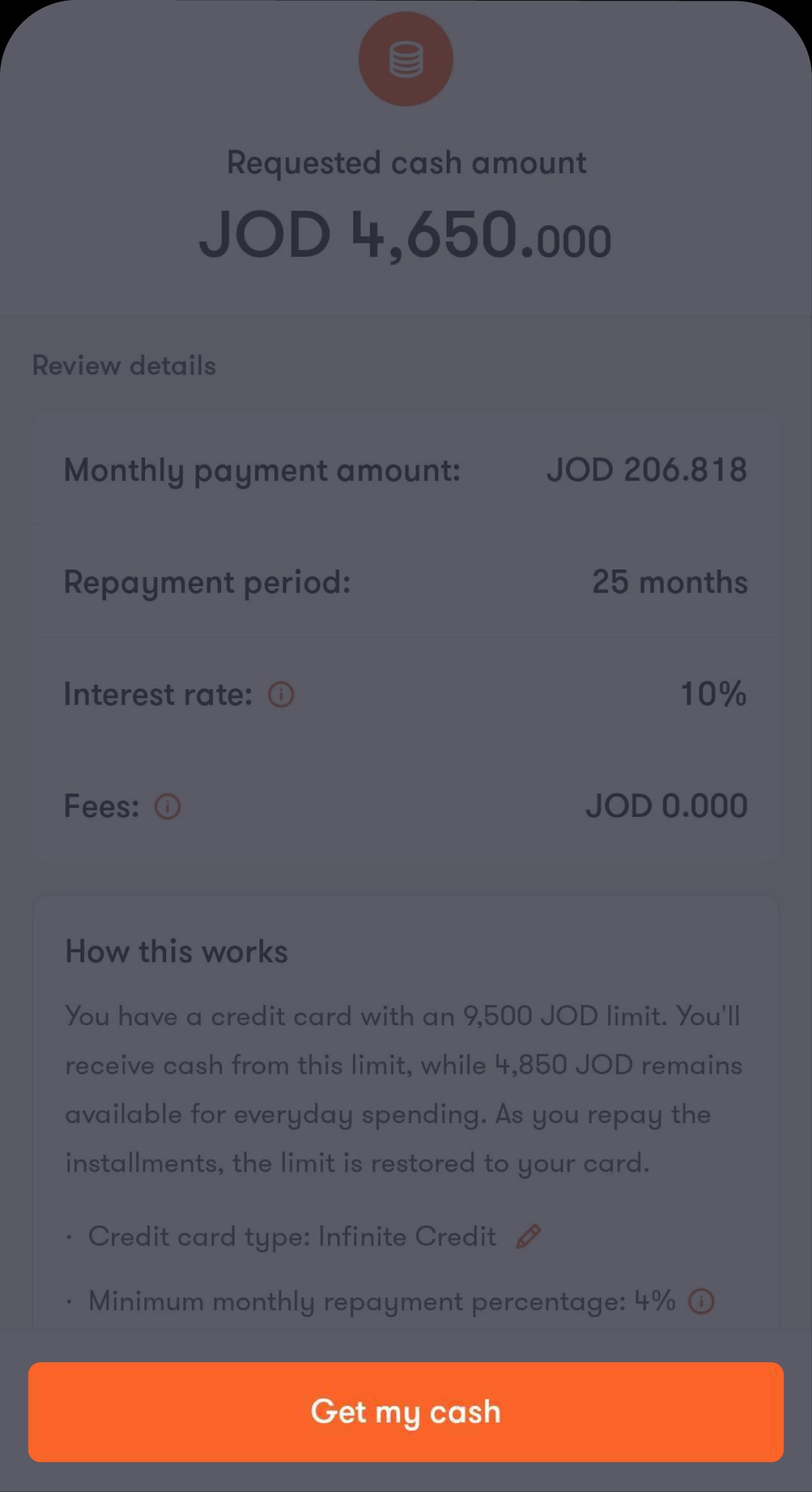
Step 7 of 8
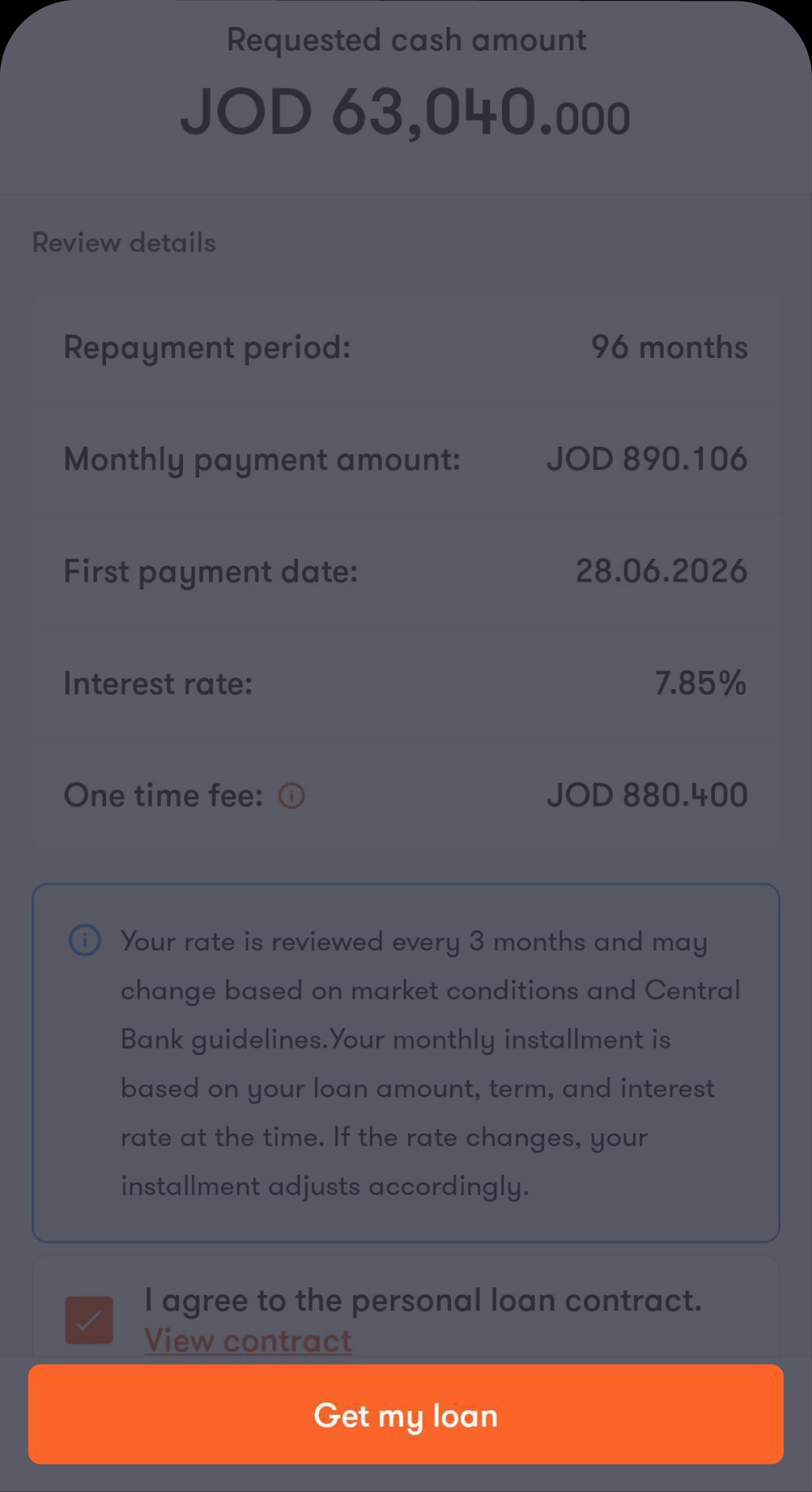
Review the loan details
Then tap on "Get my cash".
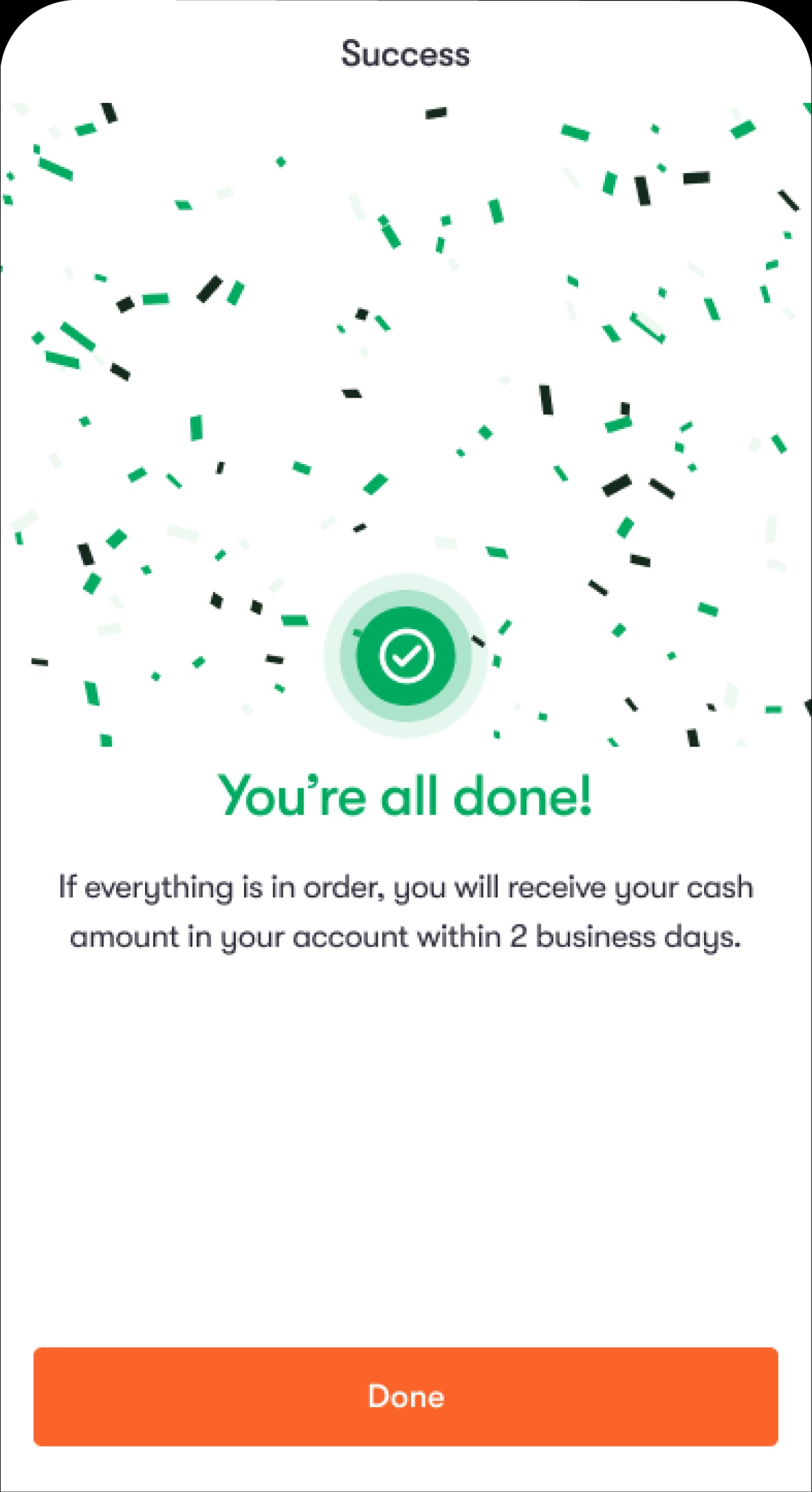
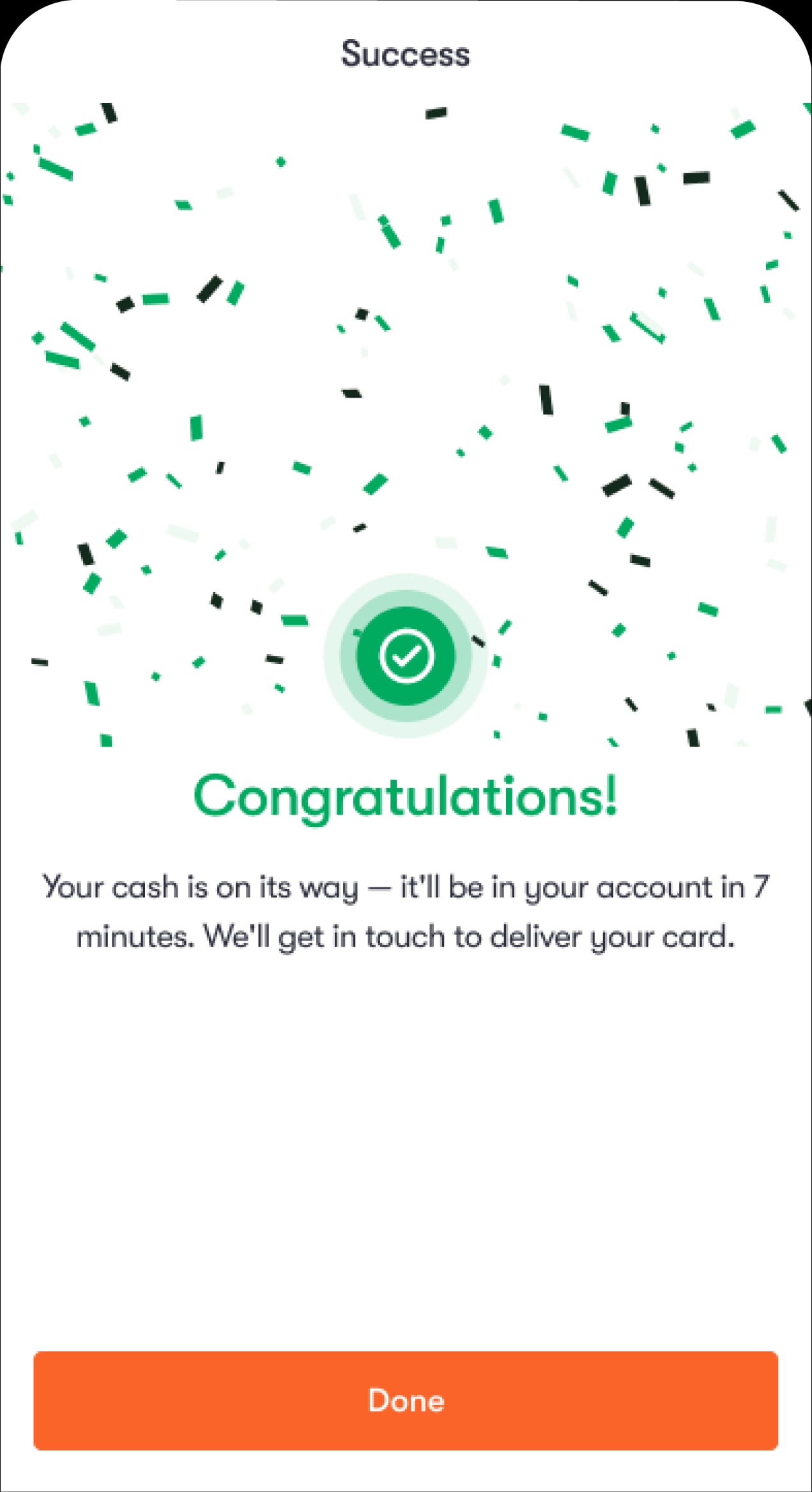
Step 8 of 8
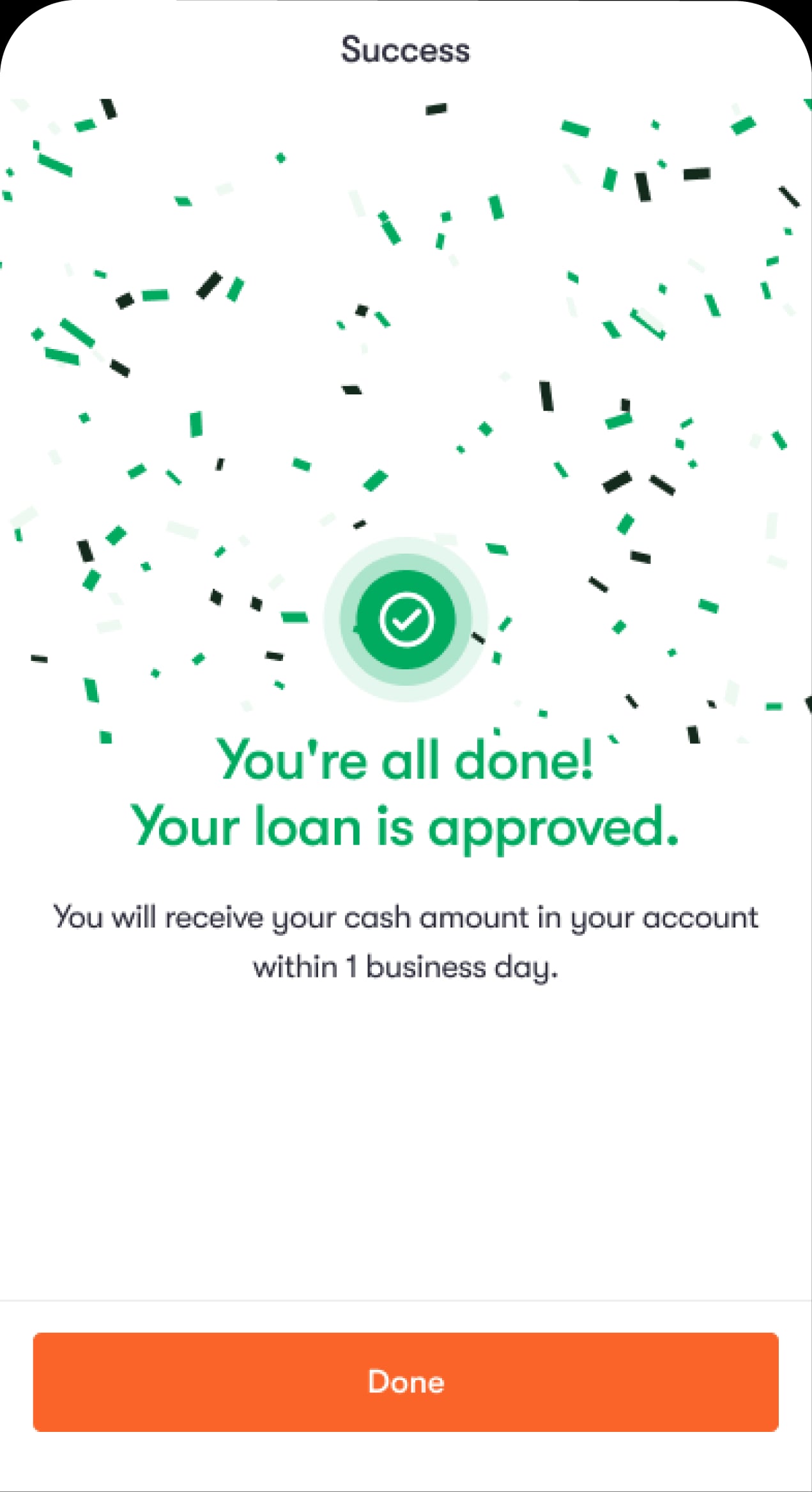
Your request has been submitted successfully
Not subscribed to the Social Security Corporation and want more than 25,000 JOD?
Step 1 of 9
From the Loans screen, tap on “+ Get financing”
You’ll be directed to choose the type of loan you want.
Step 2 of 9
Tap on “Personal financing”
You’ll be asked to authorise the bank to check your CRIF report and agree to the terms and conditions.
Step 3 of 9
Tick the box to authorise the bank to check your CRIF report
You’ll then be directed to fill in your personal information.
Step 4 of 9
Enter your employment details, including your salary, then tap on “Confirm”
You’ll then be directed to enter the financing amount you need.
Step 5 of 9
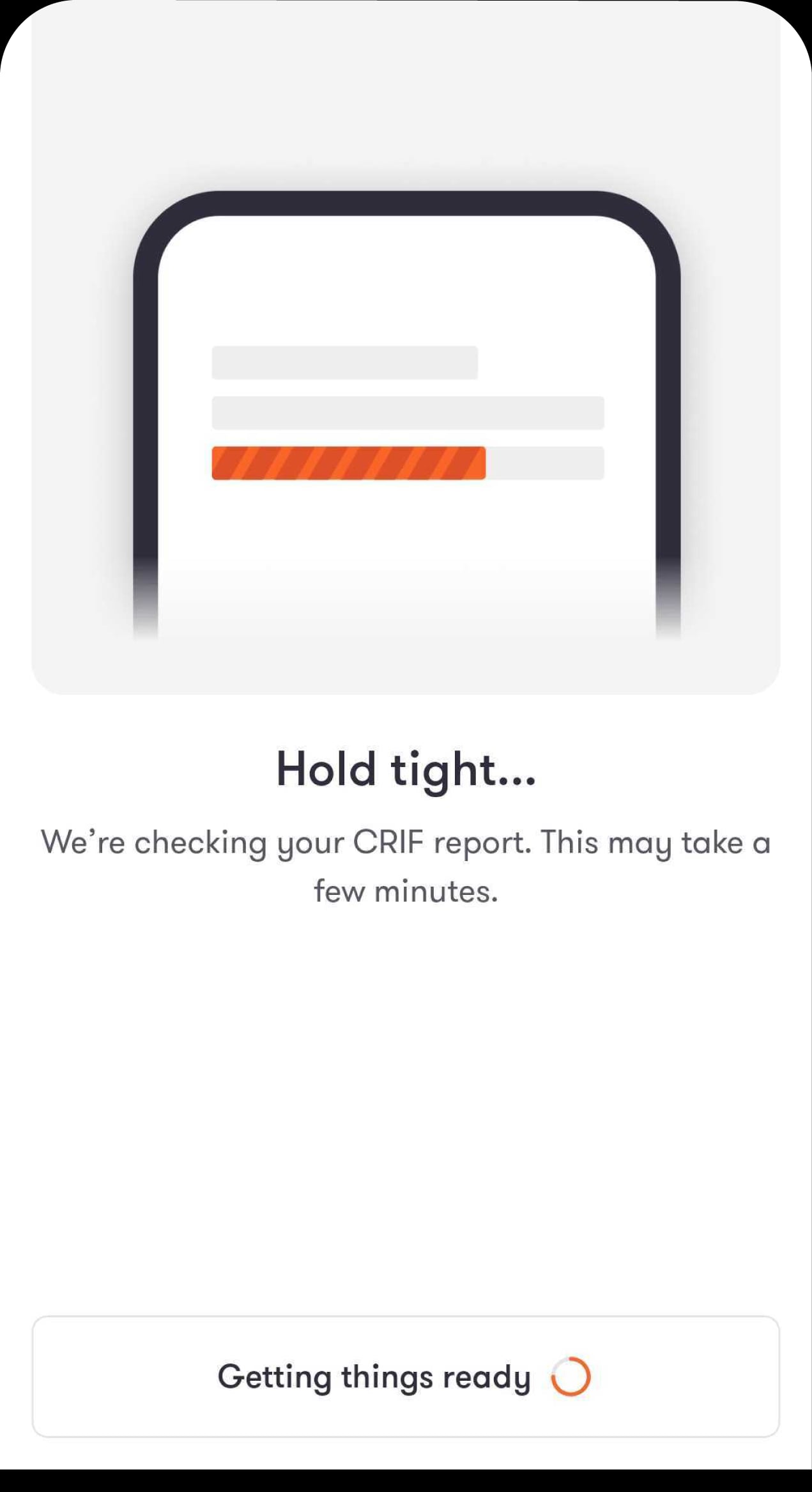
We’ll check your CRIF information
After a short wait, you’ll be directed to the next step.
Step 6 of 9
Enter the financing amount you need
You’ll then be directed to view the amount you’re eligible for.
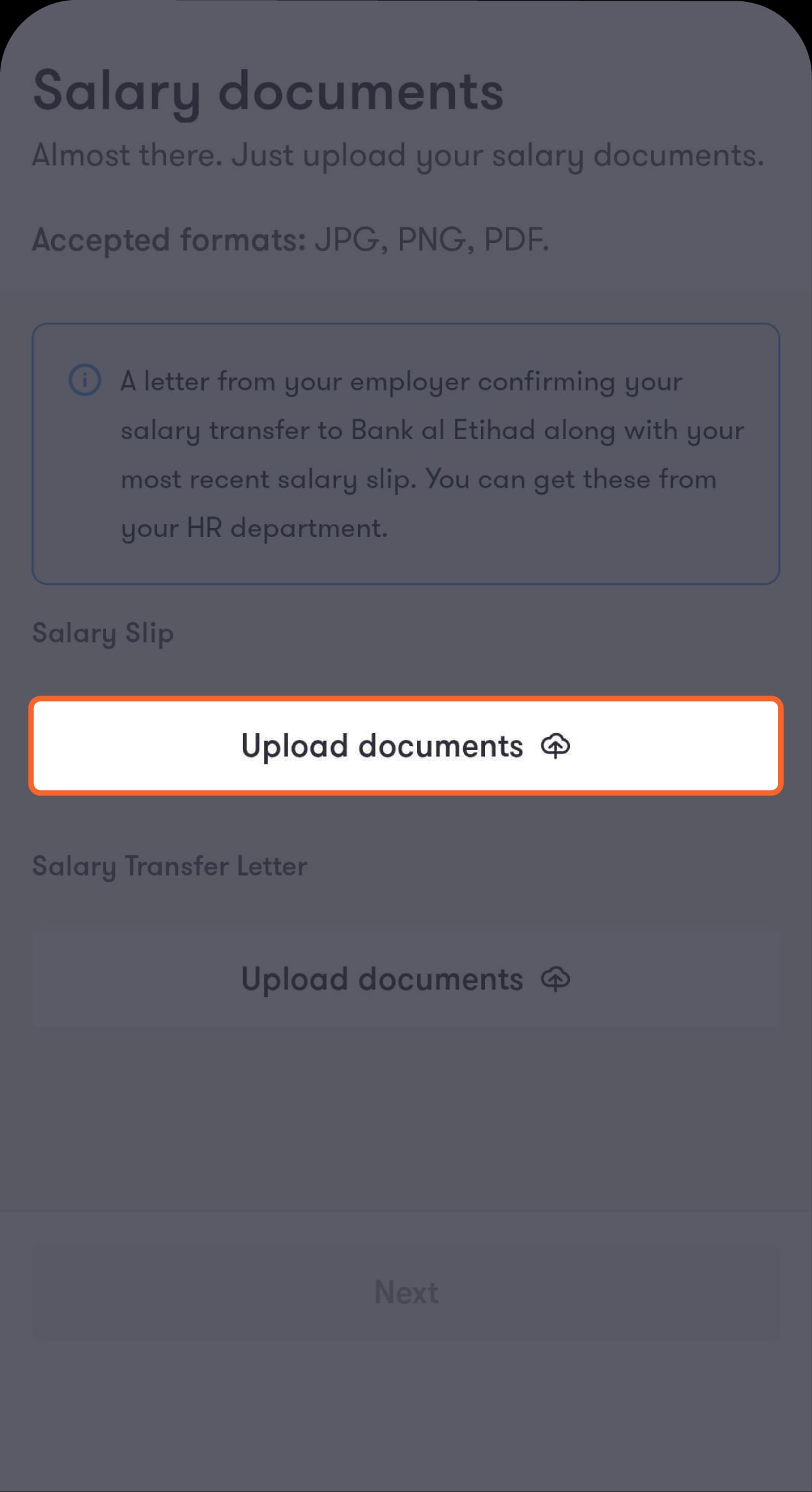
Step 7 of 9
Upload your salary slip and salary transfer letter
Then tap on “Next” to review your financing details.
Step 8 of 9
Review the loan details
Then tick the box to agree to the personal loan contract.
Step 9 of 9
Your request has been submitted successfully
Subscribed to the Social Security Corporation and want less than 25,000 JOD?
Step 1 of 7
From the Loans screen, tap on “+ Get financing”
You’ll be directed to choose the type of loan you want.
Step 2 of 7
Tap on “Personal financing”
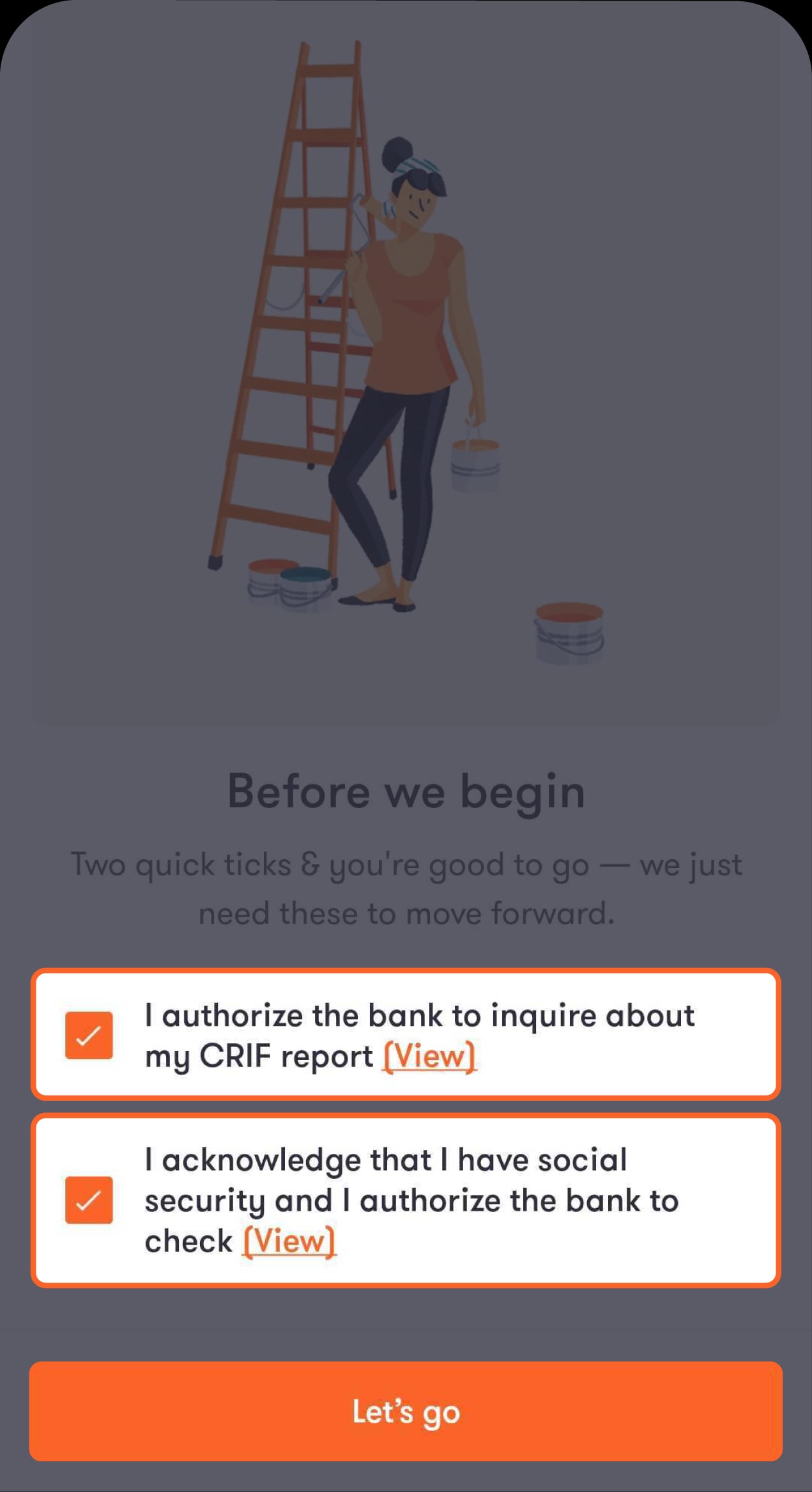
You’ll be asked to authorise the bank to check your CRIF report and agree to the terms and conditions.
Step 3 of 7
Tick the boxes to confirm your agreement
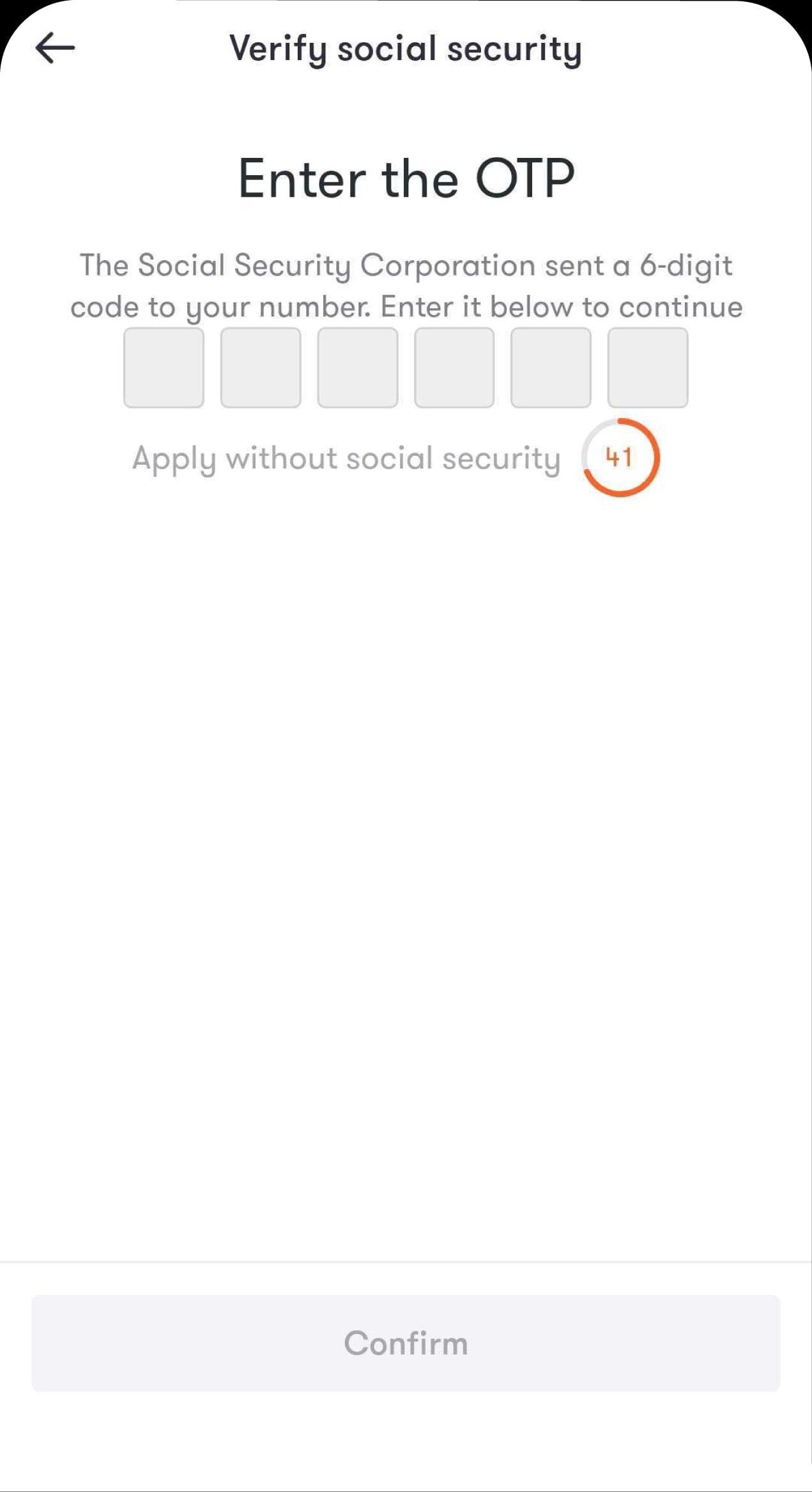
You’ll receive an OTP from the Social Security Corporation.
Step 4 of 7
Enter the OTP you’ll receive by SMS
You’ll be directed to enter the financing details.
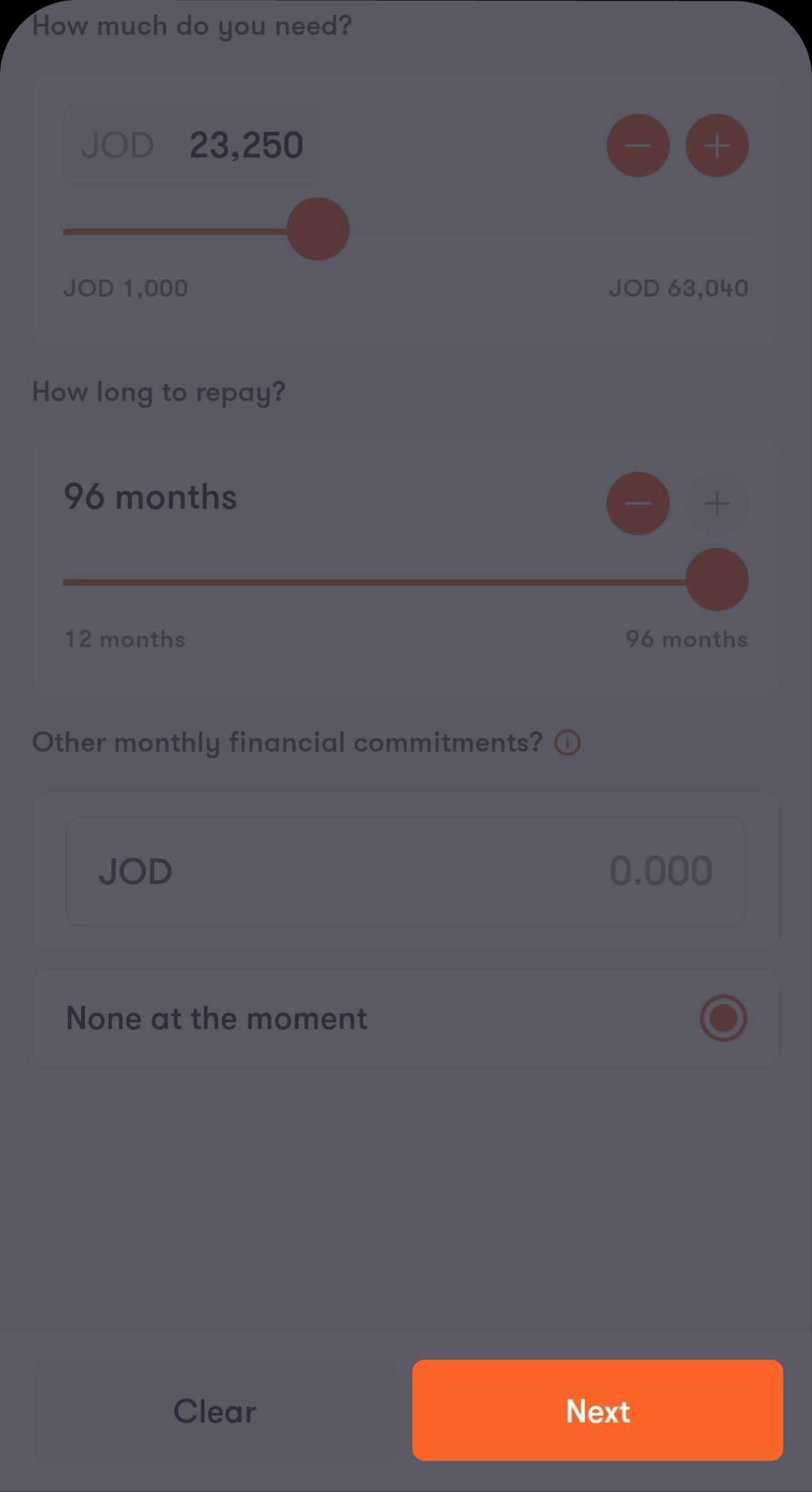
Step 5 of 7
Enter the financing amount you need
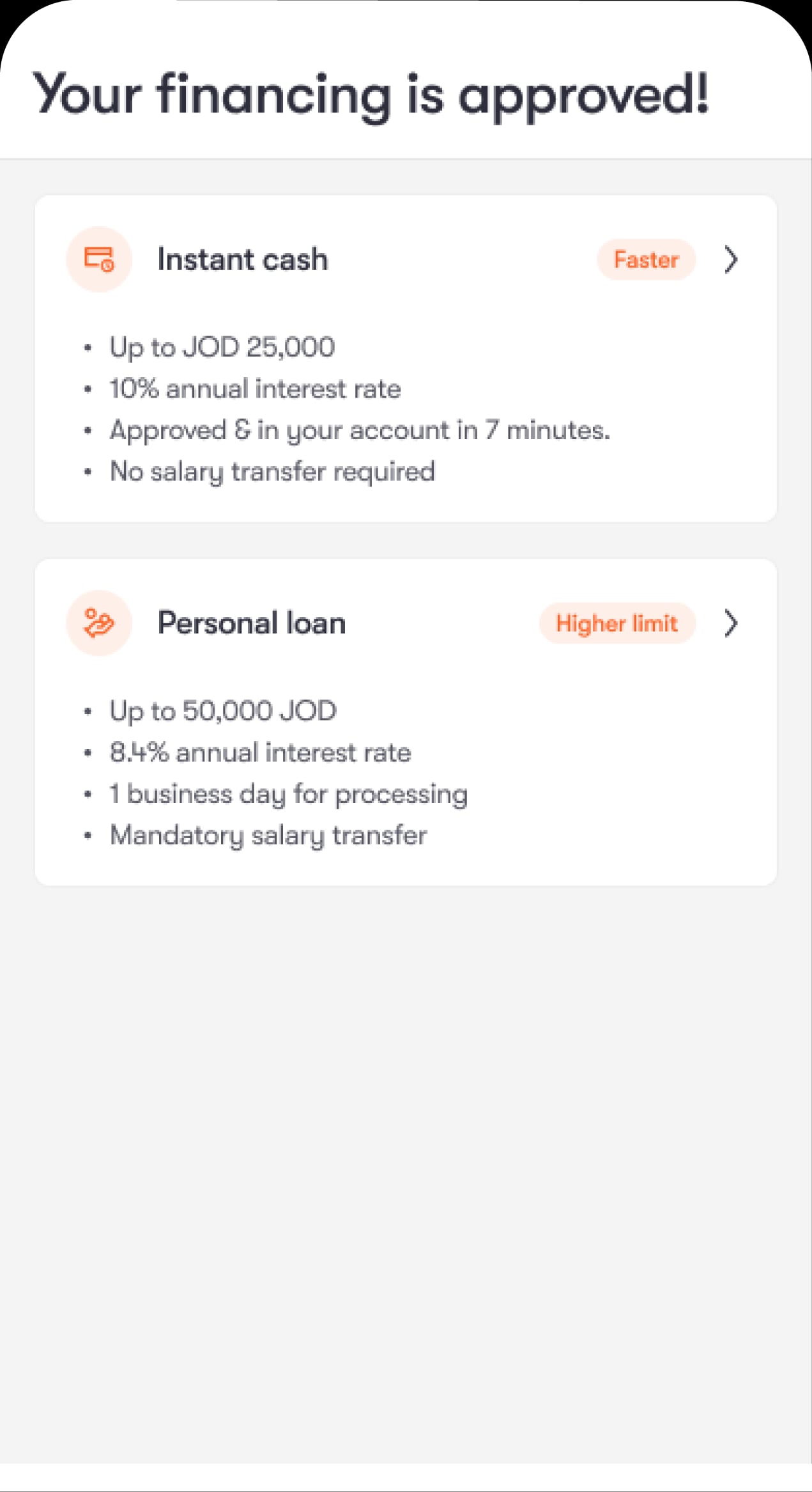
You’ll then be directed to choose the option you’re eligible for.
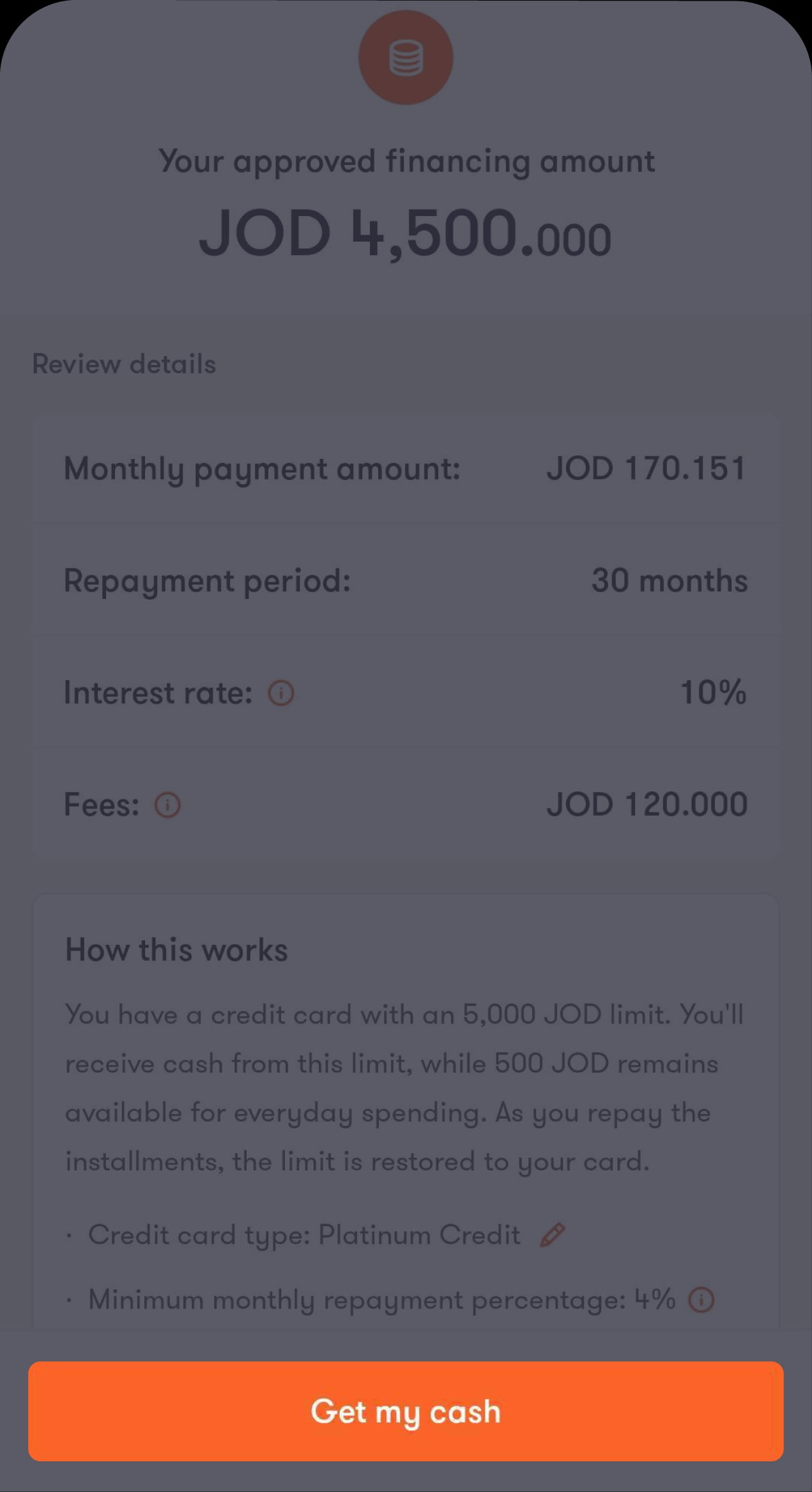
Step 6 of 7
Tap on “Get my cash”
You’ll then see the approved financing amount.
Step 7 of 7
Your request has been submitted successfully
Subscribed to the Social Security Corporation and want more than 25,000 JOD?
Step 1 of 9
From the Loans screen, tap on “+ Get financing”
You’ll be directed to choose the type of loan you want.
Step 2 of 9
Tap on “Personal financing”
You’ll be asked to authorise the bank to check your CRIF report and agree to the terms and conditions.
Step 3 of 9
Tick the boxes to confirm your agreement
You’ll receive an OTP from the Social Security Corporation.
Step 4 of 9
Enter the OTP you’ll receive by SMS
You’ll be directed to enter the financing details.
Step 5 of 9
Enter the financing amount you need
You’ll then be directed to choose the option you’re eligible for.
Step 6 of 9
Choose the option you prefer
You’ll be directed to review the financing amount you requested. If you select “Personal loan”, you’ll be directed to upload your salary documents.
Step 7 of 9
Upload your salary slip and salary transfer letter
Then tap on “Next” to review your financing details.
Step 8 of 9
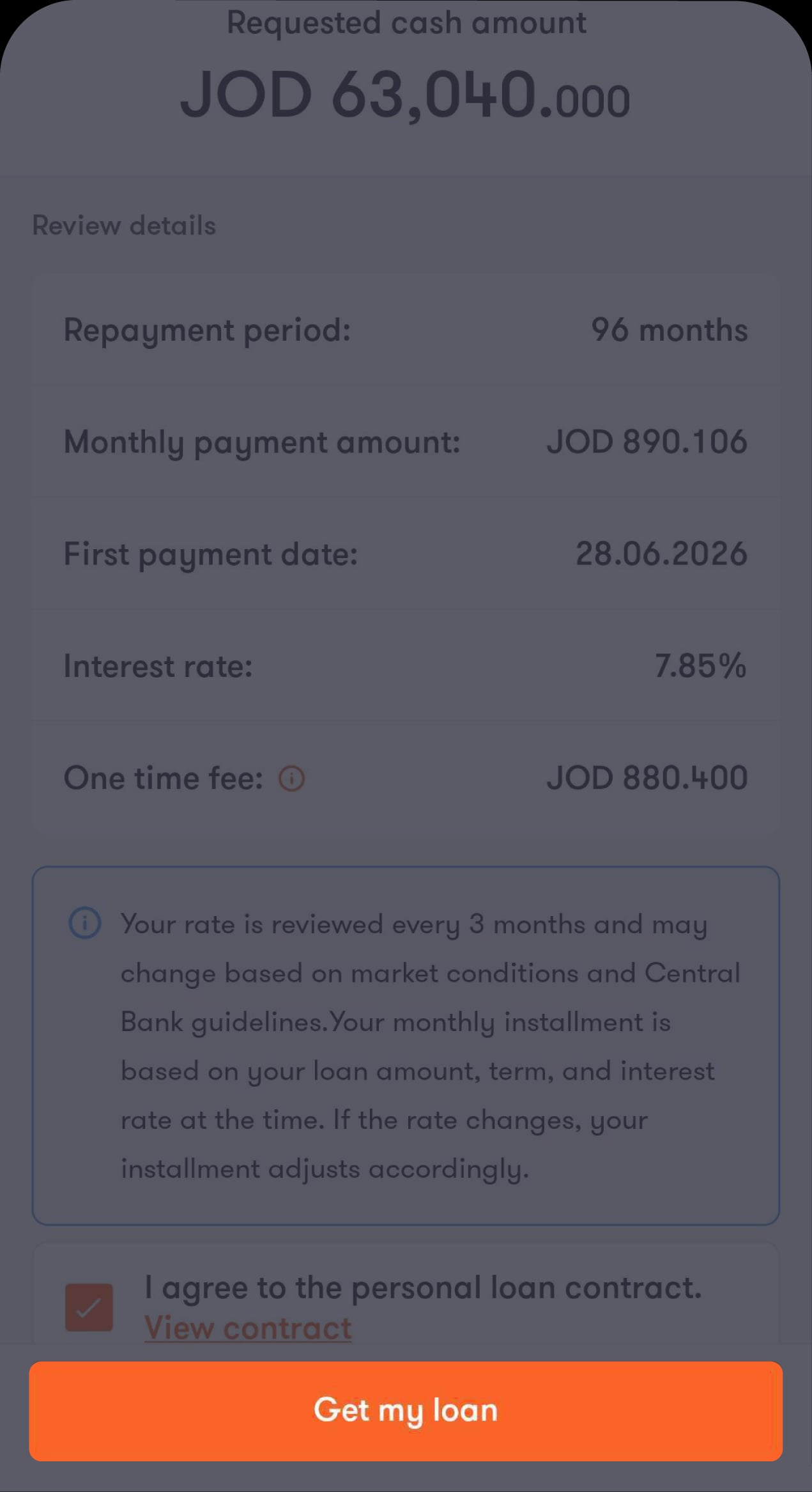
Review the loan details
Then tick the box to agree to the personal loan contract, and tap on “Get my loan”.
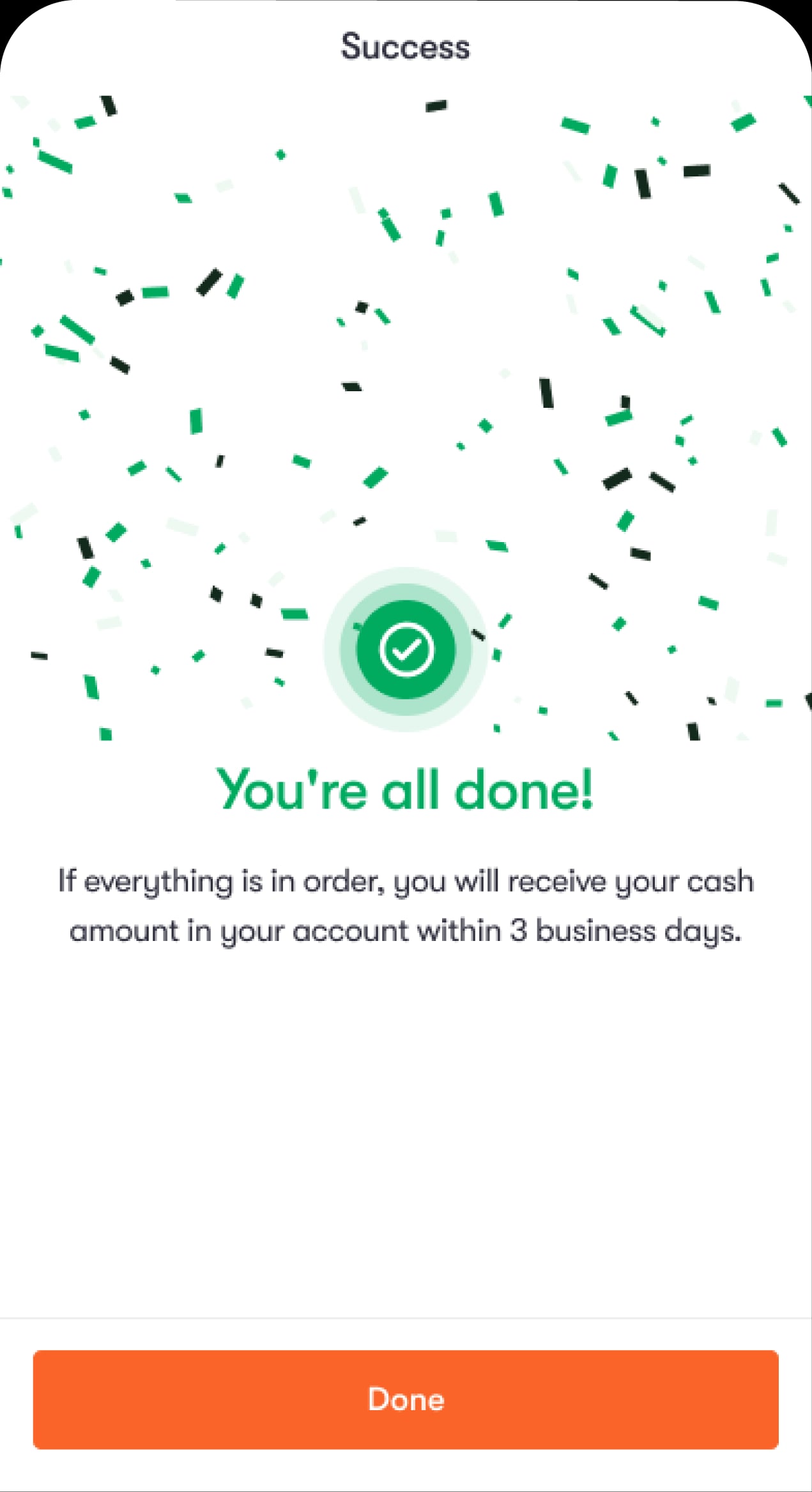
Step 9 of 9
Your request has been submitted successfully
Was this article helpful?
We’re always looking to improve, and your feedback will help us shape our future content so we can be as useful to you as we possibly can.