Knowledge hub
Salary In Advance
Salary in advance
We know unexpected expenses don’t always wait for payday. When you need a little of your salary sooner, Salary in Advance lets you take part of your upcoming salary right from the app.
Choose how much you need, see the fee before you confirm, and get the money in your account without visiting a branch. When your salary comes in, you can pay it back through the app or have it covered automatically.
Start now!
Step 1 of 5
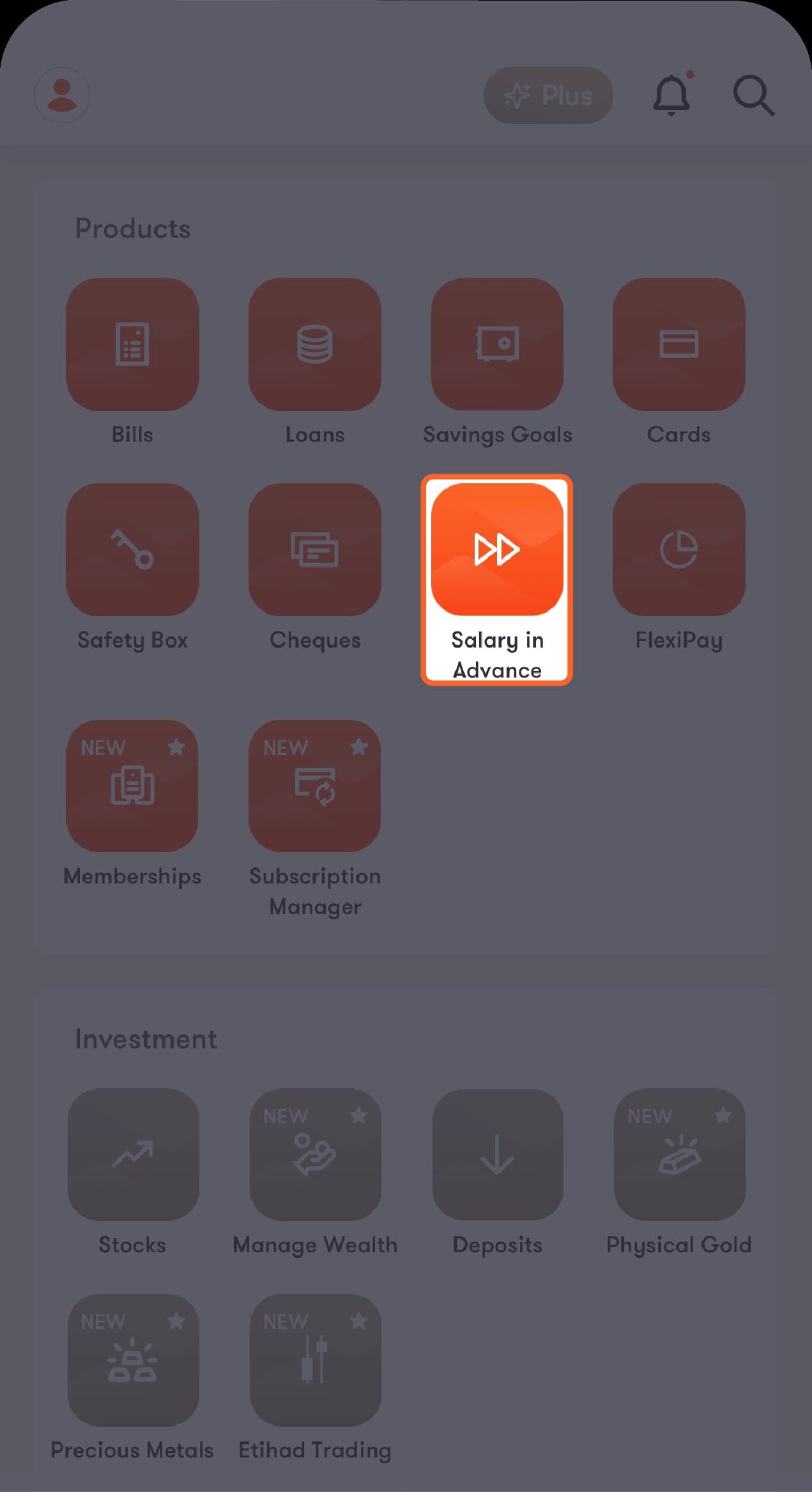
From the Hub screen
Tap on “Salary in advance”.
Step 2 of 5
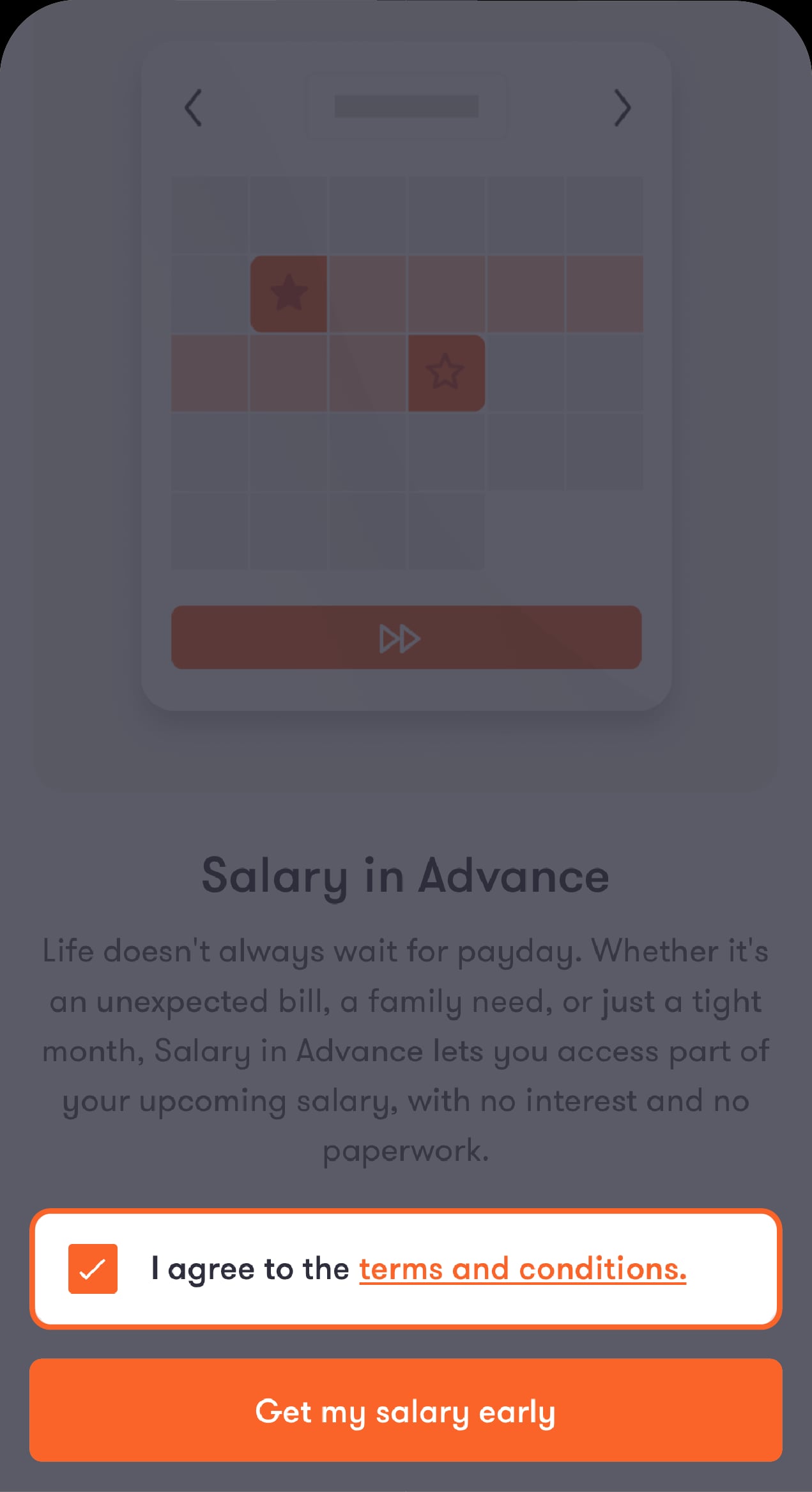
Review the terms
Read the terms and conditions. Once you accept them, tap on “Get my salary early”
Step 3 of 5
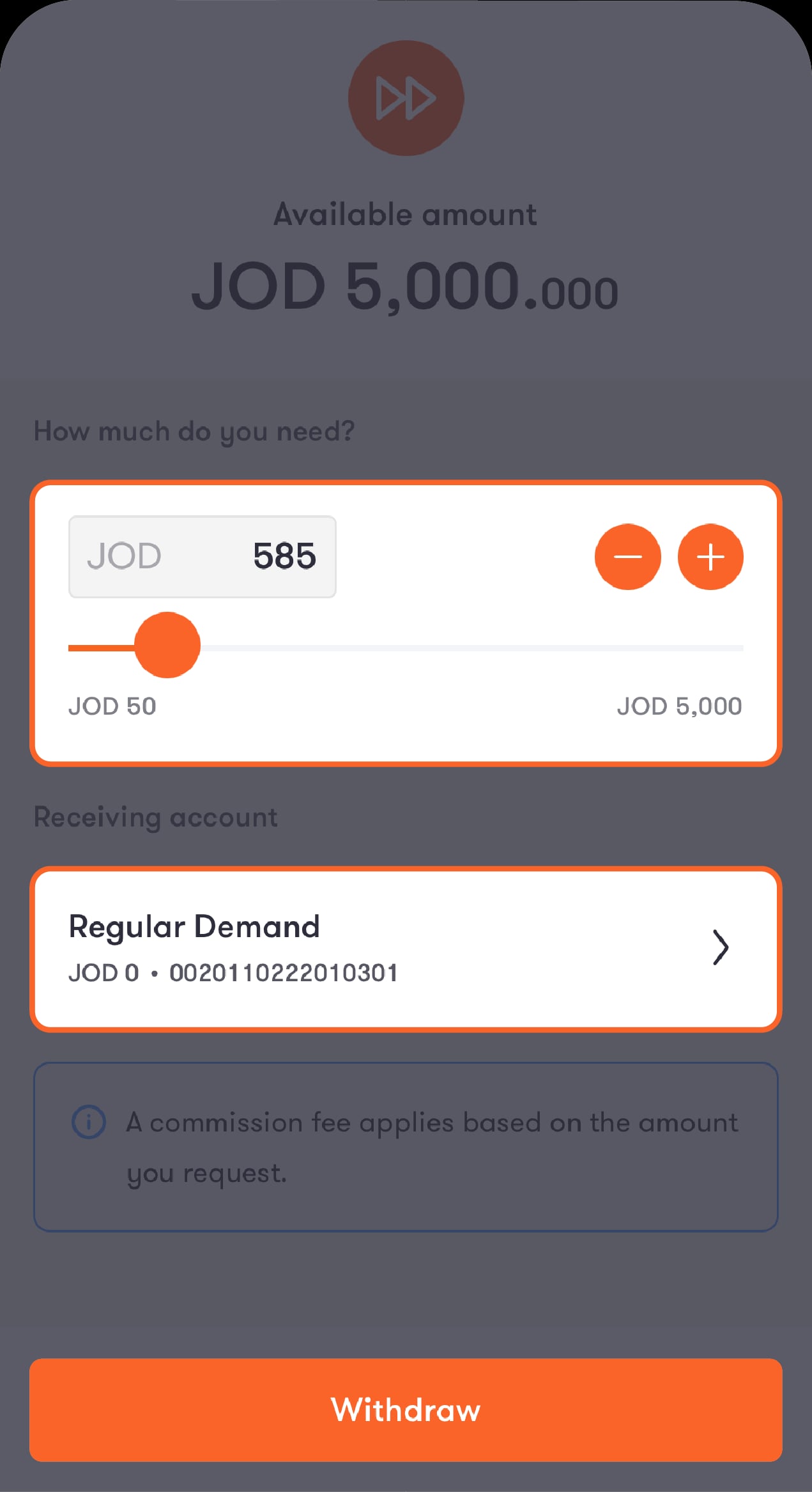
You’ll see how much you can take. Use the slider to choose an amount
Starting from 50 JOD up to the amount available to you, then choose the account you want the money sent to. You’ll see the fee that will be taken out of the amount before you confirm.
Step 4 of 5
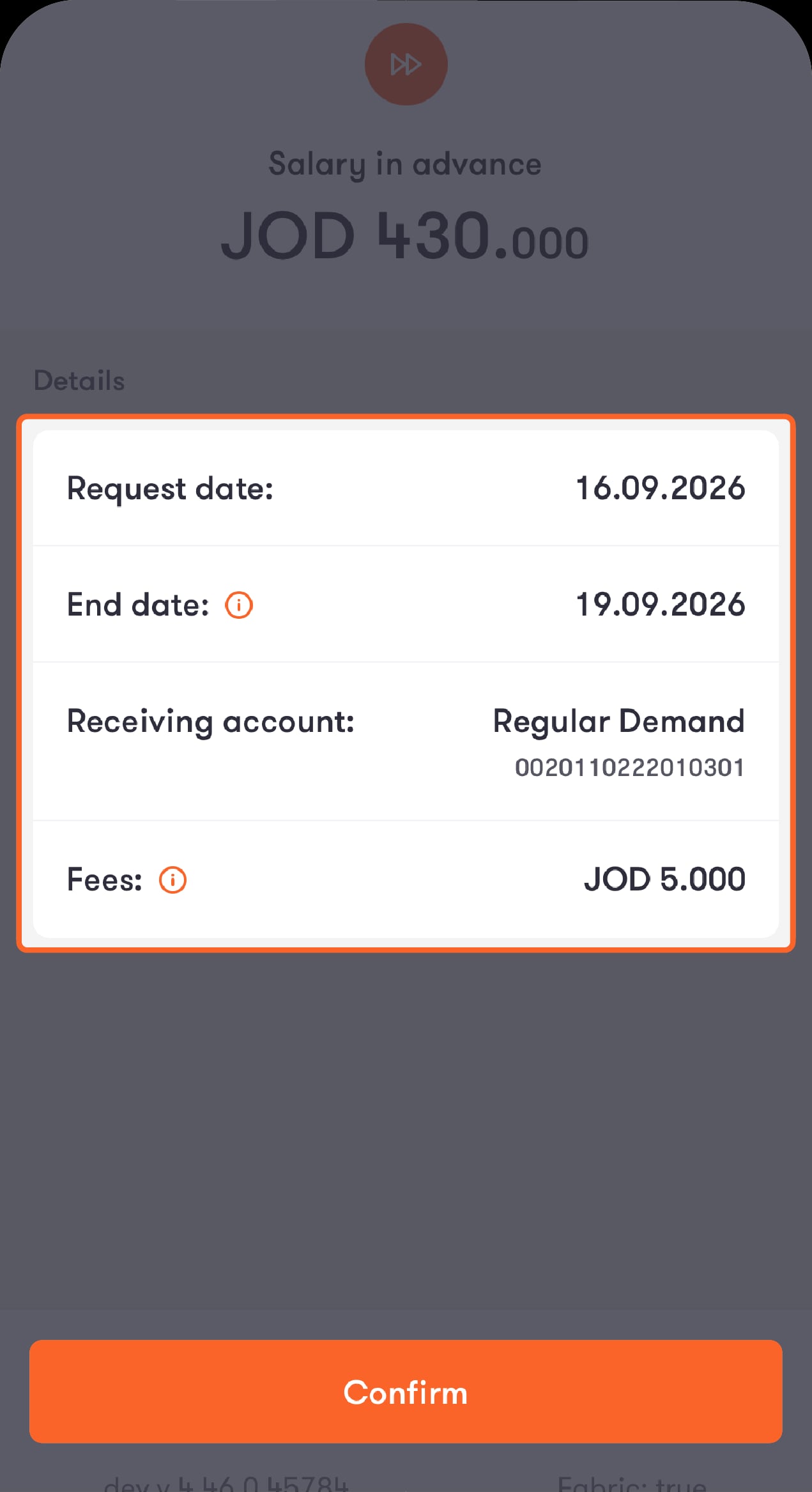
Double-check the details
Check the amount, dates, account, and fees, then tap “Confirm”.
Step 5 of 5
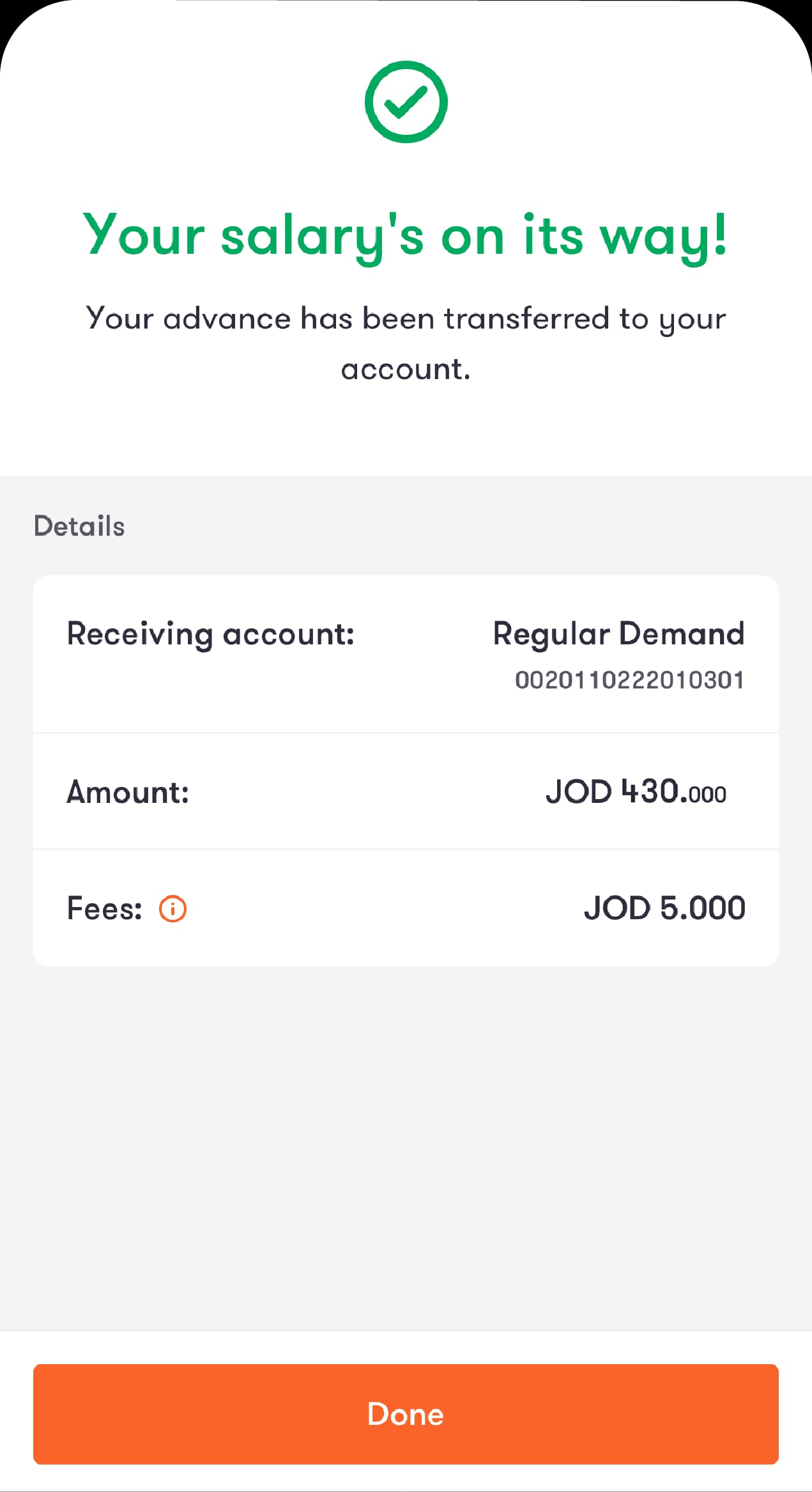
Once you confirm your transaction details
The amount you requested will be transferred to your account and you’ll get a summary of your request.
If you still have some of your available amount left, you can make another request during the same 31-day period.
Step 1 of 3
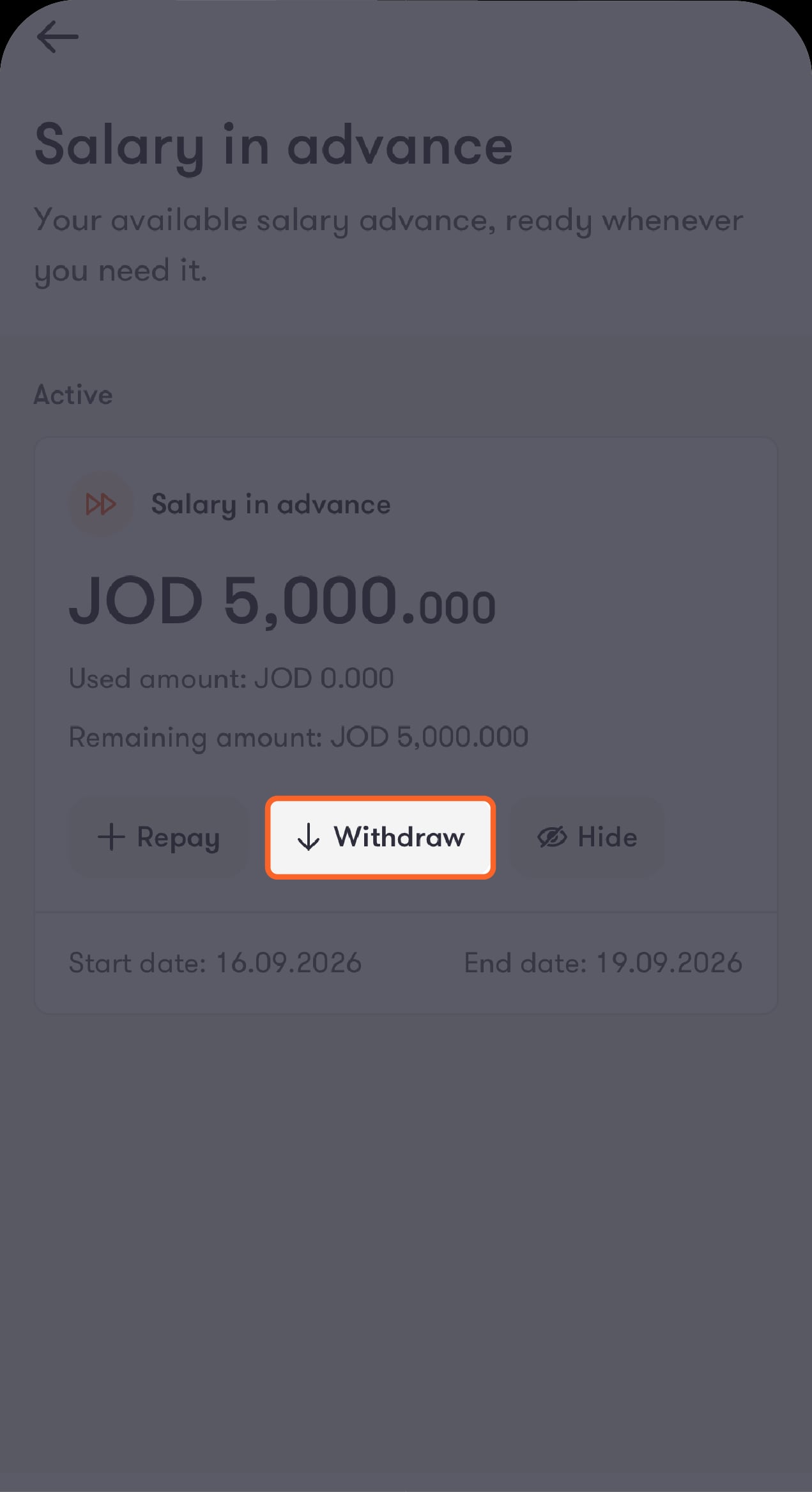
See what you have left
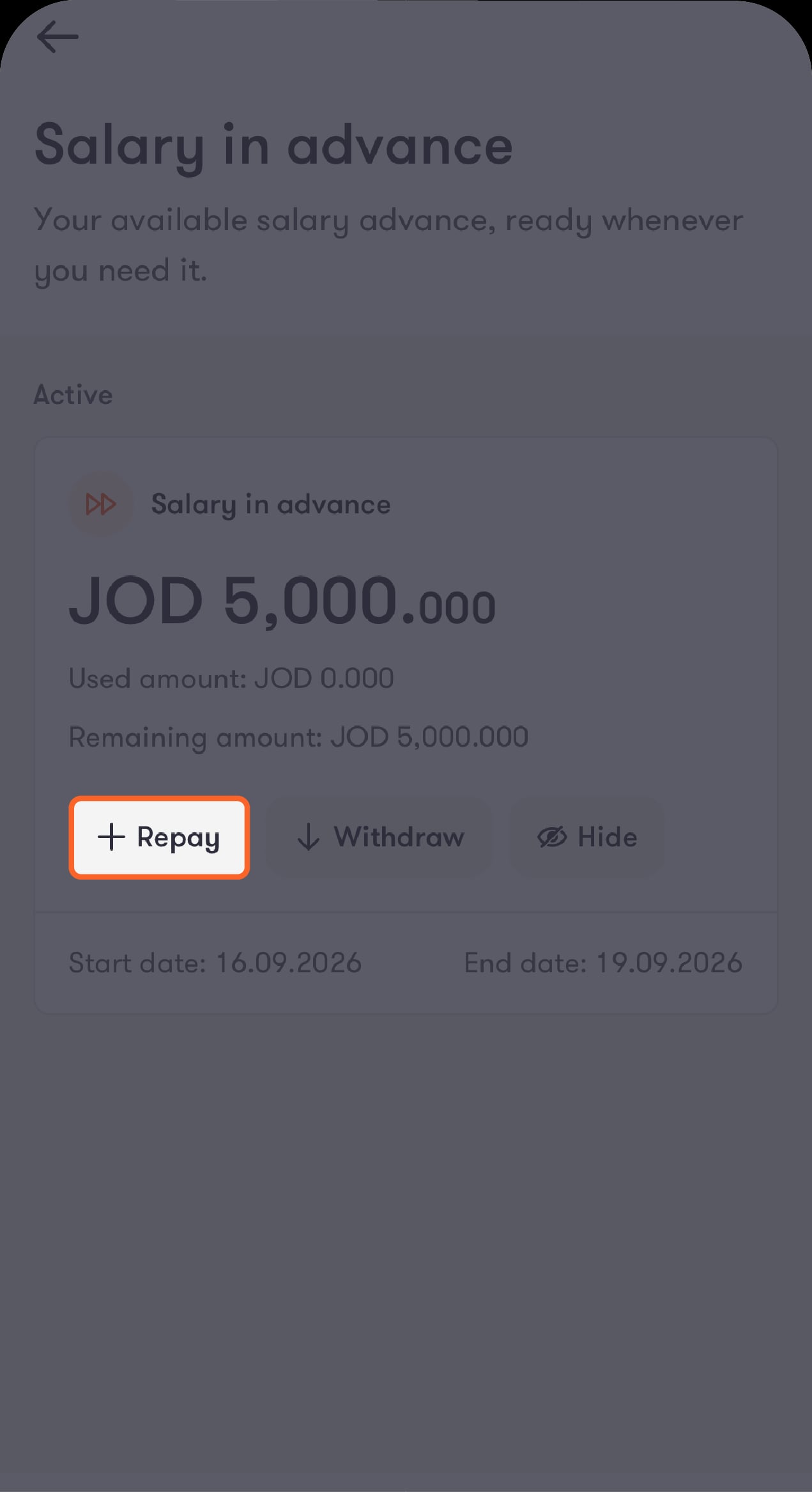
Check how much you can take in total, how much you’ve already taken, and how much you have left, with the options to repay or request more. Tap on “Withdraw” to make a new request.
Step 2 of 3
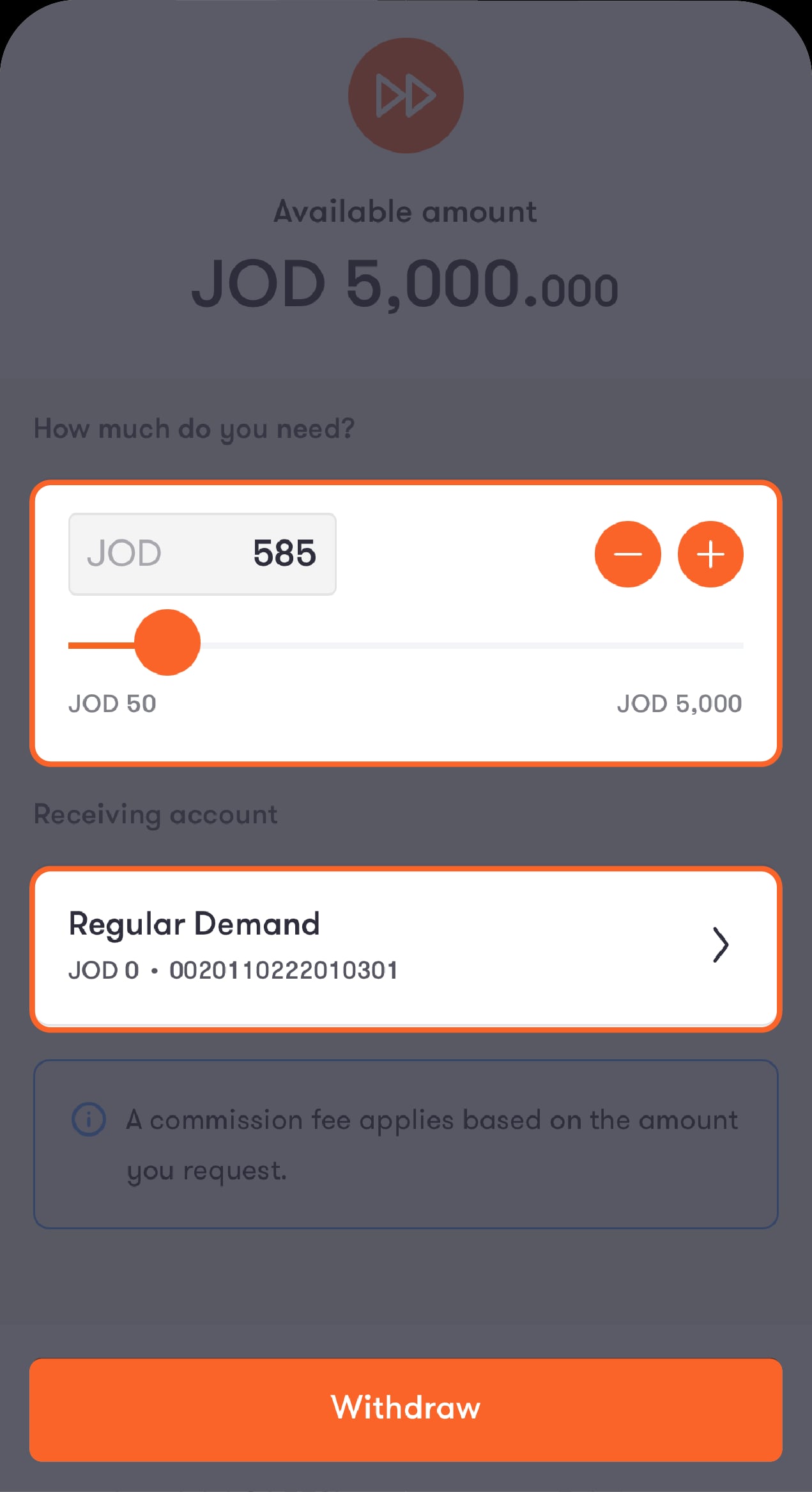
Choose how much you need
You’ll see how much is available to you on the screen. Use the slider to choose an amount, starting from 50 JOD up to what you have left, choose the account you want the money sent to, and you’ll be reminded that a fee applies. Then tap on “Withdraw”.
Step 3 of 3
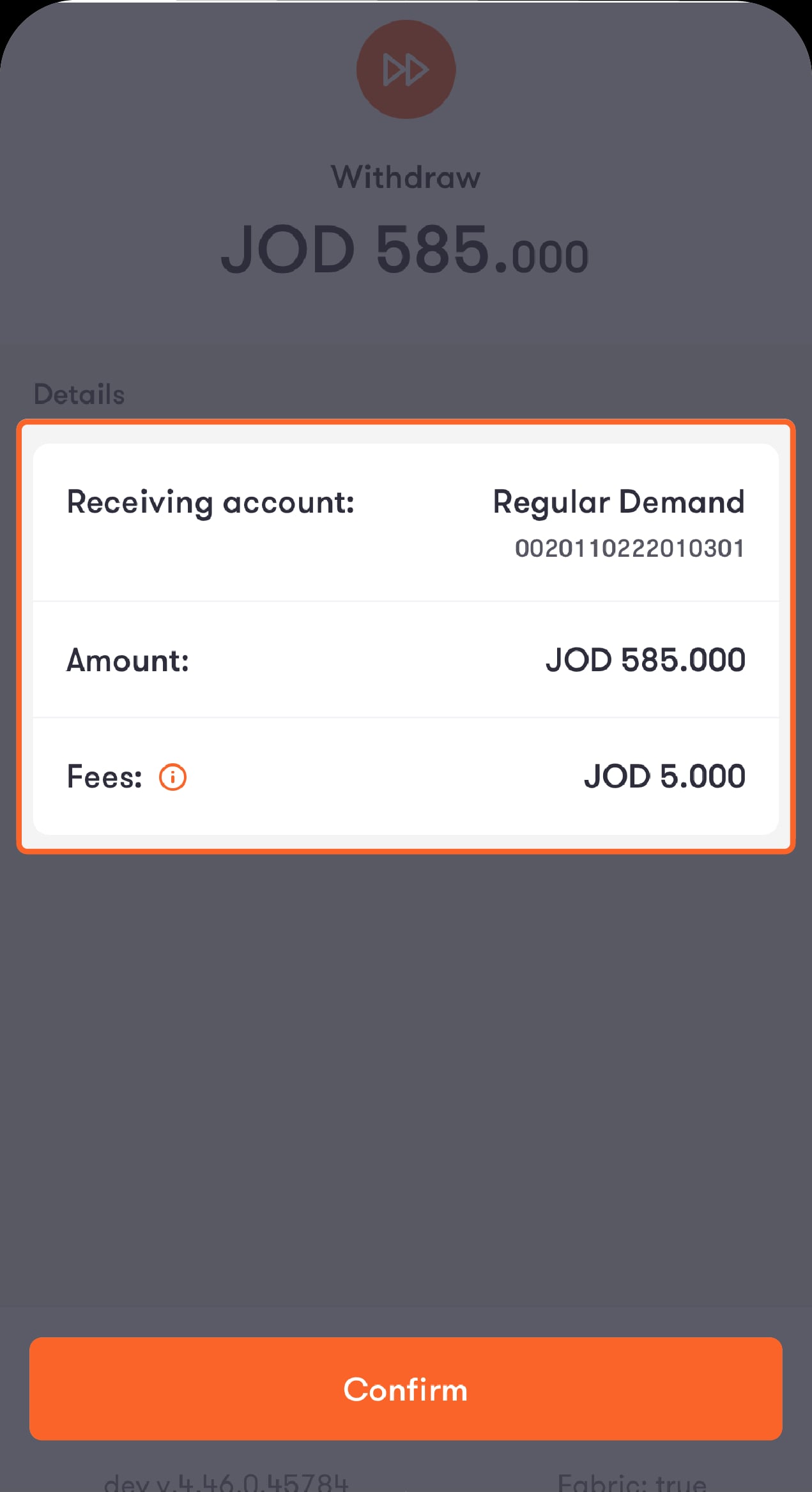
Double-check the details
Check the receiving account, amount, and fees, then click “Confirm”. Once you confirm your transaction details
The amount you requested will be transferred to your account and you’ll get a summary of your request.
The amount you requested will be transferred to your account and you’ll get a summary of your request.
There are a few steps you can take to repay your salary in advance.
Step 1 of 3
Tap on “Repay” to pay back some or all of what you’ve taken.
If your 31-period is still open, you’ll see how much you have, how much you used, how much you have left, along with your transaction history.
Step 2 of 3
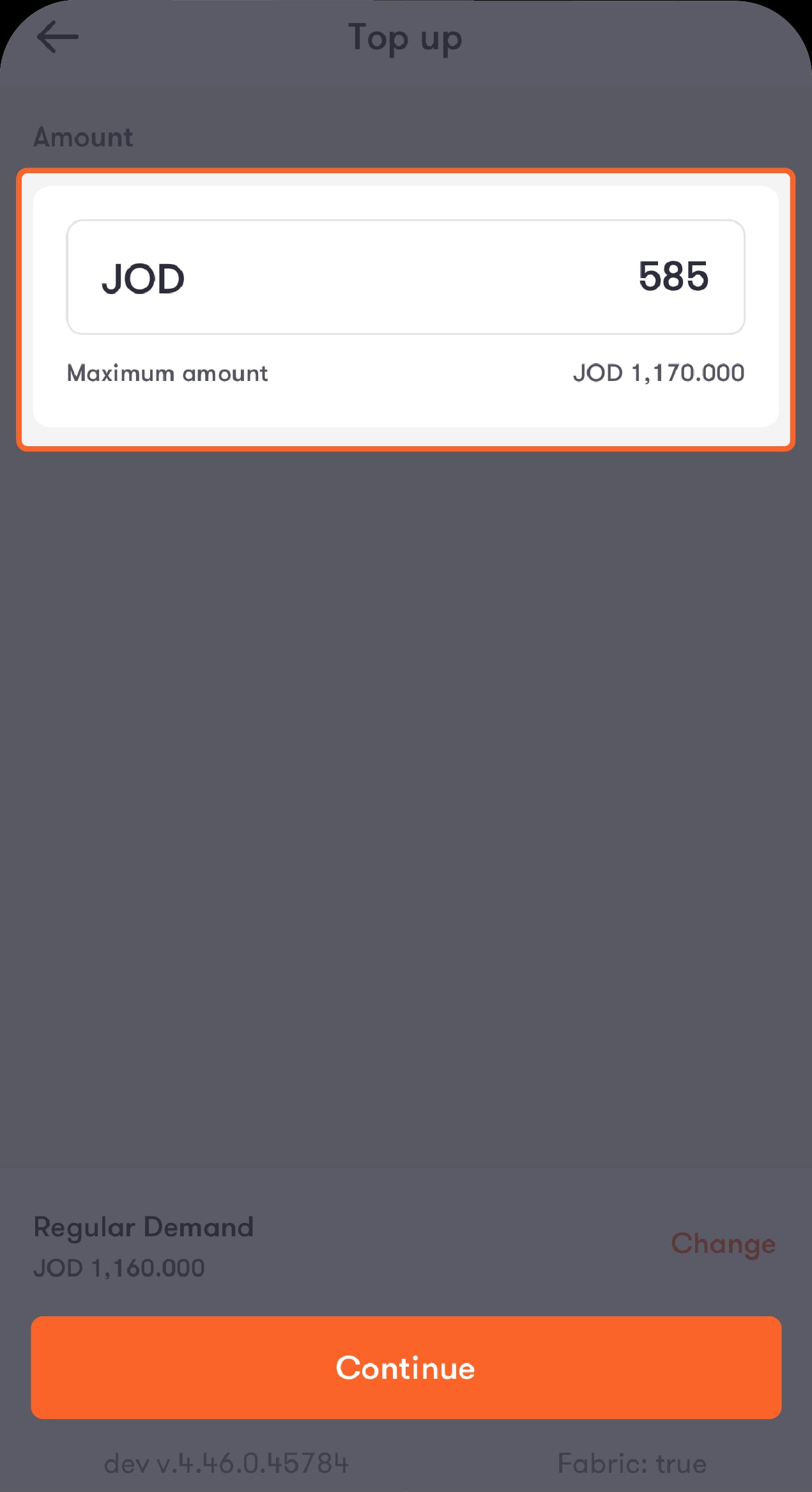
Once you tap on “Repay”
Choose the account you want to pay from and enter how much you want to repay.
Step 3 of 3
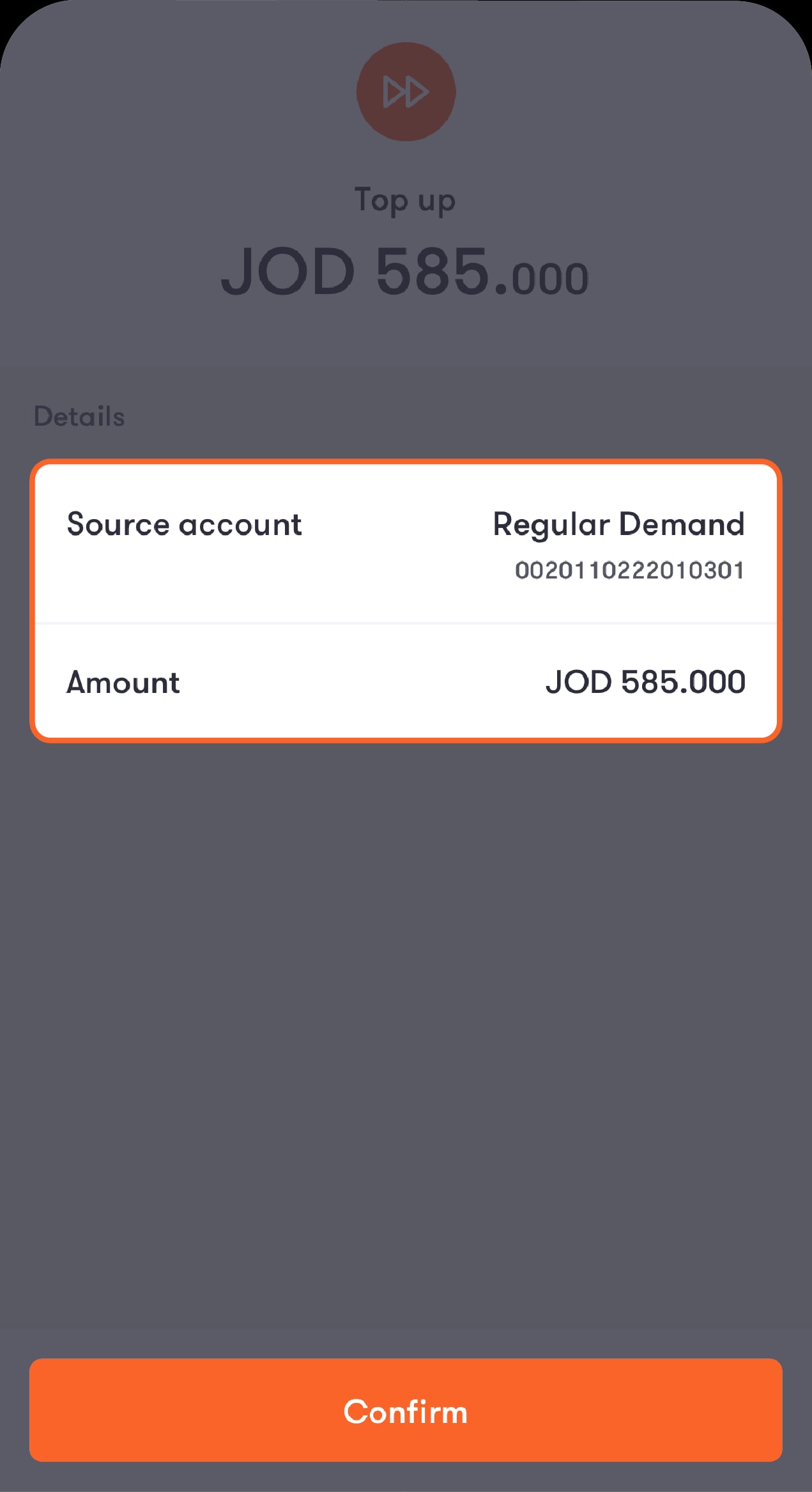
Double-check the details
Check the amount and account, then tap on “Confirm” to make your payment.
Was this article helpful?
We’re always looking to improve, and your feedback will help us shape our future content so we can be as useful to you as we possibly can.